9
Charger Models
Three charger models are available for the Spectralink 8020/8030 Wireless Telephone.
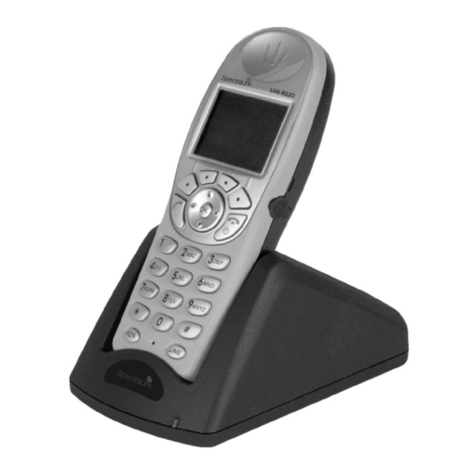
The Single Charger will charge a single handset with an installed Battery Pack. The
Dual Charger will charge the handset and a spare Battery Pack. The Quad Charger
can charge up to four Battery Packs at a time. Any Battery Pack for the Spectralink
8020/8030 Wireless Telephone can be charged in any charger.
The Single and Dual Chargers allow the handset to remain operative in speakerphone
mode or with a headset while charging. Handsets may be charged while in standby
mode, while in an active call or while turned off.
Place the Single or Dual Charger on a at, horizontal surface. Plug the power supply
into the charger and into an appropriate wall outlet. The Quad Charger may be mounted
on a horizontal or vertical surface.
Single Charger
Place the handset in the Single Charger facing forward. While the handset is charging in
standby mode, it will display its extension number and Charging…. An animated charge
icon will indicate that charging is in progress. The handset is fully operational and will
ring if called. When the handset is charging while turned off, only Charging… will
display and no calls will be received. The dots will be racing during the charging cycle.
When the handset is fully charged, Charge Complete will display.
Dual Charger
Place the handset in the front slot, facing forward. The Battery Pack alone snaps into
the rear charging bay.
The LED indicates the status of the Battery Pack in the rear bay. A solid LED indicates
the Battery Pack is charging. The LED turns off when the Battery Pack is fully charged.
The handset displays its charging status as described for the Single Charger.
When the handset is fully charged or is removed, the Battery Pack in the rear slot will
begin charging.
Note that the time it takes for the Battery Pack to charge will be lengthened if its
charging cycle is interrupted by the placement of a handset in the front slot.
Quad Charger
The Battery Pack snaps into the charging slot. The LED above the occupied bay
indicates the charging status of the Battery Pack in the bay.
A ashing LED may indicate a Battery Pack failure. Verify the condition
of the Battery Pack by the following procedure before replacing it. First
check the Battery Pack in a different bay or substitute another charger and
repeat the operation that caused the failure. If the same Battery Pack lights
a steady LED when inserted in a different bay or charger, the rst charger
may be faulty. Contact your system administrator for service information.