manuals.online logo
Brands
  1. Home
  2. •
  3. Brands
  4. •
  5. SUCO
  6. •
  7. Switch
  8. •
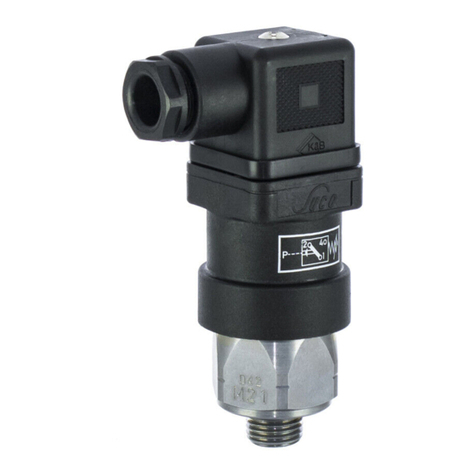
  9. SUCO 0184 SERIES User manual

SUCO 0184 SERIES User manual

This manual suits for next models

1

Other SUCO Switch manuals

SUCO 0240 Series User manual

SUCO

SUCO 0240 Series User manual

SUCO 0140 Series User manual

SUCO

SUCO 0140 Series User manual

SUCO 0540 Series User manual

SUCO

SUCO 0540 Series User manual

SUCO 0194 Series User manual

SUCO

SUCO 0194 Series User manual

SUCO 0184 Series User manual

SUCO

SUCO 0184 Series User manual

SUCO 0531 Series User manual

SUCO

SUCO 0531 Series User manual

SUCO 0340 Series User manual

SUCO

SUCO 0340 Series User manual

SUCO 0165 Series User manual

SUCO

SUCO 0165 Series User manual

SUCO 0500 Series User manual

SUCO

SUCO 0500 Series User manual

Popular Switch manuals by other brands

SMC Networks SMC6224M Technical specifications

SMC Networks

SMC Networks SMC6224M Technical specifications

Aeotec ZWA003-S operating manual

Aeotec

Aeotec ZWA003-S operating manual

TRENDnet TK-209i Quick installation guide

TRENDnet

TRENDnet TK-209i Quick installation guide

Planet FGSW-2022VHP user manual

Planet

Planet FGSW-2022VHP user manual

Avocent AutoView 2000  AV2000BC AV2000BC Installer/user guide

Avocent

Avocent AutoView 2000 AV2000BC AV2000BC Installer/user guide

Moxa Technologies PT-7728 Series user manual

Moxa Technologies

Moxa Technologies PT-7728 Series user manual

Intos Electronic inLine 35392I operating instructions

Intos Electronic

Intos Electronic inLine 35392I operating instructions

Cisco Catalyst 3560-X-24T Technical specifications

Cisco

Cisco Catalyst 3560-X-24T Technical specifications

Asante IntraCore IC3648 Specifications

Asante

Asante IntraCore IC3648 Specifications

Siemens SIRIUS 3SE7310-1AE Series Original operating instructions

Siemens

Siemens SIRIUS 3SE7310-1AE Series Original operating instructions

Edge-Core DCS520 quick start guide

Edge-Core

Edge-Core DCS520 quick start guide

RGBLE S00203 user manual

RGBLE

RGBLE S00203 user manual

Thrustmaster FLIGHT SIMULATOR X quick guide

Thrustmaster

Thrustmaster FLIGHT SIMULATOR X quick guide

Southwire SURGE GUARD 41390 RVC troubleshooting guide

Southwire

Southwire SURGE GUARD 41390 RVC troubleshooting guide

Buhler Nivotemp NT 61 Brief instructions

Buhler

Buhler Nivotemp NT 61 Brief instructions

Kramer VS-41HDCP user manual

Kramer

Kramer VS-41HDCP user manual

Techly IDATA AU-270 user manual

Techly

Techly IDATA AU-270 user manual

Belkin F1U109 user manual

Belkin

Belkin F1U109 user manual

manuals.online logo
manuals.online logoBrands
  • About & Mission
  • Contact us
  • Privacy Policy
  • Terms and Conditions

Copyright 2025 Manuals.Online. All Rights Reserved.

GB
Operating Instructions
Please keep carefully for future use
Diaphragm-/
Piston Pressure Switch
with connector
Series 0184
Series 0185
Installation and commissioning must be carried out
in accordance with these Operating Instructions
and by authorized, qualified personnel only.
SUCO Robert Scheuffele GmbH & Co. KG
Keplerstraße 12-14
74321 Bietigheim-Bissingen, Germany
Phone: + 49-7142-597- 0
Fax: + 49-7142-980151
e-Mail: info@suco.de
www.suco.de
Operation and use
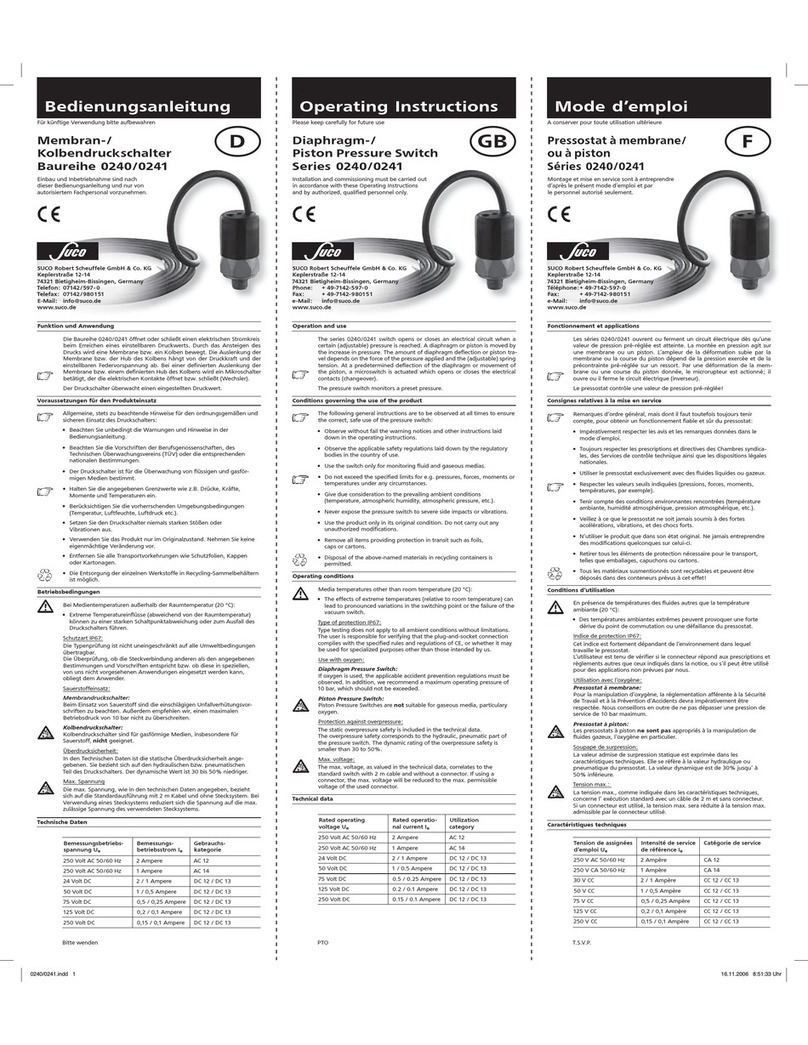
The series 0184/0185 switch opens or closes an electrical circuit when a certain
(adjustable) pressure is reached. A diaphragm or piston is moved by the increase
in pressure. The amount of diaphragm deflection or piston travel depends on
the force of the pressure applied and the (adjustable) spring tension. At a prede -
termined deflection of the diaphragm or movement of the piston, a microswitch
is actuated which opens or closes the electrical contacts (changeover).
The pressure switch monitors a preset pressure.
Conditions governing the use of the product
The following general instructions are to be observed at all times to ensure the
correct, safe use of the pressure switch:
• Observe without fail the warning notices and other instructions laid
down in the operating instructions.
• Observetheapplicablesafetyregulationslaiddownbytheregulatory
bodies in the country of use.
• Use the switch only for monitoring fluid and gaseous medias.
 • Donotexceedthespeciedlimitsfore.g.pressures,forces,momentsor
temperatures under any circumstances.
• Give due consideration to the prevailing ambient conditions
(temperature, atmospheric humidity, atmospheric pressure, etc.).
• Never expose the pressure switch to severe side impacts or vibrations.
• Usetheproductonlyinitsoriginalcondition.Donotcarryoutany
unauthorized modifications.
• Remove all items providing protection in transit such as foils,
caps or cartons.
 • Disposaloftheabove-namedmaterialsinrecyclingcontainersis
permitted.
Operating conditions
Media temperatures other than room temperature (20 °C):
•The effects of extreme temperatures (relative to room temperature) can
lead to pronounced variations in the switching point or the failure of the
pressure switch.
Type of protection IP65:
Type testing does not apply to all ambient conditions without limitations.
The user is responsible for verifying that the plug-and-socket connection com-
plies with the specified rules and regulations of CE, or whether it may be used
for specialized purposes other than those intended by us.
Use with oxygen:
Diaphragm Pressure Switch:
If oxygen is used, the applicable accident prevention regulations must be
observed. In addition, we recommend a maximum operating pressure of 10
bar, which should not be exceeded.
Piston Pressure Switch:
Piston Pressure Switches are not suitable for gaseous media, particulary
oxygen.
Protection against overpressure:
The static overpressure safety is included in the technical data.
The overpressure safety corresponds to the hydraulic, pneumatic part of the
pressure switch. The dynamic rating of the overpressure safety is smaller than
30 to 50%.
Technical data
Rated operating
voltage Ue
Rated operating
current Ie
Utilization
category
250 Volt AC 50/60 Hz 4 Ampere AC 12
250 Volt AC 50/60 Hz 1 Ampere AC 14
30VoltDC 4 / 4 Ampere DC12/DC13
50VoltDC 2 / 1 Ampere DC12/DC13
75VoltDC 1 / 0.5 Ampere DC12/DC13
125VoltDC 0.3 / 0.2 Ampere DC12/DC13
250VoltDC 0.25 / 0.2 Ampere DC12/DC13
Rated insulation voltage Ui300 Volt
Rated surge capacity Uimp: 2.5 kV
Rated thermal current Ithe: 5 Ampere
Switching overvoltage: < 2.5 kV
Ratedfrequency: DCund50/60Hz
Rated current of short-circuit protective decvice: Up to 5 Ampere
Rated short-circuit current: < 350 Ampere
IP-protection to EN 60 529:1991: IP65 with plug
Tightening torque for terminal screws: < 0.35 Nm
Connection size: 0.5 to 1.5 mm2
Cable screw coupling: Pg 9
ConnectorwithLED: Pg11
Cable size: Pg 9: 6 to 9 mm
Pg 11: 6 to 11 mm
Operating frequency: < 200 min-1
Switching hysteresis: 10 to 30% adjustable
by the factory
Mechanical life 106 operating cycles
Diaphragmtype(0184): (atatrippressuresupto 
50 bar)
Piston type (0184): 106operating cycles
Body material: Zinc-plated steel
(Fe//ZnNi(12)6//A/T2)
Temperature range: NBR -30 °C to +100 °C
 EPDM -30°Cto+120°C
FKM -5 °C to +120 °C
Overpressure safety
DiaphragmPressureSwitch(0184): 100bar(0.3to1.5bar) 
300 bar (restidual pressure)
Piston Pressure Switch (0185): 600 bar
Operating controls and connections
7
max. 0.5 Nm 4
7
P
24
1
(1) Pressure connection
(2) Electrical connection
(3) Adjusting screw
(4) Fastening screw
(5) Plug housing
(6) Gasket
(7) Terminal board
(8) Pg gland
Fig. 3
Fig. 2
Fig. 4
Fig. 1
2
3
3
1
4
58
6
7

Key to drawings:
Caution Note Recycling Danger
Continuing development sometimes necessitates specification changes
without notice.
Installation
Mechanical, pneumatic, hydraulic
Withasize27open-endedwrench(toDIN894orsimilar),installthe
pressure switch, by means of the hexagon connector, in the corresponding
pressure socket (for torque specification, see following table).
For sealing the system, use a standard copper gasket of the appropriate
dimensions.
Caution:Donotsecurethepressureswitchbymeansoftheplasticcom-
ponents under any circumstances; otherwise they may be damaged beyond
further use.
Commecting thread Torque
M10 x 1 tap. and NPT 1/8 Tighten until system is hermetically sealed
M10 x 1 cyl. 35 Nm
Remaining 45 Nm
Electrical:
Use the connector supplied. Take care
to ensure that the cable is laid in such a way that it is not:
-pinched
-kinked
- under tension.
Connection to the connector:
1. Remove the fastening screws (4) from the head end (set aside for later use).
2. Remove the released terminal board (7) (Fig. 2).
3. Connect the cable (max. lead cross-section 1.5 mm2) to the screw termi-
nals provided (Fig. 4).
4. Reinstall the terminal board (7) in the plug housing (5). Install the faste-
ning screw (4). Install the connector on the pressure switch and tighten
the fastening screw (4).
5. Pay attention to the following points:
- Wiring in accordance with connection diagramm (Fig. 4)
- Cabling laid free of pinchin, chafing, etc.
- Torque specifications (Fig. 3)
Take care to ensure that the gasket (6) and Pg gland (8) are correctly
installed, otherwise the conditions specified for protection category IP65 will
not be achieved.
Entry into service
1. Remove out the connector.
2. Using a continuity tester, wire up the electrical connections 1 and 4
(Fig. 4).
If using a testing lamp as a continuity tester, observe the maximum
permissibleswitchingcapacity(seeTechnicalData).
3. First screw in the adjusting screw (3) as far as it will go.To adjust the
pressure switch, use a screwdriver with a 2,5 mm wide blade.
4. Adjust the pressure switch to the desired switching pressure (a test
pressure gauge required).
Take care to ensure that the adjusting screw (3) does not seize at any point
other than when it is fully tightened down.
5. Ease off the adjusting screw (3) to a sufficient extent to cause the
pressure switch to trip (continuity tester reacts).
6. If necessary, adjust the trip pressure setting by turning the adjusting
screw (3).
7. Push the connector onto the pressure switch (observe the connection
diagram).
Adjustment of the trip pressure setting in accordance with points 3, 4, 5
and 6 can also be carried out with the connector installed.
In this case, first remove the fastening screw (4). With a screwdriver
(Bladewidth 2,5 mm), you can now reach the adjusting screw (3) through the
aperture in the connector.
Now proceed in accordance with points 3, 4, 5 and 6 above.
When putting the pressure switch into service, please observe the
applicable safety regulations laid down by the governing bodies in the
country of use.
The adjustment of hysteresis can only be carried out in the factory. If this is
unexpertly undertaken, damage may be caused to the pressure swich.
Removing the pressure switch
When removing the pressure switch, observe the following important instruc-
tions:
• Thepressurizedsystemfromwhichthepressureswitchisintendedtobe
removed must be entirely relieved of pressure.
•All the relevant safety regulations must be observed.
• Useasize27open-endedwrench(toDIN894orsimilar),toremovethe
pressure switch.
Donotattempttoturntheswitchbymeansoftheplasticcollars,
otherwise it could be damaged beyond further use.
Art.-No.: 1-1-84-628-006.A 08/08