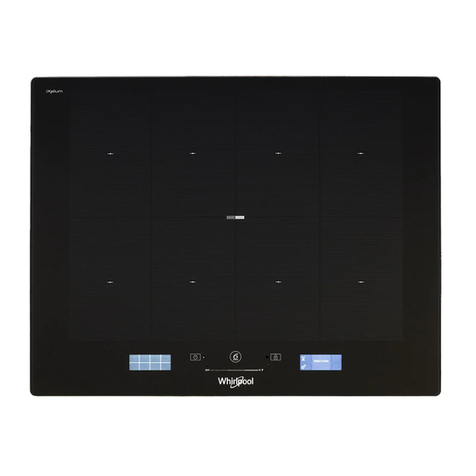
Summit SINCCOM1 User manual

Write the serial number here:
Serial # _____________________
Felix Storch, Inc.
Summit Appliance Division
770 Garrison Avenue
Bronx, NY 10474
Instruction Manual
For Commercial Induction Cooktop
Model SINCCOM1

Page 2 SUMMIT APPLIANCE
Thank you for purchasing SUMMIT’s portable commercial
Induction Cooktop, model SINCCOM1. We fully expect this
product to bring you many years of excellent service.
Please read this instruction manual before installing and
using the Cooktop. Keep the manual in a handy spot so
you can check it for reference in the future.
Technical Information
Model #: SINCCOM1
Electrical Specifications: 120VAC / 60Hz
Power Range: 500 –1800W
Temperature Range: 140°F to 464°F
Timer Range: 0 to 170 minutes
IMPORTANT SAFEGUARDS
When using electrical appliances, basic safety precautions
should always be followed including the following:
1. Read all instructions.
2. Do not touch hot surfaces. Use handles or knobs.
3. To protect against electrical shock, do not immerse
cord, plug or main body in water or other liquids.
4. Close supervision is necessary when any appliance is
used by or near children.
5. Unplug from outlet when not in use and before cleaning.
Allow to cool before putting on or taking off parts.
6. Do not operate any appliance with a damaged cord or
plug or after the appliance malfunctions or has been
damaged in any manner. Return appliance to the
nearest authorized service facility for examination, repair
or adjustment.
Technical Information
IMPORTANT SAFEGUARDS

Page 3 SUMMIT APPLIANCE
7.
The use of accessory attachments not recommended
by the
appliance manufacturer may cause injuries.
8. Do not use outdoors.
9. Do not let cord hang over edge of table or counter, or
touch hot surfaces.
10. Do not place on or near a hot gas or electric burner, or
in a heated oven.
11. Extreme caution must be used when moving an
appliance containing hot oil or other hot liquids.
12. If power cord is detachable, always attach plug to
appliance first, then plug cord into the wall outlet. To
disconnect, turn any control to Off, then remove plug
from wall outlet.
13. Do not use appliance for other than intended use.
14. Do Not Cook on Broken Cooktop –If cooktop should
break, cleaning solutions and spillovers may penetrate
the broken cooktop and create a risk of electric shock.
15. Clean Cooktop with Caution –If a wet sponge or cloth
is used to wipe spills on a hot cooking area, be careful
to avoid a steam burn. Some cleaners can produce
noxious fumes if applied to a hot surface.
16. Any servicing should be performed by an authorized
service representative.
17. A short power supply cord (or detachable power supply
cord) should be used to reduce the risk resulting from
becoming entangled in or tripping over a longer cord.
18. Longer detachable power supply cords or extension
cords are available and may be used if care is exercised
in their use.
19. If a longer detachable power supply cord or extension
cord is used:
a) The marked electrical rating of the cord set or
extension cord should be at least as great as the

Page 4 SUMMIT APPLIANCE
electrical rating of the appliance; and
b) The cord should be arranged so that it will not drape
over the countertop or tabletop where it can be pulled
on by children or tripped over.
20.This appliance may have a polarized plug (one blade is
wider than the other). To reduce the risk of electric
shock, this plug is intended to fit into a polarized outlet
only one way. If the plug does not fit fully into the outlet,
reverse the plug. If it still does not fit, contact a qualified
electrician. Do not attempt to modify the plug in any
way.
21.Built-in mounting should follow the directions in the
installation instructions.
22.To reduce the risk of fire, do not place unit over or near
any portion of a heating or cooking appliance.
23.To reduce the risk of fire, do not store anything directly
on top of the appliance surface when the appliance is in
operation.
24.To reduce the risk of electric shock, do not mount over a
sink.
25.Save these instructions.

Page 5 SUMMIT APPLIANCE
Location of Controls
Use a separate socket. The use of an extension cord could
result in overloading the circuit.
Place the appliance on a flat surface and keep it away
from the wall and from other articles. Leave at least 2"
of clearance on the sides and 6" at the rear. When the
air vents are blocked, the internal temperature of the
appliance rises and this may result in the unit auto-
matically shutting off during cooking.
Never heat an empty pot or pan. The appliance will
cease to operate and could be damaged as a result.
Remember to turn off the appliance after use. If not, the
ventilating fan will continue to operate, resulting in a
waste of energy. (Normally, when the unit is turned off,
the fan continues to operate for 3 minutes before
shutting off automatically.)
Keep the appliance away from a gas range or electric
oven. If the surrounding temperature is high the unit will
stop heating.
Be sure to wipe off any water droplets from the bottom
of the cooking pot before heating. If not, the boiling
water may splatter and burn someone.
Cooking surface
TIMER button Power LED
HEATING and
TEMP buttons
Digital display
▼/▲buttons LEDs
Location of Controls
Before Using the Appliance
Power ON/OFF
switch

Page 6 SUMMIT APPLIANCE
How to Use the Induction Cooktop
1. Center a suitable pot or pan on the cooktop and
plug in
the appliance. The Power LED will start to flash.
2. Press the ON/OFF switch to turn on the unit. The
Power LED will be on steady.
The ON/OFF switch controls power to the appliance,
while the HEATING, TEMP and TIMER buttons control
the various functions. The digital Display shows
information about the functions.
3. When the Induction Cooktop is turned on, the HEATING
function will be displayed, and that LED will be lit. If you
want to use this function, press the ▼and ▲buttons to
adjust the HEATING rate to any of 7 levels (from 500W
to 1800W).
4. Press TEMP if you want to set the temperature. The
default temperature setting is 212°F (100°C), but this
can be adjusted by pressing ▼or ▲. The temperature
range of the Induction Cooktop is 140°F to 464°F (60°C
to 240°C).
5. Press TIMER to set the cooking time. The TIMER LED
will be lit and the Display will flash the time. Adjust the
TIMER by pressing ▼or ▲(the
range is from 0 to 170
minutes). When the TIMER button has not been pressed
for a few seconds, the Display will stop flashing and then
will automatically shift to either TEMP or HEATING. The
corresponding LED will be lit. To see the countdown
time on the Display, press TIMER again and the
remaining time will flash briefly.
WARNING: The appliance will be HOT during and after use.
6. The unit will automatically shut off after the set time has
elapsed.
NOTE: For frying in oil, used the TEMP function rather than
HEATING.
How to Use the Induction Cooktop

Page 7 SUMMIT APPLIANCE
Tips
If possible, use a surge protector with this appliance.
This appliance is for indoor use only.
Never submerge the appliance in water.
Never heat an empty pot or pan.
Never heat any sealed containers such as a can of soup
to avoid a possible explosion due to heat expansion.
Even after the appliance is turned off, the cooking
surface remains hot. Avoid touching this ceramic
surface until it has had time to cool down.
Check under the appliance periodically to be sure the air
vents are not obstructed by any paper, glass, etc.
Metallic objects like knives, forks, spoons and lids
should not be placed on the cooktop since they can get
hot.
Never use the appliance in high-temperature
environments such as near a stove.
Do not put flammable objects in the equipment installed
below the Induction Cooktop.
If the cooking surface is cracked, switch off the
appliance to avoid the possibility of electric shock.
Do not use cooking vessels with rough or uneven
bottoms which could damage the ceramic surface of the
appliance.
Tips

Page 8 SUMMIT APPLIANCE
Usable and Non-Usable Cooking Utensils
Usable Pans
Steel or cast iron, enameled iron, magnetic stainless steel,
flat-bottom pots or pans with diameters between 4¾" (12
cm) and 10¼" (26 cm).
iron pots
enameled iron pots
cast-iron pans
deep-frying pans
magnetic stainless steel pots
iron plates
Non-Usable Pans
Heat-resistant glass, ceramic, copper, aluminum, rounded-
bottom pans and pots with bottoms measuring less than
4¾" (12 cm).
pots with rounded bottoms
aluminum and copper pots
pots with bottoms measuring
less than 4¾"
pots with feet
ceramic pots
heat-resistant glass pots
NOTE: If you are unsure about the usability of your
cookware, simply take a magnet (such as one on your
refrigerator) and hold it under the bottom of your pot or
pan. If the magnet sticks, the cookware CAN be used on
the induction cooktop.
Usable and Non-Usable Cooking Utensils

Page 9 SUMMIT APPLIANCE
Cleaning
Disconnect plug and wait until the unit is cooled down
completely. Clean after each use.
If pots and pans are used without being cleaned,
discoloration and cooked-on stains may occur.
Do not use benzene, paint thinner, scrubbing brush or
polishing powder to clean the appliance.
Wipe the appliance with a clean, soft cloth dampened
with a solution of dish-washing liquid.
Use a vacuum cleaner to remove dirt from the air intake
and exhaust vents.
Never run water over the unit. (Water can get inside
and cause a malfunction.)
Cleaning

Page 10 SUMMIT APPLIANCE
Troubleshooting
Error
Message Cause Solution
E0 No pan or unsuitable
pan Use a suitable pan.
E1 Temperature of inter-
nal circuit is too high
or temperature testing
circuit has failed.
Clear/unblock ventila-
tion slots. Let device
cool off for a few min-
utes. If error message
remains after unit has
cooled off, contact re-
tailer.
E2 Heating an empty
pan. Temperature of
pan is too high or tem-
perature testing circuit
has failed.
Remove the cookware
from the cooktop. Let
the device cool off for a
few minutes. The de-
vice is ready for
opera-
tion afterwards.
E3 Voltage is atypical. Let the device cool off
for a few minutes. It
should be ready for op-
eration afterwards.
This manual suits for next models
1
Table of contents
Other Summit Cooktop manuals
Summit
Summit CR2115WH User manual
Summit
Summit CR2B120 User manual
Summit
Summit CSD2B115 User manual
Summit
Summit CREK2B User manual
Summit
Summit CREK4B User manual
Summit
Summit CR424WH User manual
Summit
Summit CR1115 User manual

Summit
Summit CR4BV230B User manual
Summit
Summit SINC430220 Guide
Summit
Summit SINC424220 Guide
Summit
Summit CR2110 User manual
Summit
Summit SNL053 User manual
Summit
Summit CR2B121 User manual

Summit
Summit CR2220 User manual
Summit
Summit CR2115 User manual

Summit
Summit SINC424220 User manual
Summit
Summit SINCFS1 User manual

Summit
Summit CR2B228T User manual
Summit
Summit CR4SS24 User manual
Summit
Summit CR424 User manual