manuals.online logo
Brands
  1. Home
  2. •
  3. Brands
  4. •
  5. Surecom
  6. •
  7. Switch
  8. •
  9. Surecom EP-816DX-FS User manual

Surecom EP-816DX-FS User manual

Other manuals for EP-816DX-FS

2

Other Surecom Switch manuals

Surecom 824DXFS2B User manual

Surecom

Surecom 824DXFS2B User manual

Surecom EP-508 User manual

Surecom

Surecom EP-508 User manual

Surecom EP-726DG User manual

Surecom

Surecom EP-726DG User manual

Surecom EP-710CG User manual

Surecom

Surecom EP-710CG User manual

Surecom EP-516DX-T User manual

Surecom

Surecom EP-516DX-T User manual

Surecom EP-816DX-FW User manual

Surecom

Surecom EP-816DX-FW User manual

Surecom EP-816DX-FS User manual

Surecom

Surecom EP-816DX-FS User manual

Surecom EP-804CG User manual

Surecom

Surecom EP-804CG User manual

Surecom EP-805X User manual

Surecom

Surecom EP-805X User manual

Surecom EP-824DX-FS User manual

Surecom

Surecom EP-824DX-FS User manual

Surecom EP-710CG User manual

Surecom

Surecom EP-710CG User manual

Surecom EP-808X-R User manual

Surecom

Surecom EP-808X-R User manual

Surecom EP-816DX-FS User manual

Surecom

Surecom EP-816DX-FS User manual

Surecom EP-816X User manual

Surecom

Surecom EP-816X User manual

Surecom EP-804CG-S User manual

Surecom

Surecom EP-804CG-S User manual

Surecom EP-824DX-FS User manual

Surecom

Surecom EP-824DX-FS User manual

Surecom EP-824DX-CS User manual

Surecom

Surecom EP-824DX-CS User manual

Surecom EP-824DX-B User manual

Surecom

Surecom EP-824DX-B User manual

Surecom EX-516DX-T User manual

Surecom

Surecom EX-516DX-T User manual

Surecom EP-808DG-S User manual

Surecom

Surecom EP-808DG-S User manual

Surecom EP-824DX User manual

Surecom

Surecom EP-824DX User manual

Surecom EP-816DX-AS User manual

Surecom

Surecom EP-816DX-AS User manual

Surecom EP-517T User manual

Surecom

Surecom EP-517T User manual

Surecom EP-802X User manual

Surecom

Surecom EP-802X User manual

Popular Switch manuals by other brands

TRENDnet TK-401R null

TRENDnet

TRENDnet TK-401R null

TRENDnet TK-200K null

TRENDnet

TRENDnet TK-200K null

TRENDnet TE100-S8 null

TRENDnet

TRENDnet TE100-S8 null

URC Total Control MFS-8 installation manual

URC

URC Total Control MFS-8 installation manual

Azbil HPQ-D11 user manual

Azbil

Azbil HPQ-D11 user manual

Sony DFS-900M operating instructions

Sony

Sony DFS-900M operating instructions

SICK i17S operating instructions

SICK

SICK i17S operating instructions

F&F SZR-277 quick start guide

F&F

F&F SZR-277 quick start guide

Shure UAMS/BK user guide

Shure

Shure UAMS/BK user guide

Dräger X-zone Switch Off Instructions for use

Dräger

Dräger X-zone Switch Off Instructions for use

Asco Joucomatic 349 Series manual

Asco

Asco Joucomatic 349 Series manual

BT Mini Hub user guide

BT

BT Mini Hub user guide

D-Link DES-1226G manual

D-Link

D-Link DES-1226G manual

Johnson Controls FS80-C installation instructions

Johnson Controls

Johnson Controls FS80-C installation instructions

MicroNet SP1200A user manual

MicroNet

MicroNet SP1200A user manual

Ruijie RG-PF2920 Series Hardware  installation and reference guide

Ruijie

Ruijie RG-PF2920 Series Hardware installation and reference guide

Altinex DA1914SX user guide

Altinex

Altinex DA1914SX user guide

RJM MASTERMIND PBC/6X user manual

RJM

RJM MASTERMIND PBC/6X user manual

manuals.online logo
manuals.online logoBrands
  • About & Mission
  • Contact us
  • Privacy Policy
  • Terms and Conditions

Copyright 2025 Manuals.Online. All Rights Reserved.

16-Port 10/100M Ethernet Rack-
Mount Smart Switch
Users Guide
#471816DFS000
www.surecom-net.com
EP-816DX-FS
1 2
Full/Half-Duplex
This Switch is ideal for deployment with multiple high-speed servers for
sharing bandwidth 100Mbps or 10Mbps workgroups. In 200Mbps full-
duplex mode, any port can provide workstations with a congestion-free
data pipe for simultaneous access to the server. As all ports support
200Mbps full-duplex, it can be cascaded from any port and to any number
of switches.
Store-and-Forward Scheme
This Switch combines dynamic memory allocation with store-and-for-
ward switching to ensure that the buffer is effectively allocated for each
port while controlling the data flow between the transmit and receive
nodes to guarantee against all possible packet loss.
Introduction
The 16-Port 10/100M Ethernet Rack-Mount Smart Switch is the
latest design in its Smart Switches series for easy installation
and high-performance in an environment where traffic on the
network and the number of users increase continuously. What makes
the 16-Port 10/100M Ethernet Rack-Mount Smart Switch stand
out from the crowd is its built-in VLAN and Trunk configuration.
With VLAN, stations on different network segments can be
grouped into the same LAN segment. The goal of VLANs is to
allow for complete mobility of workstation placement, yet
keeping broadcast traffic to a minimum. When port of a
VLAN, the port will only communicate with other ports in the
VLAN. This offers a high degree of security within the netw-
ork. With Trunk, the backbone bandwidth can be increased to
advance the network performance by easing and smoothing tr-
affic load at peak hours. Small businesses and corporate branch
offices can take full advantage of 100Mbps Fast Ethernet perf-
ormance and preserve existing desktop investment with no cha-
nges required to PCs, NICs, cabling, drivers, or PC configurations.
Upgrade
This Switch offers you a simple way to increase Ethernet LAN performance
at a very low per-port cost, letting you migrate power users to high-
performance switched ports. Ethernet workgroups can upgrade to Fast
Ethernet without needing to reconfigure the network. It is an unmanaged
100/10Mbps Fast Ethernet Switch that offers solutions in accelerating
small Ethernet workgroups bandwidths.

Performance Highlights
Provides Back-pressure in half-duplex and flow control in full-duplex
Store-and-forward switching scheme capability supports rate
adaptation and ensures data integrity
N-way Auto-negotiation on each RJ-45 port. This allows for
auto-sensing of speed (100/10Mbps) and auto-detecting mode
(Full-Duplex or Half-Duplex) thereby providing you with aut-
omatic and flexible solutions in your network connections
Auto-polarity detection for correction of incorrect polarity
on the received twisted-pair on each port
Data forwarding rate 148,800 pps per port at 100% of wire-
speed
Data filtering rate eliminates all error packets, runts, etc. at
148,800pps per port at 100% of wire-speed
Supports TP interface Auto MDIX function for auto TX/RX
Swap
Package Contents
One 16-Port 10/100M Ethernet Rack-Mount Smart Switch
One Power Cord
One Users Guide
Note: If any item is damaged or missing, please contact
your supplier.
3
54
Front Panel
Following describes the front panel, LED indicators, and rear panel of the
Switch.
Rear Panel
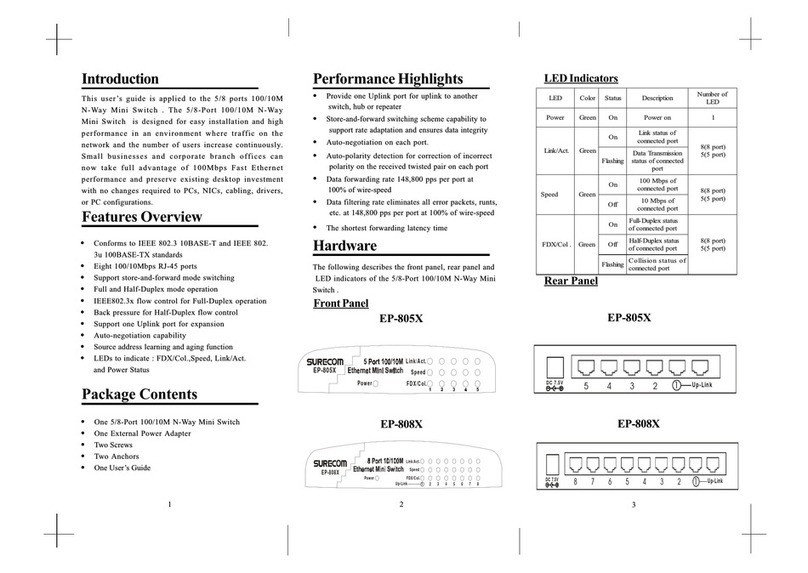
Conforms to IEEE 802.3 10BASE-T,IEEE 802.3u 100BASE-TX/FX, and
IEEE 802.3x Flow control for full-duplex standards
Supports store-and-forward mode switching
Support TP interface Auto MDIX function for auto TX/RX Swap
Back pressure in half-duplex and flow control in full-duplex
Sixteen 10/100Mbps RJ-45 ports
Full and Half-Duplex mode operation on all ports
Auto-negotiation capability
Source address learning and aging function
LEDs to indicate Power, Link/Act, FDX/Col, and
100(10/100Mbps)status
Key Features
Hardware
The LED indicators of the Switch include Power, Link/Act (Link Activity),
FDX/COL. (Full-Duplex/Collision) and 100.
1. Power
This indicator operates when the Switch is turned on. If this indictor is
not lit, check the DC power connector to ensure proper insertion of the
power cord and that the power switch is turned ON.
2. Link/Act
These LED indicators are lighted up when there is a secure connection (or
link) to a device at any of the ports. The LED indicators blink whenever there

is reception or transmission (i.e. Activity/ACT.) of data occurring at a

port.
3. FDX/Col
This LED indicator is lighted up when a respective port is in full-du-
plex (FDX) mode.Otherwise, it is OFF for half-duplex (HDX)
operations. It blinks when collisions are occurring on the respective
port.
4. 100
This LED lights when the transmission rate is 100Mbps. It is OFF when
the transmission rate is 10Mbps or no linking.
LED Indicators
EP-816DX-FS
96~ 264VAC
47~ 63Hz
EP-816DX-FS
1234 5678
9 101112 13 14 15 16
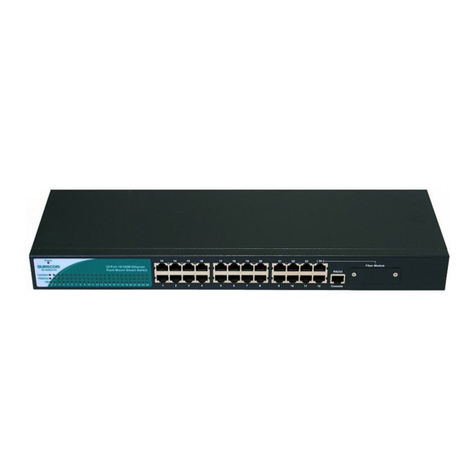
The front Panel consist of 16 10/100M RJ-45 ports,one fiber port
and 16 port LED indicators.
The rear Panel consist of one power port.
Fiber Module
EP-816DX-FS
Console
6 7
Following describes how to connect this Switch to your Fast Ethernet
network.
Switch to PC
A PC can be connected to the Switch via a twisted-pair Category 3, 4, 5
UTP /STP straight cable or crossover cable. The PC (equipped with a RJ-
45 10/100Mbps jack) should be connected to any of sixteen ports.
The LED indicators for PC connection are dependant on the LAN card
capabilities. If LED indicators are not illuminated after making a proper
connection, check the PC LAN card, the cable, Switch conditions and
connections.
The following are LED indicator possibilities for a PC to Switch
connection:
1. The Link/ACT. LED indicator illuminates upon hookup.
2. The FDX/COL. LED indicator depends upon LAN card capabilities.
3. The 100 LED indicator comes on for a 100 Mbps and stays off
for 10Mbps.
Network Connections Switch to Hub
A hub (10BASE-T or 100BASE-TX) can be connected to the Switch via
a twisted-pair Category 3, 4, 5 UTP/STP straight cable or crossover
cable. The connection is accomplished from the any port to any port of
the connected hub.
1234 5678
9 101112 13 14 15 16
1234 5678
9 101112 13 14 15 16
RJ-45 JACK
Hub
EP-816DX-FS
EP-816DX-FS
Fiber Module
Fiber Module
Console
Console
FCC Statement
This equipment can generate, use and radiate radio frequency energy
and, if not installed and used in accordance with the instructions in this
guide, may cause interference to radio communications. This equip-
ment has been tested and found to comply with the limits for a Class A
computing device pursuant to Subpart J of Part 15 of the FCC rules,
which are designed to provide reasonable protection against radio
interference when operated in a commercial environment. Operation
of this equipment in a residential area is likely to cause interference, in
which case the user, at his own expense, will be required to take
whatever measures are necessary to correct the interference.
CE Declaration of conformity
This equipment complies with the requirements relating to electromag-
netic compatibility, EN 55022 class A for ITE and EN 50082-1. This
meets the essential protection requirements of the European Council
Directive 89/336/EEC on the approximation of the laws of the Member
States relating to electromagnetic compatibility.
Trademarks
All company, brand, and product names are trademarks or registered
trademarks of their respective companies.
9
Switch to Switch (Other Devices)
The Switch can be connected to another switch or other devices (routers,
bridges, etc.) via a twisted-pair Category 3, 4, 5 UTP/STP straight or
crossover cable.
100/10M SWITCH B
100/10M SWITCH A
Crossover Cable
/Straight Cable
Crossover Cable
/Straight Cable
Technical Specifications
SF-XD618-PE
sdradnatS tenrehtET-ESAB013.208EEEI
tenrehtEtsaFXF/XT-ESAB001u3.208EEEI
noitaitogen-otuayaW-N3.208dtSEEEI/ISNA
tnerapsnarT:sepytemarF3.208EEEI
xelpuD-lluFroflortnocwolfx3.208EEEI
xelpuD-flaHroflortnocwolferusserPkcaB
LocotroP DC/AMSC
ygolopoT ratS
noissimsnarT
dohteM
drawroF-dna-erotS
:etaRrefsnarT
:tenrehtE
tenrehtEtsaF
)xelpuD-lluF(M02;)xelpuD-flaH(M01
)xelpuD-lluF(M002;)xelpuD-flaH(M001
aideM
:T-ESAB01
:XT-ESAB001
:XF-ESAB001
;)m001htgnelelbac.xaM(5,4,3.taCPTU
;)m001htgnelelbac.xaM(5.taCPTU
citporebifedom-itlumnorcim521/5.26,05
citporebifedom-elgnisnorcim521/9,8
stroPfo.oN stroP54-JRspbM01/00161
gnisuoH
lairetaM
norI
reffuBMAR ecivedrepstibM1latoT
sserddACAM
elbaT
ecivedrepseirtneK2
tekcaP
-rawroF/gniretliF
etaRgnid
)spbM01&spbM001rof(troprepdeepseriW
rewoP )CDA5/V3.3(zH36-74,V462-69CA
noitpmusnoC W8
:erutarepmeT
:gnitarepO
:egarotS
0
0
54~
O
C
0
0
06~
O
C
:ytidimuH
:gnitarepO
:egarotS
%09~%01
%59~%5
ecnamrofnoC AssalCkraMEC,AssalCCCF
8
1234 5678
9 101112 13 14 15 16
EP-816DX-FS
If you want to use Fiber, you have to cancel Jump on Fiber Board.
And you have to set Fiber mode by software.
Fiber Module
Console
Console management setup
In this chapter, you will be provided with detailed information on how to
set up the EP-816DX-FS through a PC terminal emulation program. A
terminal program is required to communicate with the Switchs internal
software. Only after the terminal program setup is done, you are thus able
to proceed to set up the EP-816DX-FS.
Before you are able to access the EP-816DX-FS,you have to
configure your terminal emulation program. Windows 95/98
provide a suitable program called Hyper Terminal for config-
uration, or you can choose other third-party products such as
Telix and ProCom instead.
Connect a normal RS-232C Serial DB9 Cable to a COM port on your PC
and to the console port of your Smart Switch as the below figure.
This section describes how to set up the terminal emulation program by using
Windows 95/98 Hyper Terminal.
1. Press Start on the Taskbar then click on Programs to bring up the
following icons. Double click the Hyper Terminal icon.
2. From the Hyper Terminal screen, double click on the Hypertrm.exe icon.
10 11
EP-816DX-FS
1234 5678
9101112 13 14 15 16
Console
Fiber Module
Comport
RS232 transfer RJ45
RJ45 Cable
3. The Connection Description Screen is displayed. Type whatever
you like in the Name panel to identify the connection, choose a icon
below  Name panel and click OK.
4. Since you wont dial out via a modem, you only need to set the Com
port. Select the available Com port (usually COM2, since a mouse is
usually connected to COM1) from the Connecting using label and press
the Enter key.
5. This COM2 properties settings must be mandatory correct.
Follow the instructions as shown to complete the settings and click
OK.
6. Select Properties item from File Menu.
12 13
7. Click on the Setting tab. Select ANSI (or ANSIW) from
the Emulation label then click OK.
The Hyper Terminal set-up has been finished yet. Now you are
ready for the EP-816DX-FS setup.
14