manuals.online logo
Brands
  1. Home
  2. •
  3. Brands
  4. •
  5. SWEEX
  6. •
  7. MP3 Player
  8. •
  9. SWEEX MP511 User manual

SWEEX MP511 User manual

This manual suits for next models

10

Other SWEEX MP3 Player manuals

SWEEX MP439 - QUICK_START_GUIDE Reference manual

SWEEX

SWEEX MP439 - QUICK_START_GUIDE Reference manual

SWEEX Black Sea MP001 User manual

SWEEX

SWEEX Black Sea MP001 User manual

SWEEX MP510 User manual

SWEEX

SWEEX MP510 User manual

SWEEX MP340 User manual

SWEEX

SWEEX MP340 User manual

SWEEX CLIPZ MP3 PLAYER 2GB User manual

SWEEX

SWEEX CLIPZ MP3 PLAYER 2GB User manual

SWEEX MP436 - QUICK_START_GUIDE User manual

SWEEX

SWEEX MP436 - QUICK_START_GUIDE User manual

SWEEX MP430 User manual

SWEEX

SWEEX MP430 User manual

SWEEX MP461 - QUICK_START_GUIDE Reference manual

SWEEX

SWEEX MP461 - QUICK_START_GUIDE Reference manual

SWEEX MP450 Reference manual

SWEEX

SWEEX MP450 Reference manual

SWEEX MP320 User manual

SWEEX

SWEEX MP320 User manual

SWEEX MP300010 User manual

SWEEX

SWEEX MP300010 User manual

SWEEX MP460 - QUICK START SHEET User manual

SWEEX

SWEEX MP460 - QUICK START SHEET User manual

SWEEX MP051 User manual

SWEEX

SWEEX MP051 User manual

SWEEX MP023 User manual

SWEEX

SWEEX MP023 User manual

Popular MP3 Player manuals by other brands

FINIS Neptune instruction manual

FINIS

FINIS Neptune instruction manual

Majestic BT 3280R MP4 instructions

Majestic

Majestic BT 3280R MP4 instructions

Slick MP418C-4 user guide

Slick

Slick MP418C-4 user guide

GPX MW6815DT instruction manual

GPX

GPX MW6815DT instruction manual

Sony NWZ-B135F - Walkman - 2 GB Digital Player Specifications

Sony

Sony NWZ-B135F - Walkman - 2 GB Digital Player Specifications

ID-AL NanoPlayer box user manual

ID-AL

ID-AL NanoPlayer box user manual

Blaupunkt Compact Drive MP3 operating instructions

Blaupunkt

Blaupunkt Compact Drive MP3 operating instructions

Memorex MMP9008 - 8GB USB 2.0 user guide

Memorex

Memorex MMP9008 - 8GB USB 2.0 user guide

Meizu Electronic Technology E5 user manual

Meizu Electronic Technology

Meizu Electronic Technology E5 user manual

Naxa NMV-173NX user manual

Naxa

Naxa NMV-173NX user manual

Philips PSA250 Specifications

Philips

Philips PSA250 Specifications

Impecca MP1202 user guide

Impecca

Impecca MP1202 user guide

Sony NW-MS7 - Memory Stick Walkman Service manual

Sony

Sony NW-MS7 - Memory Stick Walkman Service manual

Irradio RF-42UC user manual

Irradio

Irradio RF-42UC user manual

NABAIJI SWIM MUSIC 100 user guide

NABAIJI

NABAIJI SWIM MUSIC 100 user guide

Laser MP3-A9-4GB user manual

Laser

Laser MP3-A9-4GB user manual

Samsung YP-T7F Service manual

Samsung

Samsung YP-T7F Service manual

MobiBlu DAH-1500i user manual

MobiBlu

MobiBlu DAH-1500i user manual

manuals.online logo
manuals.online logoBrands
  • About & Mission
  • Contact us
  • Privacy Policy
  • Terms and Conditions

Copyright 2025 Manuals.Online. All Rights Reserved.

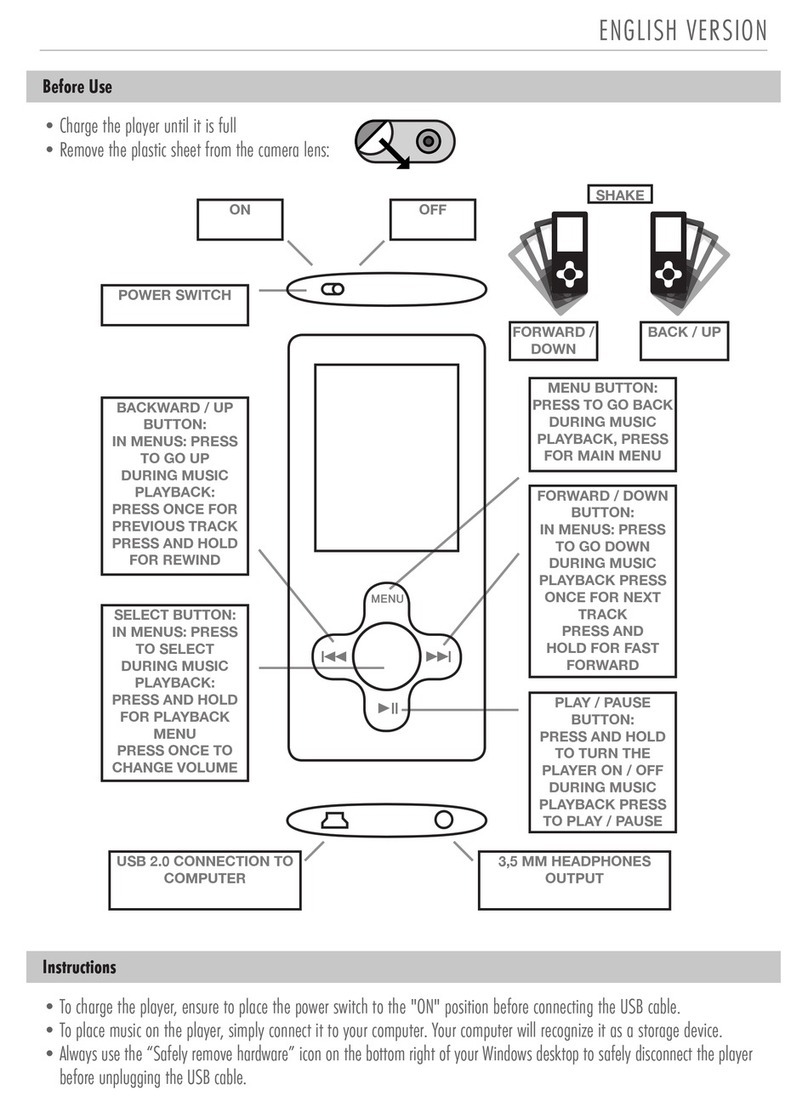
ENGLISH VERSION
Instructions
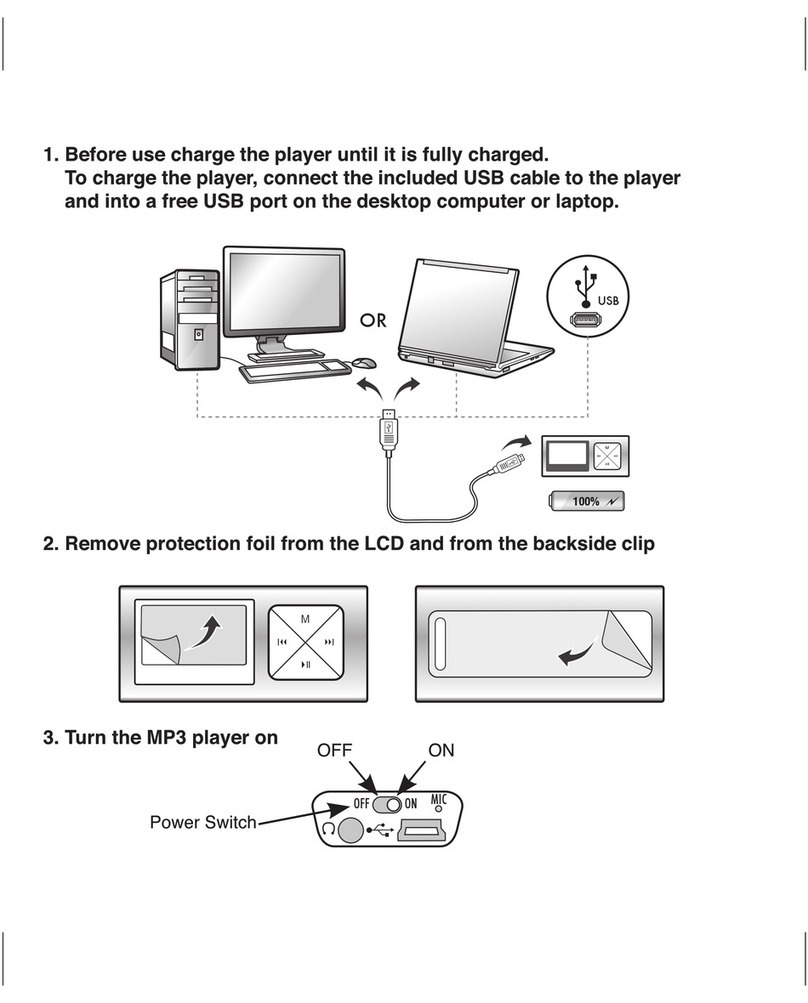
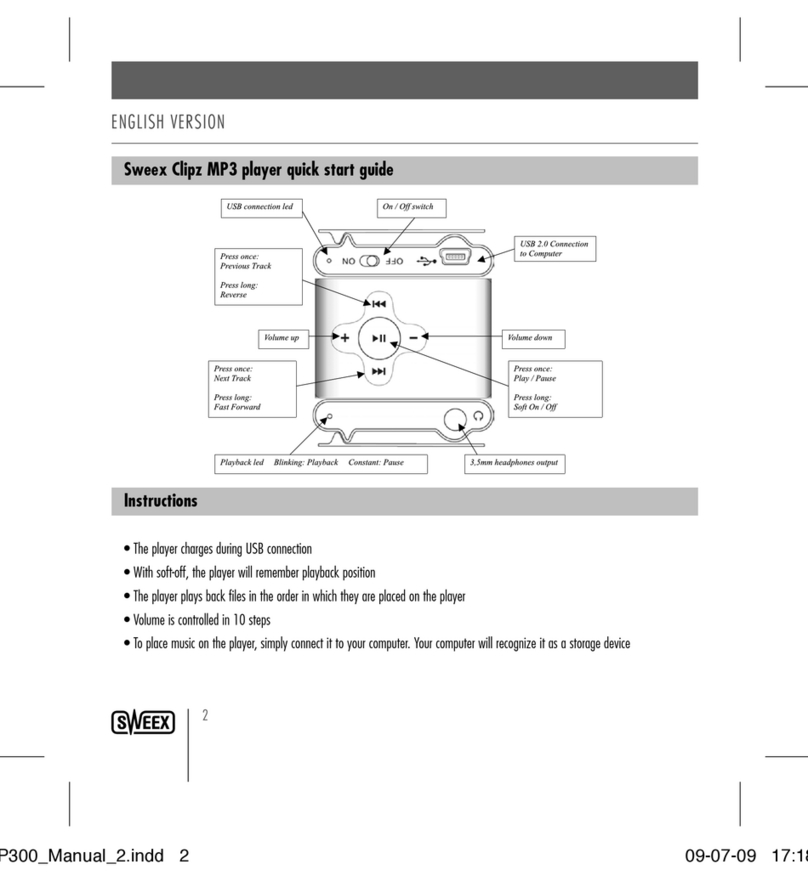
•To charge the player, ensure to place the power switch to the "ON" position before connecting the USB cable.
•To place music on the player, simply connect it to your computer. Your computer will recognize it as a storage device.
•Always use the “Safely remove hardware” icon on the bottom right of your Windows desktop to safely disconnect the player
before unplugging the USB cable.
Before Use
•Charge the player until it is full
•Remove the plastic sheet from the camera lens:
OFF
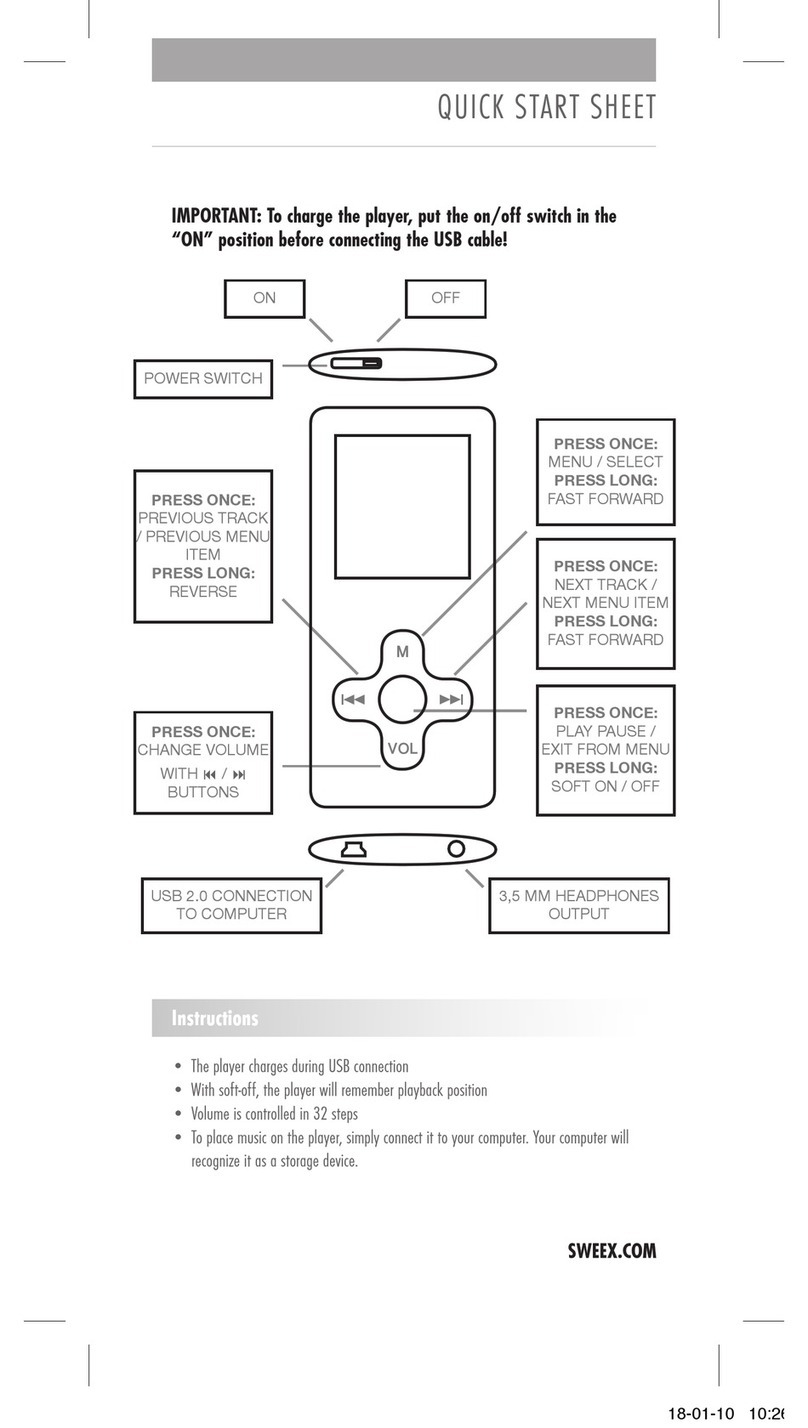
3,5 MM HEADPHONES
OUTPUT
USB 2.0 CONNECTION TO
COMPUTER
ON
POWER SWITCH
MENU BUTTON:
PRESS TO GO BACK
DURING MUSIC
PLAYBACK, PRESS
FOR MAIN MENU
FORWARD /
DOWN
SHAKE
BACK / UP
FORWARD / DOWN
BUTTON:
IN MENUS: PRESS
TO GO DOWN
DURING MUSIC
PLAYBACK PRESS
ONCE FOR NEXT
TRACK
PRESS AND
HOLD FOR FAST
FORWARD
PLAY / PAUSE
BUTTON:
PRESS AND HOLD
TO TURN THE
PLAYER ON / OFF
DURING MUSIC
PLAYBACK PRESS
TO PLAY / PAUSE
SELECT BUTTON:
IN MENUS: PRESS
TO SELECT
DURING MUSIC
PLAYBACK:
PRESS AND HOLD
FOR PLAYBACK
MENU
PRESS ONCE TO
CHANGE VOLUME
BACKWARD / UP
BUTTON:
IN MENUS: PRESS
TO GO UP
DURING MUSIC
PLAYBACK:
PRESS ONCE FOR
PREVIOUS TRACK
PRESS AND HOLD
FOR REWIND