manuals.online logo
Brands
  1. Home
  2. •
  3. Brands
  4. •
  5. TECO
  6. •
  7. Computer Hardware
  8. •
  9. TECO JN5-CM-PDP User manual

TECO JN5-CM-PDP User manual

Other manuals for JN5-CM-PDP

1

Other TECO Computer Hardware manuals

TECO TECOMAT FOXTROT IB-1301 Operator's manual

TECO

TECO TECOMAT FOXTROT IB-1301 Operator's manual

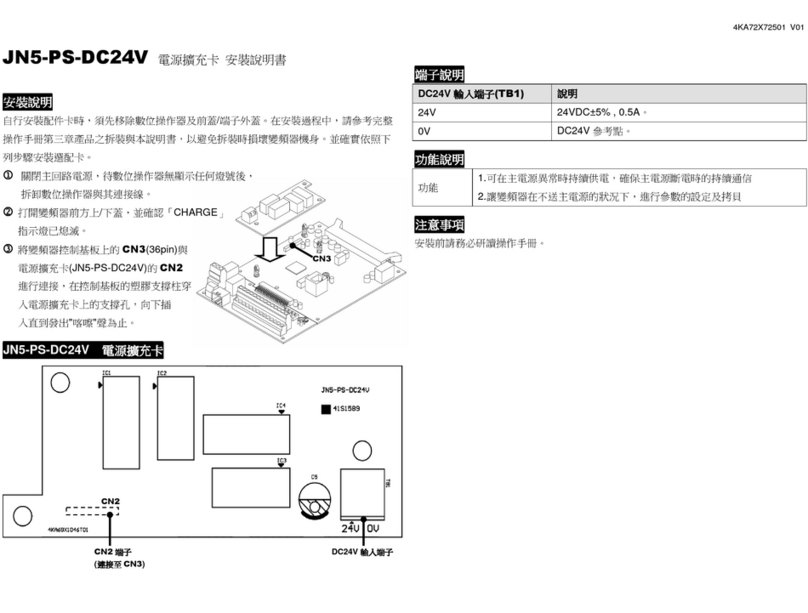
TECO JN5-PS-DC24V User manual

TECO

TECO JN5-PS-DC24V User manual

TECO e-chill 1 User manual

TECO

TECO e-chill 1 User manual

Popular Computer Hardware manuals by other brands

Toshiba TOSVERT VF-MB1/S15 IPE002Z Function manual

Toshiba

Toshiba TOSVERT VF-MB1/S15 IPE002Z Function manual

Shenzhen MEITRACK MVT380 user guide

Shenzhen

Shenzhen MEITRACK MVT380 user guide

TRENDnet TEW-601PC - SUPER G MIMO WRLS PC CARD user guide

TRENDnet

TRENDnet TEW-601PC - SUPER G MIMO WRLS PC CARD user guide

StarTech.com CF2IDE18 instruction manual

StarTech.com

StarTech.com CF2IDE18 instruction manual

Texas Instruments LMH0318 Programmer's guide

Texas Instruments

Texas Instruments LMH0318 Programmer's guide

Gateway 8510946 user guide

Gateway

Gateway 8510946 user guide

Devon IT TC2D Quick setup guide

Devon IT

Devon IT TC2D Quick setup guide

Krüger & Matz Air Shair2 owner's manual

Krüger & Matz

Krüger & Matz Air Shair2 owner's manual

Crystalio VPS-2300 quick guide

Crystalio

Crystalio VPS-2300 quick guide

MYiR FZ3 user manual

MYiR

MYiR FZ3 user manual

Protech Systems BC-K200 Quick reference guide

Protech Systems

Protech Systems BC-K200 Quick reference guide

Miranda DENSITE series DAP-1781 Guide to installation and operation

Miranda

Miranda DENSITE series DAP-1781 Guide to installation and operation

Sierra Wireless Sierra Wireless AirCard 890 quick start guide

Sierra Wireless

Sierra Wireless Sierra Wireless AirCard 890 quick start guide

Leadtek Killer Xeno Pro Quick installation guide

Leadtek

Leadtek Killer Xeno Pro Quick installation guide

Star Cooperation FlexTiny 3 Series Instructions for use

Star Cooperation

Star Cooperation FlexTiny 3 Series Instructions for use

Hotone Ampero user manual

Hotone

Hotone Ampero user manual

Connect Tech Xtreme/104-Express user manual

Connect Tech

Connect Tech Xtreme/104-Express user manual

Yealink WF50 user guide

Yealink

Yealink WF50 user guide

manuals.online logo
manuals.online logoBrands
  • About & Mission
  • Contact us
  • Privacy Policy
  • Terms and Conditions

Copyright 2025 Manuals.Online. All Rights Reserved.

J
J
JN
N
N5
5
5-
-
-C
C
CM
M
M-
-
-P
P
PD
D
DP
P
P
P
P
Pr
r
ro
o
of
f
fi
i
ib
b
bu
u
us
s
s-
-
-D
D
DP
P
P
f
f
fo
o
or
r
r
E
E
E5
5
51
1
10
0
0
U
U
Us
s
se
e
er
r
r
M
M
Ma
a
an
n
nu
u
ua
a
al
l
l
2012.04
Apply to: JN5-CM-PDP
JN5-CM-PDPUserManual File No.:R09-PBUS-D21 Version:01
1
Contents
1 Summary ........................................................................................................................................2
1.1 System Overview ................................................................................................................2
1.2 Structure of the Unit............................................................................................................3
1.3 PROFIBUS-DP Function Description.................................................................................3
2 Installation......................................................................................................................................4
2.1 Installation and Dimension .................................................................................................4
2.2 Connecting Power Supply...................................................................................................5 
2.3 Connect with Base Unit and Setting Parameters.................................................................6
2.4 Connect with PROFIBUS-DP Bus......................................................................................7
2.5 Bus Terminating Resistors ..................................................................................................7
2.6 Electronic Isolation .............................................................................................................8
2.7 Data Transfer Rate and Distance.........................................................................................8
3 Communication..............................................................................................................................9
3.1 Initial Power Up ..................................................................................................................9
3.2 PROFIBUS-DP Address .....................................................................................................9
3.3 JN5-CM-PDP Cyclical Data Exchange...............................................................................9
3.3.1 PPO configuration....................................................................................................9
3.3.2 Extended configuration ..........................................................................................10
3.3.3 Default settings of PZD structure...........................................................................10
3.3.4 Control and Status words ....................................................................................... 11
3.3.5 Accessing parameter via PKW area .......................................................................12
4 GSD File and Parameters.............................................................................................................14
5 Troubleshooting ...........................................................................................................................16
5.1 LED Display .....................................................................................................................16
5.2 Bus Diagnostic Data..........................................................................................................16
Appendix.........................................................................................................................................17
Appendix A: TECO_E51.GSD ...............................................................................................17
Appendix B: E510 MODBUS address allocation ...................................................................21
JN5-CM-PDPUserManual File No.:R09-PBUS-D21 Version:01
2
1 Summary
JN5-CM-PDP module was developed for automation tasks using the PROFIBUS-DP field bus
system. JN5-CM-PDP module is a “gateway” and can only be operated in combination with other
base units.
JN5-CM-PDP module can be connected with different type base units when selecting different
GSD file.
JN5-CM-PDP for E510 module: selecting TECO_E51.GSD file, connected with E510 series
drive.
E510 drive with PROFIBUS-DP gateway PBUS module always operates as network slaver.
1.1 System Overview
JN5-CM-PDP modules connect with E510 via RS485 as network slavers.
JN5-CM-PDPUserManual File No.:R09-PBUS-D21 Version:01
3
1.2 Structure of the Unit
①24vDC power supply
②Retractable mounting feet
③2bits DIP switch (terminal resistor)
④POW & BUS LED
⑤PRESS
⑥8bits DIP switch (setting address )
⑦RS485 port
(Interface to connect with E510)
⑧PROFIBUS-DP connection (9pin D-SUB socket)
1.3 PROFIBUS-DP Function Description
JN5-CM-PDP communication module PROFIBUS-DP function is decided by GSD file.
You can select the following 4 functions described in the ‘TECO_E51.GSD’ file via network
configuration tools. More function describe refer to ‘chapter-3 Communication’.
1. Cyclical process data exchange (PZD).
2. Parameter accessing: cyclical accessing of parameters (PKW).
3. PROFIBUS supports the control commands SYNC and FREEZE for data synchronization
between master and slaves.
4. Support the configuration of data structure for data exchange with E510 series.
JN5-CM-PDPUserManual File No.:R09-PBUS-D21 Version:01
4
2 Installation
2.1 Installation and Dimension
● Installation
The JN5-CM-PDP module should always be mounted vertically. Press the slots on the back of the
module onto the rail until the plastic clamps hold the rails in place.
Use M4 screws to direct mount the PBUS module as shown Figure 2.
JN5-CM-PDPUserManual File No.:R09-PBUS-D21 Version:01
5
● Dimension:
Unit: mm (1 inch = 25.4mm)
2.2 Connecting Power Supply
JN5-CM-PDP module operates with a 24vDC
supply voltage.
User can use an external 24vDC power.
①:1A quick-blowing fuse, circuit-breaker or
circuit protector
②: Surge absorber
JN5-CM-PDPUserManual File No.:R09-PBUS-D21 Version:01
6
2.3 Connect with Base Unit and Setting Parameters
JN5-CM-PDP module connected with base unit via a RS485 port with MODBUS RTU protocol.
Setting for RS485 port: Baud Rate 19200kbps, 8 bit data length, 1bit for stop bit, and no parity bit.
Users have to set parameters as shown in the table below.
Function Description Setting value Default value
00-02 Run source 2: communication control 0
00-05 Frequency source 5: communication setting 0
09-00 Communication address 1: address=1 1
09-01 RTU/ASCII mode 0: RTU mode 0
09-02 Serial Baud Rate 2: 19200bps 2
09-03 Stop Bit 0: 1stop bit 0
09-04 Parity Bit 0: no parity bit 0
09-05 Data Length 0: 8bit data length 0
More information for setting and wiring refer to see: E510 User Manual.
JN5-CM-PDPUserManual File No.:R09-PBUS-D21 Version:01
7
2.4 Connect with PROFIBUS-DP Bus
Please use a 9-pole D-SUB to connect the JN5-CM-PDP module to the PROFIBUS-DP field bus.
For this use the special PROFIBUS-DP plug and the special PROFIBUS-DP cable.
The type of cable used determines the permissible maximum bus length and the transfer rate.
2.5 Bus Terminating Resistors
The first and last station in a bus segment must be
connected to the bus with the bus terminating
resistor switched on.
JN5-CM-PDP modules have integrated bus
termination. The 2bit DIP switch of module
enables the bus terminating resistors to be
switched on.
Pin Signal name Designation
1 Not assigned -
2 Not assigned -
3 RXD/TXD-P
(B- Line) Receive/Send data -P
4 Not assigned -
5 DGND(2M)Data reference potential
6 Not assigned -
7 Not assigned -
8 RXD/TXD-N
(A-Line) Receive/Send data -N
9 Not assigned -
JN5-CM-PDPUserManual File No.:R09-PBUS-D21 Version:01
8
2.6 Electronic Isolation
The following electrical isolation should be provided for the JN5-CM-PDP module:
Note: Can’t use E510 user 24V to connect JN5-CM-PDP input, otherwise JN5-CM-PDP is no
islanded with E510.
2.7 Data Transfer Rate and Distance
JN5-CM-PDP module automatically detects the baud rate in the PROFIBUS-DP network after it is
power on. However, this requires that at least one master station sends valid telegrams in the
network.
The following transfer rates are supported: 9.6Kbit/s to 6000Kbit/s.
Two types of bus cable are specified in IEC 61158. Cable type B should no longer be used with
new applications because it has bee discontinued. Cable type A allows all transfer rates up to
12000Kbit/s to be used. Cables for burial in the ground, festoon suspension and drum cables are
also available.
The cable parameters are as follows:
Parameter Cable type A
Surge impedance in Ω135~165Ω(at 3~20MHz)
Effective capacitance <30 (pF/m)
Loop resistance <110 (Ω/Km)
Core diameter >0.64 (mm)
Core cross section >0.34 (mm2)
Distance between stations when using type A cable to IEC 61158:
Baud rate (Kbit/s) Max. cable length type A cable (m)
9.6 1200
19.2 1200
93.75 1200
187.5 1000
500 400
1500 200
3000 100
6000 100
JN5-CM-PDPUserManual File No.:R09-PBUS-D21 Version:01
9
3 Communication
3.1 Initial Power Up
Before you power on the JN5-CM-PDP module, verify that it is properly connected to the power
supply, to the bus connector and to the base unit. If the JN5-CM-PDP unit is factory set, the station
address of the PROFIBUS-DP station must be set.
3.2 PROFIBUS-DPAddress
Every PROFIBUS-DP station requires a unique address in the PROFIBUS-DP structure. User can
use the integrated 8bits DIP switch on the JN5-CM-PDP to set address. The SW1-1 is the lowest
bit, and the SW1-7 is highest bit, the SW1-8 is not used.
Valid PROFIBUS Address range is 1~125.
SW_7 SW-6 SW-5 SW-4 SW-3 SW-2 SW-1 Address
OFF OFF OFF OFF OFF OFF OFF 0
OFF OFF OFF OFF OFF OFF ON 1
OFF OFF OFF OFF OFF ON OFF 2
OFF OFF OFF OFF OFF ON ON 3
OFF OFF OFF OFF ON OFF OFF 4
       
ON ON ON ON ON OFF ON 125
NOTE: Setting address changes via DIP switch will not be effective immediately. This will be
effective after JN5-CM-PDP module power re-boot.
3.3 JN5-CM-PDP Cyclical Data Exchange
JN5-CM-PDP is controlled via cyclical PROFIBUS-DP channel. This channel can be used to
access the parameters of E510 series diver.
3.3.1 PPO configuration
The structure of useful data for the cyclical channel is defined in the PROFIDrive Profile
version2.0. Please refer to the Parameter Process data Object (PPO).
PKW PZD
PKE IND PWE PZD1
STW
ZSW
PZD2
HSW
HIW
PZD3 PZD4 PZD5 PZD6 PZD7 PZD8 PZD9 PZD10
1st
word
2nd
word
3rd
word
4th
word
1st
word
2nd
word
3rd
word
4th
word
5th
word
6th
word
7th
word
8th
word
9th
word
10th
word
PPO1
PPO2
PPO3
PPO4
PPO5