manuals.online logo
Brands
  1. Home
  2. •
  3. Brands
  4. •
  5. THOMSON
  6. •
  7. Receiver
  8. •
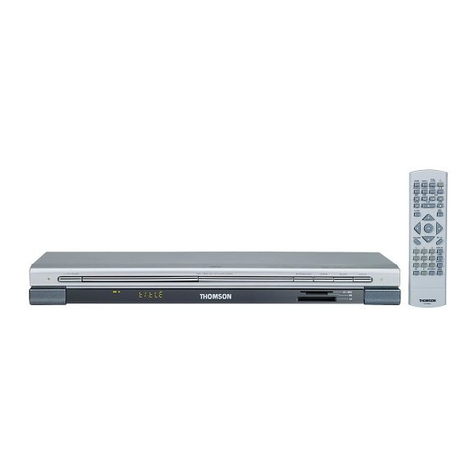
  9. THOMSON DPL900VD - RADIO User manual

THOMSON DPL900VD - RADIO User manual

Other manuals for DPL900VD - RADIO

5

Other THOMSON Receiver manuals

THOMSON BTK-12 User manual

THOMSON

THOMSON BTK-12 User manual

THOMSON THS210 User manual

THOMSON

THOMSON THS210 User manual

THOMSON THT501 User manual

THOMSON

THOMSON THT501 User manual

THOMSON TTR500 User manual

THOMSON

THOMSON TTR500 User manual
THOMSON THS804 User manual

THOMSON

THOMSON THS804 User manual

THOMSON RCA DCD407RH User manual

THOMSON

THOMSON RCA DCD407RH User manual

THOMSON THS220 User manual

THOMSON

THOMSON THS220 User manual
THOMSON VS 990 User manual

THOMSON

THOMSON VS 990 User manual

THOMSON THT101 User manual

THOMSON

THOMSON THT101 User manual

THOMSON THS812 User manual

THOMSON

THOMSON THS812 User manual

THOMSON THT740 User manual

THOMSON

THOMSON THT740 User manual

THOMSON TSR200 User manual

THOMSON

THOMSON TSR200 User manual

THOMSON DSR100T User manual

THOMSON

THOMSON DSR100T User manual

THOMSON DPL900VD - RADIO User manual

THOMSON

THOMSON DPL900VD - RADIO User manual

THOMSON DPL900VD - RADIO Assembly instructions

THOMSON

THOMSON DPL900VD - RADIO Assembly instructions

THOMSON THS815 User manual

THOMSON

THOMSON THS815 User manual

THOMSON THC301 User manual

THOMSON

THOMSON THC301 User manual

THOMSON THS816 User manual

THOMSON

THOMSON THS816 User manual

THOMSON DS110B User manual

THOMSON

THOMSON DS110B User manual

THOMSON THS222 User manual

THOMSON

THOMSON THS222 User manual

THOMSON THS813 User manual

THOMSON

THOMSON THS813 User manual

THOMSON DPL950 - RECEIVER User manual

THOMSON

THOMSON DPL950 - RECEIVER User manual

THOMSON RX8200 User manual

THOMSON

THOMSON RX8200 User manual

THOMSON 500110 User manual

THOMSON

THOMSON 500110 User manual

Popular Receiver manuals by other brands

Greenheck 06 null

Greenheck

Greenheck 06 null

Garmin GA 23 Owner's manual and reference guide

Garmin

Garmin GA 23 Owner's manual and reference guide

Aiphone PS-12F instructions

Aiphone

Aiphone PS-12F instructions

IMES TCS-01CA-PMI Original Operating Instruction

IMES

IMES TCS-01CA-PMI Original Operating Instruction

BWI Eagle AIR-EAGLE SR Product information bulletin

BWI Eagle

BWI Eagle AIR-EAGLE SR Product information bulletin

AMIMON AMN12310 WHDI datasheet

AMIMON

AMIMON AMN12310 WHDI datasheet

Dual DMCPA79BT Installation & owner's manual

Dual

Dual DMCPA79BT Installation & owner's manual

Sound Associates SA652P Operation manual

Sound Associates

Sound Associates SA652P Operation manual

Sherwood NewCastle R-772 Service manual

Sherwood

Sherwood NewCastle R-772 Service manual

Audio A10-RX Series user guide

Audio

Audio A10-RX Series user guide

AllSee PushShare PSRV1.1 user manual

AllSee

AllSee PushShare PSRV1.1 user manual

DEMAG DRC-DR D2 operating instructions

DEMAG

DEMAG DRC-DR D2 operating instructions

Teleco TVRCL868A02 manual

Teleco

Teleco TVRCL868A02 manual

Bosch RF3222E installation instructions

Bosch

Bosch RF3222E installation instructions

Kramer 631R user manual

Kramer

Kramer 631R user manual

Xpress xmc10 installation guide

Xpress

Xpress xmc10 installation guide

JVC KD-MR1BTS instruction manual

JVC

JVC KD-MR1BTS instruction manual

Omega Engineering UWTC-REC3 user guide

Omega Engineering

Omega Engineering UWTC-REC3 user guide

manuals.online logo
manuals.online logoBrands
  • About & Mission
  • Contact us
  • Privacy Policy
  • Terms and Conditions

Copyright 2025 Manuals.Online. All Rights Reserved.

Radio
EN
37
Operating the Radio
The receiver has a built-in tuner that allows for FM/MW/LW
radio function.
Manual tuning
1. Connect the FM and AM antenna accordingly (see
"Connecting the Antenna" on page 5 section for details)
2. Press POWER on the main unit.
3. Press SOURCE until tuner mode is selected or press
tuner on the remote control.
4. To select band, press the BAND/APP on the main unit or
tuner button on the remote again to toggle between FM
stereo / FM mono / MW / LW / FM stereo mode.
When an FM station broadcast Stereo sound, ST is
displayed.
5. Tune the stations by pressing TUNING + or - on the
main unit or UP or DOWN arrows on the remote control
repeatedly until the desired station is found.
Alternatively, you can press and hold the respective buttons
for about one second to activate the automatic SEARCH
function. In this mode the receiver will automatically tune
frequencies until it finds a station
6. Repeat steps 5 to tune another radio station.
Select sound effect if needed by pressing SURROUND or
theater mode sound (see "Advance sound section" on
page 15 and 16 for details)
mp3
SOURCE
PRESET -PRESET +
SURROUND
TV
SAT/
CAB
VIDEO/
VCR ok
POWER / ECO
DIGITAL TREBLE
TUNE -TUNE +
BAND/APP
RPT/PGM
T
AL BAND/APP
RPT/PGM
TREBLE
TUNE -TUNE +
TV
SAT/
CAB
VIDEO/
VCR ok
DIGITAL
PRO.LOGIC
INTRORANDOM
LCR
LS
LFE
RS
DVD
VCD
CD
MP3
NOTE
1. If there is interference, modify the location
of the antenna until the optimal sound is heard.
TV and other electronic devices could be the
cause of interferences so try to position the
antenna away from them.
2. Weak signal can affect the "auto Search
function". Adjust the antenna for better recep-
tion for more efficient search.
SURROUND
/
ECO
SOURCE
PRESET -PRESET +
SAT/
CAB
VIDEO/
VCR ok
SAT/
CAB
VIDEO/
VCR ok
NOTE
The remote control selector must be set
on hifi
Radio
38
Storing radio stations:
The receiver can store up to 30 radio stations in memory.
You can enter radio station yourself or the receiver can
store all available radio station automatically in an
ascending order.
Automatic preset storing :
1. Press BAND/APP on the main unit or tuner repeatedly
on the remote control to select the FM band.
2- Press and hold
BAND/APP/RPT/PGM for 3
seconds to start automatic
preset programming.
“AUTO” will be
flashing during the
automatic storing process.
Radio frequencies will be browsed and radio stations
stored automatically. When all available radio stations are
stored or if all 30 memory locations are full, the auto pre-
set will stop.
Manual preset
1. Select the band by pressing tuner repeatedly
2. Tune to a radio station (see "Manual tuning" on page 37
above for details)
3. Press MEMO on the remote control. "PROG" will appear
on the display
4. While the word "PROG " is still flashing, input your
desired preset number (1-30) using the numeric keys on the
remote control to store the radio station.
Retrieving preset stations
1. Press SOURCE on the unit or tuner on the remote
control to enter tuner mode
2. Press PRESET + or PRESET - on the unit or pr+ or pr -
on the remote control to tune up or down preset channels.
IGITAL TREBLE
TUNE -TUNE +
BAND/APP
RPT/PGM
NOTE
Weak signal can affect the "Automatic Preset
Storing function" efficiency. Adjust the antenna
for the best reception for more efficient search.
DIGITAL TREBLE
TUNE -TUNE +
BAND/APP
RPT/PGM
DIGITAL
PRO.LOGIC
INTRORANDOM
LCR
LS
LFE
RS
DVD
VCD
CD
MP3
DIGITAL
PRO.LOGIC
INTRORANDOM
LCR
LS
LFE
RS
DVD
VCD
CD
MP3
DIGITAL
PRO.LOGIC
INTRORANDOM
LCR
LS
LFE
RS
DVD
VCD
CD
MP3
SURROUND
m
p3
SOURCE
PRESET -PRESET +
SAT/
CAB
VIDEO/
VCR ok
Radio
EN
39
RDS (Radio Data System) for FM Only
The RDS icon shows on display when RDS data are
received. The following information may be available on
certain stations:
• Frequency station,
• Station name,
• Program type,
• Clock,
• Radio text
Press RDS on the remote control repeatedly to select the
type of information you want to display.
Search Station by Program Type
1. Press PTY on the remote control repeatedly to display
the desired program type.
2. Press TUNE - or TUNE + on the main unit or the UP or
DOWN arrows on the remote control to begin search.
3. The search will stop when a station broadcasting the
program type you have selected is found.
VIDEO/
VCR ok
NOTE
NO PTY will be displayed if selected kind of
program is not broadcasted
NOTE
The remote control selector must be set
on hifi.
CAB
VIDEO/
VCR ok
TV
SAT/
CAB
VIDEO/
VCR ok
You can search for stations using one of the following
program types:
NEWS = news
AFFAIRS = current affairs
INFO = information
SPORT = Sport
EDUCAT = education
DRAMA = series and plays
CULTURE = religion or national culture
SCIENCE = science and technology
VARIED = miscellaneous
POP M = pop music
ROCK M = rock music
MOR M = middle-of-the-road music, easy listening music
LIGHT M = classical music
CLASSICS = serious classical
OTHER M = not classed
WEATHER = weather, medical
FINANCE = stock market reports
CHILDREN = children’s programs
SOCIAL AFFAIR = sociology, history, geography,
psychology, society
RELIGION = any aspect of beliefs, faith & God or Gods
PHONE IN = public forum by phone
TRAVEL = feature and programs concerning travelling
HOBBY = recreational activities & leisure
JAZZ = jazz music
COUNTRY = country music
NATIONAL = national music
OLDIES = oldies music
FOLK = folk music
DOCUMENTARY = documentaries
TAL BAND/APP
RPT/PGM
BASS/TREBLE
TUNE -TUNE +