manuals.online logo
Brands
  1. Home
  2. •
  3. Brands
  4. •
  5. Toshiba
  6. •
  7. Cassette Player
  8. •
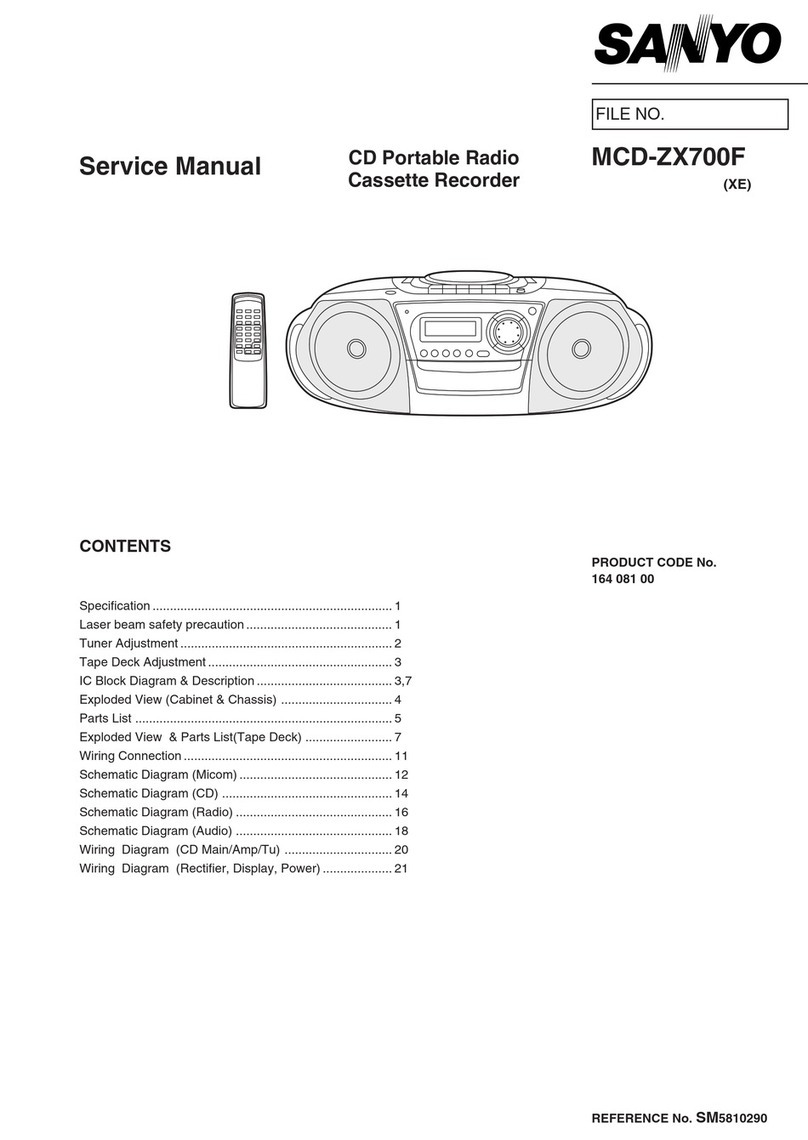
  9. Toshiba RT-S652 User manual

Toshiba RT-S652 User manual

Other Toshiba Cassette Player manuals
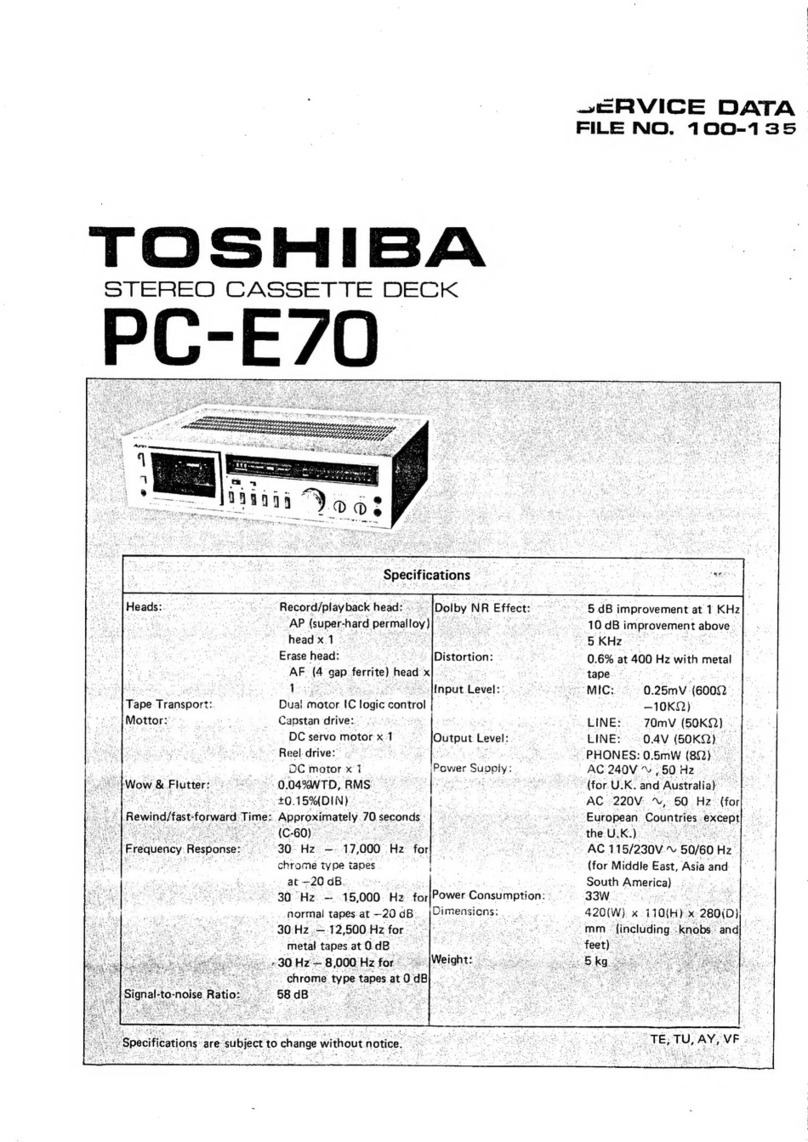
Toshiba PC-E70 User manual

Toshiba

Toshiba PC-E70 User manual

Toshiba SD-V594SU User manual

Toshiba

Toshiba SD-V594SU User manual

Toshiba KT-S1 Mounting instructions

Toshiba

Toshiba KT-S1 Mounting instructions

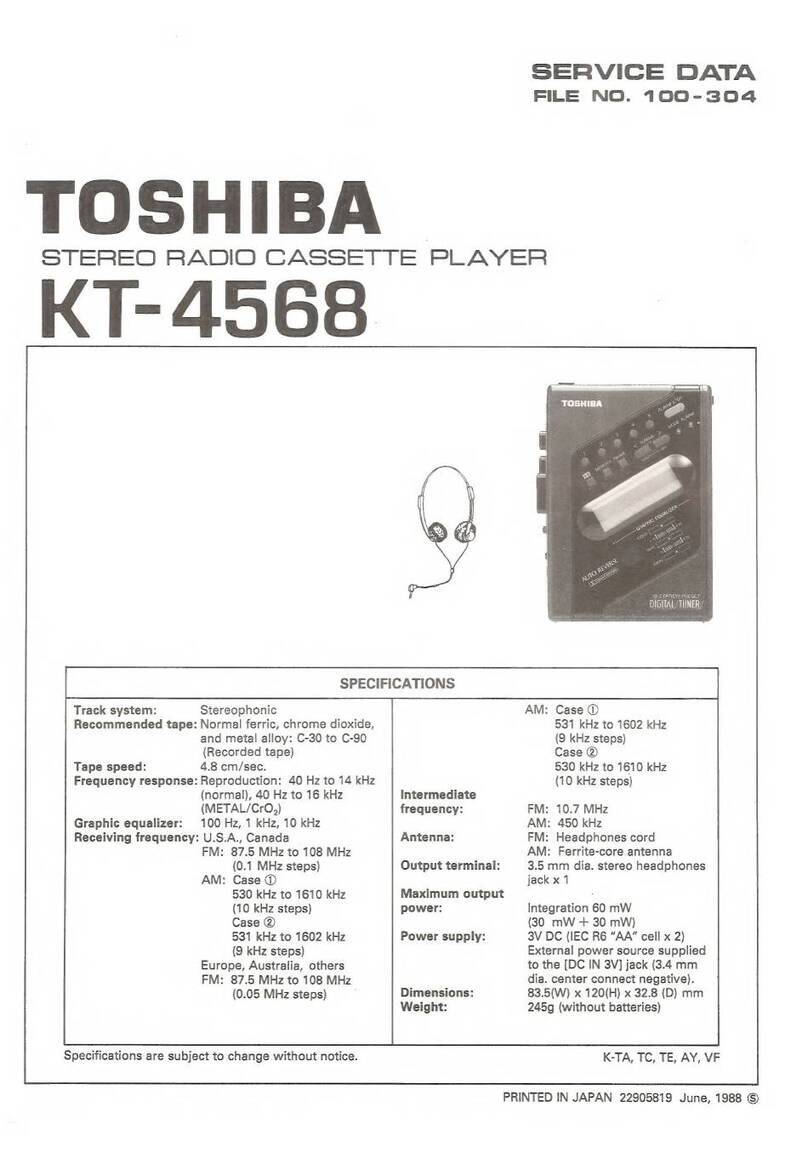
Toshiba KT-4568 Mounting instructions

Toshiba

Toshiba KT-4568 Mounting instructions

Toshiba SD-22VB User manual

Toshiba

Toshiba SD-22VB User manual

Toshiba KT-S1 User manual

Toshiba

Toshiba KT-S1 User manual

Toshiba RT-S933 User manual

Toshiba

Toshiba RT-S933 User manual

Toshiba KT-R2 User manual

Toshiba

Toshiba KT-R2 User manual

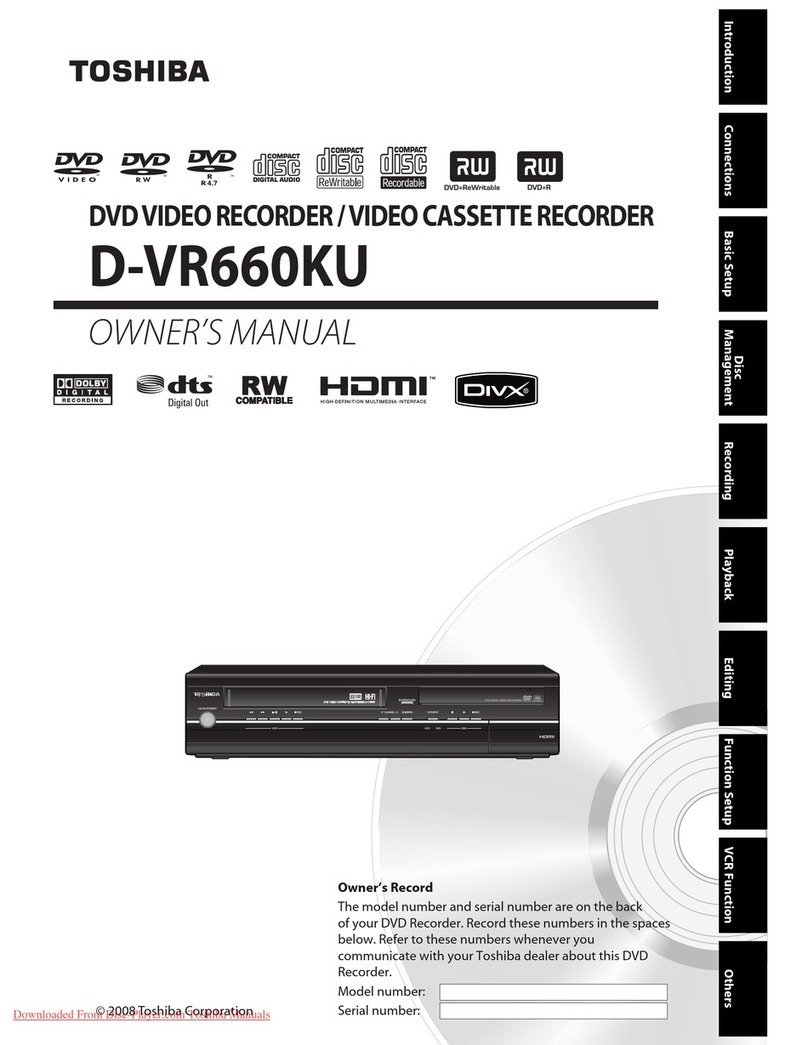
Toshiba D-VR660KU User manual

Toshiba

Toshiba D-VR660KU User manual

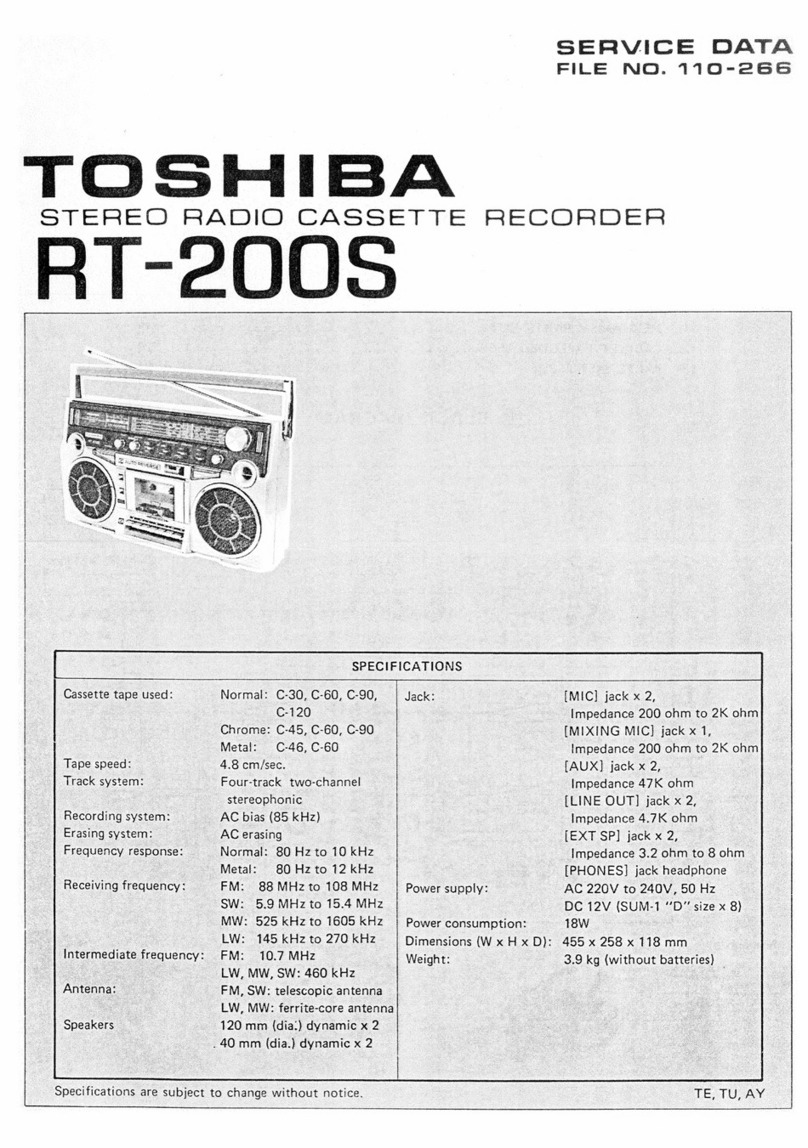
Toshiba RT-200S Mounting instructions

Toshiba

Toshiba RT-200S Mounting instructions
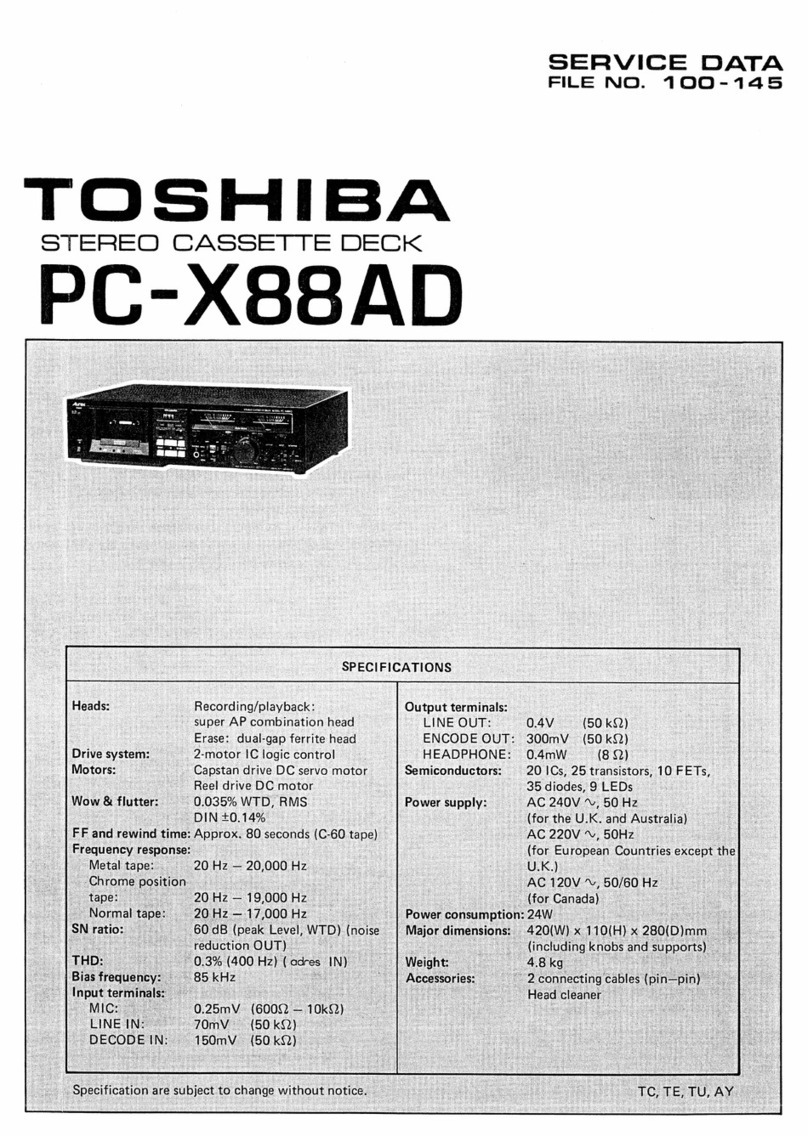
Toshiba PC-X88AD Mounting instructions

Toshiba

Toshiba PC-X88AD Mounting instructions

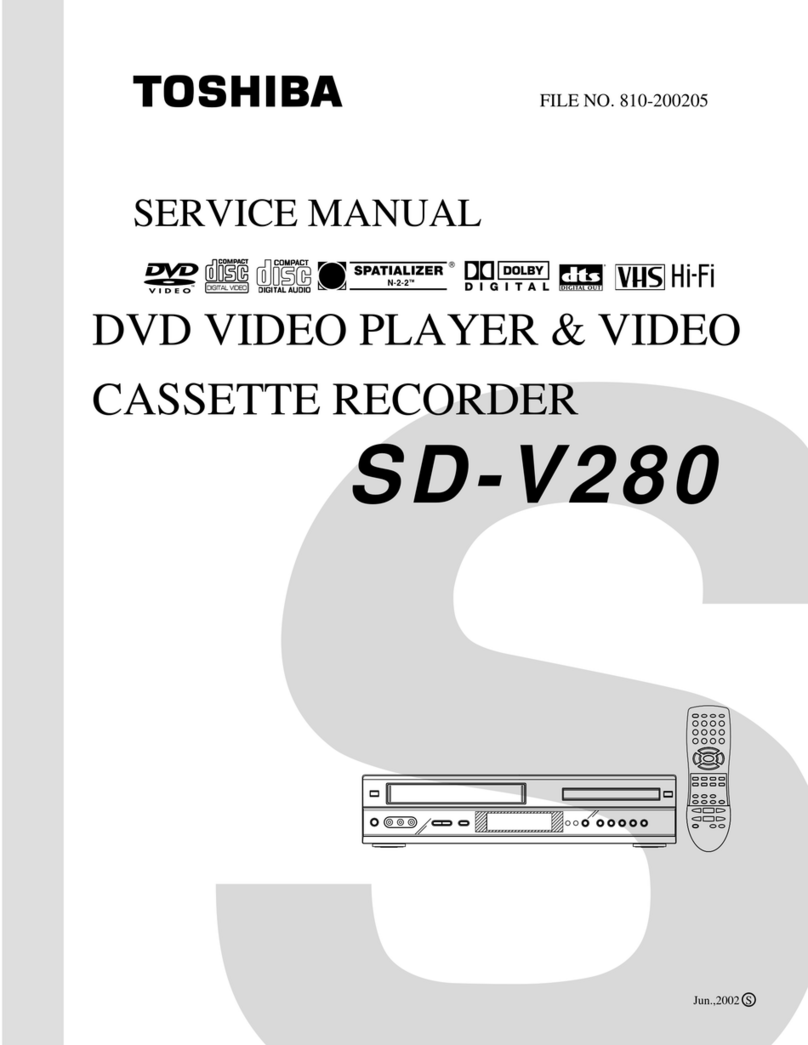
Toshiba SD-V280 User manual

Toshiba

Toshiba SD-V280 User manual

Popular Cassette Player manuals by other brands
Ahuja CPA-360 Operation manual

Ahuja

Ahuja CPA-360 Operation manual

Sony Pressman TCS-60DV Specifications

Sony

Sony Pressman TCS-60DV Specifications

Philips AQ6485/14 Product information

Philips

Philips AQ6485/14 Product information

Sony TCM-200DV - Cassette Recorder operating instructions
Sony

Sony TCM-200DV - Cassette Recorder operating instructions

Nakamichi BX-300 Service manual

Nakamichi

Nakamichi BX-300 Service manual

Panasonic RQ-E25V operating instructions

Panasonic

Panasonic RQ-E25V operating instructions

Aiwa TP-VS535 operating instructions

Aiwa

Aiwa TP-VS535 operating instructions

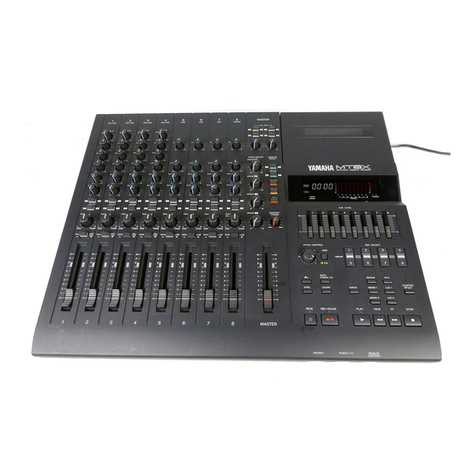
Yamaha MT8X Operation manual

Yamaha

Yamaha MT8X Operation manual

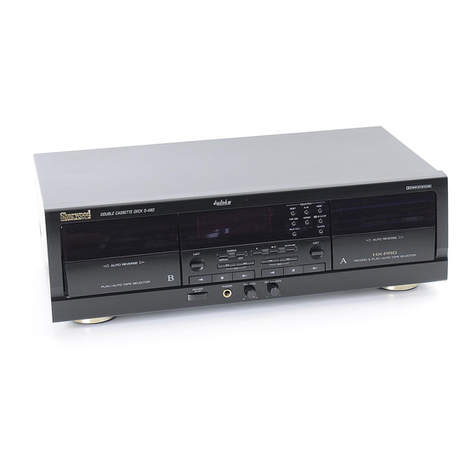
Sherwood Newcastle D-480 operating instructions

Sherwood

Sherwood Newcastle D-480 operating instructions

Manta MA408 user manual

Manta

Manta MA408 user manual

GPO W0162B user guide

GPO

GPO W0162B user guide

Marantz CP230 Service manual

Marantz

Marantz CP230 Service manual

Sony HST-471 Service manual

Sony

Sony HST-471 Service manual

Sharp JC-AV1 Operation manual

Sharp

Sharp JC-AV1 Operation manual

Pioneer CT-W103 Service manual

Pioneer

Pioneer CT-W103 Service manual

Sony CFS-B15 - Am/fm Stereo Cassette Recorder operating instructions

Sony

Sony CFS-B15 - Am/fm Stereo Cassette Recorder operating instructions

Sony WMFS220 - Portable Sports AM/FM Cassette... operating instructions

Sony

Sony WMFS220 - Portable Sports AM/FM Cassette... operating instructions
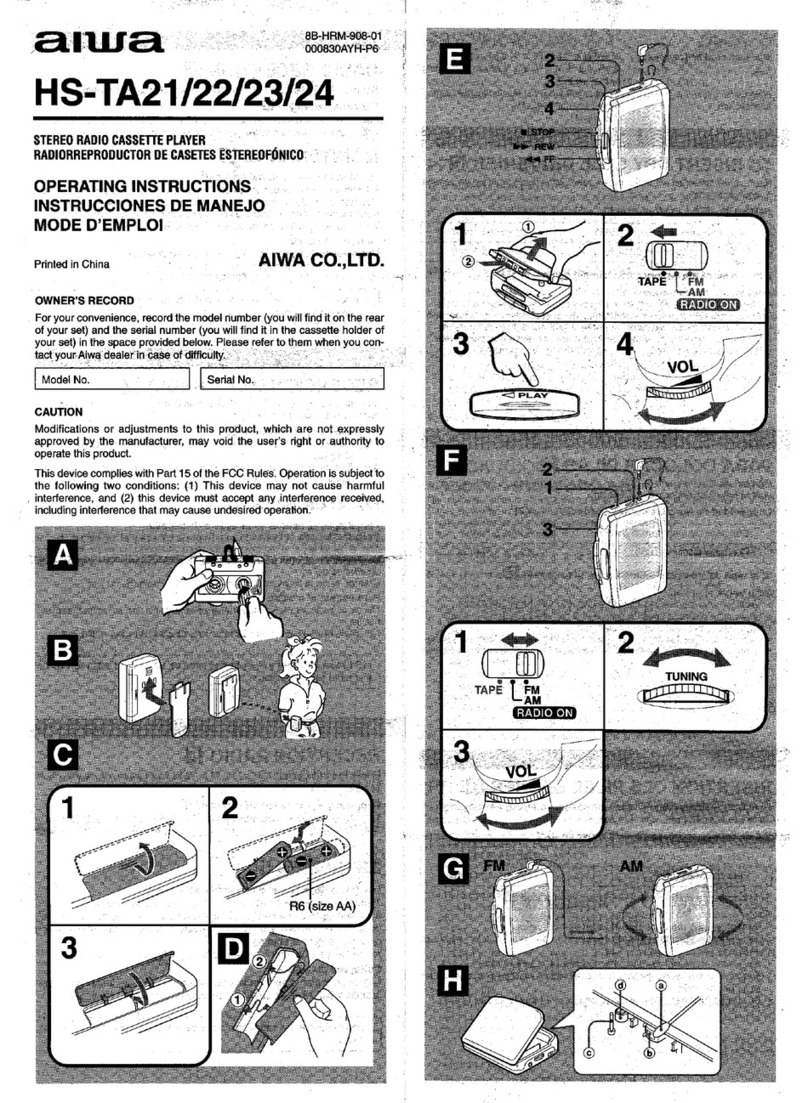
Aiwa HS-TA21 operating instructions

Aiwa

Aiwa HS-TA21 operating instructions
manuals.online logo
manuals.online logoBrands
  • About & Mission
  • Contact us
  • Privacy Policy
  • Terms and Conditions

Copyright 2025 Manuals.Online. All Rights Reserved.

Jgo
SERVICE
DAT.
FILE
NO.
110-288
TOSHIBA
STEREO
RADIO
CASSETTE
RECORDER
HT-S692
1—3002
CONTENTS
1.
OPERATING
CONTROLS
.....
0.20...
0...
cee
ce
eee
3
2.
DISASSEMBLY
INSTRUCTIONS
...........
0000
eee
ee
eee
4
3.
ALIGNMENT
INSTRUCTIONS
.......
0...
0.
ce
eee
eee
eens
5
to
8
4.
DIAL
CORD
RESTRINGING
..........
0...
ee
eee
9
9:
“BEOCK
(DIAG
RAM
ik
ieicr
cece.
hace
siento
de
bans
Maures
«oe
eee
tetera
le
aigta
ete
tate
10
6.
ELECTRICAL
PARTS
LOCATIONS...........
0.000:
e
eee
eee
e
eens
11
7.
SCHEMATIC
DIAGRAM..........
Mlteasiapecenthaste
ples
tet
Abgoeee
ah
Roa
ects,
leat
Biel
ae
AGS
12
8-1.
MECHANISM
EXPLODED
VIEW
(UPPER)...........
00.
0ce
ee
ueeeeuee
13
8-2.
MECHANISM
EXPLODED
VIEW
(LOWER)
..........
0.2002
e
ee
ee
eaee
14
9.
MECHANISM
PARTS
LIST.........
0...
cece
ee
tee
15
10.
CABINET
EXPLODED
VIEW
.........
cee
et
ne
16
11...
CABINET
PARTS
LIST
oo...
nie
eee
eae
Ge
ee
eee
ee
ee
ee
17
12...
“PARTS
PEIST
sor
cvecisauds
sede
toe
aed
2b
aneniae
Uae
ere
dd
avid
ways
18
to
21
Nameplate
|
RT—S652
1.
OPERATING
CONTROLS
CONTROL
FUNCTIONS
OOS
©
®@®O™®
@©®
©
)
@)
©
@
©®
®
@
[AM]
BAND]
Selector
42)
[LOUDNESS]
Button
When
listening
to
low
level
sound,
press
this
buiton,
(2)
[FUNCTION]
Selector
The
treble
and
bass
tones
are
amplified
to
give
a
more
@)
FUNCTION
[ON-OFF/TAPE]
Selector.
natural
sound.
Note:
When
the
accessory
AC
adaptor
is
used,
it
will
be
left
powered
even
when
the
[FUNCTION]
selector
of
the
recorder
is
set
to
OF
F/TAPE.
[TONE]
Control
When
the
recorder
is
not
to
be
used,
be
sure
to
(8)
[BALANCE]
Control
unplag
the
AC
adaptor
from
its
outlet.
G3)
[VOLUME]
Control
Built-in
Microphones
@
[TAPE]
Selector
)
Tweeters
(Speakers
for
high-pitched
sound)
[TAPE]
selector
Woofers
(Speakers
for
iow
to
mid-range
sound)
CrO2
METAL
:
t
METAL
=
[BATTERY]
Indicator
cro,
7s
@0
[FM
STEREO]
Indicator
ees
com
@)
[TUNING]
Indicator
Note:
!f
the
[
D238]
button
is
left
depressed,
the
CrOz,
@)
Tape
Counter
and
Counter
Reset
Button
NORMAL
position
will
not
be
selected
even
when
@
MTSS
[SET]
Button
the
[CrO,]
button
is
pressed.
(5)
[/ASTOP/EJECT]
Button
(6)
[PONE
TOUCH
RECORD]
Button
@
[>>
REVIEW/REW)
Button
[<PLAY]
Button
()
{«
FF/CUE]
Button
4)
MTSS
[RESET/EDITOR]
Button
@5)
[REC]
Indicator
6)
[MTSS]
Indicator
@?)
Tuning
Knob
[MIC]
Jacks
Microphones
with
3.5
mm
plugs
[11PAUSE]
Button
@9
[REC/PB]
Jack
a)
[MODE/BEAT]
Selector
@
[EXT
SPEAKER]
Jacks
Input
impedance
from
3.2
to
8
ohm
[MODE/BEAT]
selector
__MONO
__
|[STEREO-WIDE
Gi)
[PHONES]
[T]
Jack
MONO
62)
[PHONES]
[2]
Jack
STEREO
r
STEREO-WIDE
63
[DC
9
V]
Jack
=
When
accessory
AC
adaptor
is
to
be
used,
connect
it
to
~
this
Jack.
Note:
If
[MONO]
button
is
left
depressed,
the
STEREO,
STEREO-WIDE
mode
will
not
be
selected
even
G4
Telescopic
Antenna
when
the
[STEREO-WIDE]}
button
is
activated.
~
RT-S652
|
1.
2.
Unscrew
two
screws
(A)
and
five
screws
(8).
Fig.
1.
.
Open
the
cassette
cover
by
pressing
the
Stop/Eject
CASSETTE
MECHANISM
ASS’Y
REMOVAL
1.
Follow
the
instruction
for
Front
Cabinet
Removal.
MAIN
P.C.
BOARD
REMOVAL
1.
Follow
the
instruction
for
Front
Cabinet
Removal.
NS
om
F
Ww
.
Disconnect
the
speaker
and
MQJS
connectors
to
.
Reassemble
in
the
reverse
order.
.
Unscrew
one
screw
(C).
Fig.
2.
.
Diconnect
the
Motor
and
the
Head
connectors
©).
.
Take
off
the
Cassette
Mechanism
Ass’y
from
the
Back
.
Pull
out
the
Balance,
Tone,
Volume,
Loudness,
Mode,
.
Pull
up
the
Main
P.C.
Board
from
the
Back
Cabinet.
.
Reassemble
in
the
reverse
order.
DTBID
Hd.
Tapping
3d
x
10mm&
RED
2.
DISASSEMBLY
INSTRUCTIONS
¢———p>
FRONT
CABINET
REMOVAL
DTBID
Hd.
Tapping
3d
x
52mm
Pull
out
the
Tuning
and
Fine
Tuning
Knobs.
button.
separate
the
Front
Cabinet
from
the
Back
Cabinet.
DTBID
Hd.
Tapping
3d
x
35mm
BLK
Figure
1.
Fig.
2.
Cabinet.
Reassemble
in
the
reverse
order.
DTBID
Hd.
Tapping
3d
x
20mm
RED
Figure
2.
DTBID
Hd.
Tapping
3d
x
16mm
RED
Tape
Selector,
Function
and
Band
Switch
Knobs.
Remove
the
spring
©.
Fig.
3.
Unscrew
four
screws
()
and
two
screws
@.
Fig.
3.
Figure
3.
|
RT—S652
3.
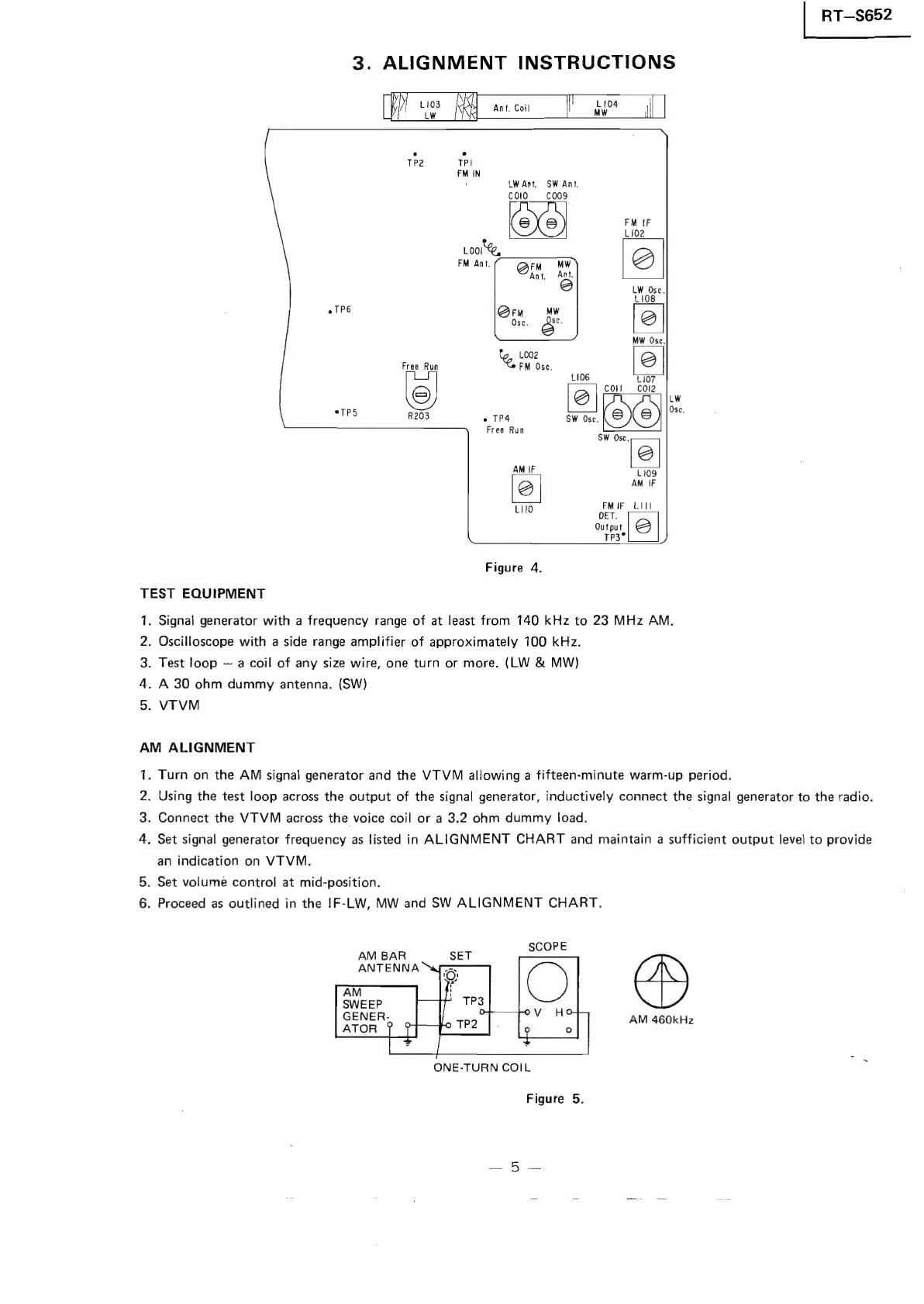
ALIGNMENT
INSTRUCTIONS
fe
L193
Re
Ant,
Coil
h
awe!
i
.
TP2
TPI
FM
IN
LW
Ant.
SW
Ant.
colo
co09
@Xo)
ae
‘
eTP6
Free
Run
re
.
Ose.
ue
R203
.
TP4
SW
Ose.
(e)
Free
Run
Sw
“le
AM
IF
L109
Zz)
AM
IF
FM
IF
LIII
euo
DET.
Output
‘Zz
TP3°
}
Figure
4.
TEST
EQUIPMENT
.
Signal
generator
with
a
frequency
range
of
at
least
from
140
kHz
to
23
MHz
AM.
.
Oscilloscope
with
a
side
range
amplifier
of
approximately
100
kHz.
.
Test
loop
—
a
coil
of
any
size
wire,
one
turn
or
more.
(LW
&
MW)
.
A
30
ohm
dummy
antenna.
(SW)
VTVM
a
hwWN
=
AM
ALIGNMENT
.
Turn
on
the
AM
signal
generator
and
the
VTVM
allowing
a
fifteen-minute
warm-up
period.
.
Using
the
test
loop
across
the
output
of
the
signal
generator,
inductively
connect
the
signal
generator
to
the
radio.
.
Connect
the
VTVM
across
the
voice
coil
or
a
3.2
ohm
dummy
load.
PWN
=
.
Set
signal
generator
frequency
as
listed
in
ALIGNMENT
CHART
and
maintain
a
sufficient
output
level
to
provide
an
indication
on
VTVM.
a
Set
volume
contro!
at
mid-position.
6.
Proceed
as
outlined
in
the
IF-LW,
MW
and
SW
ALIGNMENT
CHART.
AM
460kHz
ONE-TURN
COIL
Figure
5.
R1—-s652
|
AM
SIGNAL
GENER-
ATOR
if
=
;
UNIT
UNDER
TEST
Figure
6.
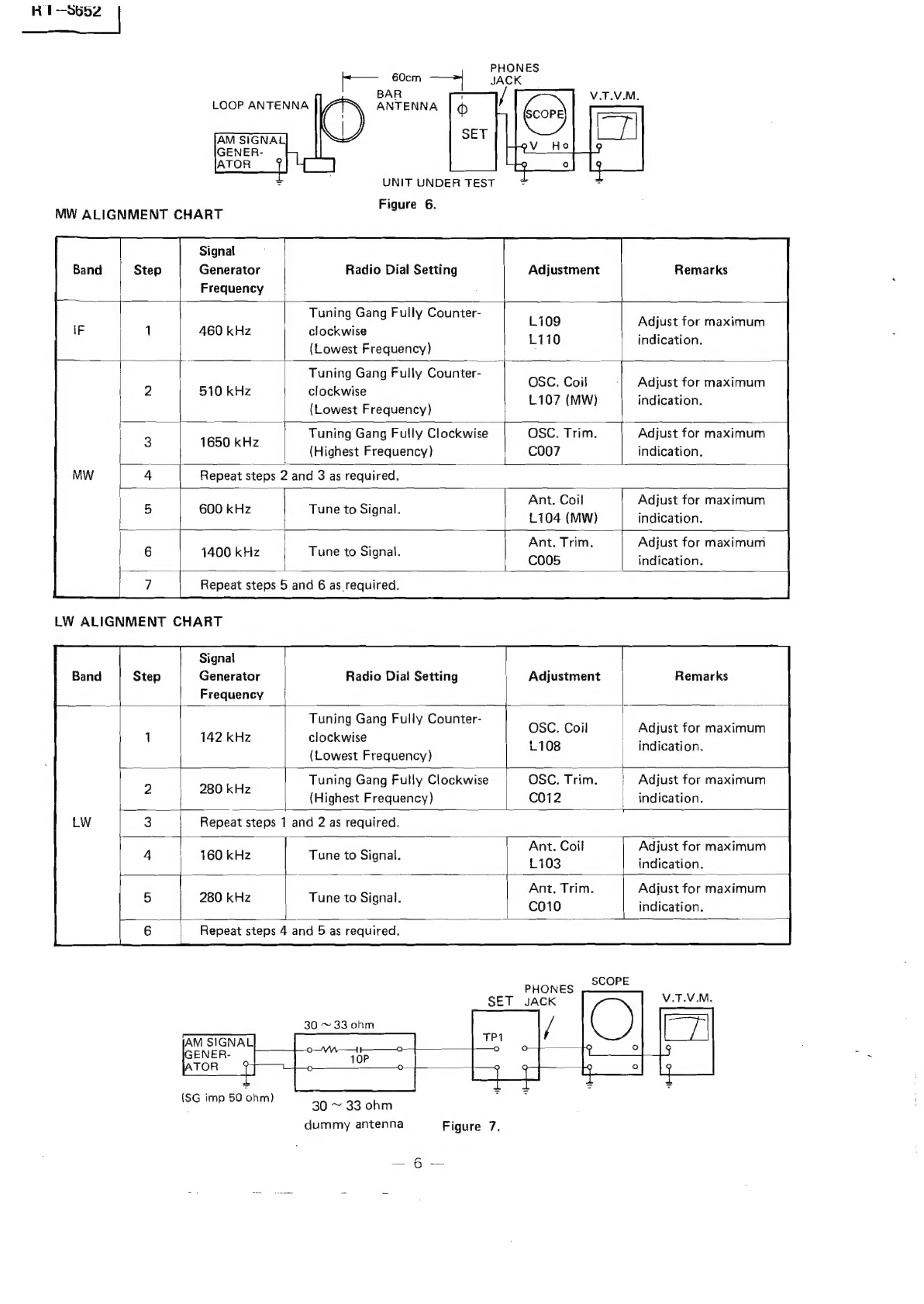
MW
ALIGNMENT
CHART
eS
Signal
Generator
Frequency
Radio
Dial
Setting
Tuning
Gang
Fully
Counter-
clockwise
(Lowest
Frequency)
460
kHz
}-—-—
PHONES
JACK
Adjustment
$$}
—__.
Remarks
Li09
L110
Adjust
for
maximum
indication.
Tuning
Gang
Fully
Counter-
clockwise
(Lowest
Frequency)
510
kHz
OSC.
Coil
L107
(MW)
Adjust
for
maximum
indication.
Tuning
Gang
Fully
Clockwise
peak
(Highest
Frequency)
OSC.
Trim.
C007
Adjust
for
maximum
indication.
R
2
3
ired.
eae
epeat
steps
2
and
3
as
require
600
kHz
Tune
to
Signal.
Ant.
Coil
L104
(MW)
Adjust
for
maximum
indication.
1400
kHz
Tune
to
Signal.
Ant.
Trim.
C005
Adjust
for
maximum
indication.
Repeat
steps
5
and
6
as
required.
LW
ALIGNMENT
CHART
Signal
Generator
Frequency
Radio
Dial
Setting
Adjustment
Remarks
Tuning
Gang
Fully
Counter-
|
clockwise
(Lowest
Frequency)
142
kHz
OSC,
Coil
L108
Tuning
Gang
Fully
Clockwise
280
kHz
(Highest
Frequency)
OSC.
Trim.
C012
Adjust
for
maximum
indication.
Adjust
for
maximum
indication.
Repeat
steps
1
and
2
as
required.
160
kHz
Tune
to
Signal.
Ant.
Coil
L103
Adjust
for
maximum
indication.
280
kHz
Tune
to
Signal.
Ant.
Trim.
C010
Adjust
for
maximum
indication.
t.
Repeat
steps
4
and
5
as
required.
30
~
33
ohm
30
~
33
ohm
dummy
antenna
Figure
7.
_="G
2s:
|
RT—S652
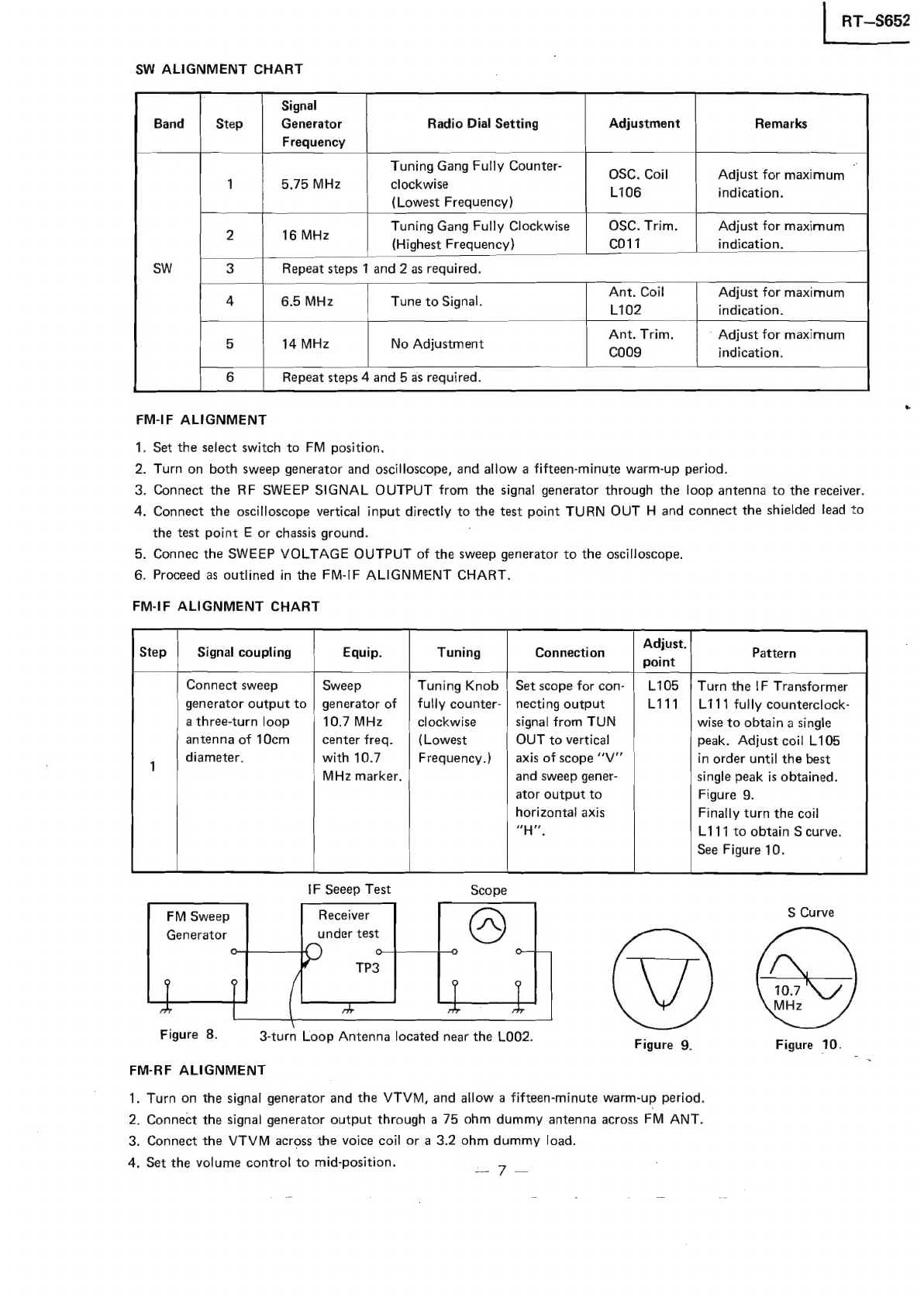
SW
ALIGNMENT
CHART
Signal
Generator
Radio
Dial
Setting
Adjustment
Remarks
Frequency
Tuning
Gang
Fully
Counter-
5.75
MHz
clockwise
(Lowest
Frequency)
OSC.
Coil
Adjust
for
maximum
‘
L106
indication.
Tuning
Gang
Fully
Clockwise
OSC.
Trim.
Adjust
for
maximum
Toe
(Highest
Frequency)
C011
indication.
Repeat
steps
1
and
2
as
required.
Ant.
Coil
Adjust
for
maximum
L102
indication.
Ant.
Trim,
’
Adjust
for
maximum
Ccoo9
indication.
6.5
MHz
Tune
to
Signal.
14
MHz
No
Adjustment
Repeat
steps
4
and
5
as
required.
FM-IF
ALIGNMENT
.
Set
the
select
switch
to
FM
position.
.
Turn
on
both
sweep
generator
and
oscilloscope,
and
allow
a
fifteen-minute
warm-up
period.
.
Connect
the
RF
SWEEP
SIGNAL
OUTPUT
from
the
signal
generator
through
the
loop
antenna
to
the
receiver.
.
Connect
the
oscilloscope
vertical
input
directly
to
the
test
point
TURN
OUT
H
and
connect
the
shielded
lead
to
the
test
point
E
or
chassis
ground.
:
5.
Connec
the
SWEEP
VOLTAGE
OUTPUT
of
the
sweep
generator
to
the
oscilloscope.
6.
Proceed
as
outlined
in
the
FM-IF
ALIGNMENT
CHART.
PWN
=
FM-IF
ALIGNMENT
CHART
Signal
coupling
Equip.
Tuning
Connection
Pattern
Connect
sweep
Sweep
Tuning
Knob
|
Set
scope
for
con-
Turn
the
!F
Transformer
generator
output
to
|
generator
of
|
fully
counter-
|
necting
output
L111
fully
counterclock-
a
three-turn
loop
10.7
MHz
clockwise
signal
from
TUN
wise
to
obtain
a
single
antenna
of
10cm
center
freq.
(Lowest
OUT
to
vertical
peak.
Adjust
coil
L105
diameter.
with
10.7
Frequency.)
axis
of
scope
“V"’
in
order
until
the
best
MHz
marker.
and
sweep
gener-
single
peak
is
obtained.
ator
output
to
Figure
9.
horizontal
axis
Finally
turn
the
coil
“H",
L111
to
obtain
S
curve.
See
Figure
10.
IF
Seeep
Test
FM
Sweep
Receiver
S
Curve
Generator
under
test
ae
aS
Figure
8.
-
F
igure
3-turn
Loop
Antenna
located
near
the
LOO2.
Figure
9.
Figure
10.
FM-RF
ALIGNMENT
1.
Turn
on
the
signal
generator
and
the
VTVM,
and
allow
a
fifteen-minute
warm-up
period.
2.
Connect
the
signal
generator
output
through
a
75
ohm
dummy
antenna
across
FM
ANT.
3.
Connect
the
VTVM
across
the
voice
coil
or
a
3.2
ohm
dummy
load.
4.
Set
the
volume
control
to
mid-position.
7
iT—S652
|
5,
Adjust
the
signal
generator
frequency
as
indicated
in
FM-RF
ALIGNMENT
CHART,
and
maintain
a
sufficient
signal
output
level
to
provide
a
measurable
indication.
6.
Proceed
as
outlined
in
the
FM-RF
ALIGNMENT
CHART.
FM-RF
ALIGNMENT
CHART
Step
Signal
Generator
Radio
Dial
Setting
Adjustment
Remarks
Tuning
Knob
fully
P
: ,
1
87.5
MHz
Counterclockwise
O2G
fol!
AaeE
IO
eal
a
ae
indication.
(Lowest
Frequency)
Tuning
K
full
ee
nob
sully
OSC.
Trim.
Adjust
for
maximum
output
2
108
MHz
Clockwise
C003
indicate
(Highest
Frequency)
pee
3
Repeat
steps
1
and
2
as
required.
4
90
MHz
Ant.
Coil
_
LOO1
Adjust
for
maximum
output
Tune
to
signal
RAGE
indication
nt.
Trim
.
5
106
MHz
;
e
C001
6
Repeat
steps
4
and
5
as
required.
Headphone
SET
Jack
DUMMY
ANTENNA
50
ohm
FREE
RUN
FREQUENCY
ALIGNMENT
Adjust
R203
under
no
signal
condition
so
as
to
obtain
38
kHz
+
75
Hz.
CAUTION:
When
realigning
the
FM
Receiving
Frequency,
the
highest
end
of
the
frequency
range
should
not
be
more
than
108
MHz
and
the
lowest
end
of
the
frequency
range
should
not
be
less
than
87.5
MHz,
in
order
to
comply
with
FTZ
regula-
tions
in
West
Germany.
RECORD/PLAYBACK
HEAD
ADJUSTMENT
A
6.3
kHz
test
tape
must
be
used
for
this
adjustment.
Connect
a
VTVM
or
an
oscilloscope
to
the
headphones
jack
or
speaker
terminal
and
adjust
the
azimuth
by
using
a
phillips
screwdriver
to
maintain
the
maximum
output
voltage.
TAKE-UP/SUPPLY
REEL
TENSION
1.
Insert
cassette
torque
meter
(HARTAK
X-87
Torquette).
Figure
11.
Frequency
V.T.V.M.
Counter
3.2
ohm
Figure
12.
Record/Playback
Head
Record/Playback
Head
Adjustment
Figure
13.
2.
Press
PLAY
button
and
read
torque
meter.
Torque
should
be
35
to
65
gcm.
3.
Release
PLAY
button
and
press
REWIND
button.
Torque
should
be
60
to
160
gcm.
!f
necessary,
clean
take-up
reel
or
drive
belt
with
alcohol,
or
replace
belt.
5.
BLOCK
DIAGRAM
RT—S652
RT—S652
4.
DIAL
CORD
RESTRINGING
Aojdsip
wosbolg
02ju04
U01j9248g
0
=
|
ete
sobunig
dwo
sem0g
Jaypeds
ADM
2
]
E
|
i
(4)
lewpy9
al
<eil
uno
a
un
avasauv1
|
dwo
duo
ad
J8Zyonbe
¥9DGhd|g
ro
(+)
SIN
Ut
-a1ing
©
Jeydads
ouseyxe
()
(4)
jeuup4y9
|
t
Lt
TOsDoipur
()
SIN
[owe
J
4ayyog
‘YQ
jouaixg
——,_4
Jojo
nbay
induy
@u7
JeyDads
jpusayxa
4
(7)
seuubyg
|
#
indyno
aui4
(4)
[euuby9
t
Lo
|
s9yDeds
kom
2
}
2
x
=
(1)
feuuoy
B
|
anor
en
eve
RS
=
<Zuin
YG
prey
toigsay
£
O
o
=
6—{-b)
IW
ul-ning
Le
2°
dup
ag
|
+
auoydpoey
Oo
0.90
090
0
b
ao
z
—
|
Oty
10W2Ix3
oIW
|
’
bulxiy
[|
4
©
yndul
3ul]
O
O_O
g
|
}
(O)
Indjno
3ur]
(7)
yeuuby9
1
40)D91pUl
404D91p
uy
|
Wo
aul]
—
olpoy
“¢
Bujpiosay
—
yooqhd|
J
“Zz
ado)
devervl
dvOv9.vl
dGeelvi
UO~J8M0q
—
}40
-1aM0¢§
‘|
XdW
W3
dw
4f
pua
jody
WV/W4
Wa
4
YOUMS
(
2
turns
Ve
<>
-
Cement
after
tying
twice.
Eyelet
uu
3mm.
s
Cut
less
than
Drum
Figure
14.
9
Dial
cord
363
+
0.5
mm
Spring
4.
Turn
the
tuning
shaft
fully
counterclockwise.
5.
Set
the
pointer
to
the
cord.
—
o
2
£
3
Q
-
c
i
bo2)
=
a)
=
a)
°
°
aad
ro
°
®
go
a
3
°
x
oO
¢c
®
n
~
2.
Wind
the
dial
cord
in
numerical
order
after
passing
through
the
hole
of
drum.
1.
Turn
the
shaft
of
poli-variable
capacitor
fully
clockwise.
3.
Hook
the
spring
to
the
drum
after
completing
winding.
DIAL
CORD
STRINGING
eee:
[3
Q702
D701
ov
[Oiv
[ov
2.2v
|
|
RT—S662
RT—S652
|
,
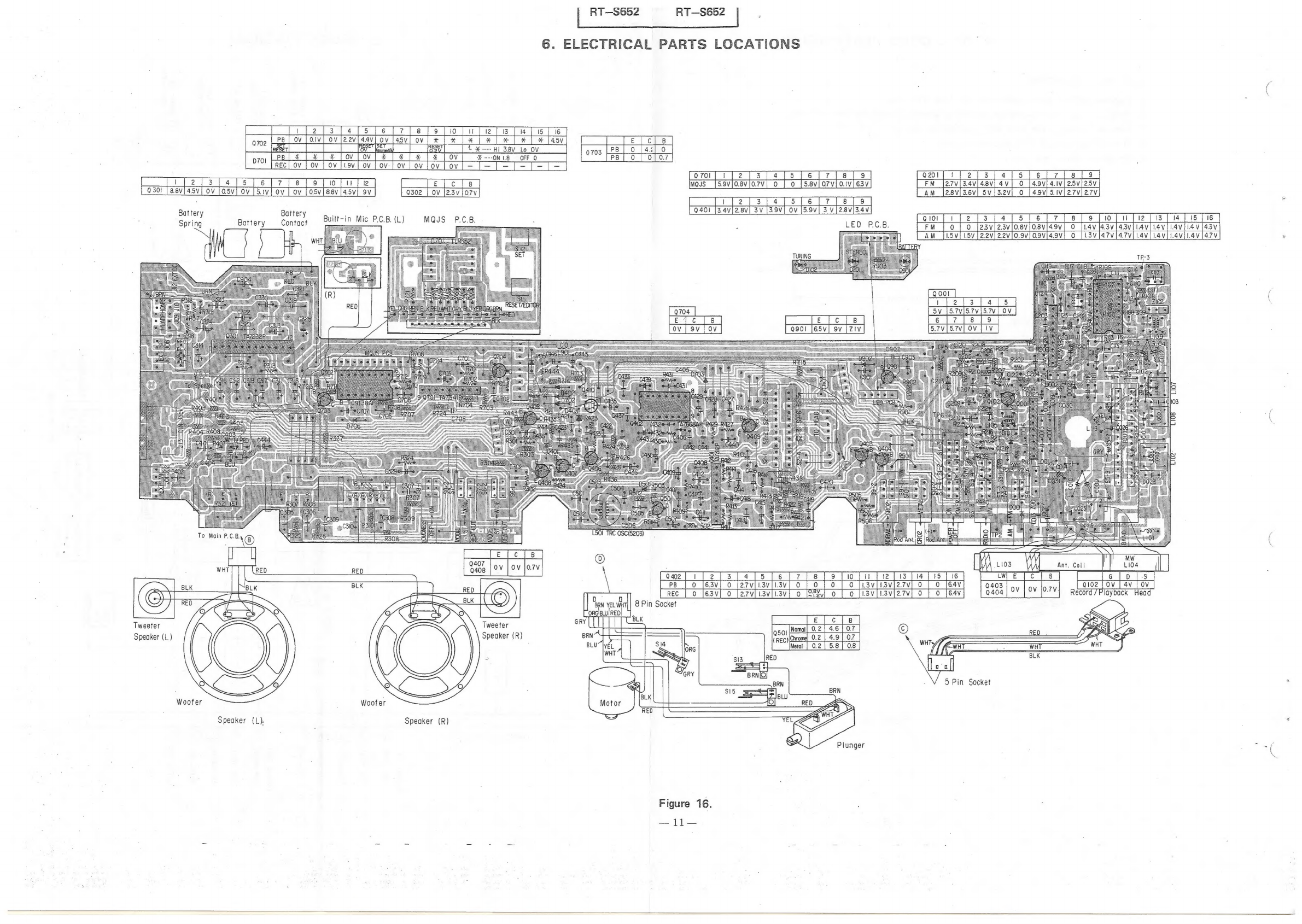
6.
ELECTRICAL
PARTS
LOCATIONS
pa
|
o
[42|
0
703
[2
PB]
o
|
olor
Lov
|
ov
tf
2a
7)
es
[ofolute
030!
|
8.8V
3
=
5
[6
4.5v[
ov
[os5v[
ov
[5iv
Ov
|
OV
|
05V|
B8V
145V}
9V
E
cls
Tweeter
Speaker
(L)
Battery
Spring
Battery
Battery
Contact
Speaker
(L).
Built-in
Mic
P.C.B.
(L)
Woofer
Q302
|
OV
|2.3VjO7V
Speaker
(R)
MQJS
P.C.B.
fem Ble
ince
a5
Q407
Tweeter
Speaker
(R)
o7oi[
1/2];
3
[4/5
[é6[7][alfo
Mos
|S59vjoevjo7v]
o
|
o
[s8viorvioivi6sv)
3.4V|2.8V|
3V
fe
jec
]e]
1501
TRC
OSC(5203)
ee
eae
ae
ref
0
fesv]
o
farviiaviiav{
0
{9
[0
|
0
faviisvle
Figure
16.
earl
i
[2{[3[4][5]6
8
|
9
FM
[27v/3.4v/4
25V|25V
AM
27V|27Vj
213
/4[5]6
10
|
tl
[001
|
Pera
wesw
6
[er |e.
[eo]
4.9V}
0
7[8s][o9]|
0
f23vi23vifosviosvl4ov]
0
[lav
l43vi43vi
Lavi
i4avii4v
{i
1.5v
[22v]22v[0.9v]
0.9Vv[4.
L3vl47v[47v[.4v[.4viL4aviiav
7V
Record
fi.
Wo
Ee
EW
€
|
coe
et
OOS
|
EE
a
4v
|
ov
Proybac
Head
5
Pin
Socket