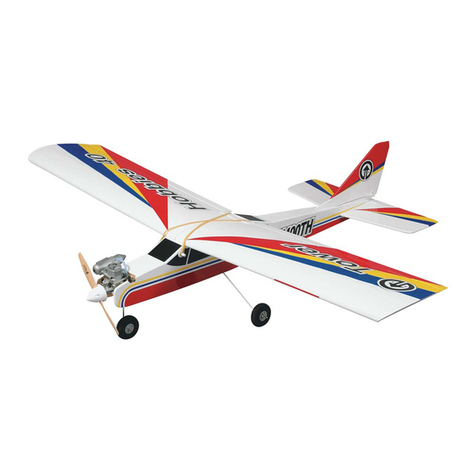
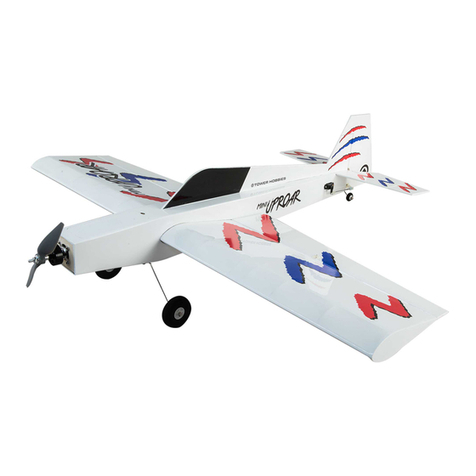
ongratulations and thank you for purchasing the Tower Trainer .40
Ready-to-Fly. You’ve made the right decision by purchasing a “real”
model airplane with a .40-size engine and a 4-channel radio. Once
assembled and set up, there will be no fiddling with a temperamental
engine or constant troubleshooting to figure out how to get the
model to fly. Under the guidance of an experienced flight instructor,
all you’ll have to do is concentrate on learning to fly. And after
you’ve mastered the Trainer .40, the engine and radio may be
installed in your next model!
There are two parts to this manual. The first part, Assembly, guides
you through a few simple steps to put the model together. The second
part, Setup, takes you through initial adjustments and flight
preparation. Do not overlook any of the important setup procedures
and follow the instructions all the way to the end. Anything skipped
in the shop will have to be done at the field.
Here are the names of some of the parts of the model.
If there is no hobby shop in your area, contact the AMA (Academy
of Model Aeronautics), the governing body of model aeronautics.
The AMA can direct you to the closest R/ club whose membership
should have qualified flight instructors. With the added benefit of
insurance coverage provided by the AMA, most clubs require AMA
membership to fly at their field.
1. Your Tower Trainer .40 Ready-to-Fly should not be considered a
toy, but rather a sophisticated, working model that functions very
much like a full-size airplane. Because of its performance
capabilities, the Tower Trainer .40 Ready-to-Fly, if not assembled and
operated correctly, could possibly cause injury to yourself or
spectators and damage to property.
2. You must assemble the model according to the instructions. Do
not alter or modify the model, as doing so may result in an unsafe or
unflyable model. In a few cases the instructions may differ slightly
from drawings or sketches. In those instances the written instructions
should be considered as correct.
3. You must check the operation of the model before every flight to
insure that all equipment is operating and that the model has
remained structurally sound. Be sure to check clevises or other
connectors often and replace them if they show any signs of wear or
fatigue.
Before starting to build, inspect the parts in this kit to make sure they
are of acceptable quality. If any parts are defective or damaged, or if
you need assistance with assembly, contact Product Support.
Product Support:
Phone: (217) 398-8970
Fax: (217) 398-7721
KIT INSPECTION
We, as the kit manufacturer, provide you with a top quality kit and
instructions, but ultimately the quality and flyability of your
finished model depends on how you build it; therefore, we cannot
in any way guarantee the performance of your completed model,
and no representations are expressed or implied as to the
performance or safety of your completed model.
PROTECT OUR MODEL, OURSELF &
OTHERS...FOLLOW THESE IMPORTANT
SAFET PRECAUTIONS
Academy of Model Aeronautics
5151 East Memorial Drive
Muncie. IN 47302-9252
Office: (765) 287-1256
Toll Free: (800) 435-9262
Fax: (765) 741-0057
or via the internet at: http//www.modelaircraft.org
IMPORTANT: Once mastered, piloting a model aircraft can be
one of the most enjoyable hobbies around. However, it cannot be
stated strongly enough that, if you do not already know how to fly
an R/ airplane, you will probably not be able to fly this model by
yourself. It may appear to be easy, but over-controlling and
disorientation quickly overcome inexperienced fliers, swiftly
ending their first flight. The best thing you can do to insure success
is to find a flight instructor who will inspect your model for
airworthiness and provide flying lessons. If you haven’t yet done
so, contact the local hobby shop and as them to introduce you
to an instructor or an R/C club representative. If there is no club
or experienced R/ pilot nearby, it would be worth even a long
drive to find one–if only for just a few flight lessons (then you’ll
have an idea of what to expect).
INTRODUCTION
2