Instruction manual
5
• Timer can be pre-set up to 24 hours.
• Note: Recommended timer pre-setting is no more than 12 hours
to avoid food deterioration.
• After setting the pre-set time press the desired program button
that needs to be started. The screen displays the completion time
and starts the countdown.
• Both lights of the timer button and selected program light up.
Rice
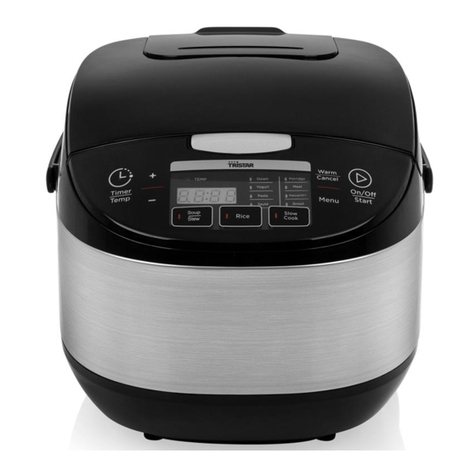
• Press the Rice button to select the Rice function.
• Indicator light above button will go on.
• Program starts and digital screen displays a moving “- - - -” from
bottom to top.
• The Rice function automatically enters the stew stage after
cooking and display countdown timer in the digital screen.
• Rice function automatically enters the temperature preservation
function when program completes.
• See “cooking rice” chapter for more information.
Warm/Cancel
• In standby mode press the Warm/Cancel button to start the
temperature preservation program.
• The digital screen displays "bb" and the light above the Warm/
Cancel button will be on to indicate the temperature preservation
program is active.
• Press Warm/Cancel button again to disable the temperature
preservation program.
• Food is best to be consumed within 5 hours after cooking, so that
flavor and taste do not deteriorate.
• If the device is in a program press Warm/Cancel button to cancel
and exit this program and return to standby mode.
Steam
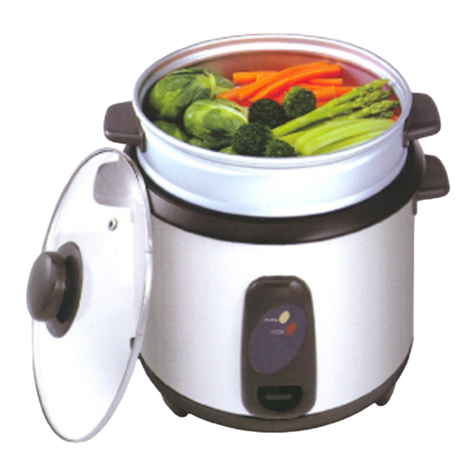
• Put water in the inner bowl and ensure the amount of water is
always lower than the steam basket.
• Put the steam basket into the inner bowl.
• Add the desired ingredients to the steam basket.
• Press the Steam button to select the Steam function.
• Indicator light above button will go on.
• Press button to adjust the steaming time, the default time is 30
minutes.
• Time can be adjusted between 10 to 60 minutes.
• When the water is boiled, the timer starts to count down on the
digital screen.
• Steam function automatically enters the temperature preservation
function when program completes.
Soup
• Press the Soup button to select the Soup function.
• Indicator light above button will go on.
• Press the button to adjust Soup cooking time, the default time is
1.5 hours.
• Time can be adjusted between 30 minutes to 3 hours.
• When the water is boiled, the timer starts to count down on the
digital screen.
• Soup function automatically enters the temperature preservation
function when program completes.
Porridge
• Press the Porridge button to select the Porridge function.
• Indicator light above button will go on.
• Press the button to adjust Porridge cooking time, the default time
is 2 hours.
EN