manuals.online logo
Brands
  1. Home
  2. •
  3. Brands
  4. •
  5. twotrees
  6. •
  7. Engraver
  8. •
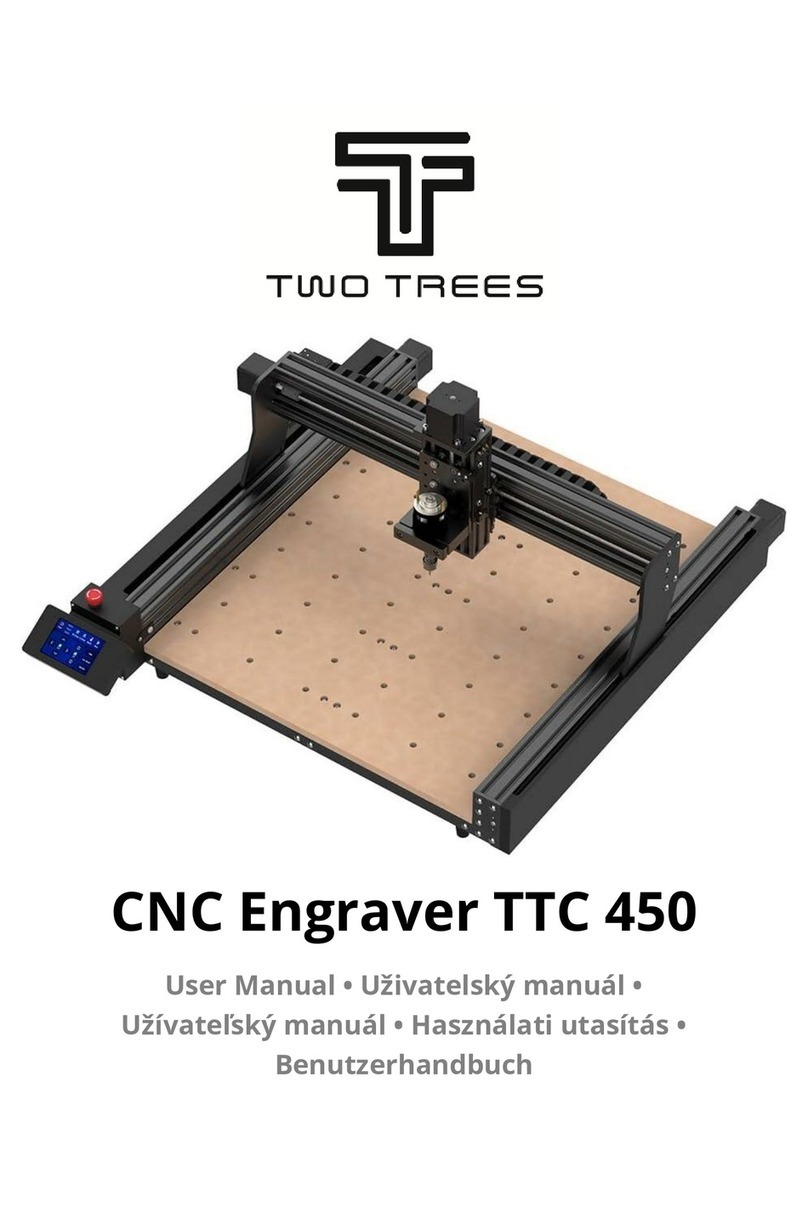
  9. twotrees TTC 450 User manual

twotrees TTC 450 User manual

Other manuals for TTC 450

1

Other twotrees Engraver manuals

twotrees TS2 User manual

twotrees

twotrees TS2 User manual

twotrees TS2 User manual

twotrees

twotrees TS2 User manual

twotrees TTC 450 User manual

twotrees

twotrees TTC 450 User manual

twotrees TTS-20 PRO User manual

twotrees

twotrees TTS-20 PRO User manual

Popular Engraver manuals by other brands

Roland EGX-350 user manual

Roland

Roland EGX-350 user manual

BAUKER EG013 instruction manual

BAUKER

BAUKER EG013 instruction manual

COMGROW COMGO Z1 user manual

COMGROW

COMGROW COMGO Z1 user manual

iMARC VET TAG Engraver user manual

iMARC

iMARC VET TAG Engraver user manual

Epilog Laser Edge 12 manual

Epilog Laser

Epilog Laser Edge 12 manual

Epilog Laser Edge 12 manual

Epilog Laser

Epilog Laser Edge 12 manual

GRAVOGRAPH LS900 XP Operating and maintenance manual

GRAVOGRAPH

GRAVOGRAPH LS900 XP Operating and maintenance manual

Vision MAX Pro user manual

Vision

Vision MAX Pro user manual

Roland EGX-30 user manual

Roland

Roland EGX-30 user manual

Vision SP Series user manual

Vision

Vision SP Series user manual

Miyachi LMV1000 user manual

Miyachi

Miyachi LMV1000 user manual

Universal Laser Systems VersaLaser VL-200 Safety, installation, operation, and basic maintenance manual

Universal Laser Systems

Universal Laser Systems VersaLaser VL-200 Safety, installation, operation, and basic maintenance manual

Roland EGX-30A user manual

Roland

Roland EGX-30A user manual

Redsail X700 user manual

Redsail

Redsail X700 user manual

Omtech POLAR 350 owner's manual

Omtech

Omtech POLAR 350 owner's manual

Vision Engraving & Routing Systems Express user manual

Vision Engraving & Routing Systems

Vision Engraving & Routing Systems Express user manual

idp SMART-70X user manual

idp

idp SMART-70X user manual

Universal Laser Systems PLS3.60 Safety, installation, operation, and basic maintenance manual

Universal Laser Systems

Universal Laser Systems PLS3.60 Safety, installation, operation, and basic maintenance manual

manuals.online logo
manuals.online logoBrands
  • About & Mission
  • Contact us
  • Privacy Policy
  • Terms and Conditions

Copyright 2025 Manuals.Online. All Rights Reserved.

Safety Warning:
1. When using the machine for the first time, please make sure that the machine installation is firm.
2. When danger occurs, press the emergency stop button quickly.
3. Wear safety glasses when operating the machine.
4. Please use a brush to remove debris, do not blow with your mouth.
5. Be careful with sharpness when using Milling tools or sanding workpieces.
6. Install Milling tools, make sure it is solid.
7. When loading and unloading, setting knife, measuring and cleaning, please make sure that the machine must be stopped before operation.
8. Do not wear cotton gloves during operation.
9. Do not place measuring tools or other sundries within the scope of the workbench.
10. Clamp the workpiece firmly, do not start engraving when it cannot be loosened or not clamped.

- Part List------------------------------------------------------------------------------------------------------------------------------------------02
- Know Your CNC Machine -------------------------------------------------------------------------------------------------------------------05
- Set up TTC450 ---------------------------------------------------------------------------------------------------------------------------------06
- Installation of milling cutter-----------------------------------------------------------------------------------------------------------------25
- Fixture installation-----------------------------------------------------------------------------------------------------------------------------26
- Operation Guide -------------------------------------------------------------------------------------------------------------------------------27
- After-Sales Service -----------------------------------------------------------------------------------------------------------------------------32
1
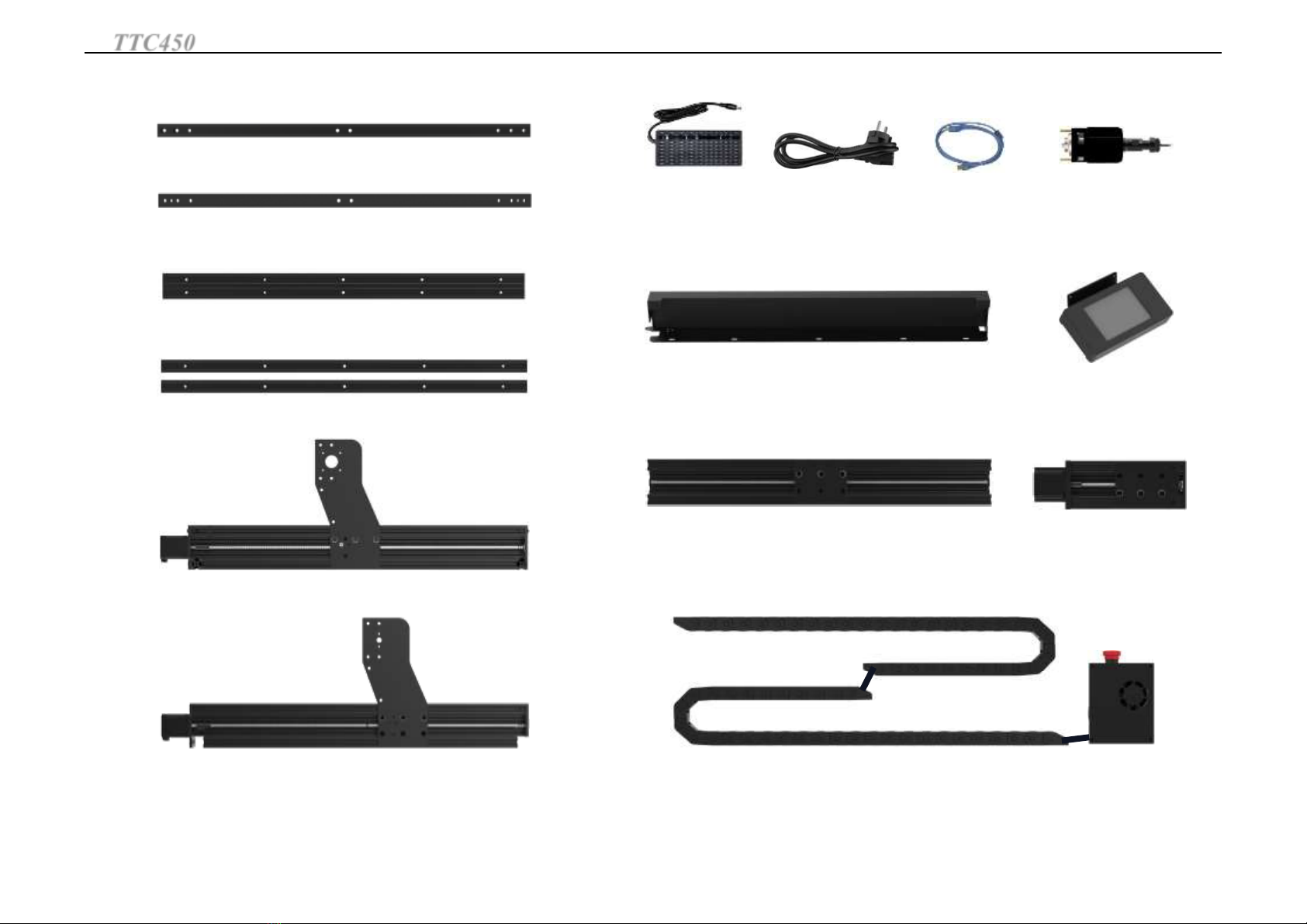
TTC450 Part List
2
TTC450 Part List
ESP32 control box + drag chain*1
USB data cable*1
Power adapter*1
Z-axis assembly*1
775 spindle motor*1
Power cord*1
Left Y-axis assembly*1
Right Y-axis assembly*1
2020 Rear Crossmember*1
2040 Bottom Crossbeam*1
2020 Bottom Crossmember*2
X-axis assembly*1
Left Y-axis shield*1 TS35 touch screen kit*1
2020 Front Crossmember*1
Protective glasses*1
Y-axis limit switch*2775 motor chuck*1 Fixture*6
X-axis stepper motor*1Density plate*2
Z-probe*1
Brush*1
V-shaped cutter*1 Milling cutter*1
Rubber foot pad*4 30 degree carving cutter*10
Coupling*1 ER-11 6MM collet*1
X-axis limit trigger plate*2
3
File*1
SD card*1 card reader*1
X-axis limit switch*1
Mainboard fixing piece*2
TTC450 Part List
polypropylene sheet
4
Cup head M5X12 screws*2 Cup head M5X20 screws*4
M5X12 screws*4 M5X20 screws*22
Cup head M5X50 self-
tapping screws*8
M5X30 screws*16
M4X25screws*4
T-nut 20-M5*4
M3X5 screw*10
M5X6 screws*7
Cup head M3X6 screws*4 M4X6 screws*2
M5X15 screws*15
Cup head M3X40 screws*2
Nylon tie*10
Profile seal*18
One-way screwdriver*1Open-end wrench*3 Oblique pliers*1
TTC450 Part List
Hexagonal wrench*4
5
1.Z-axis motor
2.T8-4 Screw
3.775 spindle motor
4.4080U side profile
5.Emergency stop switch
6.DC power interface
7.USB interface
8.TF card slot
9.Engraving platform
10.TS35 touch screen
11.Power switch
12. Limit switch
13.Drag chain
14.X-axis motor
15.Y-axis motor
16.Rubber feet
①
②
③
⑯
⑤
⑥
⑦
⑧
⑨
⑩
④
⑬ ⑭
⑮
⑫
TTC450 Know Your Engraving Machine
⑪
6
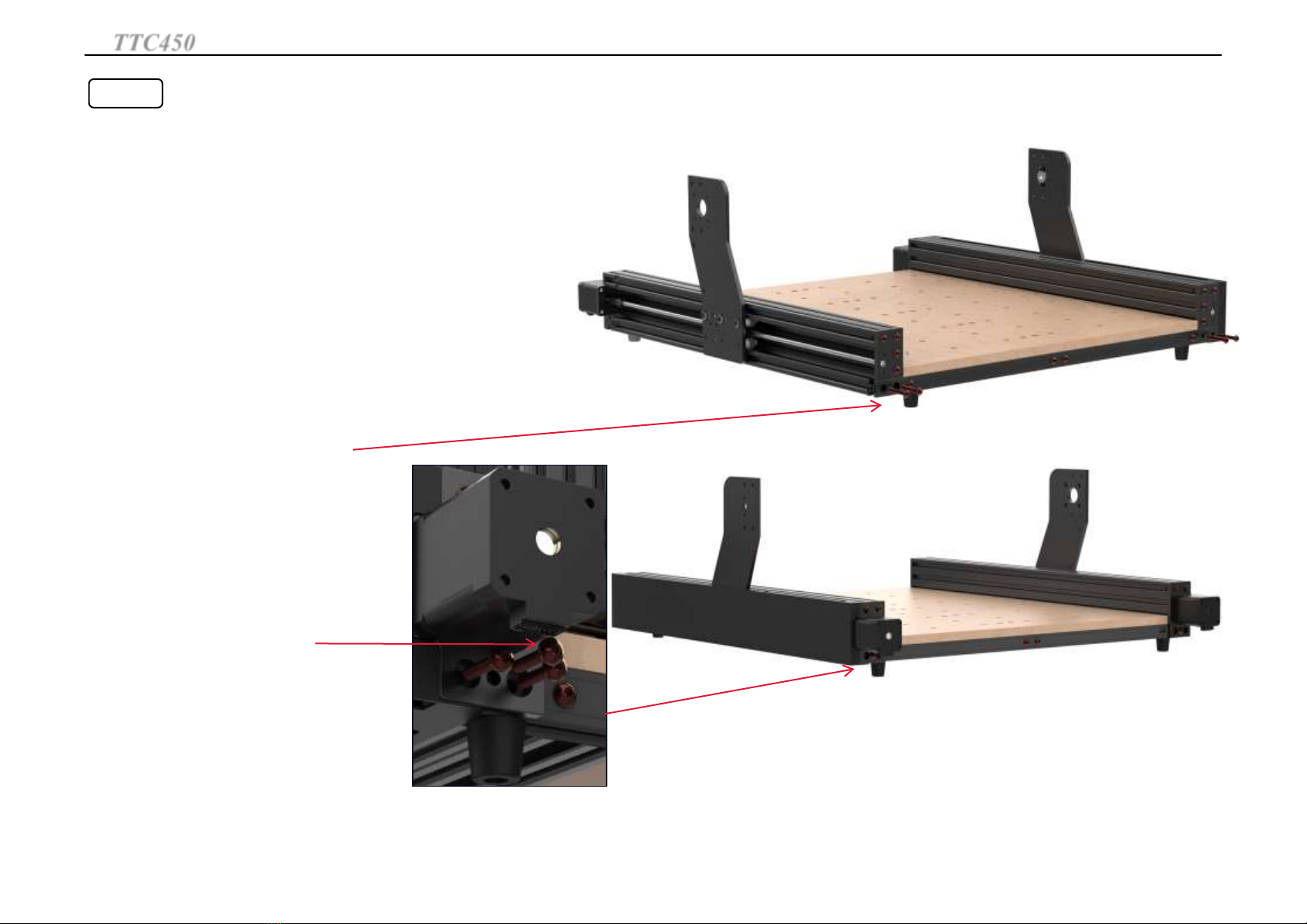
Step 1
-2020 front crossbeam*1
-2020 rear crossmember*1
-2020 bottom crossmember*2
-2040 bottom crossmember*1
-Rubber feet*4
-M5X30 screws*8
-M4X25 screws*4
-2.5 hexagonal wrench
-3.0 hexagonal wrench
Required parts
When the frame is installed with the profile plane facing upwards,
pay attention to the direction of the left side 2020 profile.
Frame Installation
TTC450 Set up TTC450
7
Step 2
-Density plate*2
-M5x20 screws*20
-3.0 hexagonal wrench
Required parts
With the surface of the density plate facing upward, screw
20 screws through the density plate into the profile.
Platform Installation
TTC450 Set up TTC450
8
Step 3
-Left Y-axis assembly*1
-Right Y-axis assembly*1
-M5X30 screws*8
-M5X20*2
-3.0 hexagonal wrench
Required parts
Lock in the front left and right Y-axis
assembly with M5*30 screws first
M5* 20 screws to lock both
sides of the back of the machine
Note: All M5X30 screws are screwed
into the holes and then locked.
Y-axis installation
TTC450 Set up TTC450