manuals.online logo
Brands
  1. Home
  2. •
  3. Brands
  4. •
  5. WE-EF
  6. •
  7. Projector
  8. •
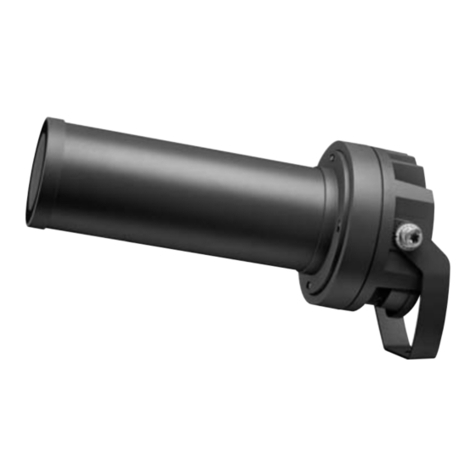
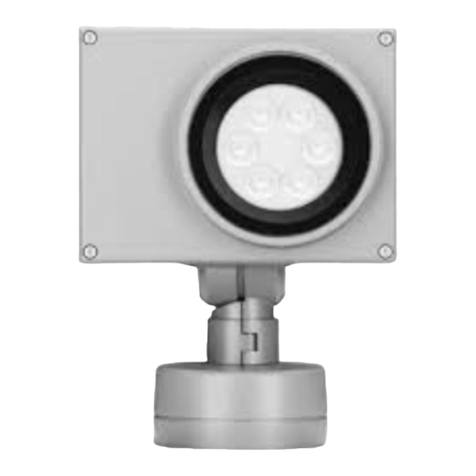
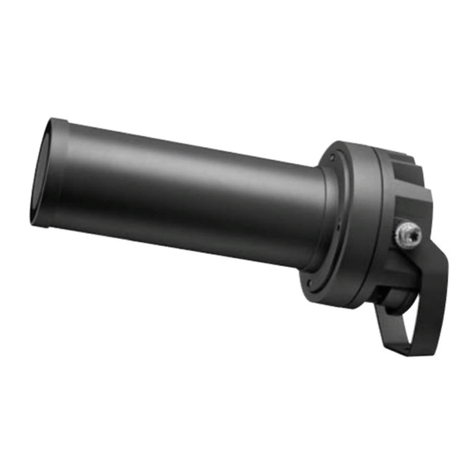
  9. WE-EF FLC121 LED 2 User manual

WE-EF FLC121 LED 2 User manual

This manual suits for next models

2

Other WE-EF Projector manuals

WE-EF FLC230 User manual

WE-EF

WE-EF FLC230 User manual

WE-EF FLD111 User manual

WE-EF

WE-EF FLD111 User manual

WE-EF FLC200 Series User manual

WE-EF

WE-EF FLC200 Series User manual

WE-EF FLD121 #2 User manual

WE-EF

WE-EF FLD121 #2 User manual

WE-EF FLC121 User manual

WE-EF

WE-EF FLC121 User manual

WE-EF FLC200 LED Series User manual

WE-EF

WE-EF FLC200 LED Series User manual

WE-EF FLC301 User manual

WE-EF

WE-EF FLC301 User manual

WE-EF FLD121 User manual

WE-EF

WE-EF FLD121 User manual

WE-EF FLC220 LED User manual

WE-EF

WE-EF FLC220 LED User manual

WE-EF FLC220 User manual

WE-EF

WE-EF FLC220 User manual

WE-EF FLC200 LED Series User manual

WE-EF

WE-EF FLC200 LED Series User manual

WE-EF FLD121 User manual

WE-EF

WE-EF FLD121 User manual

WE-EF FLD121 User manual

WE-EF

WE-EF FLD121 User manual

WE-EF FLD121 #1 Manual

WE-EF

WE-EF FLD121 #1 Manual

WE-EF FLC210 LED Instruction Manual

WE-EF

WE-EF FLC210 LED Instruction Manual

WE-EF FLC200 LED Series User manual

WE-EF

WE-EF FLC200 LED Series User manual

WE-EF FLC210 LED User manual

WE-EF

WE-EF FLC210 LED User manual

WE-EF FLD111 #3 LED User manual

WE-EF

WE-EF FLD111 #3 LED User manual

WE-EF FLC230 User manual

WE-EF

WE-EF FLC230 User manual

WE-EF FLC220 LED User manual

WE-EF

WE-EF FLC220 LED User manual

WE-EF FLC121 User manual

WE-EF

WE-EF FLC121 User manual

WE-EF FLC210-CC LED User manual

WE-EF

WE-EF FLC210-CC LED User manual

WE-EF FLC121 User manual

WE-EF

WE-EF FLC121 User manual

WE-EF FLC301 User manual

WE-EF

WE-EF FLC301 User manual

Popular Projector manuals by other brands

Eiki LC-X985 Specification sheet

Eiki

Eiki LC-X985 Specification sheet

InFocus LitePro 610 quick start

InFocus

InFocus LitePro 610 quick start

Epson EH-TW5900 datasheet

Epson

Epson EH-TW5900 datasheet

FOREVER MLP-100 manual

FOREVER

FOREVER MLP-100 manual

Toshiba TDP-MT8U Specifications

Toshiba

Toshiba TDP-MT8U Specifications

Mitsubishi XD500U specification

Mitsubishi

Mitsubishi XD500U specification

Kodak Ektapro 3020 Illustrated parts list

Kodak

Kodak Ektapro 3020 Illustrated parts list

Toshiba TDP-EW25U Specifications

Toshiba

Toshiba TDP-EW25U Specifications

Barco iQ PRO G500 supplementary guide

Barco

Barco iQ PRO G500 supplementary guide

NEC Showcase Series HT1100 user manual

NEC

NEC Showcase Series HT1100 user manual

Philips LC1341 user guide

Philips

Philips LC1341 user guide

Epson PowerLite 1266 user guide

Epson

Epson PowerLite 1266 user guide

MAGINON DLP 1400S user manual

MAGINON

MAGINON DLP 1400S user manual

Toshiba TLP-380 owner's manual

Toshiba

Toshiba TLP-380 owner's manual

Philips PicoPix PPX2480/EU user manual

Philips

Philips PicoPix PPX2480/EU user manual

Hitachi CP-X605 Series Specifications

Hitachi

Hitachi CP-X605 Series Specifications

Optoma TW1692 user manual

Optoma

Optoma TW1692 user manual

Kodak EKTAPRO instruction manual

Kodak

Kodak EKTAPRO instruction manual

manuals.online logo
manuals.online logoBrands
  • About & Mission
  • Contact us
  • Privacy Policy
  • Terms and Conditions

Copyright 2025 Manuals.Online. All Rights Reserved.

Safety Notice
The manufacturer is discharged from liability when damage
is caused by improper use or installation.
If any luminaire and/or accessory is subsequently modi-
fied, the persons responsible for the modification shall be
considered as manufacturer.
FLC100 LED_#2_#3_050722 / 006-1074
Technical specifications are subject to change.
© WE-EF 2022
we-ef.com
WE-EF LIGHTING USA
Tel +1 724 742 0030
[email protected]
WE-EF LIGHTING
Installation and
Maintenance Instructions for
Projector
FLC121 LED #2
FLC131 LED #2
FLC141 LED #3
Surge Protection
This product features built-in surge protection circuitry in
compliance with applicable standards. For comprehensive
protection of a luminaire installation against lightning
and electrical surges, it is essential to cover mains supply
and data input lines at the distribution board level, by
using respective primary (Type 1) and secondary (Type
2) surge arrestors in compliance with EN61643-11/
IEC61643-1.
Projectors
IP66, IK07
Tools required
– Screwdriver with 3.0 mm x 0.8 mm blade
– Set of allen keys
A B C D E
Important:
In applications using lenses, make sure the light is
orientated in the direction of the object to be lit.
Please ensure that the prismatic side of the lens is
facing the LEDs.
A= Frame
B= Cover
C= Lens – IO-20, IO-180 or I0-360
D= Gasket
E= Direction of light
Important:
When mounting luminaires on concrete or surfaces
containing limestone content, WE-EF recommends
using mounting accessories – a short post or a
ground spike to prevent galvanic corrosion.
In areas where mounting accessories are not
applicable,ensure the luminaire’s aluminium base
is separated from concrete and limestone using
a plastic or rubber sheet. Allow concrete to cure
before installation – DO NOT INSTALL ON WET
CONCRETE!
Ø0.256 – 0.413 in
max. 16 AWG
Light Source
6-24 LED 12-48W
Nominal power, for latest data refer to
www.we-ef.com
Class I, ta = 40 °C
Weight
FLC121 ................................ 3.7 lb
FLC131 ................................ 5.5 lb
FLC141 ................................ 9.7 lb
Windage area
FLC121 .............................. 0.269 ft²
FLC131 .............................. 0.441 ft²
FLC141 .............................. 0.614 ft²
FLC121 FLC131 FLC141
2.44
11.8
1
ø 4.41
13.6
6
2.76
ø 6.10
3.15
ø 7.60
17.0
1
120-
277 V
Handling
Ensure the mounting flange plates are handled with
care, scratches and damage to the coated surface
can result in galvanic corrosion.
A WE-EF warranty does not cover any adverse
reaction or damage, due to improper installation
and requests that our recommendations are follo-
wed.
Installation Procedure
1) Switch off the mains electrical supply.
A
B
2) Remove mounting flange Aby loosening
screws B.
3) Check that rating shown on luminaire label
conforms with mains electrical supply.
(example)
12/17 IP66
FLC121 LED 120-277V / 60 Hz
145-XXXX SOE XXXXXXX
LED 3000K 12W item no. XXX
Installation
The product must be installed and maintained by
a suitably qualified professional in compliance with
latest building/construction and/or electrical regu-
lations and relevant legislation.
Attention: Switch off mains electrical supply prior
to installing and connecting the luminaire. Do not
open luminaire while mains supply is switched on.
Notice: If the luminaire is modified by anybody
other than the original manufacturer, then the
warranty will no longer be valid and shall become
the full responsibility of the modifying person/
organisation. Claims based on defects attributable
to improper installation and/or application, and the
consequences thereof, are excluded.
In case of component failure, LED replacement
due to abnormal circumstances or at end of life,
replacement must be carried out by a suitably qua-
lified and trained professional.
In case of questions please contact our technical
hotline: +1 724 742 0030 (from Monday - Friday
from 08.00 until 16.00 hours).
Maintenance
Apart from cleaning the product’s exterior surfaces,
no special maintenance work is required. Do not
use high-pressure cleaners.
Protect our environment: Discard used LEDs in
compliance with the most recent environmental
legislation.
A
D
H
G
4) Seperate mounting flange Afrom junction box
mounting plate Hby removing fasteners D.
Mount plate over junction box with mains
supply cable G.
Attention: Ensure not to damage any electrical
cable, water pipe or other items during installa-
tion.

D
A
H
G
5) Feed mains supply cable Gthrough the junction
box mounting plate H, while setting mounting
flange Ain position. To fix mounting flange A,
insert and tighten screws D.
C
A
B
6) Ensure that all surfaces are clean and dry.
Position luminaire over mounting flange Aand
C. Turn luminaire towards object to be illumina-
ted. Tighten screws B.
± 90º
M
7) Loosen screws Mslightly. Aim luminaire in desi-
red direction. Align luminaire in desired direc-
tion. By loosening the screws M, the luminaire
can be aligned vertically. Retighten screws M.