Packing list
Battery Installation
Battery charging
0706
0504
Parameter
Full power guide number
Strobe Color Temperature
Strobe Beam Angle
Full power recycle time
Full power Strobe times
Strobe port
Strobe level
LED Brightness
LED Color Temperature
CRI of video light
Burning time of video light
Battery
Depth Rated
Safety Exhaust Valve
Dimension
Weight
22
5500K
Ring-shape 140 degrees
0.9S
600+
Strobe with Fiber optic cable
1、2、3、4、5、6、7、8、9、10、11 (Total 11 levels)
3000LM
5000K
>Ra90
50 mins (Used alone as a video light)
2*18650 Li-ion batteries (3000MAH)
100M
Standard
79(D) x 155(L)mm
695g (on land) / 165g (underwater)
WFS07 Strobe Light x1 Ball mount x1 Spare O Ring x2 Battery x2 Charger dock x1 User Manual x1
硅油 x1
Warranty card x1
Hexagon wrench x1 O-Ring Remover x1
Silicone oil x1
Diffuser
x1
LED level adjustment:
Total 5 levels : 100% ,50% ,25%,10%,off.
Adjustable LED level:
Shut-off function:
Fiber Optic Cable Connection:
Remaining battery level:
The battery level symbol on the screen indicates the battery level
.
Tail cap with fixed Ring
Groove position of tail cap.
protruded position of the body.
Battery level>80%
Battery level>60%
Battery level>40%
Battery level>20%
4 cells
3 cells
2 cells
1 cells
Battery level<10% , enter into lower battery level protection
and automatically turn off after 10 minutes . Red battery symbol blinking
In the state of POWER ON , short press SW1 button one time to switch to the next level
100%-50%-25%-10%-OFF-100% (endless loop).
When the LED level is adjusted, the three digits on the right of screen display will show
corresponding brightness percentage with symbol “%”, after 5 seconds , the three digits
will automatically switch to the remaining flash times.
Under any LED level , LED light could be used as Focus Light . When the strobe is
triggered, the LED light will automatically shut - off and light up the original brightness
again after 1.5 seconds.
Please use the standard fiber optic cable in the package to connect the strobe port of
the camera to the strobe port of WFS07 strobe light.
Temperature protection:
When the internal temperature is detected to be higher than 50℃, WFS07 strobe light
does not work and automatically enter into overheating protection program. If the LED is
still working in high-brightness level , its brightness will automatically drop below 10% ;
After the internal temperature is cooled to lower than 40℃, all functions of the strobes will
resume normal working.
Battery safety management:
When WFS07 strobe light is detected that the battery level is about to run out, the red
battery symbol will blink, and the strobes will stop working. If the LED is working in a
high-brightness level, its brightness will automatically drop below 5%, and the screen will
display a 10-minute to turn off countdown.
Internal air pressure management:
When the internal air pressure of the strobes changes due to temperature changes,
abnormal battery exhaust and other reasons, the exhaust valve will automatically exhaust
the air to keep the internal air pressure of the body at a safety value , at the same time
keep the structure components of the body stable , and ensure that the user can open
the tail cap safely.
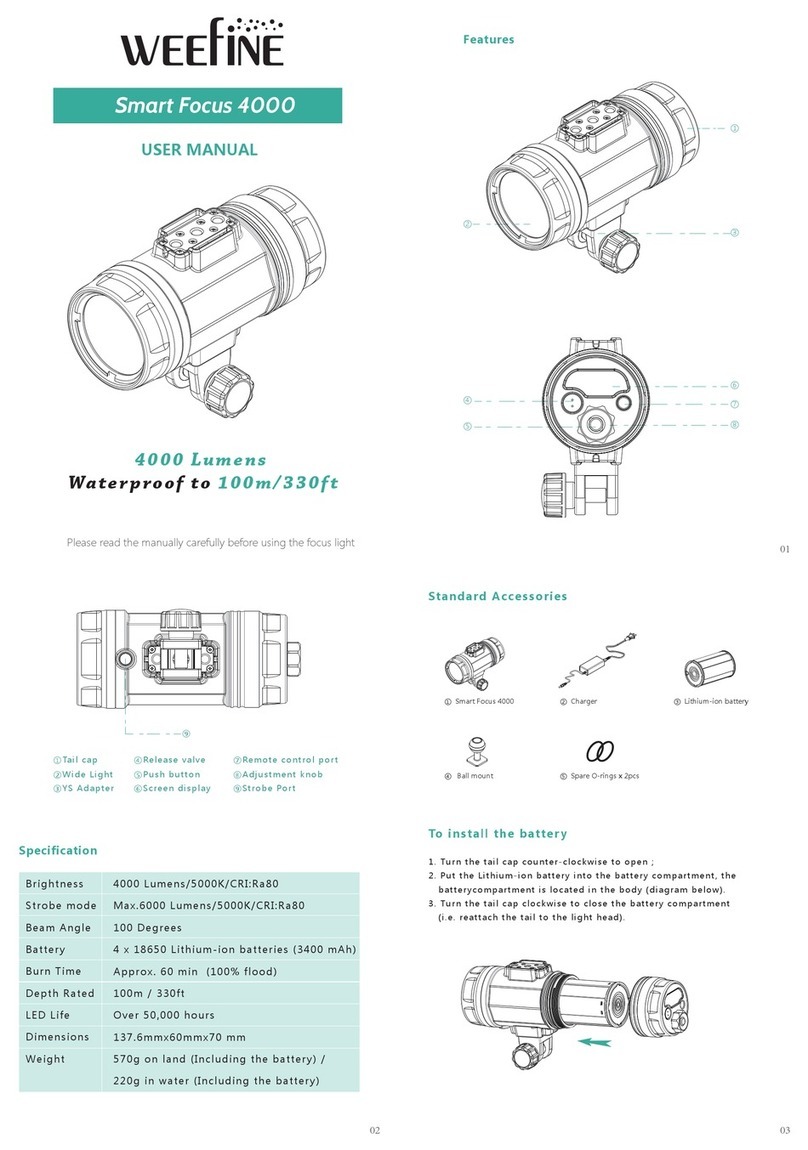
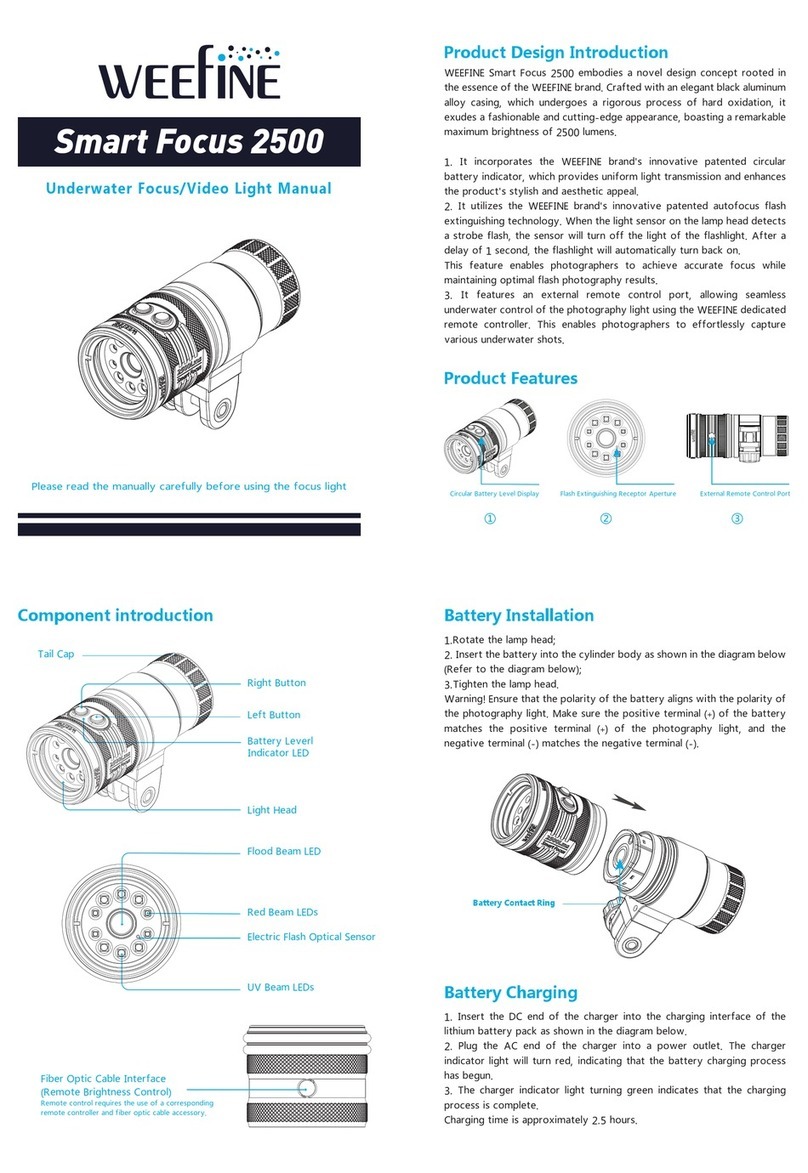
1. Turn the tail cap fixed ring counter-clockwise to open it.
2. Put two 18650 LI-ion batteries into the battery compartment.
Note : The direction of battery polarity must be correct.
3. Please pull the battery lock when take out the battery.
4. Firstly make sure the groove on tail cap align the protruded position of the body ,and
then turn the tail cap clockwise to tighten to the head of the strobe light.
Standard Warranty
provides a limited warranty to the original purchaser of its products against all defects in
original workmanship and material, under normal use and service, for one year from the
date of purchase with the following exceptions:
1. Batteries are warranted for 90 days only.
2. Defects attributed to accident, abuse, incorrect maintenance or use and storage.
3. Defects resulting from disassembly or modification by customers or repairers of other
companies.
4. Defects caused by damages of the shell or other external components while usage.
5. The machine label numbers are torn, blurred or counterfeit.
6. Defects caused by force majeure (such as: earthquakes, fires, floods, etc.)
Care and Maintenance
1. Wash the exterior of the light thoroughly with clean fresh water as soon as possible after
using it. It is particularly advisable to soak it in fresh water for 60 minutes after use in salt
water to remove salt deposits. Then dry the ring light with a clean soft cloth to remove
sand, dirt, hair and other objects on O-ring.
2. Regularly apply silicone oil to the O-ring, which can effectively prevent the rubber ring
from aging and damage and ensure the sealing effect. Change the O-rings every two
years to ensure the waterproof-ness even though they seem to be in good condition.
3. Always remove the battery from the light compartment when traveling or storing and
charge to Approx. 60% to aim to prevent to damage the battery due to long-term low
power.
Warnings
1. Do not open the tail cap when the video light is in the water.
2. Do not shine the light directly into your eyes or another person’s eyes.
3. Do not touch the battery or charger with wet hands.
4. Only use the manufacturer’s battery and charger with this system.
5. if the video light will not be used for a long period of time, the battery should be
removed.
6. Don’t disassemble or repair the video light ,battery and charger by yourself .Please
contact the local distributor in case of failure.
1. Use the USB power cord to connect the charger dock and 5V power adaptor.The
charger dock’s indicator will turn to green, signifying the power has been connected.
2. Insert the battery into the charger dock, the positive electrode (+) of the battery and
that of the charger dock should be on the same direction. When the charger dock’s
indicator turns to red, signifying the battery is charging . When the charger dock’s
indicator turns to green, signifying the battery has charged fully ( Charging time : Approx
z3 hours ).
Silicone anti-slip
protective cover x1