manuals.online logo
Brands
  1. Home
  2. •
  3. Brands
  4. •
  5. weintek
  6. •
  7. Control Unit
  8. •
  9. weintek iR-ETN40R User manual

weintek iR-ETN40R User manual

Other manuals for iR-ETN40R

1

Other weintek Control Unit manuals

weintek iR-ETN40P User manual

weintek

weintek iR-ETN40P User manual

weintek cMT-iV5 series User manual

weintek

weintek cMT-iV5 series User manual

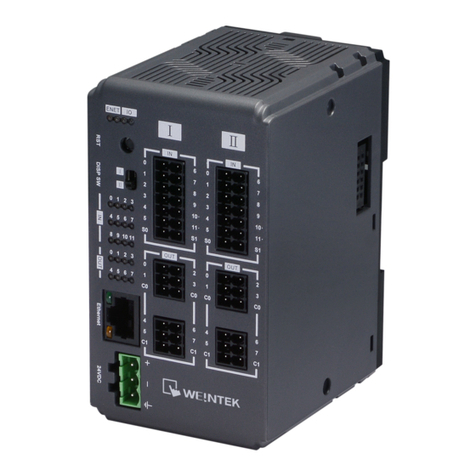
weintek iR-ETN40R User manual

weintek

weintek iR-ETN40R User manual

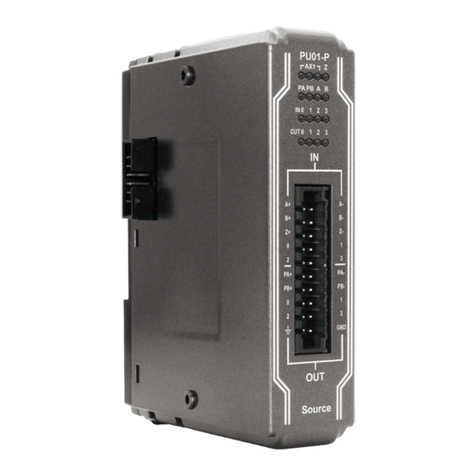
weintek iR-PU01-P User manual

weintek

weintek iR-PU01-P User manual

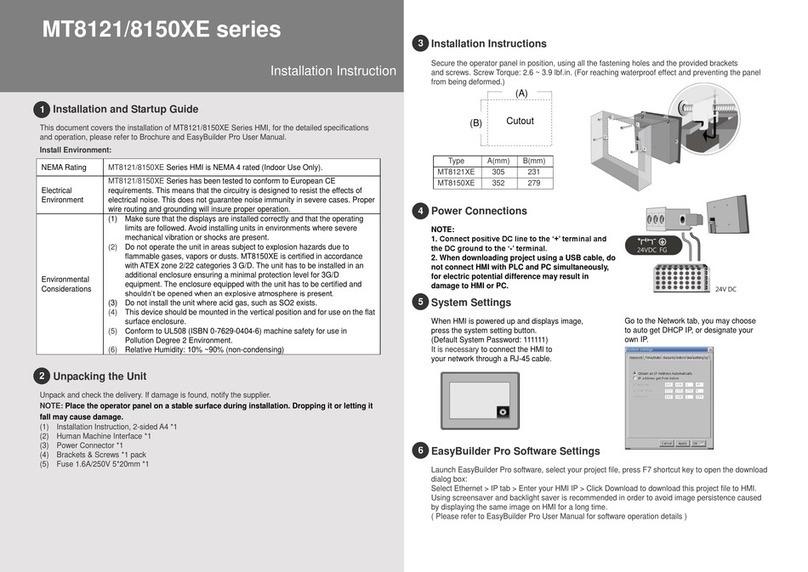
weintek MT8121XE Series User manual

weintek

weintek MT8121XE Series User manual

Popular Control Unit manuals by other brands

Seitz 14A80 user manual

Seitz

Seitz 14A80 user manual

Wilo RS485 Installation and operating instructions

Wilo

Wilo RS485 Installation and operating instructions

Becker CentralControl CC41 Commissioning Instruction

Becker

Becker CentralControl CC41 Commissioning Instruction

SICK CDB650 operating instructions

SICK

SICK CDB650 operating instructions

Panduit NetKey NKP5E88M Series installation instructions

Panduit

Panduit NetKey NKP5E88M Series installation instructions

MX Options Concentric Petite Fitting instructions

MX

MX Options Concentric Petite Fitting instructions

Clean Water Systems Fleck 2510 Installation & start?up guide

Clean Water Systems

Clean Water Systems Fleck 2510 Installation & start?up guide

Fairchild FSB44104A user guide

Fairchild

Fairchild FSB44104A user guide

LEGRAND Wattstopper LMIN-104 installation instructions

LEGRAND

LEGRAND Wattstopper LMIN-104 installation instructions

PMK ATT10BNCS instruction manual

PMK

PMK ATT10BNCS instruction manual

Tektronix TDS3FFT user manual

Tektronix

Tektronix TDS3FFT user manual

Woodward easYgen Technical manual

Woodward

Woodward easYgen Technical manual

Balluff BNI EIP-502-105-R015 user guide

Balluff

Balluff BNI EIP-502-105-R015 user guide

NXP Semiconductors TWR-LS1021A Getting started

NXP Semiconductors

NXP Semiconductors TWR-LS1021A Getting started

Advantech PCM-3117 Startup manual

Advantech

Advantech PCM-3117 Startup manual

Danfoss MCO 101 manual

Danfoss

Danfoss MCO 101 manual

Moons' Lin Engineering R701P user manual

Moons'

Moons' Lin Engineering R701P user manual

Aventics RV1 operating instructions

Aventics

Aventics RV1 operating instructions

manuals.online logo
manuals.online logoBrands
  • About & Mission
  • Contact us
  • Privacy Policy
  • Terms and Conditions

Copyright 2025 Manuals.Online. All Rights Reserved.

Installation and Startup Guide
This document covers the installation of iR-ETN40R, for the detailed specifications and operation,
please refer to Datasheet, Brochure and Remote I/O User Manual. Please read all warnings,
precautions, and instructions on the device carefully before use.
Install Environment:
Electrical
Environment
The product has been tested to conform to European CE requirements. This
means that the circuitry is designed to resist the effects of electrical noise. This
does not guarantee noise immunity in severe cases. Proper wire routing and
grounding will insure proper operation.
Environmental
Considerations
(1) Make sure that the units are installed correctly and that the operating limits
are followed.
(2) Avoid installing units in environments where severe mechanical vibration or
shocks are present.
(3) Do not operate the unit in areas subject to explosion hazards due to
flammable gases, vapors or dusts, or where acid gas, such as SO2 exists.
(4) This device should be mounted in the vertical position and for use on the flat
surface enclosure.
(5) For use in Pollution Degree 2 Environment and dry location.
(6) Relative Humidity: 10% ~ 90% (non-condensing)
Unpacking the Unit
Unpack and check the delivery. If damage is found, please contact the supplier.
NOTE: Place the unit on a stable surface during installation. Dropping it or letting it fall may
cause damage.
The package includes:
(1) Installation Instruction, 2-sided A4 *1
(2) iR-ETN40R *1
(3) Power Connector *1
(4) 14pin Terminal *2
(5) 6pin Terminal *4
Installation Instructions
Clip assembly: Insert one side of the clip into the hole on the
case. Press down firmly in the direction shown in the figure
on the right until hearing the clip snap
into the case.
Clip removal: Insert a flathead
screwdriver into the gap on the clip
and then lift up the screwdriver.
Placing a finger on the clip when
lifting the screwdriver can prevent the
clip from jumping away. The clip can
also be removed directly by hand.
Rail mounting: DIN rail 35mm.
Panel mounting: Use two M4 or #8 panhead screws, mounting hole size is 4.6mm
Plan for adequate space around the unit and inside the enclosure, for ventilation and cables. Consider
the heat from other devices inside the enclosure. The ambient temperature around the unit must be
-10 ~ 60℃
NOTE: Please do not touch any of the connectors when the unit is powered up and running.
Power Connections
Power Connector Specifications:
Wire AWG: 28~12
Wire Strip Length: 7~8 mm
NOTE: Connect positive DC line to the ‘+’
terminal and the DC ground to the ‘-’ terminal.
I/O Terminal Specifications:
Wire AWG: 24~16
Wiring Example
Communication Connections
Please use a CAT.5 (or higher) Ethernet cable.
iR-ETN40R series
Installation Instruction

3
5
4
1
2
LED Indicators
IO RUN/ERR LED
RUN LED
ERR LED
Description
OFF
OFF
Power off or no expansion module is
connected
Blinking
OFF
IO initiating
Blinking
ON
IO initiation error
ON
OFF
IO working
ON
Blinking
IO module alarm
ON
ON
IO communication fault
Blinking
Blinking
Exceeding power limit or too many modules
ENET-RUN/ERR LED
Run LED
Err LED
Description
Modbus TCP
EtherNet/IP
OFF
OFF
Power off or no power
Blinking
OFF
Communicating
Pre-operational mode
ON
OFF
The device is in the OPERATIONAL state
OFF
ON
Hardware error,
communication fault
24V power error or
hardware error,
communication fault
ON
Blinking
Reset button is triggered
Reset button is triggered or
a recoverable error has
occurred
RJ45
LINK /ACT LED
OFF
No communication
Green Blinking
There is activity on this port
Speed LED
OFF
Connection speed: 10Mbps
Orange ON
Connection speed: 100Mbps
Reset Button
Press and hold the reset button for more than 2 seconds after the unit starts running properly,
and wait until ENET ERR LED blinks. The default parameters are shown below, the settings will
take effect after cold reset.
Item
Description
Default
1
IP Address
192.168.0.212
2
Netmask
255.255.255.0
NOTE: Make sure that all local and national electrical standards are met when
installing the unit. Contact your local authorities to determine which codes apply.
Power
Use power output that meets SELV (Safety Extra-Low Voltage) requirements. The unit can be
powered by DC power only, voltage range: 24VDC (-15%/+20%), compatible with most
controller DC systems. The power conditioning circuitry inside the unit is accomplished by a
switching power supply. The peak starting current can be as high as 2A.
Fusing Require-
ments
If the Power LED does not light up immediately after power up, remove power. A resettable
fuse will protect against overcurrent faults in DC circuit and the resetting will take place after a
period of time. Check wiring for proper connections and try to power up again.
High Voltage
A resettable fuse will prevent damage for overcurrent condition however it isn’t guaranteed.
DC voltage sources should provide proper isolation from main AC power and similar hazards.
Emergency Stop
A Hard-wired EMERGENCY STOP should be fitted in any system using the product.
Supply Voltage
Condition
Do not power the unit and inductive DC loads, or input circuitry to the controller, with the same
power supply. Note: The 24 VDC output from some controllers may not have enough current to
power the unit.
Wire Routing
a. Power wire length should be minimized (Max: 500m shielded, 300m unshielded).
b. Please use twisted pair cables for power wire and signal wire and conform to the
impedance matching.
c. If wiring is to be exposed to lightning or surges, use appropriate surge suppression
devices.
d. Keep AC, high energy, and rapidly switching DC power wiring separated from signal wires.
e. Add a resistor and capacitor in the parallel connection between the ungrounded DC power
supply and the frame ground. This provides a path for static and high frequency
dissipation. Typical values to use are 1M Ohm and 4700pF
Hardware
Considerations
The system designer should be aware that devices in Controller systems could fail and
thereby create an unsafe condition. Furthermore, electrical interference in an operator
interface can lead to equipment start-up, which could result in property damage and/or
physical injury to the operator.
If you use any programmable control systems that require an operator, be aware that this
potential safety hazard exists and take appropriate precautions. Although the specific design
steps depend on your particular application, the following precautions generally apply to
installation of solid-state programmable control devices, and conform to the guidelines for
installation of Controllers recommended Control Standards.
Programming
Considerations
Checks should be placed in the controller to ensure that all writable registers that control
critical parts of plant or machinery have limit checks built into the program, with an out-of-limit
safe shut down procedure to ensure safety of personnel.
GMERT4R00_iR-ETN40R_Installation_220301
DANGER
CAUTION
Limited Warranty
This product is limited warranted against defects in design and manufacture.
The proven defective product will either be repaired or replaced, at Weintek’s discretion.
This warranty shall not cover any product which is
(a) Out of warranty period which is 12 months from the manufacturing month of the HMI products.
(b) Damage caused by Force Majeure, accident, negligence, improper installation or misuse.
(c) Product has been repaired or taken apart by unauthorized technicians.
(d) Products whose identification markings have been removed or damaged.
6
7