already turned on.
3. Adjust settings via Sony'a Play Memories app (QX1) or via the camera itself (RX1), see chapter
about your sensor for details.
4. To save the settings you have to manually turn off the camera by switching the on/off button. In
case of the RX1 make sure to turn on the camera afterwards again.
For RedEdge configuration, see RedEdge chapter.
6. Go through Preflight Checks
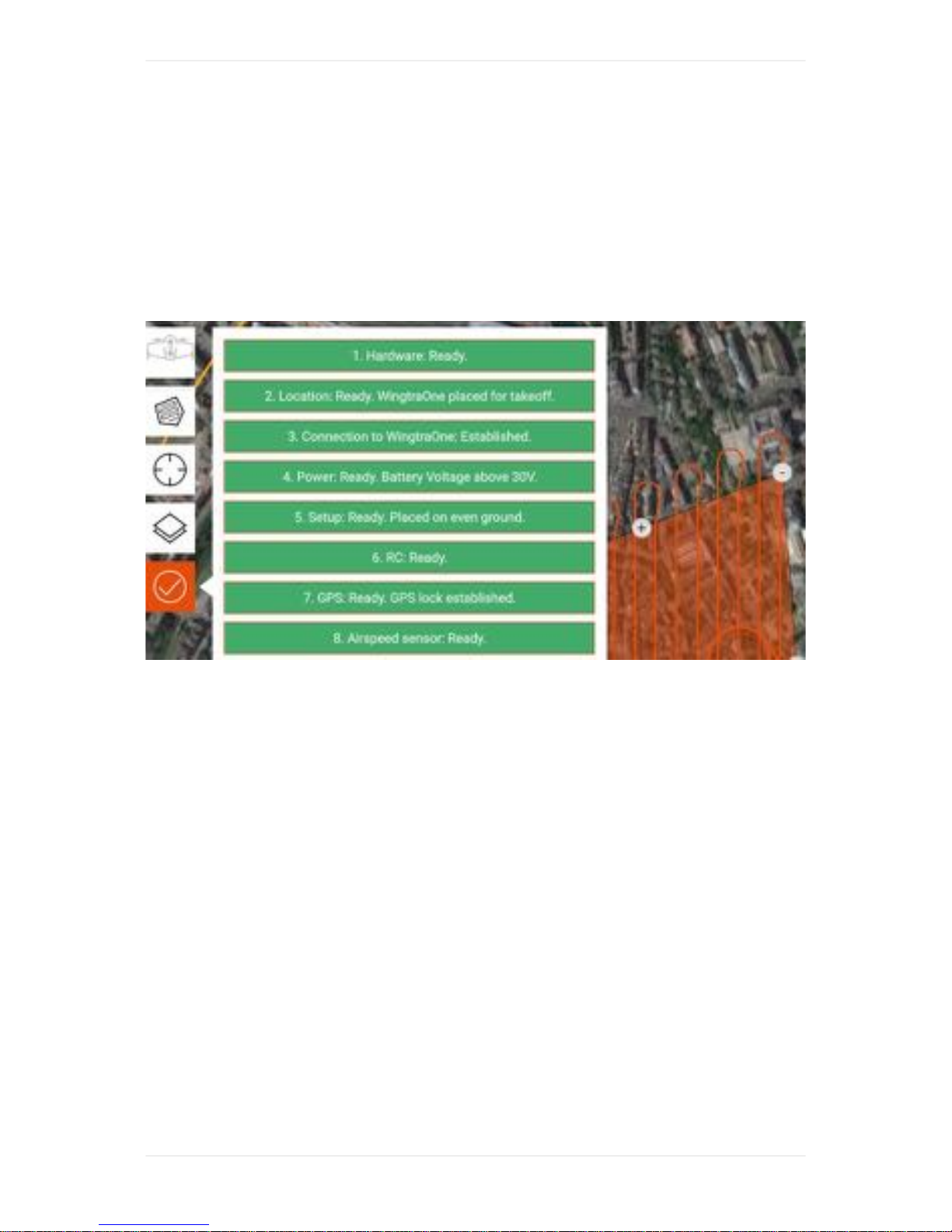
Go through the preflight checklist within WingtraPilot before you start the flight. If any of the preflight
checks fails (e.g. sensor failure), the respective preflight check turns red. Starting a flight is possible
only once all checks have been completed successfully. For a detailed description of all preflight
checks and troubleshooting advice, see the preflight checklist section.
WingtraOne takes a series of test pictures for the QX1 and RX1R2 cameras, during preflight
procedure to ensure the camera is working. For QX1, check if you can hear the camera's shutter, for
RX1R2 open the cover and watch on screen if pictures are taken. Wait for the audio-feedback "Test
pictures are taken" before taking off.
Fly & Collect Images
7. Start the Flight
Make sure that no people are closer than 5 meters to WingtraOne. Take off by clicking onto "Start
Flight" and moving the slider slowly from left to right.
Always repower WingtraOne between flights.