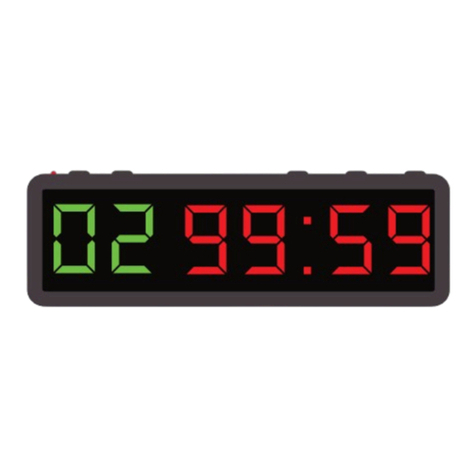
EQUIPMENT FOR THE FITTEST
66
GENERAL SETTINGS AND MAIN FUNCTIONS OPERATION MANUAL:
Attention : the WOD Timer is reset by the factory, so all data in to its memory are empty. If it would be necessary to reset it again
to factory settings, just follow the herein reset procedure: When the Timer is on and the clock is displayed, press one by one,
,
,
,
. The Timer will start the reset procedure and it may take some seconds to be accomplished. Please be aware that all
previously stored data will be erased, including the workout programs.
1. After having plugged the power ON, press to switch the WOD Timer ON. The Timer enters in to the clock/temperature displaying mode
and it starts displaying, for example, 09 : 00 : 00.
Attention: when the power is plugged ON/OFF, the Timer beeps for a while. That is the normal signal of system bootstrap and shut-
down.
Attention: when is pressed again to switch off the WOD Timer Clock and Alarm functions keep running on background.
Attention: when power is plugged OFF, all stored data (example: Clock settings, Workout Programs, Alarms etc..) will not go lost
forever. The Timer will keep them in to its internal chip memory.
2. Press to enter in general settings editing mode. All settings can be edited by following the displayed step-by-step procedure.
Attention - General Editing Rules:
.Blinking digit stands for cursor position and it can be edited by using the numeric pad on the remote control.
.To input data by using the numeric pad on the remote, all digits must be entered, including the 0 value ones
Example: to input 00 : 05 when the initial displayed value is 00 : 00, and the rst digit on left side is blinking, you must
press ; ; , on the numeric pad of the remote control.
.Cursor (blinking digit) can be moved left and right side by using the left arrow and the right arrow on to the
remote control.
.To exit from editing step-by-step procedure, just press once. Timer goes back to clock/temp display mode.
.The button works also as “exit” button, just while on General Editing, Workout Program Editing and Alarm editing.
If pressed while on any other function/mode, it will switch OFF the Timer.
a) First Step - Clock settings: the display shows, for example, 09 : 00 : 00. Enter the current time by using the format HH:MM:SS.
Please be aware that 24h clock format, and 12h clock format, can be edited too (please go to below step e). Press , to save the rst step
edited data.
b) Second Step-Clock displaying time while in clock/temperature mode: after having pressed Enter, the Timer displays 1 - : - - : 00,the last 2
digits stand for Clock displaying time (seconds). Enter a value between 01s. and 99s. then conrm with .
If the entered value is, for instance, 08, the Timer displays the clock for 8 seconds and then the temperature will be displayed (for the time
setting of temperature displaying: go to below step c).
c) Third Step - Temperature displaying time while in Clock/Temperature mode: now the Timer shows 2 - : - - : 00. The last two digits stand for
Temperature displaying time (seconds). Enter a value between 00s. and 99s. then conrm it with . If the entered value is, for instance, 08,
the Timer displays the temperature for 8 seconds and then the clock will be displayed (for the time setting of clock displaying: go to above step
b). When the Timer is displaying the environment temperature, it displays T: 25 : °C or T: 70 °F. For temperature degree format setting (Celsius
/ Fahrenheit) go to below step e).
d) Fourth Step - Temperature adjustment: now the Timer is displaying 3 - : - - : - 0. This setting step can let you adjust the environment
temperature sensor. Sometimes, due to suddenly and/or wide temperature changes, it may be necessary to manually set the correct environment
temperature. If the Timer displays the correct temperature, please skip this step by conrming it with and go to next setting step. If a
temperature adjustment is needed, please follow here below instructions:
.Use the button and to set if the actual displayed temperature need to be increased or decreased. When the Timer displays
3 - : - - : 0, it means the temperature will be increased (by the number of degrees entered by editing the last digit). When
the Timer displays 3 - : - - : - 0, it means the temperature will be decreased (by the number of degrees entered by editing the
last digit). Once set “-” or “ ” (for plus) on to the 5th digit, just enter, by using the numeric pad on the remote, the number (from
0° to 9°) of degrees you may need to adjust the temperature for. Then conrm with .
e) Fifth Step - Clock format and Temperature format setting: now the Timer displays 4c(f): h 1 (2) : 00.
.By editing the format of the clock (12h or 24h) and/or the format of the temperature (C°orF°) the display will change accordingly.
“H1” stands for 24h clock format while “H2” stands for 12h. “C” stands for Celsius degree, while “F” stands for Fahrenheit degree.
.The rst digit of the last group of two, stands, for temperature format setting: enter, by using the numeric pad on the remote,
the value : 1 0 to switch the temperature format to Fahrenheit (display shows 4F : H 1 : 1 0) , or enter : 00 to switch the temperature
format (display shows 4C : H 1: 1 0) to Celsius.
.The second digit of the same group refers to clock format: enter, by using the numeric pad on the remote, the value : 0 1 to set
12h format clock (display shows 4C : H 2 : 0 1), or enter the value : 00 (display shows 4C : H 1 : 00) to set 24h format clock.
Conrm the entered data with and then the Timer will exit from general setting procedure by going to the standard clock/temperature
mode.
WOD TIMER
OPERATION MANUAL: