manuals.online logo
Brands
  1. Home
  2. •
  3. Brands
  4. •
  5. Xirrus
  6. •
  7. Wireless Access Point
  8. •
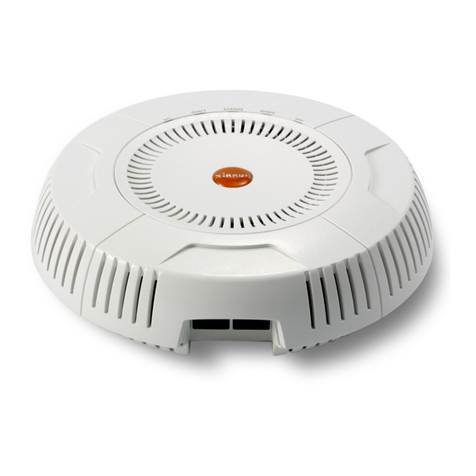
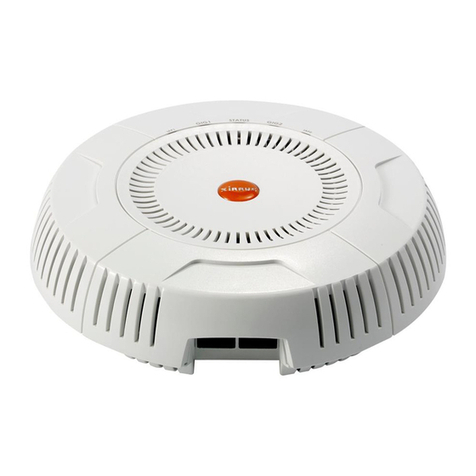
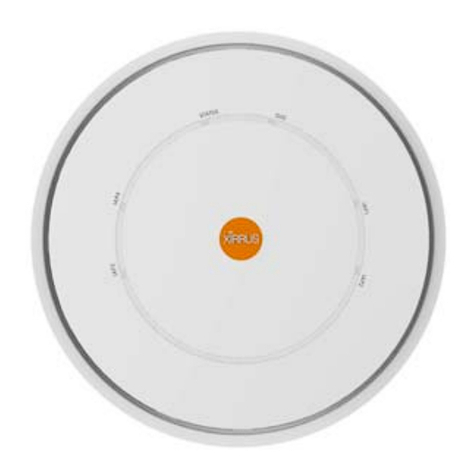
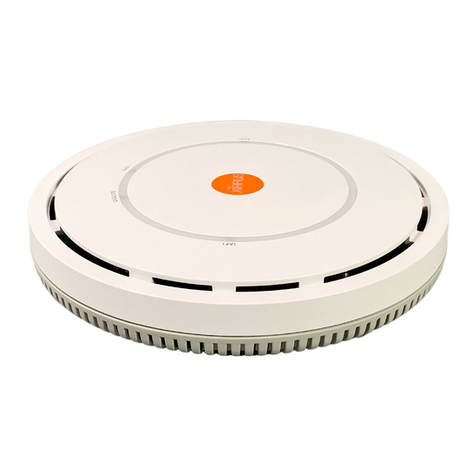
  9. Xirrus XR-520 User manual

Xirrus XR-520 User manual

Other manuals for XR-520

1

Other Xirrus Wireless Access Point manuals
Xirrus Wi-Fi Array XN16 User manual

Xirrus

Xirrus Wi-Fi Array XN16 User manual

Xirrus XD2 Series User manual

Xirrus

Xirrus XD2 Series User manual

Xirrus XR-2425H User manual

Xirrus

Xirrus XR-2425H User manual

Xirrus XR-1220 User manual

Xirrus

Xirrus XR-1220 User manual

Xirrus X2120 User manual

Xirrus

Xirrus X2120 User manual

Xirrus XR-320 User manual

Xirrus

Xirrus XR-320 User manual

Xirrus X2 Series Owner's manual

Xirrus

Xirrus X2 Series Owner's manual

Xirrus X2 Series User manual

Xirrus

Xirrus X2 Series User manual

Xirrus XR-520H User manual

Xirrus

Xirrus XR-520H User manual

Xirrus XD4 Series User manual

Xirrus

Xirrus XD4 Series User manual

Xirrus XD4 Series User manual

Xirrus

Xirrus XD4 Series User manual

Xirrus Wi-Fi Array XN16 User manual

Xirrus

Xirrus Wi-Fi Array XN16 User manual

Xirrus XD2-230 User manual

Xirrus

Xirrus XD2-230 User manual

Xirrus XR-520H User manual

Xirrus

Xirrus XR-520H User manual

Xirrus XD Series User manual

Xirrus

Xirrus XD Series User manual
Xirrus XR-520 User manual

Xirrus

Xirrus XR-520 User manual

Xirrus XH2-120 User manual

Xirrus

Xirrus XH2-120 User manual

Xirrus XA4 Series User manual

Xirrus

Xirrus XA4 Series User manual

Xirrus XR300 User manual

Xirrus

Xirrus XR300 User manual
Popular Wireless Access Point manuals by other brands

TRENDnet TPL-410AP user guide

TRENDnet

TRENDnet TPL-410AP user guide

EnGenius EWS377-FIT quick start guide

EnGenius

EnGenius EWS377-FIT quick start guide

D-Link DWL-6700AP Quick installation guide

D-Link

D-Link DWL-6700AP Quick installation guide

Aerohive Networks Aerohive AP121 Hardware reference guide

Aerohive Networks

Aerohive Networks Aerohive AP121 Hardware reference guide

Vonets VAP11G Step-by-step guide

Vonets

Vonets VAP11G Step-by-step guide

Ubiquiti UniFi AP AC Outdoor quick start guide

Ubiquiti

Ubiquiti UniFi AP AC Outdoor quick start guide

Monoprice MW301A user guide

Monoprice

Monoprice MW301A user guide

D-Link DWL-2700AP - AirPremier Outdoor Wireless Access... user manual

D-Link

D-Link DWL-2700AP - AirPremier Outdoor Wireless Access... user manual

D-Link DWL-2100AP - AirPlus Xtreme G Quick installation guide

D-Link

D-Link DWL-2100AP - AirPlus Xtreme G Quick installation guide

TP-Link Auranet EAP225 Quick installation guide

TP-Link

TP-Link Auranet EAP225 Quick installation guide

D-Link DWL-2100AP - AirPlus Xtreme G Quick installation guide

D-Link

D-Link DWL-2100AP - AirPlus Xtreme G Quick installation guide

Ubiquiti NanoStation NSM2 quick start guide

Ubiquiti

Ubiquiti NanoStation NSM2 quick start guide

Aruba IAP-335 user guide

Aruba

Aruba IAP-335 user guide

Advantek Networks AWN-AP-54MR user manual

Advantek Networks

Advantek Networks AWN-AP-54MR user manual

IP-COM AP355 user guide

IP-COM

IP-COM AP355 user guide

Buffalo AirStation WLA-L11G user manual

Buffalo

Buffalo AirStation WLA-L11G user manual

EnGenius EnStationACv2 user manual

EnGenius

EnGenius EnStationACv2 user manual

D-Link DAP-3662 Quick installation guide

D-Link

D-Link DAP-3662 Quick installation guide

manuals.online logo
manuals.online logoBrands
  • About & Mission
  • Contact us
  • Privacy Policy
  • Terms and Conditions

Copyright 2025 Manuals.Online. All Rights Reserved.

Hi
g
h Performance Wireless Networks
QUICK INSTALLATION GUIDE
XR Series
Wireless Access Points
A
p
ril 1, 2013
XR500 Series
XR-520
Q
marks o
f
Please s
e
Agreem
e
All right
s
any mea
n
Docume
n
Q
uick Installa
t
is a regis
t
f
their respe
c
e
e Legal Not
e
nts in the
W
s
reserved.
T
n
s without
t
n
t Part Nu
m
t
ion Guide
t
ered trade
m
c
tive holder
s
ices, Warni
n
W
ireless Arra
y
T
his docum
e
t
he written
c
m
ber: 812-00
8
m
ark of Xirr
u
s
.
n
gs, Compli
a
y
User’s Gui
d
e
nt may not
c
onsent of X
i
8
5-004, Revi
s
u
s, Inc. All
o
a
nce Statem
e
d
e.
be reprodu
c
i
rrus, Inc.
s
ion B, Apr
i
o
ther trade
m
ents, and
W
c
ed or discl
o
i
l, 2013
m
arks and br
W
arranty an
d
o
sed in who
l
and names
a
d
License
l
e or in part
a
re
by
XR-520
Q
XR-
5
The XR-
5
zero tou
c
integrat
e
provisio
n
delivers
r
user den
This Gui
ceiling o
r
addition
a
1) Yo
u

One
o
ceili
n
The
a
XR-5
2
The
w
a loc
k

For
a

Phill
i
XR-5
2

For
S
nut
d
clips
have
Q
uick Installa
t
5
20 Q
u
5
20 Access
P
c
h AP withi
n
e
d controlle
r
n
ing, and cl
o
r
obust wire
l
sity.
de covers t
h
r
wall and e
x
a
l informati
o
u
Need
t
o
f the follo
w
n
g using tw
o
Ceiling
M
X
E
a
ccessory ki
t
2
0 mountin
g
w
all mount
a
k
ing slug
,
a
n
a
locked inst
a
i
ps head scr
e
2
0 mountin
g
S
uspended
C
d
river for at
t
from XN or
studs that
a
t
ion Guide
u
ick In
s
P
oint (AP) r
e
n
the Xirrus
r
, applicatio
n
o
ud manag
e
l
ess connect
i
h
e steps req
u
x
ecute the i
n
o
n, see the
W
t
he Foll
o
w
ing accesso
o
screws, lik
e
M
ount Acc
e
E
-500-MOU
N
t
must be or
d
g
plate, a lo
c
a
ccessory ki
t
n
d three scr
e
a
llation, su
p
e
wdriver (t
o
g
plate).
C
eiling Grid
aching the
m
XS Arrays
w
a
re painted
w
s
tallat
i
e
presents a
n
wireless po
r
n
-level intel
l
e
ment (opti
o
i
vity in area
u
ired to inst
a
n
itial power
W
ireless Arra
o
wing It
ry kits (unl
e
e
a smoke d
e
e
ssory Kit
N
T
d
ered separ
a
c
king plate,
a
t
contains a
n
e
ws (1/4-inc
h
p
ply a zip-ti
e
o
attach the
w
mounting
,
T
m
ounting pl
a
w
ith the XR
w
hite – do n
o
- 1 -
i
on G
u
n
ew class of
r
tfolio. Wit
h
l
igence, aut
o
o
nal), the X
R
s of low-to-
m
a
ll the XR-5
2
up proced
u
y
User’s Gui
ems
e
ss you are
g
e
tector, as d
e
a
tely. The c
e
a
locking sl
u
n
XR-520 m
o
h
Plastite)
e
, small lock
,
w
all mounti
T
-Bar clips (
m
a
te to the T-
b
Series. You
o
t use old c
l
u
ide
low cost,
h
a powerfu
l
o
mated
R
-520
m
edium
2
0 on a
u
re. For
de.
g
oing to mo
u
escribed in
S
Wall Mou
n
XE-
5
e
iling moun
t
u
g
,
and thre
e
o
unting plat
,
or other lo
c
i
ng plate or
c
m
ust be ord
-
bar. Note t
h
u
can identif
y
l
ips that ha
v
l
u
nt the AP
d
S
tep 4d on
p
n
t Accessor
y
5
00-WALL
t
accessory
k
e
screws (1/
4
t
e, a wall m
o
c
king hard
w
c
eiling locki
n
ered separa
t
h
at you can
n
y
the new cl
i
v
e studs that
d
irectly to t
h
p
age 9).
y
Kit
k
it contains
a
4
-inch Plast
i
o
unting bra
c
w
are.
ng plate to
t
t
ely), and 7/
n
ot use old
T
i
ps because
are not wh
i
h
e
an
i
te).
c
ket,
t
he
16”
T
-bar
they
i
te.
XR-520
Q

Wor
k
Man
a
logi
n

Ethe
r

Pow
e
usin
g
pow
e
XR-5
2
20W
injec
t
Insta
l
N
O
T
outs
i
cros
s
and
u
2) Ch
o
The XR-
5

Cho
o

The
c
XR-5
2

For
o
Xirr
u

Mai
n

Kee
p
to 6
f
3) Ins
t
If you w
i
complet
e
1)
Inse
r
the
s
N
ote
shou
l
520.
Q
uick Installa
t
k
station wit
h
a
gement cu
s
n
is disabled
.
r
net connec
t
e
r—All XR
s
g
an Ethern
e
e
r injectors,
o
2
0 (see the
X
or higher.
Y
t
or port to t
h
l
lation Guide
T
E: The XR-
5
i
de plant. T
h
s
over from h
u
sed indoor
s
o
ose a
S
5
20 can be i
n
o
se a locatio
n
c
eiling or w
a
2
0 and the
m
o
ptimal plac
e
u
s partner.
n
tain a dista
n
p
the unit a
w
eet (1 to 2
m
t
all the
L
i
sh to secur
e
e
the followi
r
t the locki
n
s
lot on the b
a
the orienta
t
l
d be facing
t
ion Guide
h
a Web bro
w
s
tomer, in w
t
ion to your
w
s
eries Array
s
e
t Cat 5e or
C
o
r 802.3af o
r
X
R-520 Data
Y
ou must pr
o
h
e XR-520 G
for more in
f
5
20 must be
c
h
is ensures t
h
i
gh voltage
s
.
S
uitable
n
stalled on t
h
n
that is cen
t
a
ll mountin
g
m
ounting br
a
e
ment, we r
e
n
ce of at lea
s
w
ay from ele
c
m
eters).
L
ockin
g
e
the XR-520
ng steps:
n
g slug (pro
v
a
ck of the X
R
t
ion of the
b
toward the
w
ser to con
f
hich case lo
c
w
ired netw
o
s
/APs are p
o
C
at 6 cable t
h
r
802.3at Po
E
Sheet). The
o
vide a net
w
igabit port.
P
f
ormation.
c
onnected t
o
h
at cabling
i
lines. Xirru
s
Locati
o
h
e ceiling (
w
t
ral to your
u
g
location m
u
a
cket (abou
t
e
commend
t
s
t 50 feet be
t
c
trical devi
c
g
Slug (
O
to its mou
n
v
ided in the
R
-520 chass
i
b
ubble on th
e
label at the
- 2 -
f
igure the X
R
c
al manage
m
o
rk.
o
wered via
P
h
at also car
r
E
-compliant
XR-520 is p
o
w
ork connec
t
P
oGE Inject
o
o
PoGE net
w
i
s not expo
s
s
PoGE Inje
c
o
n
w
ith or with
o
u
sers. Refer
u
st be capa
b
t
2 pounds t
o
t
hat a predi
c
t
ween addit
i
es or applia
n
O
ptiona
l
n
ting plate a
f
accessory k
i
i
s as shown
e
locking sl
u
bottom of t
h
R
-520
,
unles
m
ent interfa
c
P
ower over
G
r
ies data tra
f
switches,
m
o
wered by
o
t
ion and Et
h
o
rs require
a
w
orks with
o
s
ed to lightn
c
tors and X
R
o
ut T-Bar C
l
to the Wirel
b
le of suppo
r
o
tal).
c
tive survey
i
onal Wirele
n
ces that ge
n
l
)
f
ter it is inst
a
i
t) into
here:
u
g. It
h
e XR-
s
s you are a
X
c
es are not
n
G
igabit Eth
e
f
fic. Only Xi
r
m
ay be used
t
o
ne injector
p
h
ernet cable
a
n AC outle
t
o
ut routing
c
ing strikes
o
R
-520
A
Ps
m
l
ips) or on a
l
ess Array U
s
r
ting the w
e
be perform
e
e
ss Arrays/
A
nerate RF n
o
a
lled on the
X
irrus Clou
d
n
eeded and
l
e
rnet (PoGE
)
r
rus-suppli
e
t
o power th
e
p
ort rated a
t
run from th
t
. See the Po
c
abling to t
h
o
r possible
m
us
t
be inst
a
wall.
s
er’s Guide.
e
ight of the
e
d by a qua
l
A
Ps.
o
ise—at lea
s
ceiling or
w
d
l
ocal
)
e
d
e
t
e
GE
h
e
a
lled
l
ified
s
t 3
w
all,
XR-520
Q
2)
Pus
h
When y
o
bracket t
hole in t
h
tab in th
e
You can
locking
mountin
4) Ins
t
The XR-
5
a suspe
n
the follo
w
4a) Wa
1)
Ali
g
corr
e
Q
uick Installa
t
h
the slug in
o
u attach a c
e
o the XR-52
0
h
e top of th
e
e
locking pl
a
then use
a
hardware
g
plate.
t
all Mo
u
5
20 can be i
n
n
ded ceiling
g
w
ing parag
r
ll Mounti
n
g
n the three
h
e
sponding t
h
t
ion Guide
until it clic
k
e
iling locki
n
0
mounting
e
locking slu
a
te or wall b
a
customer-
s
to perma
n
u
nting H
n
stalled dire
c
g
rid, or on
a
r
aphs.
n
g
h
oles in the
w
h
ree holes i
n
k
s in place.
n
g plate or
w
plate and i
n
g will align
racket.
s
upplied zi
p
n
ently secu
r
ardwar
e
c
tly on a no
r
a
wall. The s
w
all mount
i
n
the XR-52
0
- 3 -
w
all mounti
n
n
stall the XR
-
with the ho
l
p
tie
,
lock,
r
e the AP
e
and
XR
r
mal ceiling
t
eps for eac
h
i
ng plate ov
e
0
mounting
p
n
g
-520, the
l
e on the
or other
to the
R
-520
(with or wi
t
h
of these in
e
r the
p
late.
t
hout the lo
c
n
stallations
a
c
king optio
n
a
re outlined
n
), on
in
XR-520
Q
2)
Use
the
w
sho
w
N
O
T
Othe
dam
a
3)
Use
loca
t
mus
hole
4)
Att
a
and
N
O
T
supp
o
brac
k
5)
Ali
g
her
e
plat
e
6)
Pus
h
rota
t
Q
uick Installa
t
the three sc
r
w
all mounti
n
w
n here.
T
E: Only use
r screws th
a
a
ge the XR-
5
the Wall M
o
t
ions on the
t be secure
d
s, make sur
e
a
ch the mou
n
user-suppli
e
T
E: The mou
n
o
rting the
w
k
et (about 2
g
n the two sl
e
with the co
e
.
h
the X
R
-52
0
t
e the XR-5
2
t
ion Guide
r
ews provi
d
n
g plate to
t
the screws
p
a
t may appe
a
5
20 mounti
n
o
unting Bra
c
wall for the
d
to the wall
e
the mount
i
n
ting plate t
o
e
d screws a
s
n
ting locati
o
w
eight of the
pounds tot
a
o
ts in the b
a
rrespondin
g
0
chassis up
0 to the rig
h
ed in the ac
c
t
he XR-520
m
p
rovided in
a
r equivale
n
n
g plate.
c
ket as a te
m
mounting
h
in 3 places.
i
ng plate is
l
o
the wall u
s
s
shown her
e
o
n must be
c
XR-520 an
d
a
l).
a
ck of the X
R
g
tabs in the
on the mou
n
h
t until it sn
a
- 4 -
c
essory kit t
o
m
ounting pl
a
t
he accesso
r
n
t in size m
a
m
plate and
m
h
oles. The b
r
When mar
k
l
evel.
s
ing a scre
w
e
.
c
apable of
d
the mount
i
R
-520 chassi
s
XR-520 mo
u
n
ting plate
t
a
ps in place.
o attach
a
te as
r
y kit.
a
y
m
ark the
r
acket
k
ing the
w
driver
i
ng
s
shown
u
nting
t
abs and
XR-520
Q
7)
To s
e
thro
u
mat
c
4b) Su
s
N
O
T
after
1)
Ali
g
corr
e
2)
Use
the
l
her
e
N
O
T
Othe
dam
a
3)
Use
the
p
sup
p
N
O
T
4)
Twi
s
tigh
t
Q
uick Installa
t
e
cure the X
R
u
gh the hol
e
c
hing hole i
n
s
pended
C
T
E: Steps 1 a
n
it is install
e
g
n the three
h
e
sponding t
h
the three sc
r
l
ocking plat
e
e
.
T
E: Only use
r screws th
a
a
ge the XR-
5
the four ho
l
p
lacement o
f
p
ort grid.
T
E: T-bar cli
p
s
t the four
T
t
en the scre
w
t
ion Guide
R
-520 to the
e
in the top
o
n
the wall
m
C
eiling G
r
n
d 2 are onl
y
e
d.
h
oles in the
l
h
ree holes i
n
r
ews provi
d
e
to the XR-
5
the screws
p
a
t may appe
a
5
20 mounti
n
es on the X
R
f
the four T-
p
s must be
o
-bar clips o
n
w
posts to 1
0
mounting p
o
f the locki
n
m
ounting pla
r
id Mount
i
y
required i
f
l
ocking plat
e
n
the XR-52
0
ed in the ac
c
5
20 mounti
n
p
rovided in
a
r equivale
n
n
g plate.
R
-520 moun
t
b
ar clips on
o
rdered sepa
r
n
to the meta
0
-12 lbf.ft (1.
- 5 -
late, feed a
z
n
g slug and
t
te.
i
ng
f
you wish t
o
e
over the
0
mounting
p
c
essory kit t
o
n
g plate as s
h
t
he accesso
r
n
t in size m
a
t
ing plate to
the metal c
e
r
ately.
l ceiling su
p
38-1.66 kgf.
m
z
ip tie
t
he
o
lock the X
R
p
late.
o attach
h
own
r
y kit.
a
y
mark
e
iling
p
port grid a
t
m
). Do not
o
XR
-520 to its
t
the marke
d
o
vertighten
t
mounting
p
d
locations a
n
t
he screw p
o
p
late
n
d
o
sts.
XR-520
Q
N
O
T
You
c
have
5)
Cut
the
c
afte
r
6)
Ali
g
pos
t
pro
v
but
d
7)
Ali
g
her
e
8)
…
w
plat
e
Q
uick Installa
t
T
E: You MU
S
c
annot use
o
studs that
a
an access h
o
c
able throu
g
r
it is install
e
g
n the XR-52
0
t
s and secur
e
v
ided. Tight
e
d
o not overti
g
g
n the two sl
e
:
w
ith the corr
e
e
shown he
r
t
ion Guide
S
T use the m
o
ld
T
-bar cli
p
a
re painted
w
o
le for the c
a
g
h a sufficie
n
e
d.
0
mounting
e
it to the fo
u
e
n the nuts
t
g
hten.
o
ts in the b
a
e
sponding t
a
r
e:
ounting stu
d
p
s from XN
w
hite – do
n
a
ble in the c
e
n
t length to
a
plate over t
h
u
r T-bar cli
p
t
o 10-12 lbf.
f
a
ck of the X
R
a
bs in the X
R
- 6 -
d
s that are
f
or XS Arra
y
n
ot use old c
l
e
iling tile an
a
ttach to the
h
e T-Bar cli
p
p
s using the
n
f
t (1.38-1.66
k
R
-520 chassi
s
R
-520 moun
f
urnished w
i
y
s with the
X
l
ips that ha
v
d draw
e
XR-520
p
screw
n
uts
k
gf.m),
s
shown
n
ting
i
th the T-B
A
X
R Series.
T
v
e studs th
a
A
R accessor
y
T
he new cli
p
a
t are not w
h
y
kit.
p
s
h
ite.
XR-520
Q
9)
Pus
h
rota
t
10)
To s
e
thro
u
mat
c
4c) Dir
e
N
O
T
after
1)
Ali
g
corr
e
2)
Use
the
l
her
e
N
O
T
Othe
dam
a
Q
uick Installa
t
h
the X
R
-52
0
t
e the XR-5
2
e
cure the X
R
u
gh the hol
e
c
hing hole i
n
e
ct Ceilin
g
T
E: Steps 1 a
n
it is install
e
g
n the three
h
e
sponding t
h
the three sc
r
l
ocking plat
e
e
.
T
E: Only use
r screws th
a
a
ge the XR-
5
t
ion Guide
0
chassis up
0 to the rig
h
R
-520 to the
e
in the top
o
n
the ceiling
g
Mounti
n
n
d 2 are onl
y
e
d.
h
oles in the
l
h
ree holes i
n
r
ews provi
d
e
to the XR-
5
the screws
p
a
t may appe
a
5
20 mounti
n
on the mou
n
h
t until it sn
a
mounting p
o
f the locki
n
mounting
p
n
g with M
o
y
required i
f
l
ocking plat
e
n
the XR-52
0
ed in the ac
c
5
20 mounti
n
p
rovided in
a
r equivale
n
n
g plate.
- 7 -
n
ting plate
t
a
ps in place.
late, feed a
z
n
g slug and
t
p
late.
o
unting
P
f
you wish t
o
e
over the
0
mounting
p
c
essory kit t
o
n
g plate as s
h
t
he accesso
r
n
t in size m
a
t
abs and
z
ip tie
t
he
P
late
o
lock the X
R
p
late.
o attach
h
own
r
y kit.
a
y
XR
-520 to its mounting
p
p
late
XR-520
Q
3)
Use
the
p
mus
ceili
n
4)
Dril
l
5)
Cut
cabl
e
afte
r
6)
Ali
g
loca
t
7)
Ali
g
her
e
plat
e
8)
Pus
h
rota
t
9)
To s
e
cust
o
thro
u
mat
c
Q
uick Installa
t
the four ho
l
p
lacement o
f
t supply fo
u
n
g construc
t
l
and prepa
r
an access h
o
e
through a
r
it is install
e
g
n the XR-52
0
t
ions and se
g
n the two sl
e
with the co
e
.
h
the X
R
-52
0
t
e the XR-5
2
e
cure the X
R
o
mer-provi
d
u
gh the hol
e
c
hing hole i
n
t
ion Guide
es on the X
R
f
four screw
u
r screws of
t
ion type.
r
e holes for
t
o
le for the c
a
sufficient le
n
e
d.
0
mounting
c
ure it with
o
ts in the b
a
rrespondin
g
0
chassis up
0 to the rig
h
R
-520 to the
d
ed zip tie o
e
in the top
o
n
the lockin
g
R
-520 moun
t
s to install i
n
an appropr
i
t
he screws a
s
a
ble in the c
e
n
gth to atta
c
plate over t
h
the screws.
a
ck of the X
R
g
tabs in the
on the mou
n
h
t until it sn
a
mounting p
r other lock
i
o
f the locki
n
g
plate.
- 8 -
t
ing plate to
n
the ceilin
g
i
ate type for
s
appropria
t
e
iling and d
r
c
h to the XR
-
h
e prepare
d
Do not ove
r
R
-520 chassi
s
XR-520 mo
u
n
ting plate
t
a
ps in place.
late, feed a
i
ng hardwa
r
n
g slug and
t
mark
g
. You
your
t
e.
r
aw the
-520
d
r
tighten.
s
shown
u
nting
t
abs and
r
e
t
he