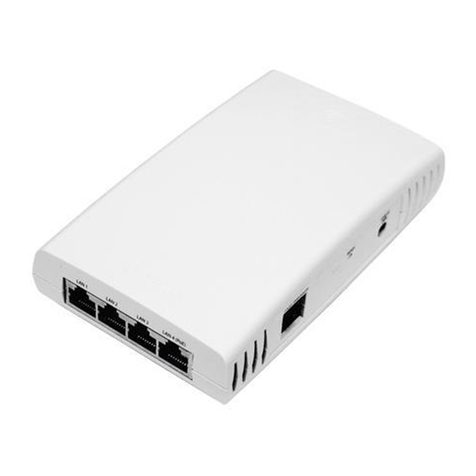
XR520H Quick Installation Guide
6) Ground to Earth Ground
WARNING: This equipment must be externally
grounded using a customer-supplied ground wire
before power is applied. Contact the appropriate
electrical inspection authority or an electrician if you
are uncertain that suitable grounding is available.
The mechanical installation must ensure that the AP is
grounded to earth ground to dissipate static electric charge that may develop due to wind. In
Step 3, you secured a grounding wire to the Access Point (see Step 3 if this has not been done).
After Step 3 is complete and the AP is mounted to the wall or pole, attach the
grounding wire from the AP to the electrical earth ground point that you located or
installed in Step 3. The photo shows an earth ground connection where the Access
Point is mounted on a pole at ground level and the grounding wire is attached to a
stake driven into the ground.
Continue the installation by mounting the antenna and attaching the cables as
described in Steps 7, 8, and 9.
7) Install an Antenna
NOTE: See the Warnings and Notices regarding external antennas in the Warning &
Notices section of this guide.
NOTE: Be sure to configure the Access Point’s IAPs to the proper bands (2.4 GHz and
5.0 GHz) in Step 11. Each must match the band of the antenna to which it is connected.
Install your antenna as directed by the manufacturer.
Use low-loss outdoor-rated coaxial cables terminated with N Male to Reverse
Polarity TNC connectors for connection to the AP antenna ports (e.g., Xirrus part
number ANT-CAB-195-10-MM). Note that some antennas include integrated cables
as part of the unit, and these do not need separate cables.
8) Connect the Ethernet Cable with the Waterproof Connector
All XR520H Access Points are powered directly via their Gigabit Ethernet connection.
Power: These Access Points are only powered through the GIG POE port. Only
Xirrus-supplied power injectors, or 802.3af or 802.3at PoE-compliant switches, may
be used to power the XR520H.
Data: Data is supplied to the Gigabit port via the same cable that powers the Access
Point.
NOTE: It is VERY IMPORTANT to assemble the waterproof connector properly,
following the directions below. Failure to do so may expose the AP to the elements, and
may result in an intermittent connection causing the AP to connect at very low speeds!
- 6 -