manuals.online logo
Brands
  1. Home
  2. •
  3. Brands
  4. •
  5. YOKOGAWA
  6. •
  7. Measuring Instrument
  8. •
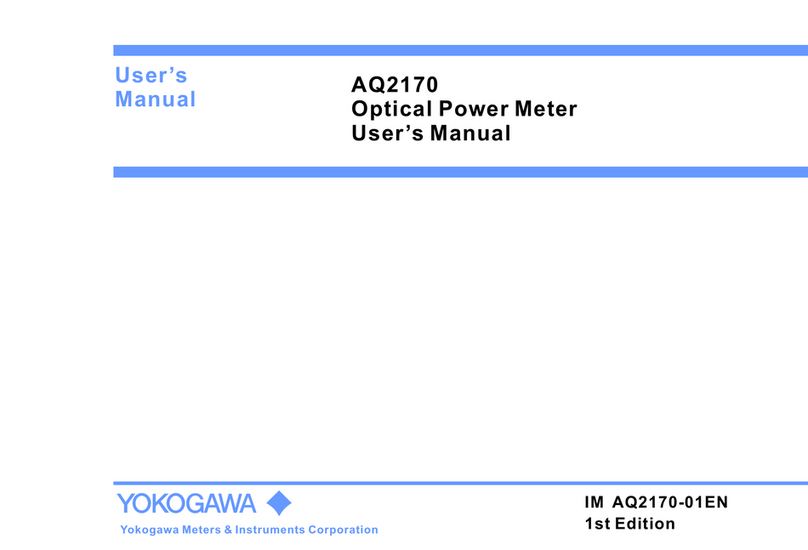
  9. YOKOGAWA AQ2170 User manual

YOKOGAWA AQ2170 User manual

Other manuals for AQ2170

2

This manual suits for next models

1

Other YOKOGAWA Measuring Instrument manuals

YOKOGAWA AQ4305 User manual

YOKOGAWA

YOKOGAWA AQ4305 User manual

YOKOGAWA VigilantPlant mR20000 User manual

YOKOGAWA

YOKOGAWA VigilantPlant mR20000 User manual

YOKOGAWA DAQSTATION DX100 Manual

YOKOGAWA

YOKOGAWA DAQSTATION DX100 Manual

YOKOGAWA WN100 User manual

YOKOGAWA

YOKOGAWA WN100 User manual

YOKOGAWA Power Series Plus User manual

YOKOGAWA

YOKOGAWA Power Series Plus User manual

YOKOGAWA PH8HS User manual

YOKOGAWA

YOKOGAWA PH8HS User manual

YOKOGAWA BT200 User manual

YOKOGAWA

YOKOGAWA BT200 User manual

YOKOGAWA SC4A User manual

YOKOGAWA

YOKOGAWA SC4A User manual

YOKOGAWA EML500 Series User manual

YOKOGAWA

YOKOGAWA EML500 Series User manual

YOKOGAWA AQ7280 OTDR User manual

YOKOGAWA

YOKOGAWA AQ7280 OTDR User manual

YOKOGAWA Power Series Plus IM 2493AAA-1 User manual

YOKOGAWA

YOKOGAWA Power Series Plus IM 2493AAA-1 User manual

YOKOGAWA ZR802S User manual

YOKOGAWA

YOKOGAWA ZR802S User manual

YOKOGAWA AXF series User manual

YOKOGAWA

YOKOGAWA AXF series User manual

YOKOGAWA 701931 User manual

YOKOGAWA

YOKOGAWA 701931 User manual

YOKOGAWA Versadec ACROMARK 530-20SP User manual

YOKOGAWA

YOKOGAWA Versadec ACROMARK 530-20SP User manual

YOKOGAWA WT1801E User manual

YOKOGAWA

YOKOGAWA WT1801E User manual

YOKOGAWA WT5000 User manual

YOKOGAWA

YOKOGAWA WT5000 User manual

YOKOGAWA ZR202S User manual

YOKOGAWA

YOKOGAWA ZR202S User manual

YOKOGAWA 2039 User manual

YOKOGAWA

YOKOGAWA 2039 User manual

YOKOGAWA PH200 User manual

YOKOGAWA

YOKOGAWA PH200 User manual

YOKOGAWA CW240 User manual

YOKOGAWA

YOKOGAWA CW240 User manual

YOKOGAWA mR10000 436101 User manual

YOKOGAWA

YOKOGAWA mR10000 436101 User manual

YOKOGAWA ADMAG TI Series User manual

YOKOGAWA

YOKOGAWA ADMAG TI Series User manual

YOKOGAWA PZ4000 User manual

YOKOGAWA

YOKOGAWA PZ4000 User manual

Popular Measuring Instrument manuals by other brands

Powerfix Profi 278296 Operation and safety notes

Powerfix Profi

Powerfix Profi 278296 Operation and safety notes

Test Equipment Depot GVT-427B user manual

Test Equipment Depot

Test Equipment Depot GVT-427B user manual

Fieldpiece ACH Operator's manual

Fieldpiece

Fieldpiece ACH Operator's manual

FLYSURFER VIRON3 user manual

FLYSURFER

FLYSURFER VIRON3 user manual

GMW TG uni 1 operating manual

GMW

GMW TG uni 1 operating manual

Downeaster Wind & Weather Medallion Series instruction manual

Downeaster

Downeaster Wind & Weather Medallion Series instruction manual

Hanna Instruments HI96725C instruction manual

Hanna Instruments

Hanna Instruments HI96725C instruction manual

Nokeval KMR260 quick guide

Nokeval

Nokeval KMR260 quick guide

HOKUYO AUTOMATIC UBG-05LN instruction manual

HOKUYO AUTOMATIC

HOKUYO AUTOMATIC UBG-05LN instruction manual

Fluke 96000 Series Operator's manual

Fluke

Fluke 96000 Series Operator's manual

Test Products International SP565 user manual

Test Products International

Test Products International SP565 user manual

General Sleep Zmachine Insight+ DT-200 Service manual

General Sleep

General Sleep Zmachine Insight+ DT-200 Service manual

Sensa Core Lacto Spark user manual

Sensa Core

Sensa Core Lacto Spark user manual

VOLTCRAFT UTS-1980 operating instructions

VOLTCRAFT

VOLTCRAFT UTS-1980 operating instructions

EBCHQ 94915 Operation manual

EBCHQ

EBCHQ 94915 Operation manual

Balluff BIP LD2-T017-01-EP-S4 Series user guide

Balluff

Balluff BIP LD2-T017-01-EP-S4 Series user guide

Pulsar IMP Lite Series instruction manual

Pulsar

Pulsar IMP Lite Series instruction manual

ETCR 6800 user manual

ETCR

ETCR 6800 user manual

manuals.online logo
manuals.online logoBrands
  • About & Mission
  • Contact us
  • Privacy Policy
  • Terms and Conditions

Copyright 2025 Manuals.Online. All Rights Reserved.

.8.8.8.8
REF
18 8 8
-
nm
Optical Power Meter
Small size with light weight, saving power and easy to carry
Unit-shifting automatically, auto-off, power capacity display
on the LCD
Supply with linear and logarithmic optical power display
Features
Operation Guide
AQ2170
The AQ2170 series are full featured mini sized and lightweight
optical power meters designed for use with an optical Light source
to perform optical loss measurements on optical fiber cables.
Optical connections to the AQ2170 are made via the universal
adapter interface on the top of the unit.
The instrument has 7 working wavelengths(The AQ2170H is 5
wavelengths) to totally satisfy your needs.
It can be extensively used in telecommunication projects and
other situations where optical power of wavelengths close to
infrared ray needs to be measured.
Introduction
Operation
Switches instrument on/off. Long keypress over 2 seconds
while powering on is to activate the instrument without Auto-off function.
NO. Key Function
1
2
3
4
5
Selects measurement wavelength in sequence of 850/1300/1310/1490/
1550/1625/1650nm(AQ2170H:1310/1490/1550/1625/1650
Switches measurement units among dBm, dB and mW.
Switches backlighting on/off.
Short keypress to display reference level of present test wavelength.
Long Key press over 2seconds to set a new reference level of present
test wavelength.
ON
OFF
>2s PERM
dBm/
dB/mw
REF
>2s SET
5
1
2
3
.8.8.8.8
REF
18 8 8
-
nm
Sensor
Specifications
Model AQ2170 AQ2170H
Power level: 100 μW(-10dBm); CW, Wavelength: 1310, Spectral width: 5 nm or less (1310 nm),
ambient temperature: 23 ±2°C,Optical fiber: SM (ITU-T G.652), Optical connector: FC/PC, Polarization condition: Excluding
Polarization dependence,Removing/Installing connector adapter : Including,1 year aging
1
Wavelength Range (nm)
Detector
Applicable Fibers Type
Optical Connector
Power Range(dBm)
Noise Level(dBm)
Uncertainty under standard conditions
850/1300/1310/1490/1550/1625/1650 nm 1310/1490/1550/1625/1650 nm
InGaAs
Light emitted from SM(ITU-T G.652),
GI(50/125 µm),GI(62.5/125 µm)optical fiber
Light emitted from SM(ITU-T G.652),
optical fiber
FC, SC, LC, ϕ1.25 ferrule,ϕ2.5 ferrule
-70~+10 dBm
-60 dBm
±5%
-50~+26 dBm
-40 dBm
±5%
1
General
Specifications
Displayed Resolution
Displayed Unit
Modulation Mode
Measurement Interval
Measurement mode
Power supply
Environmental conditions
Dimensions and weight
0.01dB(>-60dBm),0.1dBm(≤-60dBm) 0.01dB(>-40dBm),0.1dBm(≤-40dBm)
Absolute values:dBm, mW, µW Relative values: dB
CW,CHOP(270Hz,1kHz,2kHz)
Approximately150 ms
Absolute value measurement Relative value measurement:
Relative value measurement relative to a set reference value
Relative value measurement based on a displayed measurement
Dry and Rechargeable Battery AAA
Approximately 40 hours
Power turns off automatically when there is no key inputfor
approximately 10 minutes (this function can bedisabled)
Battery indicator
Battery life
Power saving
Battery check
Operating temperature range:-10~50℃,
Operating humidity range:20~80%
Storage temperature range:-20~+70℃(no condensation)
Storage humidity range:5~95%(no condensation)
63(W)×116(H)×35(D) mm, Approximately160g
2
3
3
2
Note : Specifications are at 23 ±2 unless otherwise noted.Optical connector: FC/PC℃ ℃
Continuation Measurement, using alkaline dry cells, at 23 ±2 A protector is removed. ℃ ℃
1st Edition: October 2012(YMI)
All Rights Reserved, Copyright© 2012,
Yokogawa Meters & Instruments Corporation
IM AQ2170-02EN
1st Edition

Back
Connector(FC,SC,LC,Ø1.25 ferrule, 2.5 ferrule)Ø
.8.8.8.8
REF
18 8 8
-
nm
Wavelength
Reference
Measurement Unit
Power value
Auto-off
Battery Charge
LCD
6
5
4
Battery cover
Please cover the protective dust cap once you finish using.
It is a good idea to clean the connector and the instrument when they get dirty through use.Optical cleaning pads and
anhydrous alcohol is recommended. And please be careful not to get the detergent inside the instrument.
Periodic calibration is an effective means of keeping the instrument performing correctly for a long time and of detecting
malfunctions at an early stage.
We recommend that you have the AQ2170 calibrated once a year.
Prohibitions against Actions that Cause Leaking, Ignition and Explosion.
Do not leave it in a location that is exposed to direct sunlight.
Do not throw the battery into fire or heat it.
When you put the battery in the battery case, make sure that the battery is facing the right direction.
If you will not use the battery for an extended period of time, remove it from the AQ2170 and store it in a dry place.
Maintenance
Consumables
We recommend that you replace the Universal and connector adapters when used 1000 times.The recommended
replacement interval can vary greatly depenging on the operating environment and the frequency of use.The times are
estimated.The accessories are out of warranty.
The contents of this manual are subject to change without prior notice as a result of continuing improvements to the
instrument’s performance and functionality. The figures given in this manual may differ from those that actually appear on
your screen.
Every effort has been made in the preparation of this manual to ensure the accuracy of its contents. However, should you
have any questions or find any errors, please contact your nearest YOKOGAWA dealer.
Copying or reproducing all or any part of the content of this manual without the permission of YOKOGAWA is strictly
prohibited.
Microsoft, Windows are either registered trademarks or trademarks of Microsoft Corporation in the United States and/or
other countries.
Adobe, Acrobat, and PostScript are trademarks of Adobe Systems Incorporated.
In this manual, the TM and R symbols do not accompany their respective registered trademark or trademark names.
Other company and product names are registered trademarks or trademarks of their respective holders.
Notes
Trademarks
Thank you for purchasing YOKOGAWA products.
YOKOGAWA provides registered users with a variety of information and services.
Please allow us to serve you best by completing the product registration form accessible from our homepage.
http://tmi.yokogawa.com/
Product Registration
270 Hz 1kHz 2kHz
Frequency
1.
2.
3.
1.
2.
3.
4.
7
This operation guide focuses on the handling precautions, basic operations, and specifications of the
AQ2170.
In addition to this operation guide, the following additional user’s manuals for the AQ2170 are provided on the

included CD-ROM:
the User’s Manual, IM AQ2170-01EN, that explains all the AQ2170 features.