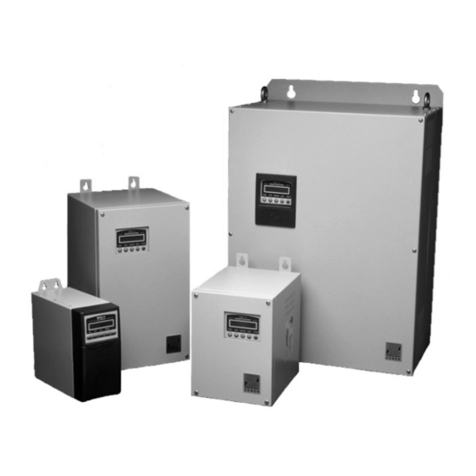
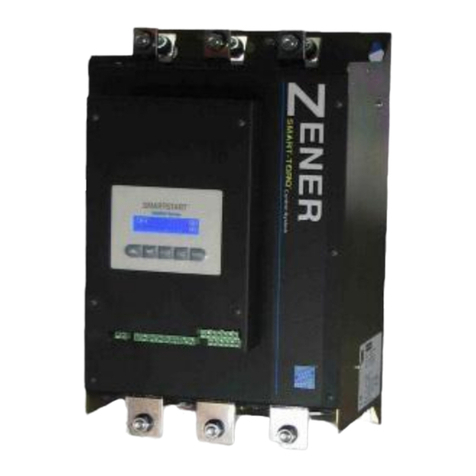
Zener MSC-3 User manual

MSC-3
Extended Features
Option
Instruction Manual
ZENER
R

IM00087B
ZENER TECHNOLOGY AND QUALITY ASSURANCE
Since 1976 Zener Electric has supplied many thousands of drives to industry. These drives have been
installed into numerous applications resulting in a wealth of in house experience. The Zener MSC-3
AC variable speed controller is the culmination of this experience, modern technology and industrial
application requirements. The Zener Quality Assurance program ensures that every MSC-3 manufactured
has proven to operate correctly in the production test bay before dispatch.
SAFETY
Your MSC-3 must be applied, installed and operated in a safe manner. It is the responsibility of the user to
ensure compliance with all regulations and practices covering the installation and wiring of your MSC-3.
The instruction manual should be completely read and understood before attempting to connect or
operate the MSC-3. Only skilled personnel should install this equipment.
This equipment contains a number of components that are designated by their various manufacturers
as “not for use in life support appliances, devices or systems where malfunction of the components can
reasonably be expected to result in personal injury or death”. Customers using or selling Zener products
for use in such applications do so at their own risk and agree to indemnify Zener for any damage resulting
from improper use or sale.
THE CONTENTS OF THIS MANUAL ARE SUBJECT TO CHANGE WITHOUT NOTICE
ZENER is a registered trademark of Zener Electric Pty Limited

IM00087B iii
MSC-3 Extended Features Option Manual
ZENER
Contents
Explanation of symbols .............................................................................................................................1
Warnings .....................................................................................................................................................1
Receiving ....................................................................................................................................................2
Firmware .....................................................................................................................................................2
MSC-3 Extended Features Option Description ........................................................................................3
Thermal protection input ....................................................................................................................3
Analog input .......................................................................................................................................3
Transducer Power Supply ..................................................................................................................3
Analog output .....................................................................................................................................3
Digital inputs .......................................................................................................................................3
Relay Output .....................................................................................................................................3
User and Preset speed reference selection .......................................................................................3
PID Controller .....................................................................................................................................3
Installation ...................................................................................................................................................4
IP30 Chassis A Installation .................................................................................................................4
Installation ...................................................................................................................................................7
IP 66 Chassis A Installation and all other chassis ..............................................................................7
Extended Features Option Menus ............................................................................................................9
Control Console Menu .............................................................................................................................10
Option Defaults .........................................................................................................................................13
J00 OPN DEFAULTS .......................................................................................................................13
Thermal Protection Input .........................................................................................................................13
Analog Output ...........................................................................................................................................13
P01 Analog Opt ................................................................................................................................14
P02 Zero opt % ......................................................................................................................14
P03 Max opt % .......................................................................................................................15
P04 Min opt % ........................................................................................................................15
Analog Output Setup Checklist ...............................................................................................................15
Extended Features Option References ..................................................................................................16
P05 OPTION REFS .........................................................................................................................16
User Selectable References .................................................................................................16
P06 User Ref 1 ......................................................................................................................16
P07 User Ref 2 ......................................................................................................................16
Preset References .................................................................................................................16
P08 Preset 1 ..........................................................................................................................16
P09 Preset 2 ..........................................................................................................................16
P10 Preset 3 ..........................................................................................................................16
P11 Preset 4 ...........................................................................................................................16
P12 Preset 5 ..........................................................................................................................16
P13 Preset 6 ..........................................................................................................................16
Reference Selector ...................................................................................................................................17
P14 Ref Select .......................................................................................................................17
Reference Selector Setup Checklist .......................................................................................................17
Extended Features Option Digital Inputs ...............................................................................................18
P18 OP DIG IN 1 ..............................................................................................................................18
P19 OP DIG IN 2 ..............................................................................................................................18
P20 OP DIG IN 3 ..............................................................................................................................18
P21 OP DIG IN 4 ..............................................................................................................................18
Extended Features Option Analog Input ................................................................................................18
P22 Analog input ....................................................................................................................19
P23 Ref at 0% ........................................................................................................................19
P24 Ref at 100% ....................................................................................................................19
Analog Input Scaling ................................................................................................................................21


IM00087Biv
MSC-3 Extended Features Option Manual
ZENER
PID CONTROLLER ....................................................................................................................................22
PID Structure.............................................................................................................................................22
PID Menu Structure ..................................................................................................................................23
P25 PID Control ...............................................................................................................................23
PID Speed Reference ...............................................................................................................................23
P38 PID output .................................................................................................................................23
PID Run Variable .......................................................................................................................................24
P38 PID Output ................................................................................................................................24
PID Digital Outputs ...................................................................................................................................24
P39 PV Over % ................................................................................................................................24
P40 PV Under % ..............................................................................................................................24
Extended Features Option Digital Output ..............................................................................................25
P41 Op Dig out .................................................................................................................................25
PID Control Wiring ....................................................................................................................................26
Setup Checklist and Tuning ....................................................................................................................27
Application Examples ..............................................................................................................................29
Application: Stair pressurisation fan with internal PID ......................................................................29
Application: Cooling tower fan with reverse acting internal PID .......................................................29
Application: Water pumping with automatic pressure control ...........................................................29
Application: Constant Pressure Water Pumping ..................................................................................30
Your MSC-3 Extended Features Option Setup Notes ............................................................................32
Specifications ...........................................................................................................................................33
Thermal Protection ...........................................................................................................................33
Analog input .....................................................................................................................................33
Tranducer Power Supply ..................................................................................................................33
Analog output ...................................................................................................................................33
Digital inputs .....................................................................................................................................33
Digital output ....................................................................................................................................33
Preset speeds ..................................................................................................................................33
PID controller ..................................................................................................................................33
PID Specifications ............................................................................................................................34
Display ...................................................................................................................................34
PID Inputs ..............................................................................................................................34
PID Outputs ...........................................................................................................................34
Digital Outputs .......................................................................................................................34
Alarms ....................................................................................................................................34
Proportional Band ..................................................................................................................34
Integral Time ..........................................................................................................................34
Derivative Time ......................................................................................................................34
Integrator clamp .....................................................................................................................34
Output clamp ..........................................................................................................................34
Resolution ..............................................................................................................................34
Accuracy ................................................................................................................................34
Sample time ...........................................................................................................................34
Glossary ....................................................................................................................................................35

IM00087B 1
Warnings
ZENER
Explanation of symbols
WARNING Indicates a condition or practice that, if the warning is not strictly
observed, could result in personal injury or death.
CAUTION
Indicates a condition or practice, if the caution is not strictly
observed, could lead to damage or destruction of equipment or a
significant impairment of proper operation.
WARNING This symbol is used to highlight an electrical hazard. Failure to
strictly observe the warning could result in electrocution.
iThis symbol is used to highlight additional information on
the product’s capabilities or a common error in installation,
commissioning or operation.
Warnings
Read all operating instructions before installing, wiring, operating, servicing or
inspecting the MSC-3.
This option manual should be read in conjunction with the MSC-3 instruction manual.
Ensure that both of the instruction manuals are made available to the final user of
the product as well as all personnel involved in any aspect of installation, adjustment
or maintenance.
Your MSC-3 must be applied and installed by a suitably qualified and experienced
electrical tradesperson in accordance with this manual, good engineering practice
and all local rules and regulations
There are hazardous voltages inside the MSC-3 whenever it is connected to an
electrical supply and for some time afterwards.
Before touching anything inside the MSC-3 enclosure or other equipment connected
to the MSC-3 terminals, disconnect all sources of electrical power, wait at least 11
minutes for capacitors within the MSC-3 to discharge to less than 50VDC and then
ensure, by measurement, that there is no hazardous AC or DC voltage present at
any terminal.
The MSC-3 contains high energy circuits that may be hazardous. Do not operate the MSC-3 with the door
open or any part of the enclosure removed.
Do not touch the terminals of the MSC-3 or any associated motor and wiring when it is energised, even if
the MSC-3 and motor are stopped. Electric shock may result.
Do not modify this equipment electrically, mechanically or otherwise. Modification may create safety
hazards as well as voiding the UL listing of models so listed.
The MSC-3 is designed to drive an appropriately rated and otherwise suitable 3 phase induction motor. It
is not suitable for single phase motors or other types of motor or non-motor load. Use with inappropriate
load types may create a safety hazard.
Where the MSC-3 is used as a component part of another product, it is the purchaser’s responsibility to
ensure that the final product meets all of the necessary safety, EMC, regulatory, operational and other
requirements for that product. Requirements for the purchaser’s final product may be substantially
different to the requirements for stand-alone inverters.
The MSC-3 is intended for use only in fixed wiring applications. It is not intended for use on a flexible
supply cable.

IM00087B2
MSC-3 Extended Features Option Manual
ZENER
The MSC-3 contains a substantial EMC line filter and as a result it is unsuitable for use on earth leakage
protected circuits.
Mount the MSC-3 on a vertical, incombustible surface such as metal or masonry. Do not place
combustible or flammable material near the MSC-3. Failure to observe these precautions may create a
fire hazard.
The MSC-3 is manufactured under strict quality control arrangements, however additional and
independent safety equipment must be installed if the application is such that failure of the product may
result in personal injury or property damage.
Ensure that electrical noise generated by the product and any associated equipment does not adversely
affect the proper operation of other equipment or systems, particularly those that have a safety function.
Install emergency stop circuitry that removes power from the MSC-3 and does not depend on any feature
of the product for proper and safe operation. Do not use the braking functions of the product for safety
purposes.
The MSC-3 has features that may be used to cause an automatic restart in certain circumstances. The
overall application (machine etc) must be designed such that automatic restart is not hazardous.
Do not install this equipment in locations where mechanical damage to the enclosure is possible. In
particular, consider vehicles, vandalism and attack by insects or animals. Severe equipment damage and
safety hazards may result.
Receiving
Inspect the MSC-3 for any shipping damage. If any damage is found, report it to the carrier immediately.
Access the inside of the controller and visually check for any damage.
Do not attempt to operate the MSC-3 if any obvious damage exists.
After the initial inspection, the MSC-3 can be repacked and stored in a clean, dry location until it is
required for use.
DO NOT store this equipment in an area where the ambient temperature will fall below -20ºC (-4ºF)
or rise above 70ºC (158ºF). DO NOT store this equipment in areas that are subject to condensation
or corrosive atmosphere. Proper storage is necessary to ensure satisfactory controller start up and
performance.
Firmware
This manual applies to MSC-3 Extended Features Option with firmware revision 1.19. The firmware
revision is marked on the back of the Extended Features Option.
This Extended Feature Option firmware revision is compatible with MSC-3 control board firmware
revisions 1.49 and up.

IM00087B 3
MSC-3 Extended Features Option Manual
ZENER
MSC-3 Extended Features Option Description
The Extended Features Option extends the feature list of the MSC-3. Features include:
Thermal protection input
Standard motor protection thermistors may be directly connected to this input (see pages 13 and 26). A
separate thermistor protection relay is not required. Alternatively, other protection devices that present a
normally closed contact such as thermal overload relays and thermal switches may be used. The thermal
protection input requires no user set up and is active at all times except when MSC-3 is operating in the
Essential Services Override (ESO) mode.
Analog input
The input may be set for voltage or current input by on board DIP switch combinations (see pages 19
and 26). The analog input may be used as an additional speed reference or used in conjunction with the
built in PID controller as the process variable. When used with the PID controller, the analog input may
be rescaled through the menus of the MSC-3. A comparator function (under and over) is available on the
analog signal.
Transducer Power Supply
A 24V, 20mA power supply is provided to allow “loop powered” 4-20mA transducers to be used in
conjunction with the analog input without the need to have an external power supply for this purpose (see
page 26).
Analog output
The output may be set for voltage or current output by on board DIP switch combinations (see pages
13 and 26). This feature permits internal signals of the MSC-3 to be accessed by external monitoring
equipment such as panel meter displays, etc.. Signals available are: output frequency, motor speed,
relative motor load, DC link voltage, drive output power, drive output voltage, power circuit temperature,
motor thermal overload and the PID output signal.
Digital inputs
Four additional digital inputs are provided (see pages 18 and 26). The function of each input is user
selectable. These inputs may be assigned to any of the functions available to the MSC-3 Control Board
digital inputs as well as being used to control the reference selector function.
Relay Output
An additional relay output is provided (see pages 25 and 26). The function of the relay is user selectable
and may be assigned to any of the functions available for the relays on the MSC-3 Control Board. The
PID status functions PV Under and PV Over are also available.
User and Preset speed reference selection
The Extended Features Option has a speed reference selector where combinations of digital inputs
select up to 8 speed references: 2 user selectable reference sources (e.g. analog input, motorised
potentiometer) and 6 preset speeds. The reference selector function is controlled by three digital inputs
(see pages 11 and 16).
PID Controller
The in built PID controller function with anti-windup has been designed to integrate into the MSC-3 control
system with minimal user intervention (see page 22). The PID controller is tuned by changing parameters
through the MSC-3 menus and is able to use the reference selection capabilities as the set point or feed
forward reference.

IM00087B4
MSC-3 Extended Features Option Manual
ZENER
Installation
There are hazardous voltages inside MSC-3 whenever it is connected to an electrical
supply and for sometime afterwards.
Before touching anything inside the MSC-3 enclosure or other equipment connected
to the MSC-3 terminals, disconnect all sources of electrical power , wait at least 11
minutes for capacitors within MSC-3 to discharge to less than 50VDC and then ensure by
measurement, that there is no hazardous AC or DC voltage present at any terminal.
IP30 Chassis A Installation
1. Ensure all power sources have been removed for at least 11 minutes and that they remain that way
for the rest of the installation.
2. Remove the screw from the top of the enclosure.
3. Remove the bottom section of the MSC-3 blue plastic moulding to reveal the power terminals.
4. Remove the screw holding the control board/display assembly and pull it off the drive.
5. Turn the control board/display assembly over and plug the Extended Features Option into one of the
available option connectors.
6. Lay the insulation sheet on top off the exposed metal work and replace the control board/display/
option assembly.
7. Replace the original mounting screw and install the Extended Features Option mounting screw.
The Extended Features Option is ready for control wiring. Refer to the wiring diagram for wiring
examples.
8. Once control wiring is complete replace the bottom moulding.
9. When the MSC-3 is switched on, restore defaults for each new option fitted or existing options that
occupy an alternate connector. Refer to the J00 OPN DEFAULTS section on page 13 of this manual
for details.

IM00087B 5
MSC-3 Extended Features Option Manual
ZENER
iSeveral different screw
types are used. take care
to replace all screws in
their original locations.
4
2
5
6
3
Display
Assembly
Control
Board
Extended
Features
Option
Insulation
Sheet
Bottom section - blue
plastic moulding.
IP30 Chassis A Installation

IM00087B6
MSC-3 Extended Features Option Manual
ZENER
2
3
4
5
iSeveral different screw
types are used. take care
to replace all screws in
their original locations. Display Assembly
In some models this is
attached by screws.
Control Board
Extended Features Option
Insulation Sheet
MSC-3 Chassis
Chassis A IP66 and all other
chassis installation
Other manuals for MSC-3
3
Table of contents
Other Zener Controllers manuals
Popular Controllers manuals by other brands

Digiplex
Digiplex DGP-848 Programming guide

YASKAWA
YASKAWA SGM series user manual

Sinope
Sinope Calypso RM3500ZB installation guide

Isimet
Isimet DLA Series Style 2 Installation, Operations, Start-up and Maintenance Instructions

LSIS
LSIS sv-ip5a user manual

Airflow
Airflow Uno hab Installation and operating instructions