manuals.online logo
Brands
  1. Home
  2. •
  3. Brands
  4. •
  5. Zonet
  6. •
  7. PCI Card
  8. •
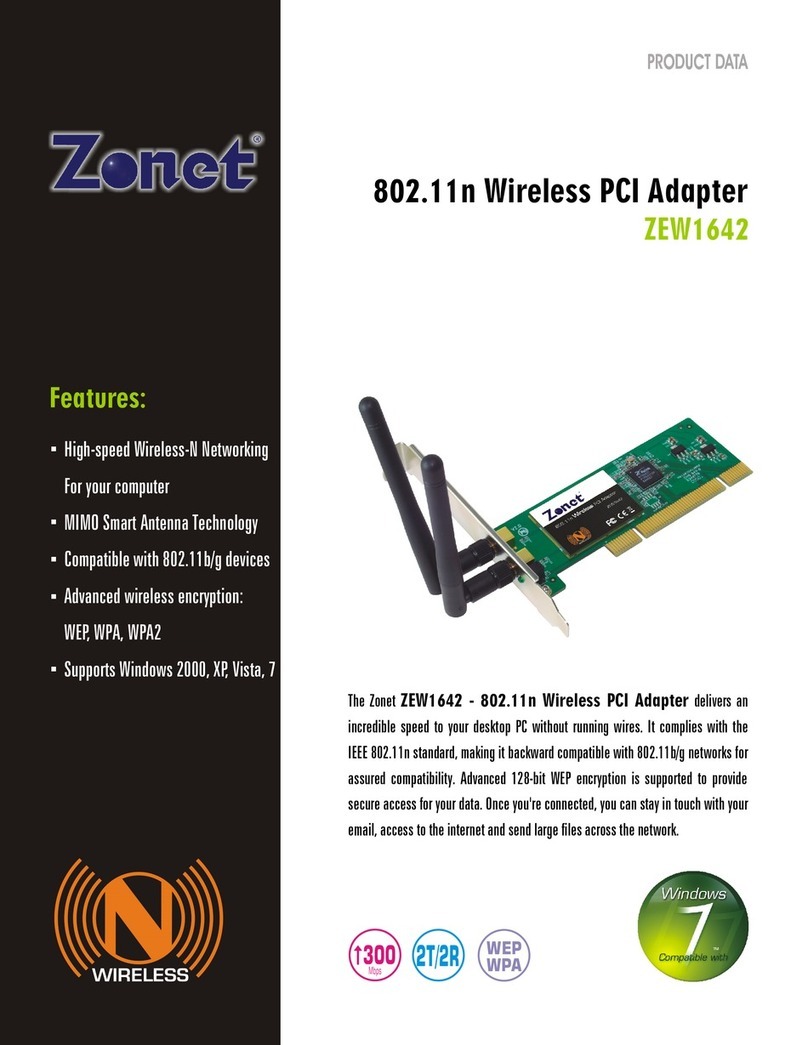
  9. Zonet ZEW1642 User manual

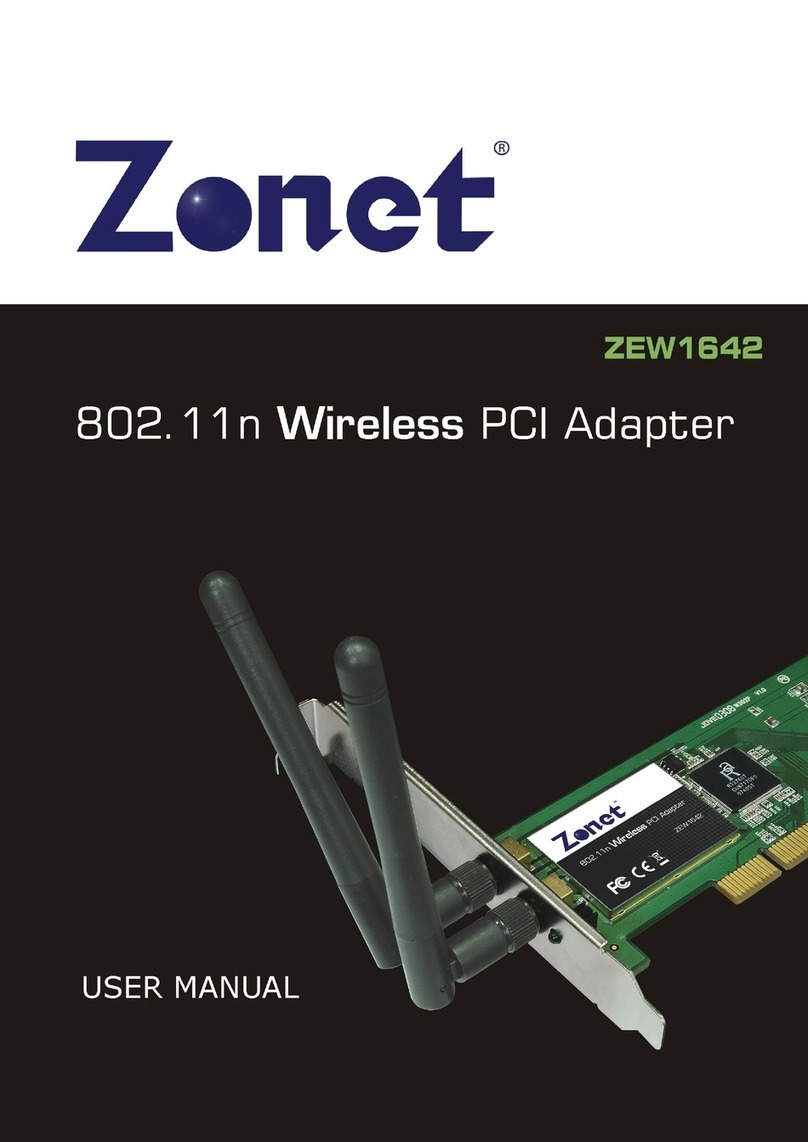
Zonet ZEW1642 User manual

Other manuals for ZEW1642

3

Other Zonet PCI Card manuals

Zonet ZEW1642 User manual

Zonet

Zonet ZEW1642 User manual

Zonet ZEW1605S Operation manual

Zonet

Zonet ZEW1605S Operation manual

Zonet ZEW1605S User manual

Zonet

Zonet ZEW1605S User manual

Zonet ZEW1605A Operation manual

Zonet

Zonet ZEW1605A Operation manual

Zonet ZEW1603 User manual

Zonet

Zonet ZEW1603 User manual

Zonet ZEN3301E - QUICK INSTALLATION GUIDE REV 01 User manual

Zonet

Zonet ZEN3301E - QUICK INSTALLATION GUIDE REV 01 User manual

Zonet ZEW1690 User manual

Zonet

Zonet ZEW1690 User manual

Zonet ZEW1642 Operation manual

Zonet

Zonet ZEW1642 Operation manual

Zonet ZEW1603 Operation manual

Zonet

Zonet ZEW1603 Operation manual

Zonet ZEW1530 User manual

Zonet

Zonet ZEW1530 User manual

Zonet ZEW1605S User manual

Zonet

Zonet ZEW1605S User manual

Zonet ZEW1605 Operation manual

Zonet

Zonet ZEW1605 Operation manual

Zonet ZEW1642S Operation manual

Zonet

Zonet ZEW1642S Operation manual

Zonet ZEW1520 User manual

Zonet

Zonet ZEW1520 User manual

Zonet ZEW1602A Operation manual

Zonet

Zonet ZEW1602A Operation manual

Zonet ZEW1642 User manual

Zonet

Zonet ZEW1642 User manual

Popular PCI Card manuals by other brands

Avermedia ER330 Quick installation guide

Avermedia

Avermedia ER330 Quick installation guide

ERMA SSI 1417 instruction manual

ERMA

ERMA SSI 1417 instruction manual

SIIG CyberSerial Dual PCI Software installation

SIIG

SIIG CyberSerial Dual PCI Software installation

Airlink101 AWLH3028 user manual

Airlink101

Airlink101 AWLH3028 user manual

Dolphin MXH932 user guide

Dolphin

Dolphin MXH932 user guide

I-Bus IBC2602 user guide

I-Bus

I-Bus IBC2602 user guide

ICP DAS USA PCI-1002H user manual

ICP DAS USA

ICP DAS USA PCI-1002H user manual

Exsys EX-60102 manual

Exsys

Exsys EX-60102 manual

Chelsio Communications T5 Series Installation and user guide

Chelsio Communications

Chelsio Communications T5 Series Installation and user guide

Conrad Electronic 97 46 71 operating instructions

Conrad Electronic

Conrad Electronic 97 46 71 operating instructions

Micro Innovations USB650A Quick installation guide

Micro Innovations

Micro Innovations USB650A Quick installation guide

KTI Networks KF-310 user guide

KTI Networks

KTI Networks KF-310 user guide

Intellinet 500517 user manual

Intellinet

Intellinet 500517 user manual

Asus SpaceLink WL230 user manual

Asus

Asus SpaceLink WL230 user manual

SIIG SC2475 Quick installation guide

SIIG

SIIG SC2475 Quick installation guide

TRENDnet TEW-703PI Quick installation guide

TRENDnet

TRENDnet TEW-703PI Quick installation guide

Pericom PI7C7100 manual

Pericom

Pericom PI7C7100 manual

ADLINK Technology cPCI-3548 user manual

ADLINK Technology

ADLINK Technology cPCI-3548 user manual

manuals.online logo
manuals.online logoBrands
  • About & Mission
  • Contact us
  • Privacy Policy
  • Terms and Conditions

Copyright 2025 Manuals.Online. All Rights Reserved.

Copyright Statement
is the registered trademark of Zonet Technology Inc. All the products and
product names mentioned herein are the trademarks or registered trademarks of their
respective holders. Copyright of the whole product as integration, including its
accessories and software, belongs to Zonet Technology Inc. ithout the permission of
Zonet Technology Inc., any individual or party is not allowed to copy, plagiarize, imitate
or translate it into other languages.
All the photos and product specifications mentioned in this manual are for references
only. As the upgrade of software and hardware, there will be changes. And if there are
changes, Zonet is not responsible for informing in advance. If you want to know more
about our product information, please visit our website at www.zonetusa.com .
802.11n ireless PCI Adapter
Table of Contents
Chapter 1. Introduction………………………………………………………………………P.1
1.1 Welcome………………………………………………………….……………………….P.1
1.2 Product Feature…………………..………………………………………………………P.1
1.3 Content of Package…………………………….………………….……………………P.1
1. Before You Begin……….………………………………………………………………P.2
Chapter 2. Design Your ZEW16 2………..……………………………………….…….P.2
Chapter 3. Installation………………………………………………………………………P.3
3.1 Install Your ZEW16 2……..…………………….……………………………………P.3
3.2 Install Driver and Utility………………………………………………………………P.
Chapter . Configuration……………………………………………………………..……P.7
.1 Profile…………………………………………………………………………………..….P.7
.1.1 Add/Edit Profile………………………………………………………….……P.8
.2 Link Status…….…………………………………………………………………..……P.11
.3 Site Survey...……………………………………………………………………………P.12
. Statistics……………..………….………………………………………………………P.13
.5 Advanced...………………………………………………………………………………P.1
.6 QoS...…..…………………………………………………………………………………P.15
.7 WPS Configuration……………………………………………………………………P.16
.8 About………………………………………………………………………………………P.17
Chapter 5. Use Zero Configuration…………………………………………………….P.18
Chapter 6. Soft AP………………..………………………………………….…………..P.22
6.1 Start Soft AP…………..…………………………………………………………….….P.22
6.2 Configuration……………..………………………………………………………..……P.23
6.3 Access Control…………………..………………………………………………………P.2
6. MAC Table……..……..………….………………………………………………………P.25
6.5 Switch to Working Station Mode………………………..…………………………P.25
Chapter 7. Specifications………………………………………………………………….P.26
Chapter 8. TroubleShooting…………………………………………………………….P.27

802.11n ireless PCI Adapter
1
Chapter 1 Introduction
1.1 Welcome
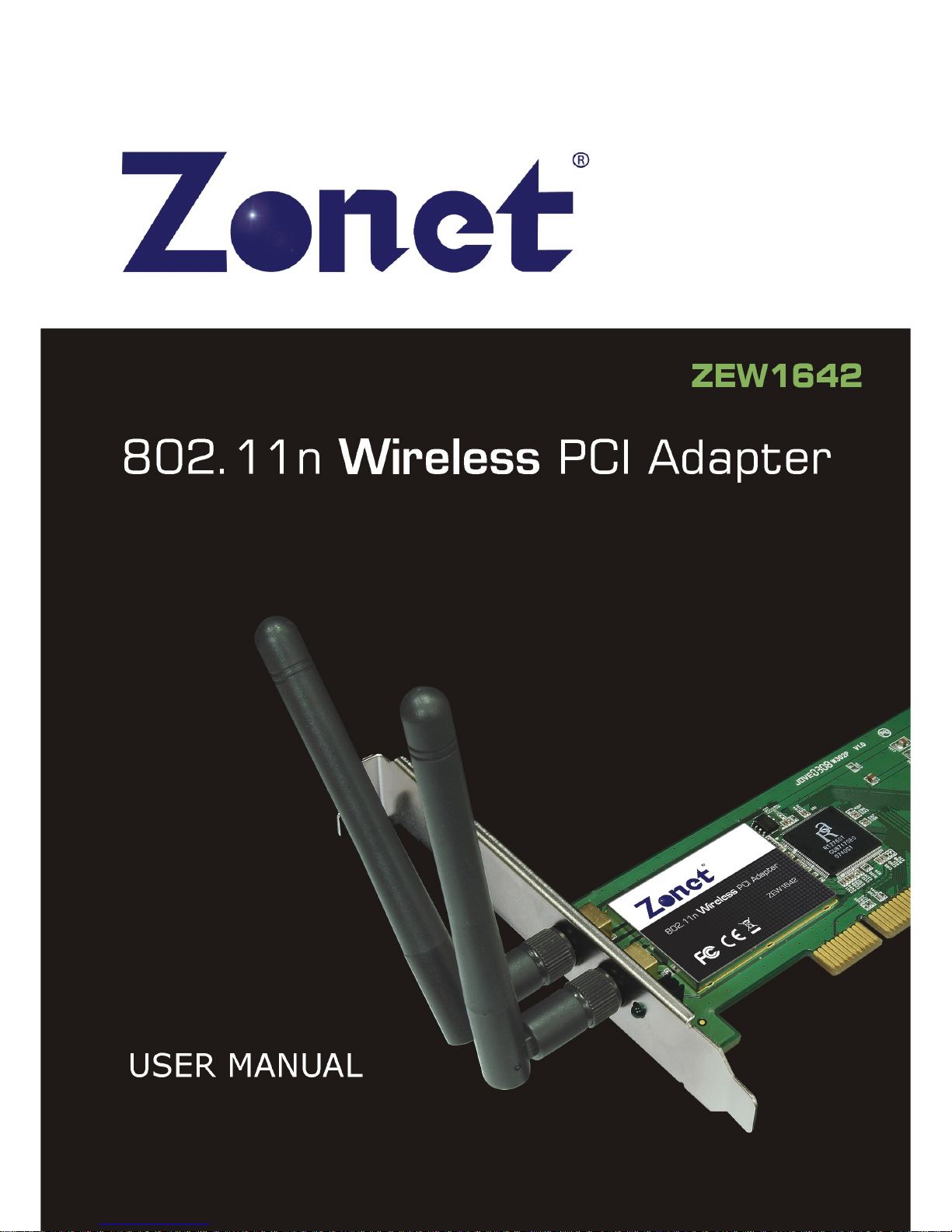
ZE 1642 connects you with IEEE802.11n(Draft 2.0) networks at receiving rate up to an
incredible 300Mbps! By using the reflection signal, 802.11n's “Multiple In, Multiple Out”
(MIMO) technology increases the range and reduces “dead spots” in the wireless
coverage area. Unlike ordinary wireless networking of 802.11b/g standards that are
confused by wireless reflections, MIMO can actually use these reflections to increase four
times transmission range of 802.11g products. Besides, when both ends of the wireless
link are 802.11n products, MIMO technology can utilize twice radio band to increase
three times transmission speed of ordinary 802.11g standard products, and can comply
with backwards 802.11b/802.11g standards.
Soft AP supported by ZE 1642 can help you establish wireless LAN networking with
lowest cost. Besides, PS (PBC and PIN) encryption method can free you from
remembering the long passwords. Complete MM function makes your voice and video
more smooth.
1.2 Product Feature
Complies with IEEE 802.11n (Draft 2.0), IEEE 802.11g, IEEE 802.11b standards
Provides 32-bit PCI interface
Provides 300Mbps receiving rate and 150Mbps sending rate
Supports 20MHz/40MHz frequency width
Auto-detects and changes the network transmission rate
Provides two work modes: Infrastructure and Ad-Hoc
Support
s Soft AP to establish your wireless LAN networking with lowest cost
Supports 64/128-bit EP, PA, PA2 encryption methods and 802.1x security
authentication standard
Supports PS (PBC and PIN) encryption method to free you from remembering
long passwords
Supports MM to make your voice and video more smooth
Supports indows 2000 / XP / 2003 / Vista
1.3 Contents of Package
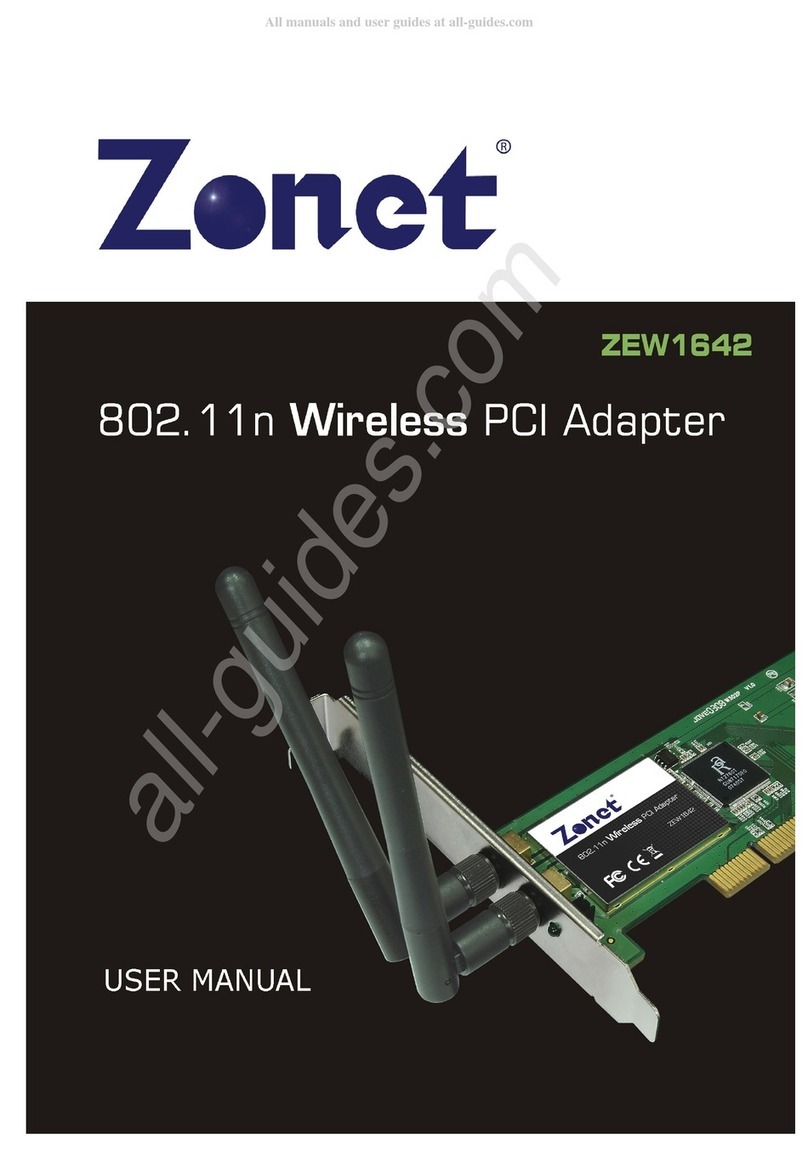
One ZE 1642
One Installation CD w/User Manual
One Quick Installation Guide
Two dipole antennas
Contact your local authorized reseller or the store purchased from for any items
damaged and/or missing.
802.11n ireless PCI Adapter
2
1. Before you begin
You must have the following:
A desktop PC with an available 32-bit PCI slot
Minimum 300MHz processor and 32MB memory
indows 2000, XP, 2003, Vista
A CD-ROM Drive
PCI controller properly installed and working in the desktop PC
802.11n or 802.11b/g Access Point (for infrastructure Mode) or another 802.11n or
802.11b/g wireless adapter (for Ad-Hoc; Peer-to-Peer networking mode.)
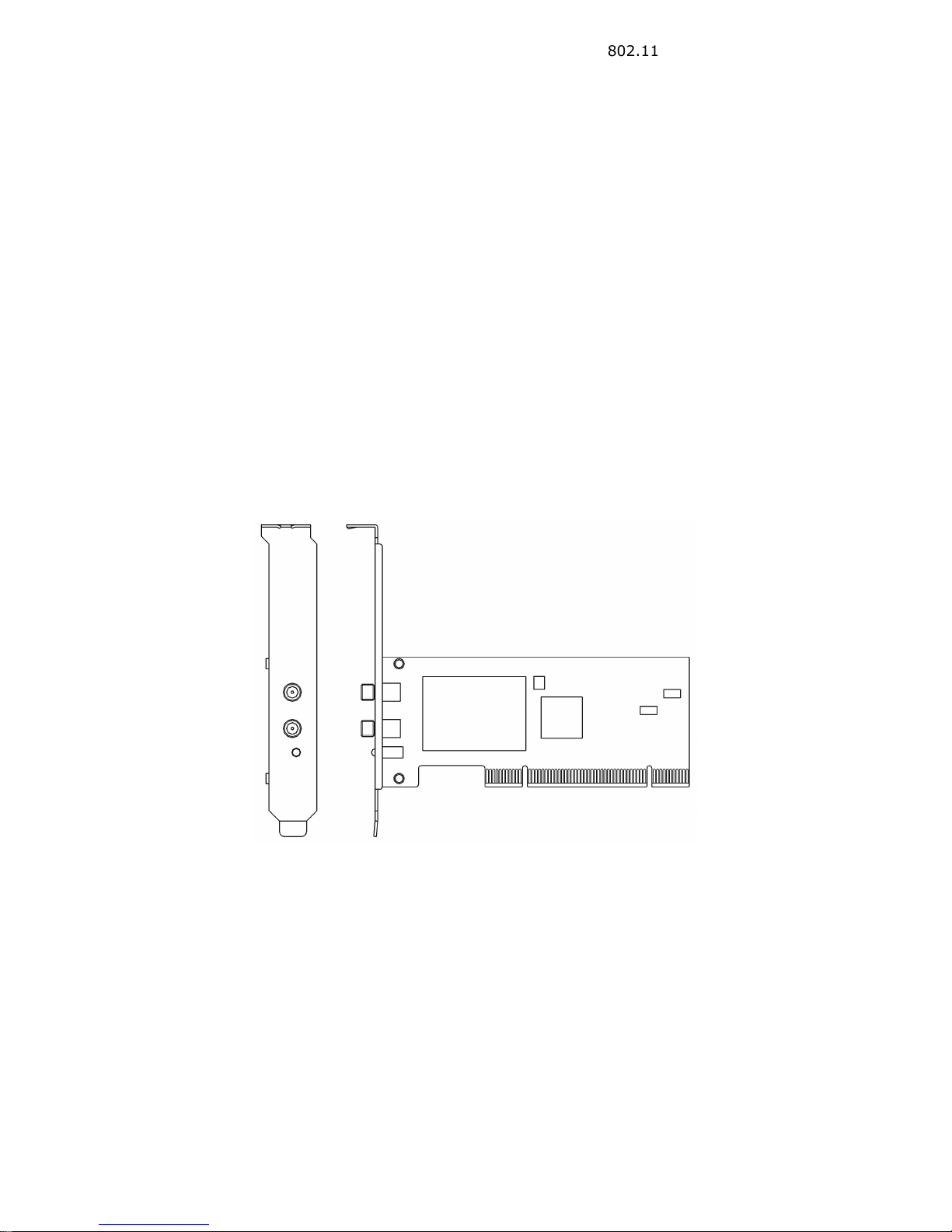
Chapter 2 Designing Your ZEW16 2
ZE 1642 supports up to 300Mbps connections. It is fully compliant with the
specifications defined in 802.11n (Draft 2.0) standard.
The status LED indicators of ZE 1642 are described in the following.
Lnk/Act ON (Green): Indicates a valid connection
Lnk/Act Flashing: Indicates the Adapter is transmitting or receiving data.
802.11n ireless PCI Adapter
3
Chapter 3 Installation
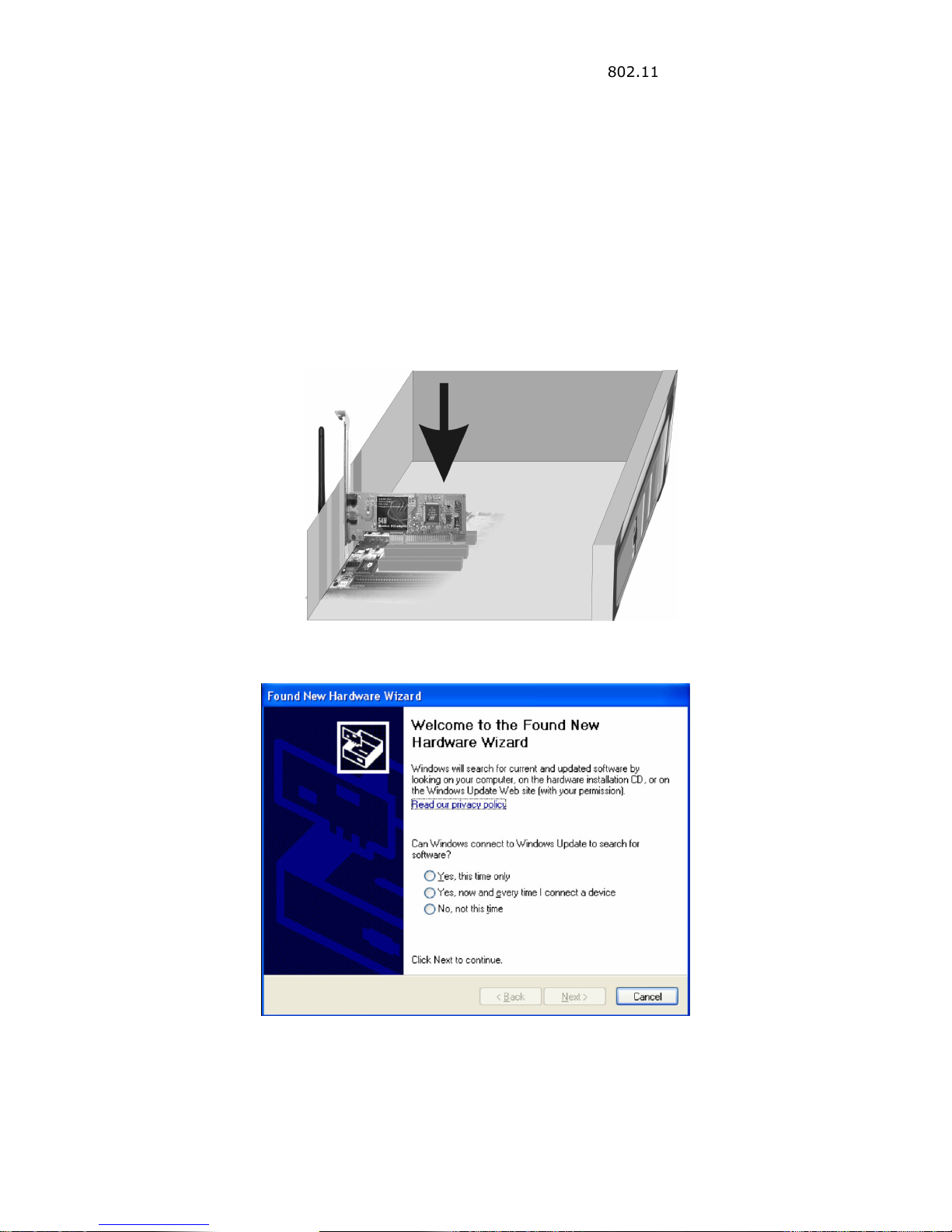
3.1 Install Your ZEW16 2
Open your PC case and locate an available PCI on the motherboard.
Slide ZE 1642 into the PCI slot. Make sure that all of its pins are touching the slot’s
contacts. You may have to apply a bit of pressure to slide ZE 1642 all the way in.
after it is firmly in place, secure its fastening tab to your PC’s chassis with a mounting
screw. Then close your PC.
Attach the external antennas to ZE 1642’s antenna port.
Power on the PC.
Select Cancel when “Found New Hardware” window appears.
802.11n ireless PCI Adapter
4
3.2 Install Driver and Utility
NOTE:
Snap-shot screens of the following installation procedure are based on Windows
XP. Installation procedures will be similar for other windows operating systems.
1.
Insert Installation CD to your CD-ROM drive. B
r
owse CD and double-click
setup.exe
in Driver folder to execute it. The wizard will run and install all necessary
files to your computer automatically.
2.
Click
Next
to accept the Agreement. Or click
Cancel
to cancel the installation
.
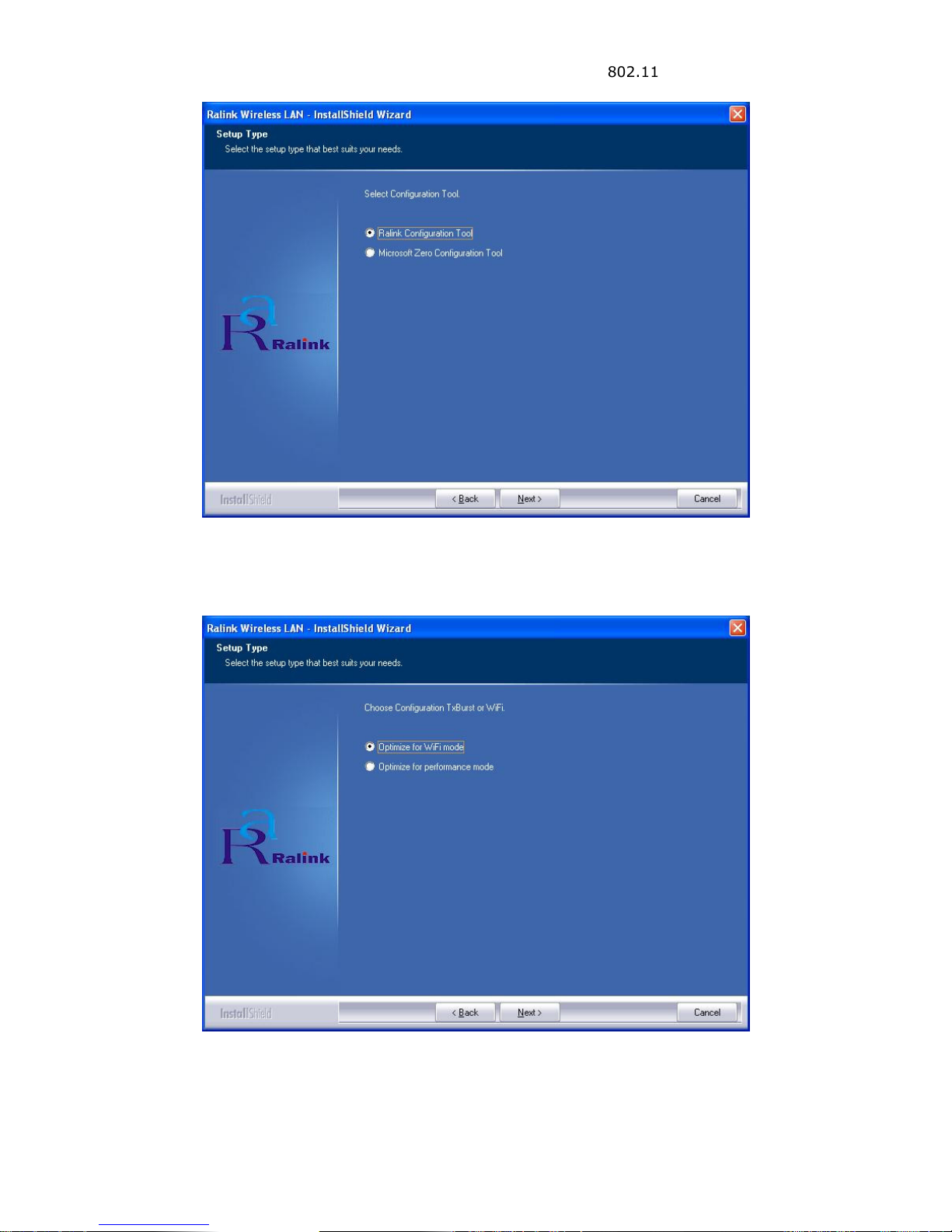
3.
Select
Ralink
Configuration Tool
or
Microsoft Zero Configuration Tool
then
click
Next
.
a.
It’s recommended to select Ralink Configuration Tool, which provides
fully access to all function of ZE 1642.
b. If you prefer to use the wireless configuration tool provided by indows XP
or Vista, please select
Microsoft Zero Configuration Tool.
802.11n ireless PCI Adapter
5
4.
Select
Optimize for WiFi mode
or
Optimize for performance mode
then click
Next
.
802.11n ireless PCI Adapter
6
5.
Click Finish to complete the software installation.
You will see a tray icon appear in your system tray at the bottom of the screen after
the software and hardware installation completed successfully.
802.11n ireless PCI Adapter
7

Chapter Configuration
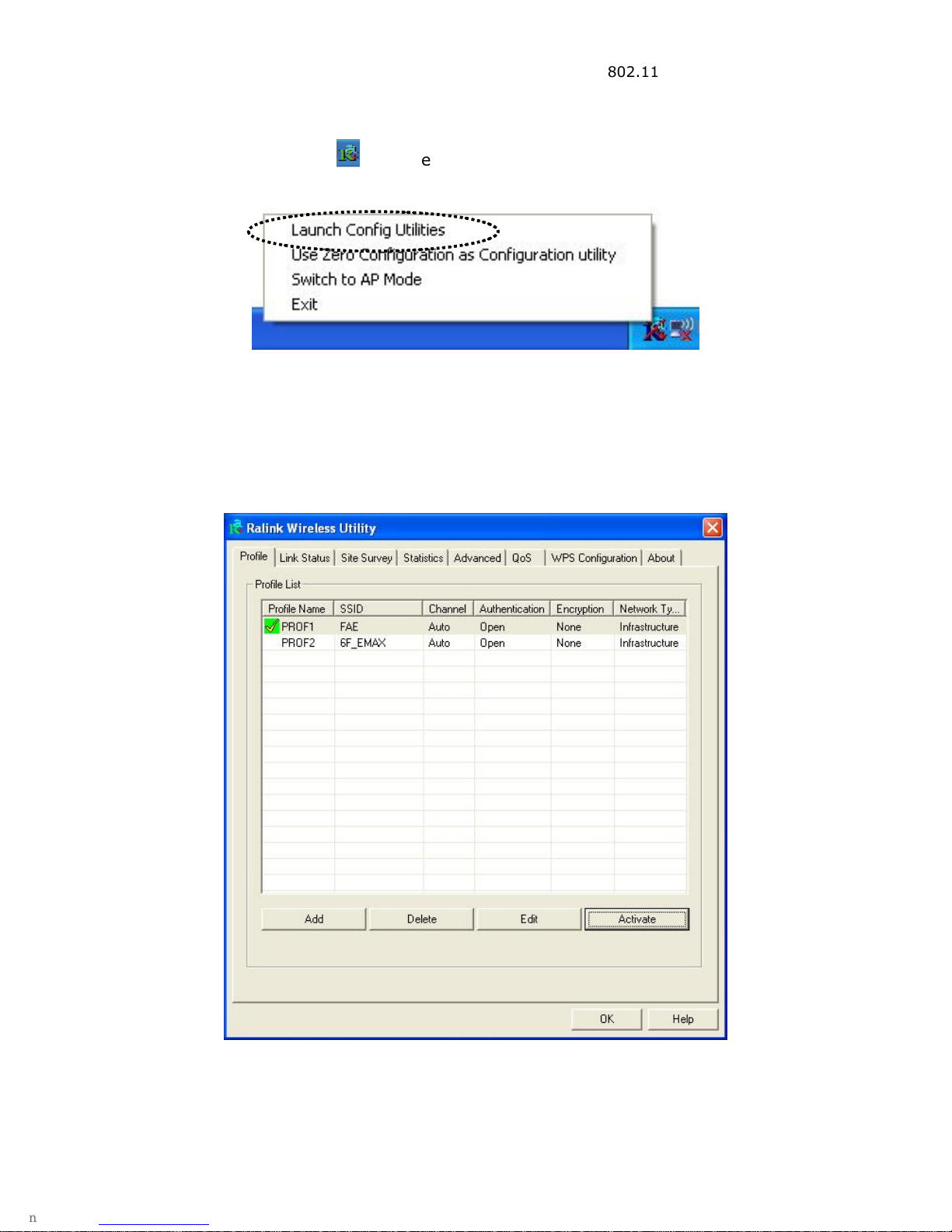
Right-click the tray icon and
then click Launch Config Utilities to use Ralink
configuration utility.
.1 Profile
Profile can keep your favorite wireless setting among your home, office, and other
public hotspot. You may save multiple profiles and activate the one at your preference.