TN49RXG Combo Thermal Detector Operating Instruction
The thermometer is a non-contact infrared thermometer. There are many mathematical modes for the Infrared function. Please
remember to keep away from children and don’t use it for safety related applications.
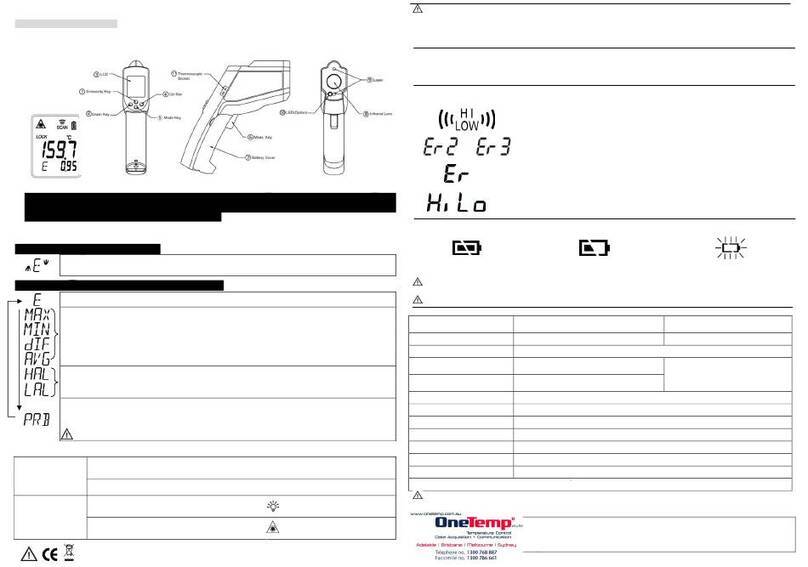
Simply aim the thermometer at the measure target with Lens (○
7) and press Meas. key (○
6) to display the surface
temperature. The Distance:Spot is 12:1. Please make sure the target area is within the field of view.
FUNCTION
Press Mode key (○
4) for scrolling more display function as follows.
THB (thermal bridge detection) is the default mode.
(a) IRT (infrared temperature) – Tamb (temperature ambient)>6.5oC: icon displays
“red side flashing ”, the bar shows RED color and “Hi”is beside the THB mode icon.
(b) IRT - Tamb<-6.5oC: icon displays “blue side flashing”, the bar shows BLUE color,
and “Lo”is beside the THB mode icon.
(c) IRT – Tamb>5.75oC or <-5.75oC: The buzzer and optional vibration functions will start activating
at the same time.
(d) According to the following value, “CHK” (check) is displayed beside the THB mode icon and please
continue to observe.
4.25oC<IRT - Tamb<6.5oC: the bar shows RED color; -3.5oC≦IRT - Tamb<4.25oC: the bar shows
YELLOW color; -6.5oC<IRT - Tamb<-3.5oC: the bar shows BLUE color.
Here will show the emissivity data. (The default emissivity is 0.95.)
) to set the emissivity, then press Mode key (
) to confirm it.
The emissivity can be changed from 0.10 (10E) to 1 (100E).
Press Mode key (○
4) for the Maximum (MAX), Minimum (MIN)
modes. During the measurement, the special modes
reading will be displayed beside the mode icon.
) for the RH% (relative humidity) mode, then press Up key (
temp.), WBT (wet bulb temp.) modes. During the measurement, the special modes reading will be
displayed beside the mode icon.
(a) 60%<RH≦75%: The screen displays icon.
(b) 75%<RH≦90%: The screen displays icon.
(c) RH>90%: The screen displays icon.
) for DPT (dew point temperature) modes. During the measurement, the special
modes reading will be displayed beside the mode icon.
(a) IRT (infrared temperature) - DPT (dew point temperature)>1.9°C: The bar shows YELLOW color.
(b) 1.1°C<IRT - DPT≦1.9°C: The bar shows Blue color and displays icon.
(c) -0.5°C<IRT - DPT≦1.1°C: The bar shows Blue color and displays icon.
(d) IRT - DPT≦-0.5°C: The bar shows Blue color and displays icon.
In (b), (c) and (d) cases, the icon 「」「 」「 」is the indication for the risk of condensation as well as mold warning
,
the buzzer and optional vibration functions are activated at the same time.
** The thermometer will automatically shut off if left idle for more than 60sec.
ADD VALUE
In all modes:
) for LOCK mode ON/OFF. The lock mode is particularly useful for continuous monitoring of
temperatures for up to 60 minutes.
Press Down key (○
3) for oC oroF transferred.
In MAX, MIN mode:
Hold on the Meas. key (
6)
The Bar display indicates the measuring temperature.
The bar shows RED color when the reading is close to maximum value, and
shows BLUE when close to minimum. While the temperature is between the
maximum and minimum, the bar will display in YELLOW.
Backlight LCD Backlight: always on.
In all modes: First hold on
the Meas. key (
6) and press Down key (○
3) for laser function ON/OFF.
CAUTION
1. WHEN DEVICE IS IN USE, DO NOT LOOK DIRECTLYINTO THE LASER BEAM–PERMANENT EYE DAMAGE MAY RESULT.
2. USE EXTREME CAUTION WHEN OPERATING THE LASER.
3. NEVER POINT THE DEVICE TOWARDS ANYONE’S EYES.
4. KEEP OUT OF REACH OF ALL CHILDREN.
STORAGE & CLEANING
It should be stored at room temperature. The sensor lens is the most delicate part of the thermometer. The lens should be kept clean at all times,
care should be taken when cleaning the lens using only a soft cloth or cotton swab with water or medical alcohol, allowing the lens to fully dry
before using the thermometer. Do not submerge any part of the thermometer.
LCD ERROR MESSAGES
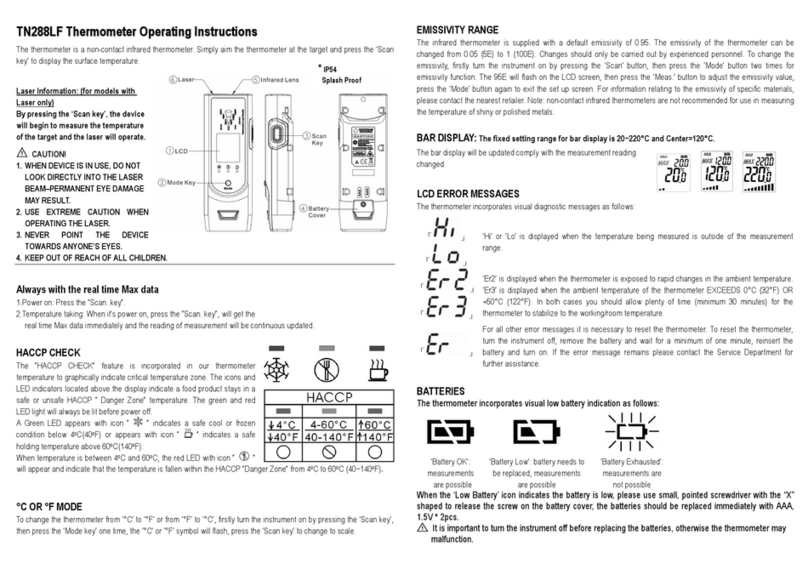
The thermometer incorporates visual diagnostic messages as follows:
‘Hi’ or ’Low’is displayed when the temperature being measured is outside of the settings of HAL and LAL.
「」「 」
‘Er2’ is displayed when the thermometer is exposed to rapid changes in the ambient temperature. ‘Er3’ is
displayed when the ambient temperature exceeds 0oC (32°F) or +50oC (122°F). The thermometer should be
allowed plenty of time (minimum 30 minutes) to stabilize to the working/room temperature.
「 」
Error 5~9, for all other error messages it is necessary to reset the thermometer. To r
instrument off, remove the battery and wait for a minimum of one minute, reinsert the battery and turn on. If
the error message remains please contact the Service Department for further assistance.
「」「 」‘Hi’ or ’Lo’ is displayed when the temperature being measured is outside of the measurement range.
BATTERIES
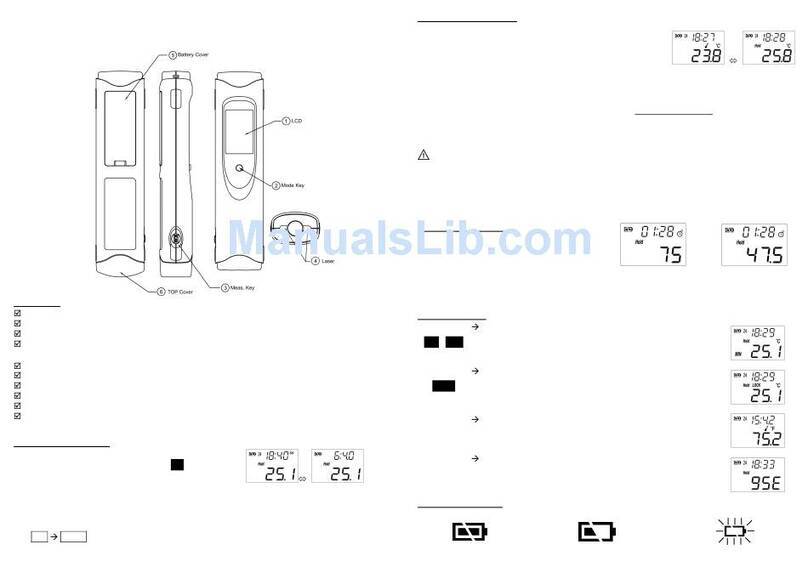
The thermometer incorporates visual low battery indication as follows:
‘Battery OK’: measurements
are possible ‘Battery Low’: battery needs to be
replaced, measurements are still possible ‘Battery Exhausted’: measurements are not
possible
When the ‘Low Battery’ icon indicates the battery is low, the battery should be replaced immediately with AAA, 1.5V batteries.
Please note: It is important to turn the instrument off before replacing the battery otherwise the thermometer may malfunction.
Dispose of used battery promptly and keep away from children.
If the device is not to be used for a long time, turn the power off, remove and store the batteries in a cool, dry place.
*Multi-Beams
specify the approximate measurement
area for better targeting.