6. Connecting to the Terminal .......................................................... 45
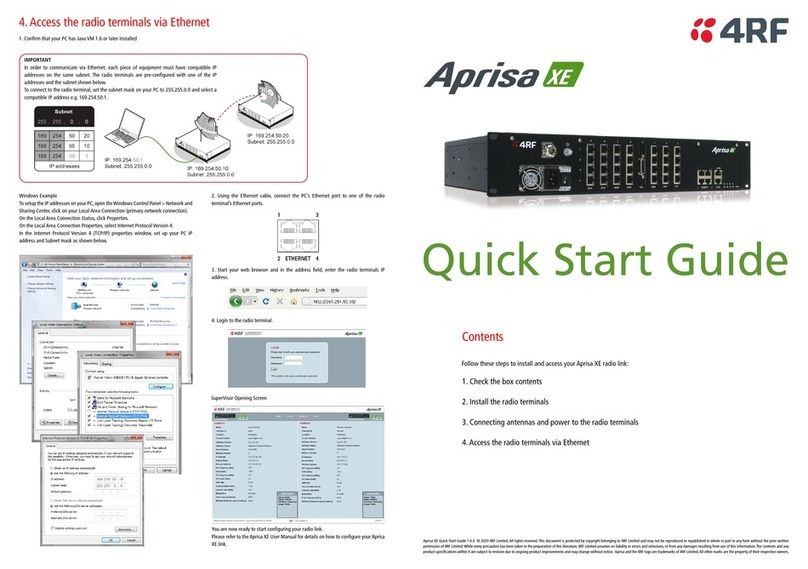
Connecting to the Terminal's Setup Port ....................................................45
Connecting to the Terminal's Ethernet Interface...........................................48
PC Requirements for SuperVisor .......................................................49
PC Settings for SuperVisor ..............................................................50
IP Addressing of Terminals.....................................................................53
Network IP Addressing..........................................................................54
Same Subnet as the Local PC ...........................................................54
Different Subnet as the Local PC ......................................................55
7. Managing the Terminal ................................................................ 57
The Setup Menu .................................................................................57
SuperVisor ........................................................................................59
SuperVisor Logging In ....................................................................60
SuperVisor Logging Out..................................................................61
SuperVisor Main Screen.........................................................................62
Changing the Terminal’s IP Address ..........................................................64
Setting Up Users.................................................................................65
User groups................................................................................65
Adding a User .............................................................................65
Disabling a User...........................................................................66
Deleting a User ...........................................................................66
Saving User Information .................................................................66
Changing Passwords......................................................................67
Viewing User Session Details............................................................67
8. Configuring the Terminal ............................................................. 69
Configuring the RF Settings ....................................................................69
Modem Performance Settings...........................................................72
Entering Basic Terminal Information .........................................................74
Configuring the IP Settings.....................................................................75
Setting the Terminal Clocking.................................................................76
Setting the Duplexer Parameters .............................................................79
Setting the RSSI Alarm Threshold .............................................................80
Configuring the External Alarms ..............................................................81
Configuring the External Alarm Inputs ................................................81
Configuring the External Alarm Outputs ..............................................83
Configuring SNMP Settings .....................................................................85
SNMP Access Controls....................................................................86
SNMP Trap Destinations .................................................................87
Viewing the SNMP Traps.................................................................88
Viewing the SNMP MIB Details ..........................................................88
Saving the Terminal's Configuration ..........................................................89