2. INITIAL OPERATION
1. Connect transducers to the sockets 0 to 8 (3), see 4.
2. For power supply connect the mains adapter to socket U-DC (2), see 3.
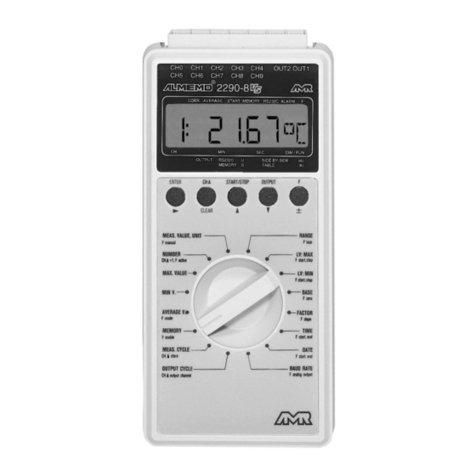
3. For switching on press the ON/OFF push button (1), see 3.5.
4. Output of measuring data to printer or computer
Connect peripheral device via interface cable to socket A1, see man. 5.2.
Set 9600 bd, 8 data bits, 1 stop bit, no parity at peripheral device.
Enter time and date, as required, see manual 6.2.8.
Start manual measuring point scan by using the key START, see 5.1.
Program print cycle, output chann. and output format,
see man. 6.2.2/6.5.2/6.5.5.
Start automatic measuring point scan with the key START and stop it with
the key STOP, see 5.2.
5. Storing of measured values
Clear memory by using the keys STOP and OUTPUT, see 5.3.
Activate storing in measuring cycle, see manual 6.5.3.
Manual storing without cycle by using the key START, see 5.1.
Enter measuring cycle for cyclic storing, see manual 6.5.3.
Enter time and date of start and end of measurement, if required,
see man. 6.6.2.
Start automatic storing with the key START, see 5.2.
For long-term recording (cycle > 1min.), start automatic storing in sleep
mode by using the keys STOP and START, see 5.4.
Stop sleep mode by switching the instrument off and on.
Stop the automatic storing by using the key STOP, see 5.2.
Output of memory data to printer or computer
Connect peripheral device via interface cable to socket A1, see manual 5.2.
Set 9600 bd, 8 data bits, 1 stop bit, no parity at peripheral device.
Set output format list, column or spreadsheet (table), see man. 6.5.5.
Perform read-out of memory by using the key OUTPUT, see 5.3.
6. Monitoring of limit values
Enter limit values, see manual 6.3.9.
Program measuring cycle, see manual 6.5.3.
Connect alarm device with alarm module to socket A2, see man. 5.1.2/5.1.3.
Start automatic measuring point scan by using the key START and stop it by
using the key STOP, see 5.2.
10 ALMEMO®8990-8
Initial Operation