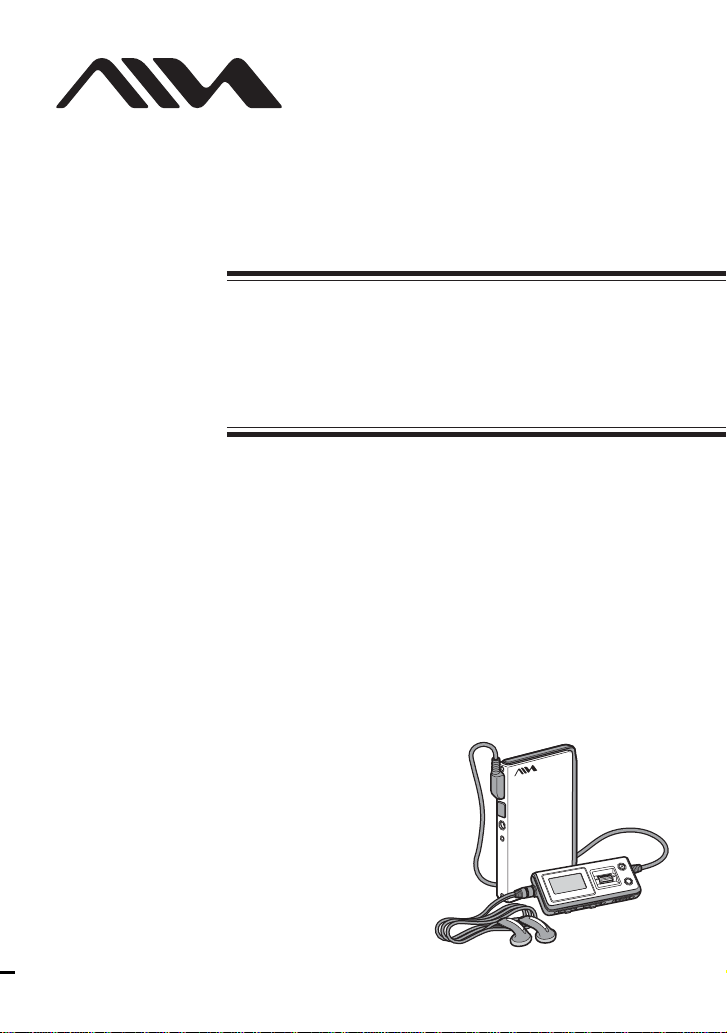
Aiwa HZ-WS2000 User manual
©2004 Sony Corporation
HZ-WS2000
4-254-749-11(1)
Operating Instructions
The player
Portable Hard
Disk Player
2
WARNING
To prevent fire or shock
hazard, do not expose the AC
power adaptor to rain or
moisture.
Do not install the AC power adaptor in a
confined space, such as a bookcase or
built-in cabinet.
To prevent fire, do not cover theAC power
adaptor with newspapers, table-cloths,
curtains, etc. And don’t place lighted candles
on the AC power adaptor.
To prevent fire or shock hazard, do not place
objects filled with liquids, such as vases, on
the AC power adaptor.
Certain countries may regulate disposal of
the battery used to power this product. Please
consult with your local authority.
The validity of the CE marking is restricted
to only those countries where it is legally
enforced, mainly in the countries EEA
(European Economic Area).
Before using this player, install
the application software on
your computer using the
supplied CD-ROM, and send
some music data to the player.

3
Overview
What you can do with your player ............. 4
Main features .............................................. 6
Getting started
Step 1: Check the package contents ........... 7
Step 2: Charge ............................................ 8
Locating controls ...................................... 10
Basic operations
Listening to music .................................... 13
1. Connect the remote control and the
headphones. .......................................... 13
2. Turn the power on................................. 13
3. Select a track. ....................................... 14
4. Start playback. ...................................... 15
Using the FAVORITE ............................... 18
Playing tracks in a Playlist ....................... 20
Protecting the hard disk drive during
exercise (Music Charger) ..................... 20
Locking the controls (HOLD) .................. 21
Storing data other than audio files............ 22
B
Sound options
Emphasizing the bass sound
(Bass Boost) ......................................... 23
Changing the sound quality (Equalizer) ... 23
B
Various playback
Playing tracks repeatedly (Repeat play) ... 24
Playing tracks in random order
(Shuffle play)........................................ 24
Playing the first portion of tracks in order
(Intro Scan play)................................... 25
Table of Contents
B
Adjusting the settings of the player
Changing the display pattern .................... 26
Changing the backlight setting ................. 27
Adjusting the display contrast .................. 27
Turning off the beep sound....................... 28
Starting playback from the last stopped
position (Resume) ............................... 28
Turning off the power automatically
(Auto Power Off).................................. 29
Turning off the power after a specified
time (Sleep) .......................................... 29
Changing the display language................. 30
Initializing all settings in the menu .......... 30
Checking the hard disk usage ................... 31
Checking the firmware version................. 31
B
Additional information
Setup menu items ..................................... 32
Precautions ............................................... 34
Cleaning.................................................... 35
Notes on the power source ....................... 35
When disposing of the player ................... 36
Troubleshooting ........................................ 37
Messages .................................................. 40
Specifications ........................................... 41
Index ......................................................... 42
4
Overview
What you can do with your player
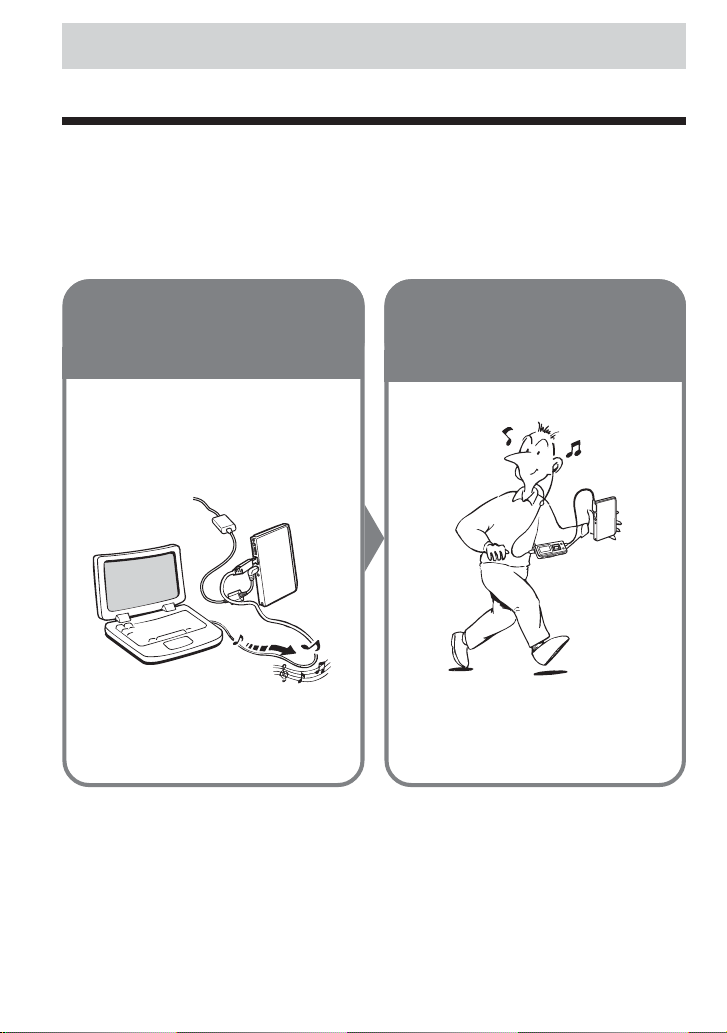
HZ-WS2000 is a portable hard disk player. You can play MP3 files sent to the player from your
personal computer using the supplied software and the dedicated USB cable.
Once you have stored your favorite songs in the player, take it with you and enjoy music
wherever you go!
1Send your
favorite songs
to the player.
Use the supplied software
“MusicTransfer Hard Disk
Player Edition”to send MP3
files from your computer to the
player.
2Enjoy music
anywhere with
your player!
Connect the AC power adaptor to the
player when connecting the player to
your computer.

5
Overview
To disconnect the player from the computer
If your operating system is Windows XP, proceed as follows:
1Double-click on the task bar.
2Click to select [USB Mass Storage Device], and then click [Stop].
3Click to select [USB Mass Storage Device], and then click [OK].
4Click [OK], and then disconnect the player from the computer.
For details, refer to the explanation on page 20 of the separate manual “Music Transfer Hard
Disk Player Edition.”
If your operating system is Windows 2000 or Windows Me, messages shown on the computer
display may differ from the above description. Follow the guidance of your operating system to
disconnect the player in a right way.
Notes
•First start your computer, and then connect the player to the computer. Before restarting your computer, you
should disconnect the player from the computer.
•The player may become hot in the following cases, but this is not a malfunction:
–while sending music files to the player which is connected to an wall outlet by theAC power adaptor
–while the player is being charged

6
Main features
•Compact, lightweight and highly portable
•Approximately 8 hours of continuous playback on a full battery charge
• Up to 375 audio files*1can be stored in the player’s internal 1.5 GB*2hard disk.You can also
use the player as an external hard disk drive for your computer to store a variety of data other
than audio files.
• MP3 files on your computer are sent to the player by simple and easy operations using the
supplied Music Transfer Hard Disk Player Edition software.
*1 For MP3 files encoded with 128 kbps, each having an average playing time of about four minutes. The
number of files varies according to the encoding bit rate and length (playing time) of MP3 files.
*2 The available capacity actually displayed will be less than 1.5 GB.
Notes
•Music you record is limited to private use only. Any other use requires the permission of the copyright
holders.
•Sony is not liable for failure in recording and damage to or erasure of recorded contents caused by
incomplete data transfer or data destruction due to problems with this product or your computer.

7
Getting started
Getting started
Step 1: Check the package contents
Check the accessories enclosed in the package.
•Portable hard disk player (1)
•Dedicated USB cable (1)
•Remote control (1)
•AC power adaptor (1)
•Stereo headphones (1)
• CD-ROM (“Music Transfer Hard Disk
Player Edition”)* (1)
*Do not play the CD-ROM on an audio CD player.
•Carrying pouch (1)
•ACpower cord (1)
•Quick start guide (1)
•Operating Instructions for the player (this
manual) (1)
•Operating instructions for the application
software “Music Transfer Hard Disk
Player Edition” (1)

8
Step 2: Charge
First connect the AC power adaptor to the DC IN 5.2V jack on the player, and then connect to an
wall outlet.
You can start using the player while charging, with the AC power adaptor connected to the player
and to an wall outlet.
As charging proceeds, the red LED indicator on the player lights up, and the battery level
indication in the display changes as follows:
It usually takes about 1.5 hours* to charge the completely drained battery to 80 percent capacity.
At this point, “ ” appears in the display and the LED indicator goes off.
After about 1.5 more hours*, the battery will be fully charged.
*When charging at room temperature. It takes more time for charging if the surrounding temperature is low.
When to charge the rechargeable battery
Check the remaining power of the battery occasionally when using the player without connecting
the AC power adaptor. The battery level indication in the display changes as follows:
Charge the battery when the battery level indication becomes “ .”
Battery duration
Approximately 8 hours (fully charged)
AC power
adaptor
to DC IN 5.2V
jack
to an wall outlet
LED indicator

9
Getting started
Notes on the rechargeable battery
•Before you dispose of the player, remove the built-in rechargeable battery for environmental
protection. For details, see page 36.
•Charge the built-in rechargeable battery at a temperature between 5°C (41°F) and 35°C (95°F).
The charging time will vary according to the surrounding temperature. (If the surrounding
temperature is low, the required charging time will be longer. This is a characteristic of the
built-in lithium-ion battery.)
•Because of the battery characteristics, the capacity of the built-in rechargeable battery may be
smaller than normal when it is used for the first time or after a long period of disuse. In this
case, charge and discharge the battery several times. The normal battery life will be restored.
•If the capacity of the built-in rechargeable battery drops to half the normal amount, consult
your nearest Aiwa dealer.
10
Locating controls
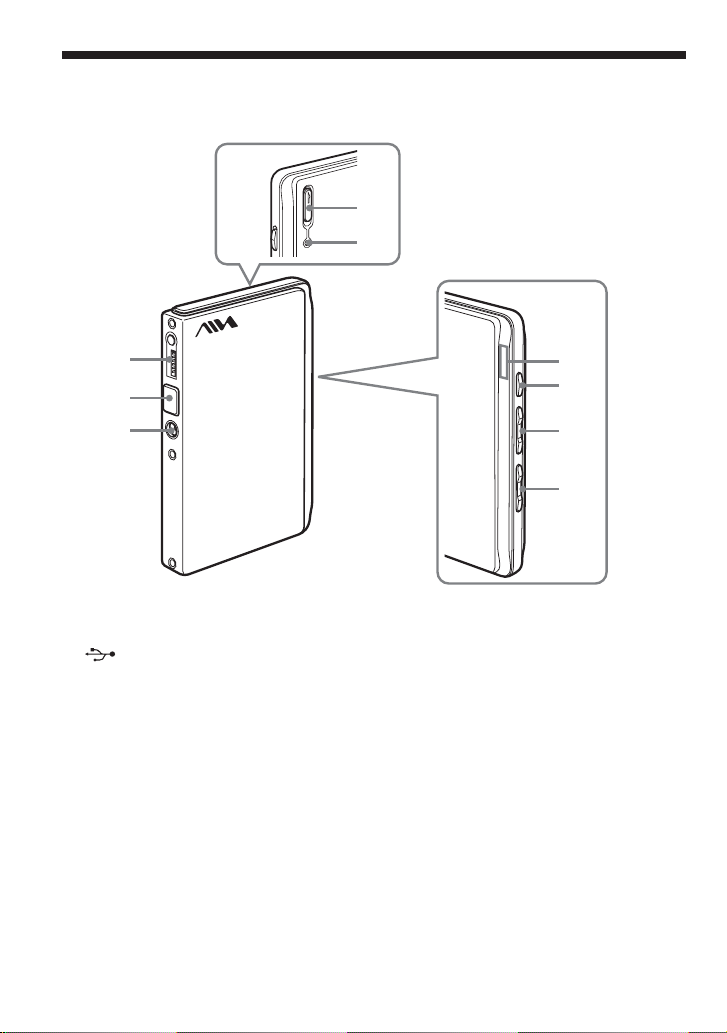
1i(headphones)/REMOTE jack
2(USB) jack
3DC IN 5.2V jack
4HOLD switch
5Reset button
6LED indicators
Light up to show the status of the player.
Blue: power-on/play/pause
Green: connected to the computer
Red: charging
1
2
3
4
5
7
6
8
9
Player
7NX (power-on/off, play/pause) button
8., >buttons
9VOL –, + buttons
Table of contents
Other Aiwa MP3 Player manuals