optional PF 80 pop screen from AKG
between the microphone and vocal-
ist/instrument.
•Keep the microphone dry. Moisture
from blowing or singing directly at the
capsule from a short distance, or
extremely high humidity may cause
the microphone to start crackling or
go very quiet due to partial short cir-
cuits in the polarization voltage.
• If you use the microphone in the
open, use an optional AKG W 4000
windscreen to protect the micro-
phone from moisture and reduce
wind noise.
•High volume instruments: You can
use this microphone for close-in
recording of very loud instruments
(brass instruments, kick drum, etc.).
Just switch the preattenuation pad in
to increase the microphone’s capabili-
ty of handling sound pressure levels to
145 dB.
•Low-frequency noise: To suppress
low-frequency noise such as air con-
ditioning rumble, footfall noise, or
traffic sounds, switch the bass cut fil-
ter in.
4.2
Selecting Polar Patterns
Each of the PERCEPTION 400’s selec-
table polar patterns is virtually frequency
independent so that reflected sound, too
will be reproduced accurately and uncol-
ored.
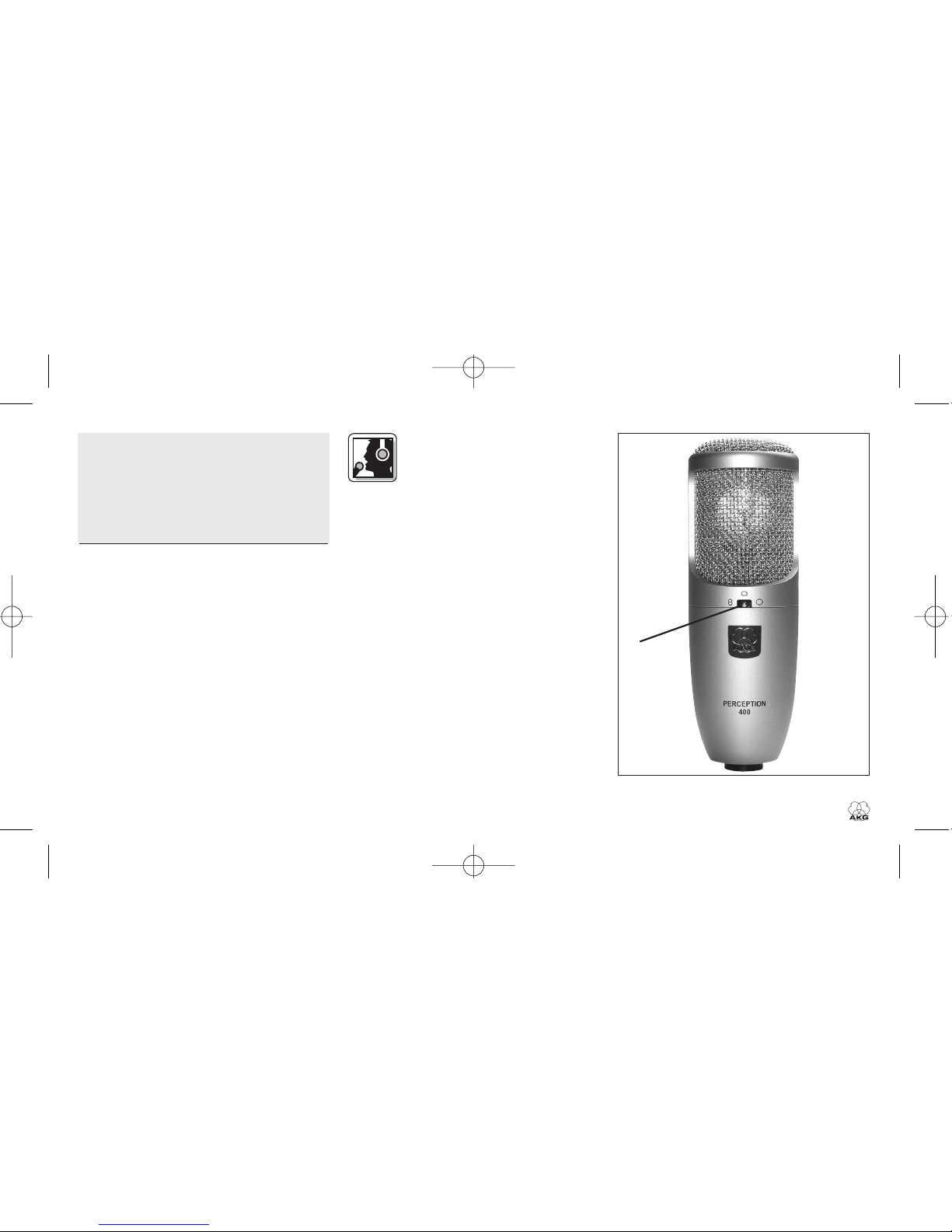
•Cardioid (center setting): This is a
standard setting for recording and
gives excellent results on all kinds of
voices and a wide range of instru-
ments. Remember to aim the micro-
phone front (see fig. 5 on page 6) at
the sound source.
•Figure eight (left-hand setting): The
microphone will pick up sounds arriv-
ing from the front and rear with equal
sensitivity. Use this mode to mic up
the side signal in M/S stereo record-
ing or to record two sound sources
(talkers, instruments) facing each
other. It is also a good choice for
cymbal overhead miking.
• Omnidirectional (right-hand setting):
This is the preferred setting for "all
around the mic" recording, high qual-
ity ambience (audience sound) mik-
ing, or far-field recording in excep-
tionally good-sounding large or small
recording rooms, etc.
5 Cleaning
To clean the surface of the
microphone body, use a soft
cloth moistened with water.
7
PERCEPTION
400