manuals.online logo
Brands
  1. Home
  2. •
  3. Brands
  4. •
  5. Alinco
  6. •
  7. Receiver
  8. •
  9. Alinco DJ-X2 E User manual

Alinco DJ-X2 E User manual

Other manuals for DJ-X2 E

1

Other Alinco Receiver manuals

Alinco DJ-180 User manual

Alinco

Alinco DJ-180 User manual

Alinco DJ-X11 User manual

Alinco

Alinco DJ-X11 User manual

Alinco DJ-X2000 User manual

Alinco

Alinco DJ-X2000 User manual

Alinco DX-R8T User manual

Alinco

Alinco DX-R8T User manual

Alinco DJ-X10 User manual

Alinco

Alinco DJ-X10 User manual

Alinco DJ-X2000 User manual

Alinco

Alinco DJ-X2000 User manual

Alinco DJ-X2000T User manual

Alinco

Alinco DJ-X2000T User manual

Alinco DJ-X3 T User manual

Alinco

Alinco DJ-X3 T User manual

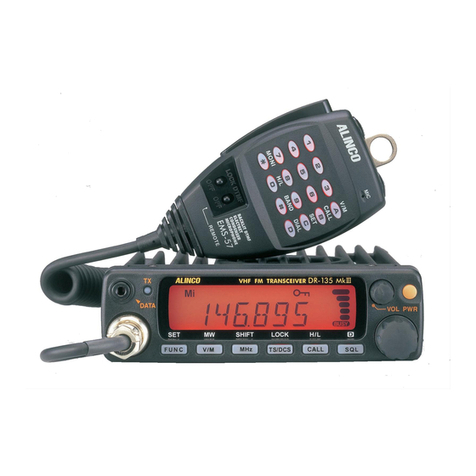
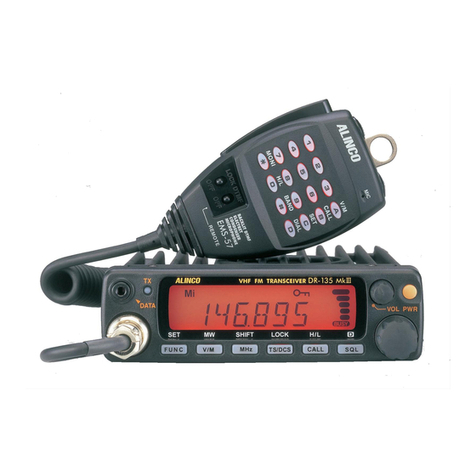
Alinco DR-135 User manual

Alinco

Alinco DR-135 User manual

Alinco DR-150T User manual

Alinco

Alinco DR-150T User manual

Alinco DJ-X7E User manual

Alinco

Alinco DJ-X7E User manual

Alinco DJ-X7E Installation guide

Alinco

Alinco DJ-X7E Installation guide

Alinco DJ-X10 User manual

Alinco

Alinco DJ-X10 User manual

Alinco DJ-191 User manual

Alinco

Alinco DJ-191 User manual

Alinco DR-M03R User manual

Alinco

Alinco DR-M03R User manual

Alinco DJ-191 User manual

Alinco

Alinco DJ-191 User manual

Alinco DJ-X3 User manual

Alinco

Alinco DJ-X3 User manual

Alinco DJ-X1 User manual

Alinco

Alinco DJ-X1 User manual

Alinco DJ-X3 User manual

Alinco

Alinco DJ-X3 User manual

Alinco DR-140T User manual

Alinco

Alinco DR-140T User manual

Alinco DJ-X3 User manual

Alinco

Alinco DJ-X3 User manual

Alinco DR-135 User manual

Alinco

Alinco DR-135 User manual

Alinco DJ-X2 E User manual

Alinco

Alinco DJ-X2 E User manual

Alinco DR-135 Mk III User manual

Alinco

Alinco DR-135 Mk III User manual

Popular Receiver manuals by other brands

Televes ZAS HD SAT user manual

Televes

Televes ZAS HD SAT user manual

Realistic DX-75 Operating and service instructions

Realistic

Realistic DX-75 Operating and service instructions

Saris 4620 Assembly instructions

Saris

Saris 4620 Assembly instructions

Mini DTR 206C PVR user manual

Mini

Mini DTR 206C PVR user manual

RF Elements TwistPort manual

RF Elements

RF Elements TwistPort manual

Denon DN-200WS user guide

Denon

Denon DN-200WS user guide

Yamaha RX-V467 owner's manual

Yamaha

Yamaha RX-V467 owner's manual

Russound SaphIR 858 instruction manual

Russound

Russound SaphIR 858 instruction manual

Quasonix RDMS Firmware update procedure

Quasonix

Quasonix RDMS Firmware update procedure

Pioneer XV-HTD1 Service manual

Pioneer

Pioneer XV-HTD1 Service manual

ATZ HDMI-V2-44HE150 manual

ATZ

ATZ HDMI-V2-44HE150 manual

Sony XNV-770BT MyTomTom Specifications

Sony

Sony XNV-770BT MyTomTom Specifications

Grundig STR 7122 TWIN Service manual

Grundig

Grundig STR 7122 TWIN Service manual

Creative Blaster Modem user guide

Creative

Creative Blaster Modem user guide

Panduit ATLONA AT-OME-RX11 installation guide

Panduit

Panduit ATLONA AT-OME-RX11 installation guide

VOLTCRAFT UTPS-40 operating instructions

VOLTCRAFT

VOLTCRAFT UTPS-40 operating instructions

JVC KW-ADV794 instructions

JVC

JVC KW-ADV794 instructions

Litelink VT-1001 operating instructions

Litelink

Litelink VT-1001 operating instructions

manuals.online logo
manuals.online logoBrands
  • About & Mission
  • Contact us
  • Privacy Policy
  • Terms and Conditions

Copyright 2025 Manuals.Online. All Rights Reserved.

WIDE BAND COMMUNICATION RECEIVER
Instruction Manual
V/P/MV/P/M
RX FREQUENCYRX FREQUENCY
0.5 1000MHz0.5 1000MHz
700 MEMORY700 MEMORY
CHANNELSCHANNELS
MWMW
NONINONI
SCRTSCRT
Lithium-ion BATTERY INSIDELithium-ion BATTERY INSIDE
10MHz10MHz
BANKBANK
FUNCFUNC
ENTERENTER
PSPS
STEP/SKIP
1MHz1MHz
WIDE BAND COMMUNICATION RECEIVER DJ-X2WIDE BAND COMMUNICATION RECEIVER DJ-X2
ANTANT
SCANSCAN
X2
MODEMODE
VOL/SQLVOL/SQL
SETSET
BATTERY
BATTERY・・
・・EXTERNAL
EXTERNAL DOWN
DOWN UP
UP
V/P/M
RX FREQUENCY
0.5〜1000MHz
700 MEMORY
CHANNELS
MW
MONI
SCRT
Lithium-ion BATTERY INSIDE
10MHz
BANK
FUNC
ENTER
PS
STEP/SKIP
1MHz
WIDE BAND COMMUNICATION RECEIVER DJ-X2
ANT
SCAN
X2
MODE
VOL/SQL
SET
BATTERY・・EXTERNAL DOWN UP
Thank you for purchasing this ALINCO receiver.
This instruction manual contains important safety and operating
instructions. Please read it carefully before using the receiver.
PS0340
ALINCO,INC.
Head Office:
U.S.A.:
Germany:
‘‘TWIN 21’’ MID Tower Building 25F
1-61, 2-Chome, Shiromi, Chuo-ku, Osaka 540-8580, Japan
Phone: 06-6946-8150 Fax: 06-6946-8175
E-mail: [email protected]
438 Amapola Avenue, Unit 130, Torrance, CA 90501-6201,
U.S.A.
Phone: 310-618-8616 Fax: 310-618-8758
http://www.alinco.com/
Eschborner Landstrasse 55,60489 Frankfurt am Main,
Germany
Phone: 069-786018 Fax: 069-789-60766
http://www.alinco.de/
DJ-X2T/E
DJ-X2T/E
2
Contents
Features ··········································································································4
NOTICE···········································································································5
Precautions ·····································································································6
Request and Agreement·················································································6
DANGER ·········································································································6
Accessories ····································································································7
Connecting the Antenna ···········································································7
Recharging the internal lithium-ion battery ···············································7
Loading the Batteries················································································9
Chapter 1 Names and Functions of Parts
External View ································································································10
Front ········································································································10
Top ··········································································································10
Side ·········································································································11
Keyboard ······································································································12
Display ··········································································································13
Chapter 2 Basic Operation
Easy Mode and Expert Mode ·······································································14
Power Switch ································································································14
Adjusting the Audio Volume ·········································································15
Squelch·········································································································15
Adjusting the Squelch Level ···································································15
Monitor Function ·····················································································16
Operating Mode····························································································17
Switching Between Modes······································································17
Setting the Frequency···················································································18
In VFO mode ···························································································18
In Preset mode························································································18
Scan Function ·······························································································19
VFO scan ································································································19
Preset scan ·····························································································19
Program scan··························································································20
Memory scan ··························································································21
3
Bugging Detector ·························································································23
Keylock ·········································································································24
Resetting·······································································································25
Cloning··········································································································26
Battery Indication··························································································28
Chapter 3 Operating in Expert Mode
Switching to Expert Mode·············································································29
Memory Function ··························································································30
Types of Memory ····················································································30
Programming a channel··········································································30
Selecting a channel ················································································32
Clearing a channel··················································································32
Setting the Antenna ······················································································33
When receiving any frequency except AM radio····································33
When receiving AM radio········································································34
Selecting the Modulation Mode ····································································34
Setting the Tuning Step ················································································35
Memory Skip ·································································································36
Descrambling ·······························································································37
Operational Settings ·····················································································38
Setting each item ····················································································38
ATT (Attenuator) function ········································································39
Bank link setting······················································································39
Beep function··························································································40
Lamp function ·························································································40
Timer scan/Busy scan setting·································································41
BS (Battery save) function ······································································41
APO (Auto power off) function ································································42
Bugging detector sensitivity setting························································42
OV (Overwrite) setting·············································································43
PRIO (Priority) watch···············································································43
Chapter 4 Appendices
Troubleshooting ····························································································44
Specifications ·······························································································45
Operation Chart ····························································································46

4
Features
The DJ-X2 is the wide band communication receiver which has various func-
tions in a small package.
Easy operation with a simple key arrangement allows you to access a wide
range of communications.
The DJ-X2 has the following features.
Small and Light
The DJ-X2 has an internal lithium-ion battery
in its body. You can operate the DJ-X2 with-
out external batteries.
It's also possible to operate with AA batteries
using the battery case.
For more information, see
"Accessories" (P.7)
Types of Memory
The DJ-X2 has different types of memory func-
tions. It allows you to select a variety of scan
operations.
For more information, see
"Memory Function"
(P.30)
Bugging Detector
The DJ-X2 can detect a frequency which may
be used for bugging. When a listening micro-
phone is found, the DJ-X2 alerts you with a
display and a warning sound.
For more information, see
"Bugging Detector"
(P.23)
Descrambling
The DJ-X2 can return scrambled voice trans-
missions to normal voice reception.
For more information, see
"Descrambling "
(P.37)
Two Operating Profiles
The DJ-X2 has two operating profiles; Easy
and Expert.
In the Easy mode, key operations are limited,
and you can operate the basic DJ-X2 func-
tions. On the other hand, you can operate
many useful functions in the Expert mode.
For more information, see
"Easy Mode and Expert
Mode" (P.14)
5
Tested to Comply
With FCC Standards
FOR HOME OR OFFICE USE
Information in this document are subject to change without notice or obligation.All
brand names and trademarks are the property of their respective owners. Alinco
cannot be liable for pictorial or typographical inaccuracies. Some parts, options
and/or accessories are unavailable in certain areas. Changes or modifications not
expressly approved by the party responsible for compliance could void the user's
authority to operate the equipment.
Copyright 2000 All rights reserved. No part of this document may be reproduced,
copied, translated or transcribed in any form or by any means without the prior
written permission of Alinco, Inc., Osaka, Japan. English Edition Printed in Japan.
NOTICE
This equipment has been tested and found to comply with the limits for a
Class B digital device, pursuant to part 15 of the FCC Rules. These limits are
designed to provide reasonable protection against harmful interference in a
residential installation. This equipment generates, uses, and can radiate radio
frequency energy and, if not installed and used in accordance with the
instruction manual, may cause harmful interference to radio communications.
However, there is no guarantee that interference will not occur in a particular
installation. If this equipment does cause harmful interference to radio or tele-
vision reception, which can be determined by turning the equipment off and
on, the user is encouraged to try to correct the interference by one or more of
the following measures:
- Reorient or relocate the receiving antenna.
- Increase the separation between the equipment and receiver.
- Connect the equipment into an outlet on a circuit different from that to which
the receiver is connected.
- Consult the dealer or an experienced radio/TV technician for help.
6

Precautions
No warranty is made on the effectiveness of the "Bugging Detector" function.
The function should be considered experimental and for educational or enter-
tainment use.
Use of the descrambling function may not be permitted in certain jurisdictions.
Check with the regulations that apply in your area before using.
Request and Agreement
· This product is manufactured and shipped under strict quality control.
However, in some rare instances, if questionable or doubtful points are found,
please notify the store where you purchased the product or our branch office.
· Since this product is a wide band communication receiver, its internal oscilla-
tion sometimes block a signal, or defect an internal signal (sometimes referred
to as a "birdie.") These symptoms are not a malfunction.
· The contents of this instruction manual may change without notice.
DANGER
Improper product handling may cause cracking, fire, smoke, performance loss
or other troubles. Observe the following precautions in usage.
1. Do not disassemble or modify this product.
2. Do not insert any metal objects into the charger terminal.
3. Avoid using or storing the product in excessively hot environments, i.e.
inside hot cars or outdoors in scorching heat. Also, avoid highly humid and
dusty places.
4. Do not drop the product or subject it to strong shocks.
5. Use the exclusive recharger EDH-27 to charge the DJ-X2.
7
Accessories
Open the box and check that the following accessories are included.
· Antenna
· Battery case with recharger (EDH-27)
· AC adapter (EDC-76 (120 V), EDC-77 (230 V))
· Earphone
· Simple operation sticker
· Connector cap
■Connecting the Antenna
Connect the antenna to the SMA
antenna connector.
Hold the antenna by its base, and
turn it clockwise until it stops.
To disconnect the antenna, turn it
counter-clockwise.
■Recharging the internal lithium-ion battery
Use the Battery case with recharger and the AC adapter.
1
Attach the EDH-27 to the DJ-X2.
Hook the upper catches of EDH-27 in
the slots at the top of the DJ-X2, and
then attach the bottom as shown in
the illustration on the left.
8
2
Connect the AC adapter's plug to the external power supply jack on the
EDH-27.
3
Connect to the AC outlet.
Recharging lamp on the EDH-27 lights, and recharging starts.
Tip
· It takes about 2 hours to fully charge the battery. (The required time depends
on the condition of the lithium-ion battery.)
· Irrespective of the position of the battery selection switch, the lithium-ion battery
will be charged.
· Normally, the lithium-ion battery can be charged up to 500 times.
Caution!
· Turn the DJ-X2's power OFF before recharging the lithium-ion battery.
· Disconnect the AC adapter from the outlet while not using it.
· Never charge the battery of other manufacturers products with this AC
adapter.
· Never short-circuit the recharging terminals with metal objects. The
recharger can be damaged.
· The recharger does not work when voltage from the outlet is extremely
low.
· Charging should be conducted in a temperature range of 0° to 40°C. (32° to
104°F)
9
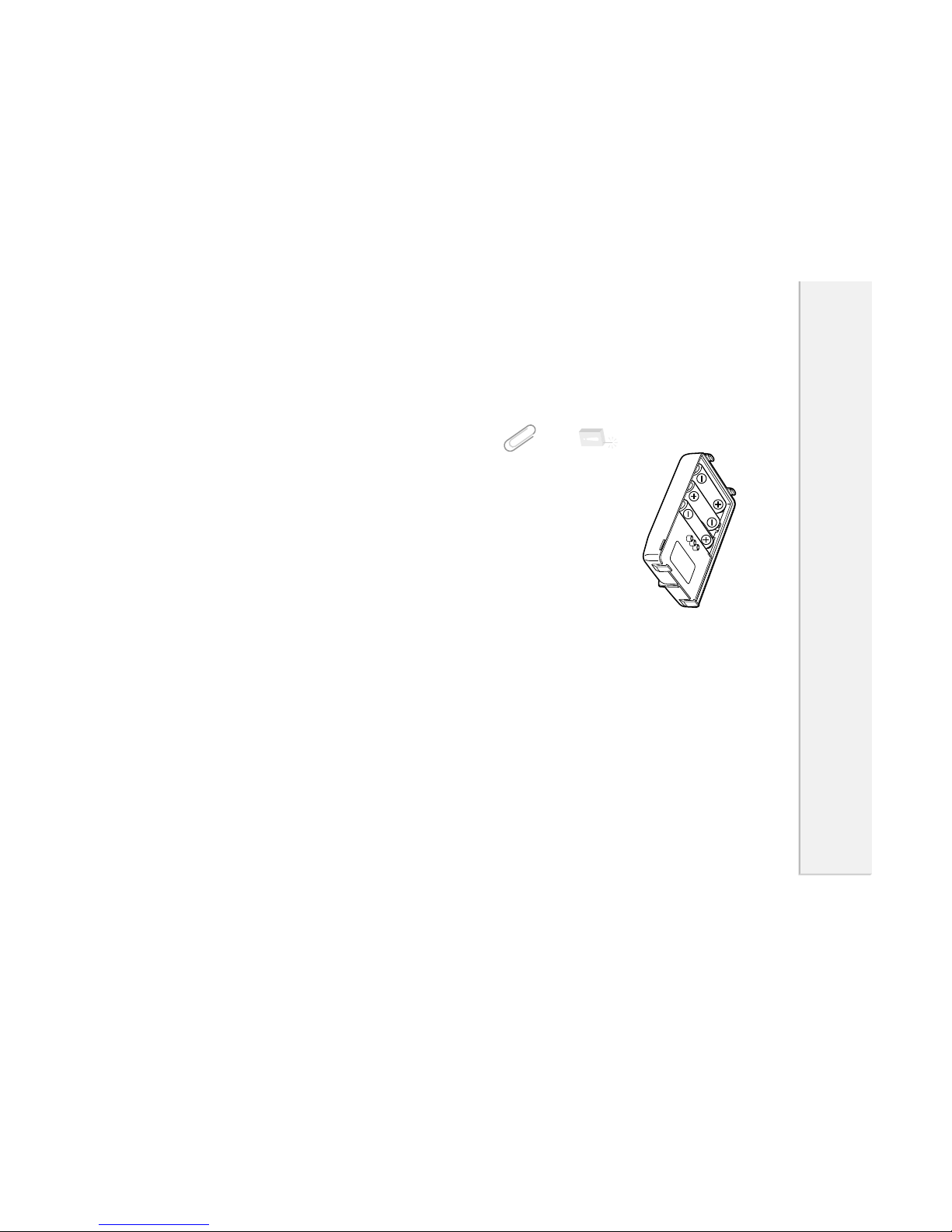
■Loading the Batteries
AA batteries may be used instead of
the internal lithium-ion battery.
Load three AA batteries into the bat-
tery case with recharger (EDH-27) as
shown on the left.
Caution!
· Do not reverse the polarity of the batteries.
· Use new batteries of the same type and brand.
Tip
The following functions extend the battery life.
Auto power off (P.42), Battery save (P.41)
1
Chapter Names and Functions of Parts
1
Names and Functions of Parts
10
External View
The illustrations below are the DJ-X2 with the battery case and recharger
(EDH-27) attached.
■Front
■Top
Earphone jack
For connection of the included earphone.
Power switch
For switching power ON and OFF. (P.14)
Antenna connector
For connecting the included antenna.
(P.7)
V/P/M

RXFREQUENCY
0.51000MHz
700MEMORY
CHANNELS
MW

MONI
SCRT
Lithium-ionBATTERYINSIDE
10MHz
BANK
FUNC
ENTER
PS
STEP/SKIP
1MHz

WIDEBANDCOMMUNICATIONRECEIVERDJ-X2
ANT
SCAN
X2
MODE
VOL/SQL
SET
BATTERY・・EXTERNAL DOWN UP
Display
Displays the frequency and other infor-
mation. (P.13)
Keyboard
For changing the mode and various set-
tings. (P.12)
Speaker
Thin built-in speaker