© Copyright, Alliance Laundry Systems LLC – DO NOT COPY or TRANSMIT 801184
8
Washer Operation
Start Up
When power is applied to the washer, the control will
display its software version as “SXXX” (“XXX” is the
version number) for two seconds. If the control was
not powered down during a running cycle, it will enter
the Ready Mode.
Ready Mode
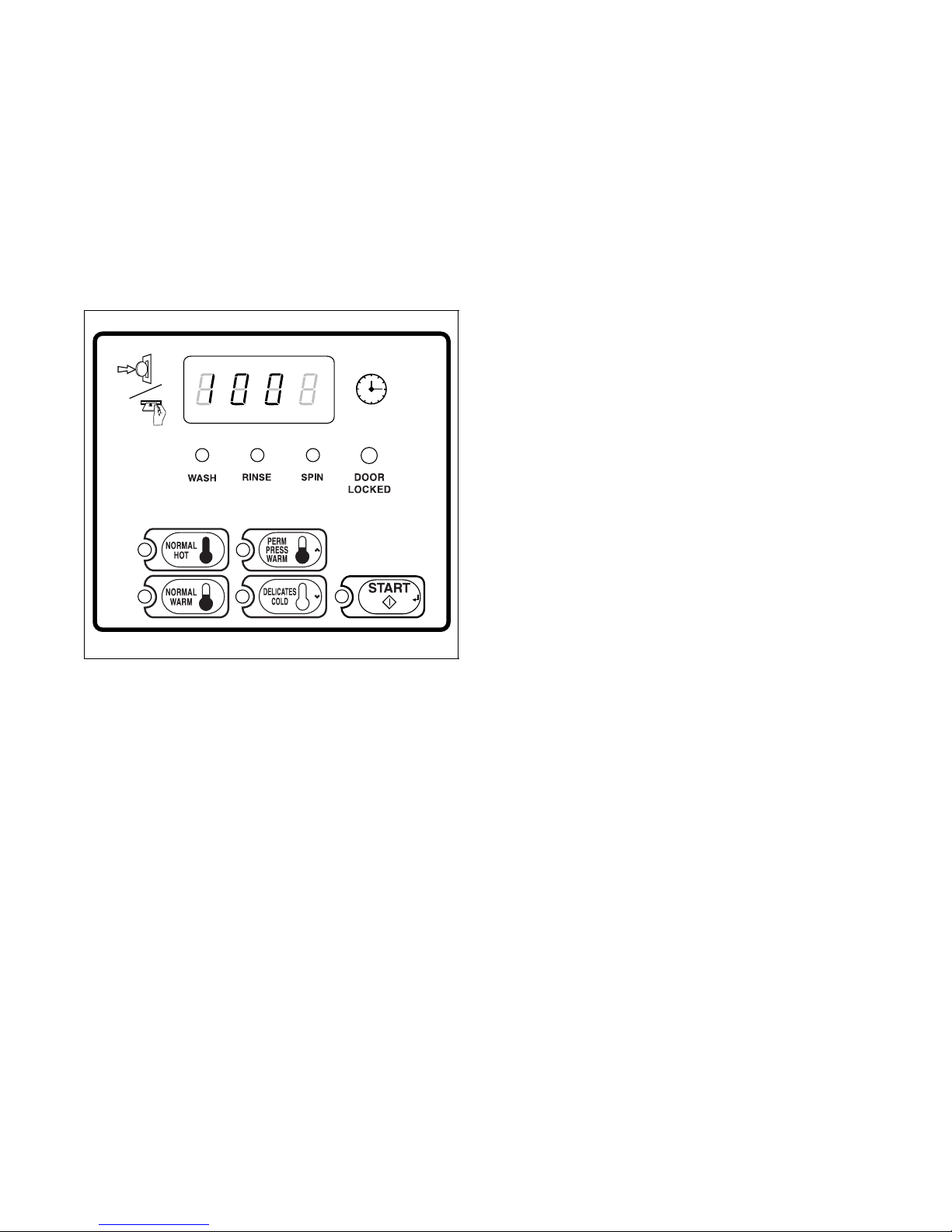
Figure 2
In Ready Mode, the PERM PRESS/WARM (default
cycle) LED is lit, and the full vend price is displayed
as left justified. The user may select a different cycle,
if desired. (In card reader machines, if the current
cycle has a vend price which differs from the default
cycle, the display will be updated to show the new
price.) If another cycle is selected, the control will
flash the amount needed to satisfy the vend price
shown on the display. If the vend price is not satisfied
within one minute, the washer control will stop
flashing the vend price and return to the default cycle.
The display will continue to show the remaining vend
price needed to start a cycle and will credit any vend
entered by the user.
Vends may be satisfied by a coin drop, start pulses, or
by a third party card reader. If a coin drop is used, the
remaining vend price will decrease with each coin
entry. If start pulses are used, the remaining vend price
will decrease with each received pulse. Once the vend
price is satisfied, the START LED will begin to flash.
If a third party card reader is used, the START LED
will begin to flash when a valid cash card is entered
into the reader.
When the START keypad is pressed, the door will lock
and the washer will start. The START LED will stop
flashing and the WASH LED will be lit. The display
will change to show the remaining cycle time on the
right side of the display. The appropriate LEDs will
light while the machine passes through different cycle
steps. Any coin entered after the first fill cycle will be
added to the total coin counter, but the user will not be
able to change cycles.
When a cycle is complete, the Four-Digit Display will
show “00” until the washer door is opened, a keypad is
pressed, a coin or card is entered, or a start pulse is
received. When one of these instances occurs, the
Four-Digit Display will revert back to the Ready
Mode.
Closing the Washer Door
If the door is not closed when the vend price is
satisfied, the Four-Digit Display will show “door”
until the door is closed. Once the door is closed, the
START keypad must be pressed again to lock door and
start cycle. If the door does not lock within 15 seconds
of being closed, “E dl” will be displayed indicating a
door lock error and the machine will shut off.
Signals
There are four instances when a signal may sound
during washer operation. The owner may program the
signal to be turned on or off (refer to Programming
MDC, option 6). These four instances are listed below:
1. Keypad Depression Signal
The signal will sound for.25 seconds each time a
keypad is pressed.
2. Coin Input/Start Pulse Input/Card Insertion
Signal
The signal will sound for.25 seconds each time a
coin or start pulse is received or a card is entered.
3. Machine Error Signal
The signal will sound for 15 seconds if an error
occurs.
4. Vend Satisfaction Signal
The signal will sound one second on and one
second off for 10 seconds when the vend price is
satisfied.
FLW2R