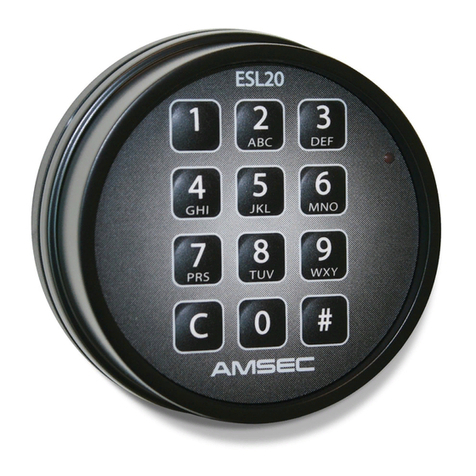
American Security Products Co. ESL15 Operating Instructions Released Aug. 9, 2018
Revision A Page 3 of 10
Advanced Access Control Features
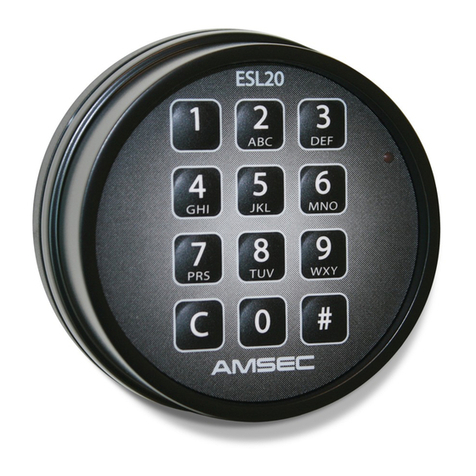
The ESL15 is a Digital Safe Lock with many advanced features that address commercial and retail safe access control. These
features include the following. Note that reference to Function Codes are abbreviated to F(2-digit code). See the Function
Code Table for reference.
Time Delay – Time delay forces the User to wait a pre-determined time period before the safe can be opened. This
feature is a robbery deterrent, whereby the User can cooperate with a robber in opening the safe, but forces the robber
to wait before access is granted. The idea is that a robber is too impatient to wait very long and gives up. Time delay
periods are typically set for 10 or 15 minutes.
o This feature must be Enabled (F01).
o The ESL15 can be set for a Delay Period from 1 to 99 minutes. (F02)
o If a User keys in a valid combination, the Time Delay is started.
o A flash of the LED lamp approximately 2 times per second indicates the Delay Period.
o At the end of the Delay Period, a long warbling tone is sounded to indicate the completion of the delay.
o The Open Period begins timing after the completion of the Delay Period, and is indicated by a repeating 4 beeps
and LED flashes every five seconds.
o During the Open Period, the User must key a valid combination to cause the lock to open.
o The Open Period can be set for 1 to 9 minutes long. (F03)
o Time Delay can be canceled during the delay period by pressing “C – (any number key) - #”.
Armored Car Time Delay Bypass - This feature allows the Time Delay to be used under normal access situations,
but provides a means to bypass time delay when cash handling methods require that an Armored Car courier can take
deposits without waiting for the delayed access.
o This feature must be Enabled (F40).
o It still requires that a valid resident User be present to open the safe.
o The Armored Car Code (User 9) can be keyed in first, followed by a valid User code or, the Armored Car Code
can be used during the Delay Period to stop the delay, then the local User can open the lock with a valid code.
o The Armored Car Bypass can be restricted to use by only the Manager User. (F41)
Multiple Users - Many cash handling protocols require that several people have access to the safe. The ESL15 provides
several tools to manage a Multi-User environment. These controls are uniquely tailored to support retail loss prevention.
o This feature must be Enabled (F10).
o The Master User, or Manager, is the only User with Administration capabilities.
o In Multi-User mode, there is no need for all Users to share the same combination, as is the case with a
mechanical combination lock.
o This feature allows the supervisor the ability to control the subordinate Users individually and makes employee
turnover easier to manage because individual Users can be added and deleted at will without affecting others.
o The ESL15 allows up to eight (8) subordinate Users to be enrolled.
o A “Poor Man’s Time Lock” effect can be implemented daily where the Master User can disable the Multi-User
Mode (F13) at the end of the day and then re-enable the mode at the beginning of the next business day. This
causes the lock to reject all the Subordinate User Codes during off-business hours. The individual subordinate
User codes are not lost, just disabled.