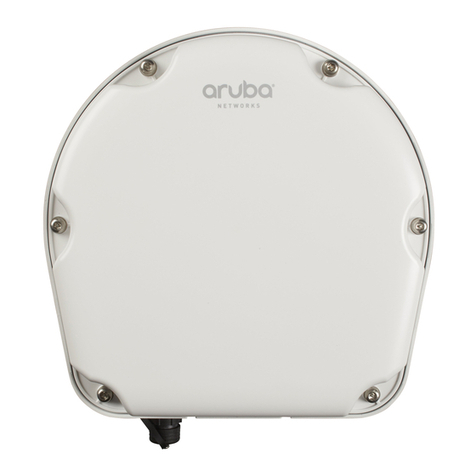
Aruba 370P Series Outdoor Access Points | Installation Guide 5
The applicable SFP cable gland is Aruba CKIT-OD-SFP SFP cable gland (part number: Q8N54A). The SFP module
and cable gland are sold separately. Contact your Aruba sales representative for details.
Figure 7 Gigabit Ethernet Port Pin-Out
Grounding Point
Always remember to protect the access point by installing grounding lines. The ground connection must be
complete before connecting power to the access point enclosure.
USB Console Port
The USB Micro-B console port allows you to connect the access point to a laptop or serial console for direct
management. Use a USB console cable to connect the access point. You can download the necessary driver for
USB-UART adapter from support.arubanetworks.com under the Tools & Resources tab.
Use the following setting to access the terminal:
Reset Button
The reset button can be used to return the access point to factory default settings. To reset the access point:
1. Power off the AP.
2. Press and hold the reset button using a small, narrow object, such as a paperclip.
3. Power-on the AP without releasing the reset button. The system LED will flash within 5 seconds.
4. Release the reset button.
The system LED will flash again within 15 seconds indicating that the reset is completed. The AP will now
continue to boot with the factory default settings.
External Antenna Connectors
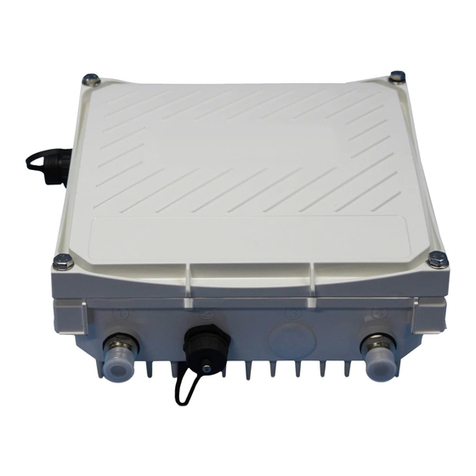
The AP-374P access point is equipped with six external antenna connectors. The connectors are labeled 2G0,
2G1, 5G0, 5G1, 5G2, and 5G3.
1000Base-T Gigabit
Ethernet Port
RJ-45 Female
Pin-Out
Signal Name
1
2
3
4
5
6
7
8
BI_DC+
BI_DC-
BI_DD+
BI_DD-
BI_DA+
BI_DA-
BI_DB+
BI_DB-
Function
Bi-directional pair +C, POE Positive
Bi-directional pair -C, POE Positive
Bi-directional pair +D, POE Negative
Bi-directional pair -D, POE Negative
Bi-directional pair +A, POE Negative
Bi-directional pair -A, POE Negative
Bi-directional pair +B, POE Positive
Bi-directional pair -B, POE Positive
You need a proper Allen wrench (8mm) to open the cover of the USB Console port.
Table 3 Console Settings
Baud Rate Data Bits Parity Stop Bits Flow Control
9600 8 None 1 None
External antennas for this device must be installed by an Aruba Certified Mobility Professional (ACMP) or other
Aruba-certified technician, using manufacturer-approved antennas only.
The Equivalent Isotropically Radiated Power (EIRP) levels for all external antenna devices must not exceed the
regulatory limit set by the host country/domain.
Installers are required to record the antenna gain for this device in the system management software.
Les antennes externes pour cet appareil doivent être installées par un professionnel de la mobilité certifié Aruba
(ACMP) ou un autre technicien certifié Aruba, en utilisant uniquement des antennes approuvées par le fabricant.
Les niveaux équivalents de puissance à rayonnement isotrope (EIRP) pour tous les périphériques d'antenne
externe ne doivent pas dépasser la limite réglementaire définie par le pays hôte / domaine.
Les installateurs doivent enregistrer le gain d'antenne pour cet appareil dans le logiciel de gestion du système.