6Aruba 277 Series Access Points | Installation Guide
Verifying Pre-Installation Connectivity
Before you install APs in a network environment, make sure that the APs will be able to locate and
connect to the controller when they are powered on.
Specifically, you must verify the following conditions:
When connected to the network, each AP is assigned a valid IP address.
APs can locate the controller.
Refer to the ArubaOS Quick Start Guide for instructions on locating and connecting to the controller.
Outdoor Planning and Deployment Considerations
Prior to deploying an outdoor wireless network, the environment must be evaluated to plan for a
successful Aruba WLAN deployment. Successfully evaluating the environment enables the proper
selection of Aruba routers and antennas and assists in the determination of their placement for
optimal RF coverage. This process is considered WLAN or RF planning and Aruba’s system engineers
can assist in the outdoor planning process.
For WLAN systems being installed outdoors in the USA, the following requirement must be met.
1. Systems must be professionally installed by a qualified engineer familiar with WLAN, including
Aruba trained partners and resellers.
Identifying Specific Installation Locations
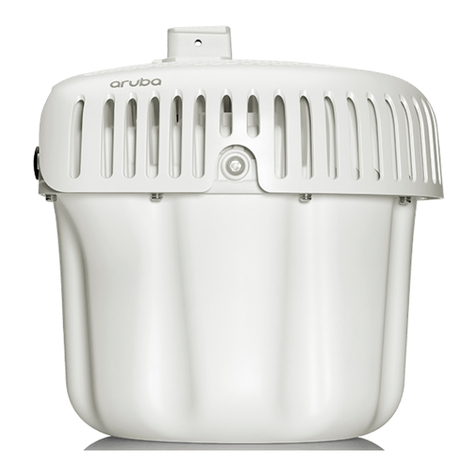
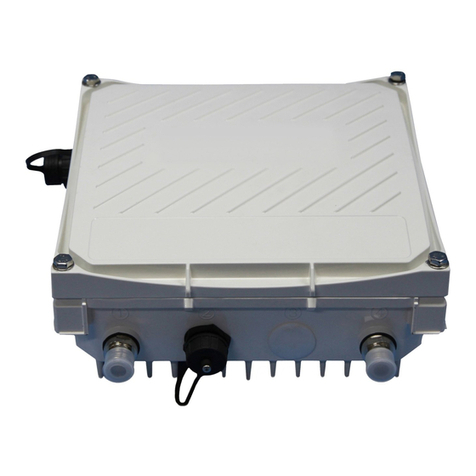
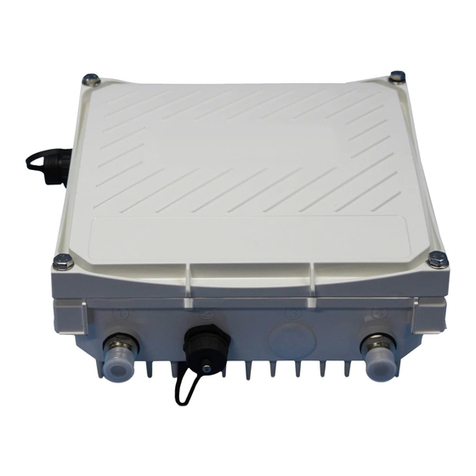
You can mount the IAP-277 access point on a wall or pole. Use the AP placement map generated by
Aruba’s RF Plan software application to determine the proper installation location(s). Each location
should be as close as possible to the center of the intended coverage area and should be free from
obstructions or obvious sources of interference. These RF absorbers/reflectors/interference sources
will impact RF propagation and should have been accounted for during the planning phase and
adjusted for in RF plan.
This section is specific to the AP-277.
External antennas for this device must be installed by an Aruba Certified Mobility Professional (ACMP) or other
Aruba-certified technician, using manufacturer-approved antennas only.
The Equivalent Isotropically Radiated Power (EIRP) levels for all external antenna devices must not exceed the
regulatory limit set by the host country/domain.
Installers are required to record the antenna gain for this device in the system management software.
Les antennes externes pour cet appareil doivent être installées par un professionnel de la mobilité certifié
Aruba (ACMP) ou un autre technicien certifié Aruba, en utilisant uniquement des antennes approuvées par le
fabricant.
Les niveaux équivalents de puissance à rayonnement isotrope (EIRP) pour tous les périphériques d'antenne
externe ne doivent pas dépasser la limite réglementaire définie par le pays hôte / domaine.
Les installateurs doivent enregistrer le gain d'antenne pour cet appareil dans le logiciel de gestion du système.
Aruba Networks, Inc., in compliance with governmental requirements, has designed the 277 Series access
points so that only authorized network administrators can change the settings. For more information about
access poit configuration, refer to the ArubaOS Quick Start Guide/Instant Quick Start Guide and ArubaOS User
Guide/Instant User Guide.