EnglishDeutsch
 logo
Brands
  1. Home
  2. •
  3. Brands
  4. •
  5. ATEN
  6. •
  7. Switch
  8. •
  9. ATEN Slideaway CL5708 User manual

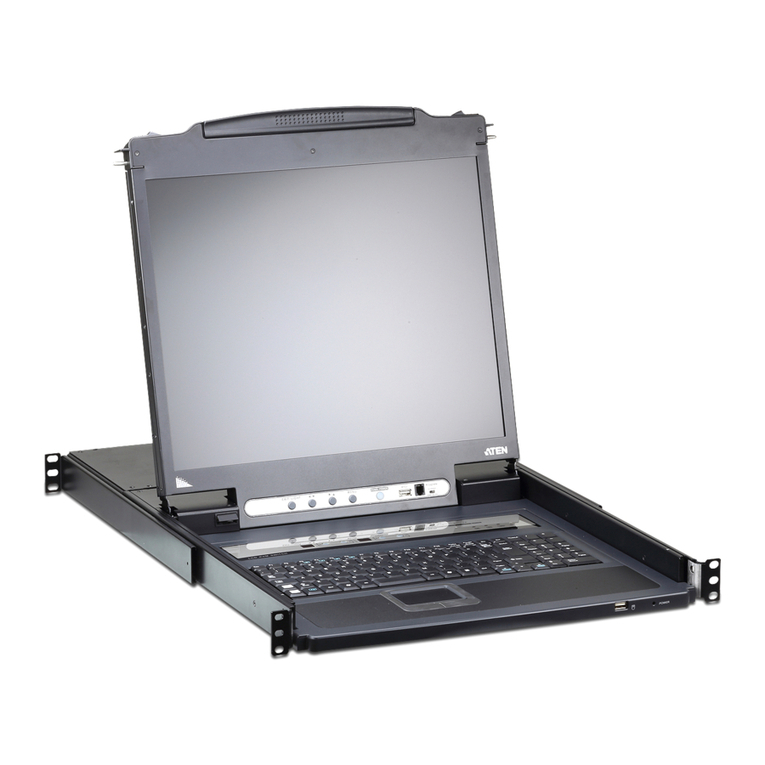
ATEN Slideaway CL5708 User manual

Other manuals for Slideaway CL5708

5

This manual suits for next models

1

Other ATEN Switch manuals

ATEN AS-401PII User manual

ATEN

ATEN AS-401PII User manual

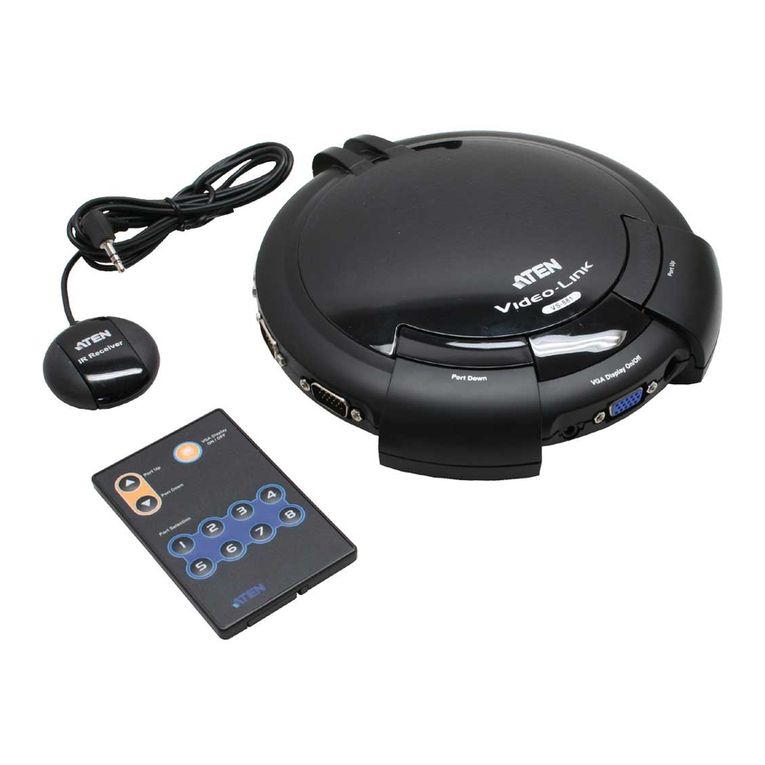
ATEN VanCryst VS481A User manual

ATEN

ATEN VanCryst VS481A User manual

ATEN VS482 User manual

ATEN

ATEN VS482 User manual

ATEN Slideaway CL5708 User manual

ATEN

ATEN Slideaway CL5708 User manual

ATEN US421A User manual

ATEN

ATEN US421A User manual

ATEN ATEN VanCryst VM1600A User manual

ATEN

ATEN ATEN VanCryst VM1600A User manual

ATEN CS22U User manual

ATEN

ATEN CS22U User manual

ATEN Altusen KH1508a User manual

ATEN

ATEN Altusen KH1508a User manual

ATEN CS692 User manual

ATEN

ATEN CS692 User manual

ATEN Altusen KN2140VA User manual

ATEN

ATEN Altusen KN2140VA User manual

ATEN AS-8144B User manual

ATEN

ATEN AS-8144B User manual

ATEN CN8000A User manual

ATEN

ATEN CN8000A User manual

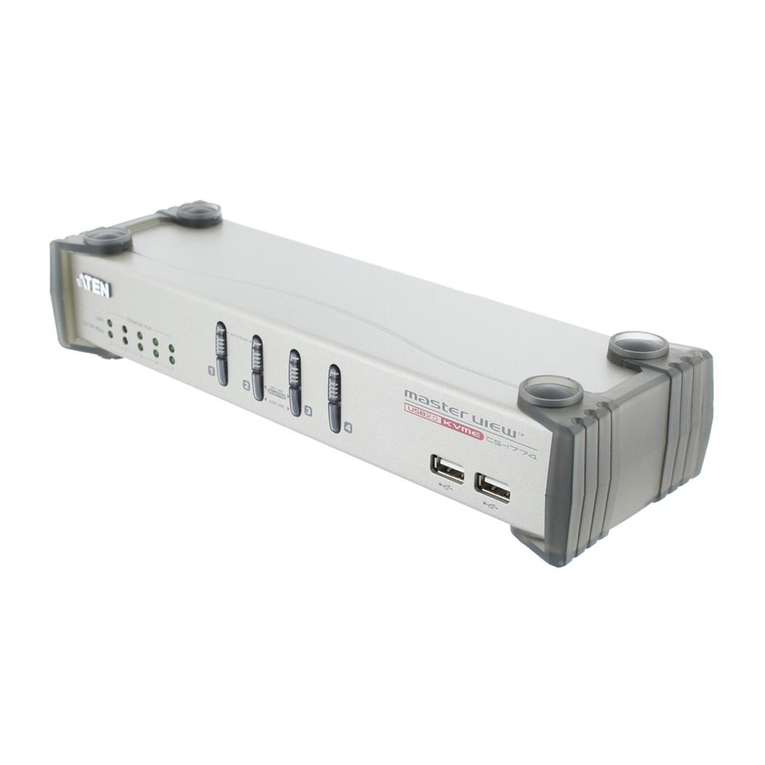
ATEN Master View CS-1754 User manual

ATEN

ATEN Master View CS-1754 User manual

ATEN CS724KM-AT User manual

ATEN

ATEN CS724KM-AT User manual

ATEN CS1964 User manual

ATEN

ATEN CS1964 User manual

ATEN Altusen KL1508Ai Operating and maintenance instructions

ATEN

ATEN Altusen KL1508Ai Operating and maintenance instructions

ATEN VS481b User manual

ATEN

ATEN VS481b User manual

ATEN CL5808 User manual

ATEN

ATEN CL5808 User manual

ATEN ALTUSEN SN0108 User manual

ATEN

ATEN ALTUSEN SN0108 User manual

ATEN CS1953 User manual

ATEN

ATEN CS1953 User manual

ATEN Video DynaSync Installation guide

ATEN

ATEN Video DynaSync Installation guide

ATEN Altusen KM0032 User manual

ATEN

ATEN Altusen KM0032 User manual

ATEN CS18208 User manual

ATEN

ATEN CS18208 User manual

ATEN CS1768 User manual

ATEN

ATEN CS1768 User manual

Popular Switch manuals by other brands

TRENDnet TK-401R null

TRENDnet

TRENDnet TK-401R null

TRENDnet TK-200K null

TRENDnet

TRENDnet TK-200K null

TRENDnet TE100-S8 null

TRENDnet

TRENDnet TE100-S8 null

URC Total Control MFS-8 installation manual

URC

URC Total Control MFS-8 installation manual

Azbil HPQ-D11 user manual

Azbil

Azbil HPQ-D11 user manual

Sony DFS-900M operating instructions

Sony

Sony DFS-900M operating instructions

SICK i17S operating instructions

SICK

SICK i17S operating instructions

F&F SZR-277 quick start guide

F&F

F&F SZR-277 quick start guide

Shure UAMS/BK user guide

Shure

Shure UAMS/BK user guide

Dräger X-zone Switch Off Instructions for use

Dräger

Dräger X-zone Switch Off Instructions for use

Asco Joucomatic 349 Series manual

Asco

Asco Joucomatic 349 Series manual

BT Mini Hub user guide

BT

BT Mini Hub user guide

D-Link DES-1226G manual

D-Link

D-Link DES-1226G manual

Johnson Controls FS80-C installation instructions

Johnson Controls

Johnson Controls FS80-C installation instructions

MicroNet SP1200A user manual

MicroNet

MicroNet SP1200A user manual

Ruijie RG-PF2920 Series Hardware  installation and reference guide

Ruijie

Ruijie RG-PF2920 Series Hardware installation and reference guide

Altinex DA1914SX user guide

Altinex

Altinex DA1914SX user guide

RJM MASTERMIND PBC/6X user manual

RJM

RJM MASTERMIND PBC/6X user manual

https://manuals.online logo
https://manuals.online logoBrands
  • About & Mission
  • Contact us
  • Privacy Policy
  • Terms and Conditions

Copyright 2026 Manuals.Online. All Rights Reserved.

CL5708/CL5716
Slideaway™ LCD KVM Switch
Benefits
USB Port
Extra USB mouse port
Fingerprint Identification*
An additional USB port located under the LCD panel is available to connect
peripheral devices (flash drive, CD-ROM drive, etc.) to the switch. USB
peripherals can be used to install software, OS patches, or make system
backups to computers connected to the installation from the CL5708 / CL5716.
For added convenience, a USB mouse port is provided for users who prefer to
use an external mouse.
The fingerprint reader can be used as an alternate means of logging in to the
switch. From 1 to 4 fingers can be scanned for each user and the
administrator, with any one of the recorded fingerprints used to log in.
p1 p2
FEATURES
• Integrated KVM console with 17”or 19“LCD monitor in a Slideaway™ housing
• Available with or without Fingerprint Identification Reader
• Space saving technology – up to two consoles (one bus) control up to 8 or 16 computers
• Daisy-chain up to 31 additional units – control up to 256 (CL5708) or 512 (CL5716) computers
from a single console. (With compatible KVM Swithces: ACS1208A, ACS1216A, CS1708
A
,
CS1716
A
)
• Dual Interface –supports computers and console with PS/2 or USB keyboards and mice
• LCD module USB port allows each computer to access USB peripherals
• LCD module rotates up to 115 degrees for a more comfortable viewing angle
• Multiplatform support – Windows, Linux, Mac, and Sun
• Supports multimedia USB keyboards for PC, Mac and Sun
• Auto PS/2 and USB interface detection
• Keyboard and mouse emulation (PS/2 and USB) for smooth switching and simultaneous booting
of multiple computers even when the console focus is elsewhere
•Supports external USB mouse
• Superior video quality – supports resolutions up to 1280 x 1024 @ 75 Hz
Flexibility
Multilanguage support
Broadcast mode
The LCD module rotates up to 115 degrees for a more comfortable viewing
angle.
The CL5708/CL5716 supports the following OSD languages: English, German,
Japanese, Traditional Chinese and Simplified Chinese.
When this function is in effect, commands sent from the console are broadcast
to all available computers on the installation.This function is particularly useful
for operations that need to be performed on multiple computers, such as
performing a system wide shutdown, installing or upgrading software, etc.
p3
Optional
© Copyright 2010 ATEN®International Co., Ltd.
ATEN and the ATEN logo are trademarks of ATEN International Co., Ltd. All rights reserved. All other trademarks are the property of their respective owners.
Printed 12/2010 V9.0
ATEN International Co., Ltd.
3F, No.125, Sec. 2, Datung Rd. Sijhih City, Taipei 221, Taiwan
Phone: +886-2-8692-6789 Fax: +886-2-8692-6767 www.aten.com E-mail: [email protected]
www.aten.com
p4
Single Person Easy Installation Kit
Slideaway™ LCD KVM switches allow you to choose from a host of optional rack mount kits to meet your
needs, including the Single Person Easy Installation Rack Mount Kit, which streamlines the rack mounting
process.
Normal rack mounting procedures call for at least two people to rack mount a KVM switch. The Single Person
Easy Installation Rack Mount Kit enables one person to rack mount a Slideaway™ LCD KVM switch. In just a
matter of minutes, your new Slideaway™ LCD KVM switch can go from the box to the rack.
For convenience and flexibility, there is one standard, and three optional rack mounting kits available:
The CL5708 / CL5716 Slideaway™ LCD KVM Switch series are control units that
allow access to multiple computers from a single PS/2 or USB KVM (keyboard,
video, and mouse) console. A single CL5708 or CL5716 can control up to 8
or 16 computers. As many as 31 additional KVM switches can be
daisy-chained to the CL5708 / CL5716, so that up to 512 computers can
all be controlled from a single KVM console.
The CL5708 / CL5716 offers a space-saving, streamlined
approach to KVM switch technology by integrating a
keyboard, 17" or 19" LCD monitor, and touchpad in a 1U
rack-mountable sliding housing. For added security, an
optional fingerprint identification system*can be used to
control access to the CL5708 / CL5716, and the servers
under its command.
The CL5708 / CL5716 is built on a modular design. The KVM section can be detached from the switch section
for convenient maintenance and repair.
2X-010G Short 2X-011G2X-012G
Control Up to 512 PCs
2nd Console
PS/2 USB
Win
Win Linux Linux Linux
Linux Mac Sun
USB
Computers
PS/2
Computers
Console 1
or
or
Specifications:
Function CL5708 CL5716
A
A
B
B C
C
Computer
Connections
Direct 8 16
Max 256 (via Daisy-chain) 512 (via Daisy-chain)
Port Selection OSD, Hotkeys, Pushbuttons
Connectors
External Console Port 1 x SPHD-18 Male (Yellow)
External Mouse Port 1 x USB Type-A Female (White)
KVM Ports 8 x SPHD-15/17 Female (Yellow) 16 x SPHD-15/17 Female (Yellow)
Daisy-chain Port 1 x DB-25 Male (Black)
FW Upgrade 1 x RJ-11 Female (Black)
Power 1 x 3-prong AC Socket
USB Port 1 x USB Type-A (Female)
Switches
Reset 1 x Semi-recessed Pushbutton
Power 1 x Rocker Switch
Firmware Upgrade 1 x Slide
LCD Adjust 4 x Pushbutton
LCD On/Off 1 x LED Pushbutton (Orange)
Port Selection 2 x Pushbutton
Station Selection 2 x Pushbutton
LEDs
On Line 8 (Orange) 16 (Orange)
Port ID 2 x 7-segment LED Display (Orange)
Station ID 2 x 7-segment LED Display (Orange)
Power 1 (Dark Green)
Lock
Num 1 (Green)
Caps 1 (Green)
Scroll 1 (Green)
Emulation Keyboard / Mouse PS/2, USB
Video 1280 x 1024 @ 75 Hz; DDC2B
Scan Interval (OSD Select) 1–255 sec.
I/P Rating 100–240 V AC, 50/60 Hz, 1 A
Power Consumption 17” LCD
19” LCD
17” LCD
19” LCD
120V, 27.5W/230V, 28W
120V, 18.9W/230V, 19.5W 120V, 19.4W/230V,21.2W
Environment
Operating Temp.
Storage Temp. -20–60°C
Humidity 0–80% RH, Non-condensing
Physical
Properties
Housing Metal + Plastic
63.40 x 48.00 x 4.40 cm
Weight 13.77 kg 14.00 kg
14.40 kg 14.65 kg
Dimensions (L x W x H)
0–40°C
• No software required – convenient computer selection via front panel pushbuttons, hotkeys and
multilingual on-screen display (OSD) menus
• Auto-senses station's position on daisy-chained installations; no need for manual dip switch
setting; front panel led indicates station's position
• Port names automatically reconfigured when station sequence is changed
• Two level password security – only authorized users can view and control computers
• Supports one administrator and four user accounts with separate profiles
• Auto Scan mode enables continuous monitoring of user-selected computers
• Broadcast support – commands from the keyboard can be broadcast to all available computers
on the installation
• Hot pluggable – add or remove computers without having to power down the switch
• Beeper on/off via hotkey and OSD
• Firmware upgrades to all the chained KVM switches at the same time via the daisy-chain cable
*Models with Fingerprint, Identification Reader Only.
Easy Installation Rack
Mount Kit Depth (cm)
2X-012G (Long/Optional) 68-105
2X-011G (Short/Optional)
17” 52-70
19” 57-70
Rack Mount Kit Depth (cm)
2X-010G
(Long/Optional)
17” 68 - 105
19” 70-105
Short (Standard)
17” 42 - 82
19” 52-85

CL5708/CL5716
Slideaway™ LCD KVM Switch
Benefits
USB Port
Extra USB mouse port
Fingerprint Identification*
An additional USB port located under the LCD panel is available to connect
peripheral devices (flash drive, CD-ROM drive, etc.) to the switch. USB
peripherals can be used to install software, OS patches, or make system
backups to computers connected to the installation from the CL5708 / CL5716.
For added convenience, a USB mouse port is provided for users who prefer to
use an external mouse.
The fingerprint reader can be used as an alternate means of logging in to the
switch. From 1 to 4 fingers can be scanned for each user and the
administrator, with any one of the recorded fingerprints used to log in.
p1 p2
FEATURES
• Integrated KVM console with 17” or LCD monitor in a Slideaway™ housing
• Available with or without Fingerprint Identification Reader.
• Space saving technology – up to two consoles (one bus) control up to 8 or 16 computers
• Daisy-chain up to 31 additional units – control up to 256 (CL5708) or 512 (CL5716) computers
from a single console. (With compatible KVM Swithces: ACS1208A, ACS1216A, CS1708
A
,
CS1716
A
)
• Dual Interface –supports computers and console with PS/2 or USB keyboards and mice
• LCD module USB port allows each computer to access USB peripherals
• LCD module rotates up to 115 degrees for a more comfortable viewing angle.
• Multiplatform support – Windows, Linux, Mac, and Sun
• Supports multimedia USB keyboards for PC, Mac and Sun
• Auto PS/2 and USB interface detection
• Keyboard and mouse emulation (PS/2 and USB) for smooth switching and simultaneous booting
of multiple computers even when the console focus is elsewhere
•Supports external USB mouse
• Superior video quality – supports resolutions up to 1280 x 1024 @ 75 Hz
Flexibility
Multilanguage support
Broadcast mode
The LCD module rotates up to 115 degrees for a more comfortable viewing
angle.
The CL5708/CL5716 supports the following OSD languages: English, German,
Japanese, Traditional Chinese and Simplified Chinese.
When this function is in effect, commands sent from the console are broadcast
to all available computers on the installation.This function is particularly useful
for operations that need to be performed on multiple computers, such as
performing a system wide shutdown, installing or upgrading software, etc.
p3
Optional
© Copyright 2010 ATEN®International Co., Ltd.
ATEN and the ATEN logo are trademarks of ATEN International Co., Ltd. All rights reserved. All other trademarks are the property of their respective owners.
Printed 12/2010 V9.0
ATEN International Co., Ltd.
3F, No.125, Sec. 2, Datung Rd. Sijhih City, Taipei 221, Taiwan
Phone: +886-2-8692-6789 Fax: +886-2-8692-6767 www.aten.com E-mail: [email protected]
www.aten.com
p4
Single Person Easy Installation Kit
Slideaway™ LCD KVM switches allow you to choose from a host of optional rack mount kits to meet your
needs, including the Single Person Easy Installation Rack Mount Kit, which streamlines the rack mounting
process.
Normal rack mounting procedures call for at least two people to rack mount a KVM switch. The Single Person
Easy Installation Rack Mount Kit enables one person to rack mount a Slideaway™ LCD KVM switch. In just a
matter of minutes, your new Slideaway™ LCD KVM switch can go from the box to the rack.
For convenience and flexibility, there is one standard, and three optional rack mounting kits available:
The CL5708 / CL5716 Slideaway™ LCD KVM Switch series are control units that
allow access to multiple computers from a single PS/2 or USB KVM (keyboard,
video, and mouse) console. A single CL5708 or CL5716 can control up to 8
or 16 computers. As many as 31 additional KVM switches can be
daisy-chained to the CL5708 / CL5716, so that up to 512 computers can
all be controlled from a single KVM console.
The CL5708 / CL5716 offers a space-saving, streamlined
approach to KVM switch technology by integrating a
keyboard, 17" or 19" LCD monitor, and touchpad in a 1U
rack-mountable sliding housing. For added security, an
optional fingerprint identification system*can be used to
control access to the CL5708 / CL5716, and the servers
under its command.
The CL5708 / CL5716 is built on a modular design. The KVM section can be detached from the switch section
for convenient maintenance and repair.
2X-010G Short 2X-011G2X-012G
Control Up to 512 PCs
2nd Console
PS/2 USB
Win
Win Linux Linux Linux
Linux Mac Sun
USB
Computers
PS/2
Computers
Console 1
or
or
Specifications:
Function CL5708 CL5716
A
A
B
B C
C
Computer
Connections
Direct 8 16
Max 256 (via Daisy-chain) 512 (via Daisy-chain)
Port Selection OSD, Hotkeys, Pushbuttons
Connectors
External Console Port 1 x SPHD-18 Male (Yellow)
External Mouse Port 1 x USB Type-A Female (White)
KVM Ports 8 x SPHD-15/17 Female (Yellow) 16 x SPHD-15/17 Female (Yellow)
Daisy-chain Port 1 x DB-25 Male (Black)
FW Upgrade 1 x RJ-11 Female (Black)
Power 1 x 3-prong AC Socket
USB Port 1 x USB Type-A (Female)
Switches
Reset 1 x Semi-recessed Pushbutton
Power 1 x Rocker Switch
Firmware Upgrade 1 x Slide
LCD Adjust 4 x Pushbutton
LCD On/Off 1 x LED Pushbutton (Orange)
Port Selection 2 x Pushbutton
Station Selection 2 x Pushbutton
LEDs
On Line 8 (Orange) 16 (Orange)
Port ID 2 x 7-segment LED Display (Orange)
Station ID 2 x 7-segment LED Display (Orange)
Power 1 (Dark Green)
Lock
Num 1 (Green)
Caps 1 (Green)
Scroll 1 (Green)
Emulation Keyboard / Mouse PS/2, USB
Video 1280 x 1024 @ 75 Hz; DDC2B
Scan Interval (OSD Select) 1–255 sec.
I/P Rating 100–240 V AC, 50/60 Hz, 1 A
Power Consumption 17”
19”
17”
19”
120V, 27.5W/230V, 28W
Environment
Operating Temp.
Storage Temp. -20–60°C
Humidity 0–80% RH, Non-condensing
Physical
Properties
Housing Metal + Plastic
Weight 14.40 kg 14.65 kg
Dimensions (L x W x H) 63.40 x 48.00 x 4.40 cm 63.40 x 48.00 x 4.40 cm
0–40°C
• No software required – convenient computer selection via front panel pushbuttons, hotkeys and
multilingual on-screen display (OSD) menus
• Auto-senses station's position on daisy-chained installations; no need for manual dip switch
setting; front panel led indicates station's position
• Port names automatically reconfigured when station sequence is changed
• Two level password security – only authorized users can view and control computers
• Supports one administrator and four user accounts with separate profiles
• Auto Scan mode enables continuous monitoring of user-selected computers
• Broadcast support – commands from the keyboard can be broadcast to all available computers
on the installation
• Hot pluggable – add or remove computers without having to power down the switch
• Beeper on/off via hotkey and OSD
• Firmware upgrades to all the chained KVM switches at the same time via the daisy-chain cable
*Models with Fingerprint, Identification Reader Only.
Easy Installation Rack
Mount Kit Depth (cm)
2X-012G (Long/Optional) 68-105
2X-011G (Short/Optional) 52-70
CL5708/CL5716
Slideaway™ LCD KVM Switch
Benefits
USB Port
Extra USB mouse port
Fingerprint Identification*
An additional USB port located under the LCD panel is available to connect
peripheral devices (flash drive, CD-ROM drive, etc.) to the switch. USB
peripherals can be used to install software, OS patches, or make system
backups to computers connected to the installation from the CL5708 / CL5716.
For added convenience, a USB mouse port is provided for users who prefer to
use an external mouse.
The fingerprint reader can be used as an alternate means of logging in to the
switch. From 1 to 4 fingers can be scanned for each user and the
administrator, with any one of the recorded fingerprints used to log in.
p1 p2
FEATURES
• Integrated KVM console with 17” or LCD monitor in a Slideaway™ housing
• Available with or without Fingerprint Identification Reader.
• Space saving technology – up to two consoles (one bus) control up to 8 or 16 computers
• Daisy-chain up to 31 additional units – control up to 256 (CL5708) or 512 (CL5716) computers
from a single console. (With compatible KVM Swithces: ACS1208A, ACS1216A, CS1708
A
,
CS1716
A
)
• Dual Interface –supports computers and console with PS/2 or USB keyboards and mice
• LCD module USB port allows each computer to access USB peripherals
• LCD module rotates up to 115 degrees for a more comfortable viewing angle.
• Multiplatform support – Windows, Linux, Mac, and Sun
• Supports multimedia USB keyboards for PC, Mac and Sun
• Auto PS/2 and USB interface detection
• Keyboard and mouse emulation (PS/2 and USB) for smooth switching and simultaneous booting
of multiple computers even when the console focus is elsewhere
•Supports external USB mouse
• Superior video quality – supports resolutions up to 1280 x 1024 @ 75 Hz
Flexibility
Multilanguage support
Broadcast mode
The LCD module rotates up to 115 degrees for a more comfortable viewing
angle.
The CL5708/CL5716 supports the following OSD languages: English, German,
Japanese, Traditional Chinese and Simplified Chinese.
When this function is in effect, commands sent from the console are broadcast
to all available computers on the installation.This function is particularly useful
for operations that need to be performed on multiple computers, such as
performing a system wide shutdown, installing or upgrading software, etc.
p3
Optional
© Copyright 2010 ATEN®International Co., Ltd.
ATEN and the ATEN logo are trademarks of ATEN International Co., Ltd. All rights reserved. All other trademarks are the property of their respective owners.
Printed 12/2010 V9.0
ATEN International Co., Ltd.
3F, No.125, Sec. 2, Datung Rd. Sijhih City, Taipei 221, Taiwan
Phone: +886-2-8692-6789 Fax: +886-2-8692-6767 www.aten.com E-mail: [email protected]
www.aten.com
p4
Single Person Easy Installation Kit
Slideaway™ LCD KVM switches allow you to choose from a host of optional rack mount kits to meet your
needs, including the Single Person Easy Installation Rack Mount Kit, which streamlines the rack mounting
process.
Normal rack mounting procedures call for at least two people to rack mount a KVM switch. The Single Person
Easy Installation Rack Mount Kit enables one person to rack mount a Slideaway™ LCD KVM switch. In just a
matter of minutes, your new Slideaway™ LCD KVM switch can go from the box to the rack.
For convenience and flexibility, there is one standard, and three optional rack mounting kits available:
The CL5708 / CL5716 Slideaway™ LCD KVM Switch series are control units that
allow access to multiple computers from a single PS/2 or USB KVM (keyboard,
video, and mouse) console. A single CL5708 or CL5716 can control up to 8
or 16 computers. As many as 31 additional KVM switches can be
daisy-chained to the CL5708 / CL5716, so that up to 512 computers can
all be controlled from a single KVM console.
The CL5708 / CL5716 offers a space-saving, streamlined
approach to KVM switch technology by integrating a
keyboard, 17" or 19" LCD monitor, and touchpad in a 1U
rack-mountable sliding housing. For added security, an
optional fingerprint identification system*can be used to
control access to the CL5708 / CL5716, and the servers
under its command.
The CL5708 / CL5716 is built on a modular design. The KVM section can be detached from the switch section
for convenient maintenance and repair.
2X-010G Short 2X-011G2X-012G
Control Up to 512 PCs
2nd Console
PS/2 USB
Win
Win Linux Linux Linux
Linux Mac Sun
USB
Computers
PS/2
Computers
Console 1
or
or
Specifications:
Function CL5708 CL5716
A
A
B
B C
C
Computer
Connections
Direct 8 16
Max 256 (via Daisy-chain) 512 (via Daisy-chain)
Port Selection OSD, Hotkeys, Pushbuttons
Connectors
External Console Port 1 x SPHD-18 Male (Yellow)
External Mouse Port 1 x USB Type-A Female (White)
KVM Ports 8 x SPHD-15/17 Female (Yellow) 16 x SPHD-15/17 Female (Yellow)
Daisy-chain Port 1 x DB-25 Male (Black)
FW Upgrade 1 x RJ-11 Female (Black)
Power 1 x 3-prong AC Socket
USB Port 1 x USB Type-A (Female)
Switches
Reset 1 x Semi-recessed Pushbutton
Power 1 x Rocker Switch
Firmware Upgrade 1 x Slide
LCD Adjust 4 x Pushbutton
LCD On/Off 1 x LED Pushbutton (Orange)
Port Selection 2 x Pushbutton
Station Selection 2 x Pushbutton
LEDs
On Line 8 (Orange) 16 (Orange)
Port ID 2 x 7-segment LED Display (Orange)
Station ID 2 x 7-segment LED Display (Orange)
Power 1 (Dark Green)
Lock
Num 1 (Green)
Caps 1 (Green)
Scroll 1 (Green)
Emulation Keyboard / Mouse PS/2, USB
Video 1280 x 1024 @ 75 Hz; DDC2B
Scan Interval (OSD Select) 1–255 sec.
I/P Rating 100–240 V AC, 50/60 Hz, 1 A
Power Consumption 17” LCD
19” LCD
17” LCD
19” LCD
120V, 27.5W/230V, 28W
120V, 18.9W/230V, 19.5W 120V, 19.4W/230V,21.2W
Environment
Operating Temp.
Storage Temp. -20–60°C
Humidity 0–80% RH, Non-condensing
Physical
Properties
Housing Metal + Plastic
63.40 x 48.00 x 4.40 cm
Weight 13.77 kg 14.00 kg
14.40 kg 14.65 kg
Dimensions (L x W x H)
0–40°C
• No software required – convenient computer selection via front panel pushbuttons, hotkeys and
multilingual on-screen display (OSD) menus
• Auto-senses station's position on daisy-chained installations; no need for manual dip switch
setting; front panel led indicates station's position
• Port names automatically reconfigured when station sequence is changed
• Two level password security – only authorized users can view and control computers
• Supports one administrator and four user accounts with separate profiles
• Auto Scan mode enables continuous monitoring of user-selected computers
• Broadcast support – commands from the keyboard can be broadcast to all available computers
on the installation
• Hot pluggable – add or remove computers without having to power down the switch
• Beeper on/off via hotkey and OSD
• Firmware upgrades to all the chained KVM switches at the same time via the daisy-chain cable
*Models with Fingerprint, Identification Reader Only.
Easy Installation Rack
Mount Kit Depth (cm)
2X-012G (Long/Optional) 68-105
2X-011G (Short/Optional)
17” 52-70
19” 57-70
Rack Mount Kit Depth (cm)
2X-010G
(Long/Optional)
17” 68 - 105
19” 70-105
Short (Standard)
17” 42 - 82
19” 52-85
CL5708/CL5716
Slideaway™ LCD KVM Switch
Benefits
USB Port
Extra USB mouse port
Fingerprint Identification*
An additional USB port located under the LCD panel is available to connect
peripheral devices (flash drive, CD-ROM drive, etc.) to the switch. USB
peripherals can be used to install software, OS patches, or make system
backups to computers connected to the installation from the CL5708 / CL5716.
For added convenience, a USB mouse port is provided for users who prefer to
use an external mouse.
The fingerprint reader can be used as an alternate means of logging in to the
switch. From 1 to 4 fingers can be scanned for each user and the
administrator, with any one of the recorded fingerprints used to log in.
p1 p2
FEATURES
• Integrated KVM console with 17”or 19“LCD monitor in a Slideaway™ housing
• Available with or without Fingerprint Identification Reader
• Space saving technology – up to two consoles (one bus) control up to 8 or 16 computers
• Daisy-chain up to 31 additional units – control up to 256 (CL5708) or 512 (CL5716) computers
from a single console. (With compatible KVM Swithces: ACS1208A, ACS1216A, CS1708
A
,
CS1716
A
)
• Dual Interface –supports computers and console with PS/2 or USB keyboards and mice
• LCD module USB port allows each computer to access USB peripherals
• LCD module rotates up to 115 degrees for a more comfortable viewing angle

• Multiplatform support – Windows, Linux, Mac, and Sun
• Supports multimedia USB keyboards for PC, Mac and Sun
• Auto PS/2 and USB interface detection
• Keyboard and mouse emulation (PS/2 and USB) for smooth switching and simultaneous booting
of multiple computers even when the console focus is elsewhere
•Supports external USB mouse
• Superior video quality – supports resolutions up to 1280 x 1024 @ 75 Hz
Flexibility
Multilanguage support
Broadcast mode
The LCD module rotates up to 115 degrees for a more comfortable viewing
angle.
The CL5708/CL5716 supports the following OSD languages: English, German,
Japanese, Traditional Chinese and Simplified Chinese.
When this function is in effect, commands sent from the console are broadcast
to all available computers on the installation.This function is particularly useful
for operations that need to be performed on multiple computers, such as
performing a system wide shutdown, installing or upgrading software, etc.
p3
Optional
© Copyright 2010 ATEN®International Co., Ltd.
ATEN and the ATEN logo are trademarks of ATEN International Co., Ltd. All rights reserved. All other trademarks are the property of their respective owners.
Printed 12/2010 V8.0
ATEN International Co., Ltd.
3F, No.125, Sec. 2, Datung Rd. Sijhih City, Taipei 221, Taiwan
Phone: +886-2-8692-6789 Fax: +886-2-8692-6767 www.aten.com E-mail: [email protected]
www.aten.com
p4
Single Person Easy Installation Kit
Slideaway™ LCD KVM switches allow you to choose from a host of optional rack mount kits to meet your
needs, including the Single Person Easy Installation Rack Mount Kit, which streamlines the rack mounting
process.
Normal rack mounting procedures call for at least two people to rack mount a KVM switch. The Single Person
Easy Installation Rack Mount Kit enables one person to rack mount a Slideaway™ LCD KVM switch. In just a
matter of minutes, your new Slideaway™ LCD KVM switch can go from the box to the rack.
For convenience and flexibility, there is one standard, and three optional rack mounting kits available:
The CL5708 / CL5716 Slideaway™ LCD KVM Switch series are control units that
allow access to multiple computers from a single PS/2 or USB KVM (keyboard,
video, and mouse) console. A single CL5708 or CL5716 can control up to 8
or 16 computers. As many as 31 additional KVM switches can be
daisy-chained to the CL5708 / CL5716, so that up to 512 computers can
all be controlled from a single KVM console.
The CL5708 / CL5716 offers a space-saving, streamlined
approach to KVM switch technology by integrating a
keyboard, 17" or 19" LCD monitor, and touchpad in a 1U
rack-mountable sliding housing. For added security, an
optional fingerprint identification system*can be used to
control access to the CL5708 / CL5716, and the servers
under its command.
The CL5708 / CL5716 is built on a modular design. The KVM section can be detached from the switch section
for convenient maintenance and repair.
2X-010G Short 2X-011G2X-012G
Control Up to 512 PCs
2nd Console
PS/2 USB
Win
Win Linux Linux Linux
Linux Mac Sun
USB
Computers
PS/2
Computers
Console 1
or
or
Specifications:
Function CL5708 CL5716
A
A
B
B C
C
Computer
Connections
Direct 8 16
Max 256 (via Daisy-chain) 512 (via Daisy-chain)
Port Selection OSD, Hotkeys, Pushbuttons
Connectors
External Console Port 1 x SPHD-18 Male (Yellow)
External Mouse Port 1 x USB Type-A Female (White)
KVM Ports 8 x SPHD-15/17 Female (Yellow) 16 x SPHD-15/17 Female (Yellow)
Daisy-chain Port 1 x DB-25 Male (Black)
FW Upgrade 1 x RJ-11 Female (Black)
Power 1 x 3-prong AC Socket
USB Port 1 x USB Type-A (Female)
Switches
Reset 1 x Semi-recessed Pushbutton
Power 1 x Rocker Switch
Firmware Upgrade 1 x Slide
LCD Adjust 4 x Pushbutton
LCD On/Off 1 x LED Pushbutton (Orange)
Port Selection 2 x Pushbutton
Station Selection 2 x Pushbutton
LEDs
On Line 8 (Orange) 16 (Orange)
Port ID 2 x 7-segment LED Display (Orange)
Station ID 2 x 7-segment LED Display (Orange)
Power 1 (Dark Green)
Lock
Num 1 (Green)
Caps 1 (Green)
Scroll 1 (Green)
Emulation Keyboard / Mouse PS/2, USB
Video 1280 x 1024 @ 75 Hz; DDC2B
Scan Interval (OSD Select) 1–255 sec.
I/P Rating 100–240 V AC, 50/60 Hz, 1 A
Power Consumption 17” LCD
19” LCD
17” LCD
19” LCD
120V, 27.5W/230V, 28W
120V, 18.9W/230V, 19.5W 120V, 19.4W/230V,21.2W
Environment
Operating Temp.
Storage Temp. -20–60°C
Humidity 0–80% RH, Non-condensing
Physical
Properties
Housing Metal + Plastic
63.40 x 48.00 x 4.40 cm
Weight 13.77 kg 14.00 kg
14.40 kg 14.65 kg
Dimensions (L x W x H)
0–40°C
• No software required – convenient computer selection via front panel pushbuttons, hotkeys and
multilingual on-screen display (OSD) menus
• Auto-senses station's position on daisy-chained installations; no need for manual dip switch
setting; front panel led indicates station's position
• Port names automatically reconfigured when station sequence is changed
• Two level password security – only authorized users can view and control computers
• Supports one administrator and four user accounts with separate profiles
• Auto Scan mode enables continuous monitoring of user-selected computers
• Broadcast support – commands from the keyboard can be broadcast to all available computers
on the installation
• Hot pluggable – add or remove computers without having to power down the switch
• Beeper on/off via hotkey and OSD
• Firmware upgrades to all the chained KVM switches at the same time via the daisy-chain cable
*Models with Fingerprint, Identification Reader Only.
Easy Installation Rack
Mount Kit Depth (cm)
2X-012G (Long/Optional) 68-105
2X-011G (Short/Optional)
17” 52-70
19” 57-70
Rack Mount Kit Depth (cm)
2X-010G
(Long/Optional)
17” 68 - 105
19” 70-105
Short (Standard)
17” 42 - 82
19” 52-85