IMPORTANT
NOTICES
Installation
of
overhead products requires careful planning and preparation.
Be
extremely careful when working on avehicle
with
side curtain air bags.
Do
not
route wires near any portion
of
the side curtain air bag assemblies.
This includes anchor points in
A,
B,
CorD
pillars
of
the vehicle. Routing wires
in these
areas
or running wires by the side curtain air bags
can
prevent the
side curtain air bag from fully deploying which
can
result in personal injury
to
vehicle occupants.
If
you have any question regarding routing in avehicle,
please contact AudiovoxTechnical support at 1-800-225-6074.
An
LCD
panel and/or video
monitor
may be installed in a
motor
vehicle and
visible
to
the driver only
if
the
LCD
panel orvideo
monitor
is
used for vehicle
information, system control, rear or side observation or navigation. Ifthe
LCD
panel
or
video
monitor
is
used for television reception, video or
DVD
play, the
LCD
panel or video
monitor
must be installed
so
that
these features will only
function when the vehicle
is
in "park"or when the vehicle's parking brake
is
applied.
When connecting power and ground in a mobile video installation, insure
that
the
ACC
wire
is
fused at the
point
where
it
is
connected
to
the vehicle's
ACC
wiring. Failure
to
do
so
can
result in damage
to
the vehicle
if
ashort
circuit develops between
the
vehicle connection
point
and the mobile video
product.
An
LCD
panel
and/or
video
monitor
used for television reception, video
or
DVD
play
that
operates when the vehicle
is
in gear or when the parking brake
is
not
applied must be installed
to
the rear
of
the driver seat where
it
will
not
be visible, directly or indirectly,
to
the.operator
of
the
motor
vehicle.
***
Important Notice***
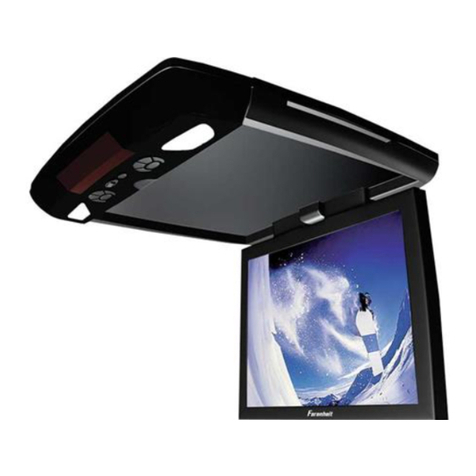
When installing this overhead
monitor
there should be no
obstructions such
as
extra cabling, power chokes or any other objects
placed between this overhead and supplied
mounting
bracket.
Failure
to
comply may cause damage
to
the overhead
monitor
and
will void
the
warranty.
2
WARNINGS
• Do
not
use
any solvents or cleaning materials when cleaning
the
video
monitor.
• Do
not
use
any abrasive cleaners, they may scratch the screen.
•
Use
only lightly dampened lintfree cloth
to
wipe the screen
if
it
is
dirty.
• Lock the
LCD
screen in fully closed position when
not
in
use.
• Before
putting
on headphones, always adjust the volume setting
to
OFF
or
lowest position.
• Remember
to
leave the dome light switch in the
off
or auto position when
the vehicle
is
unattended,
as
the dome lights,
if
left on,
can
drain the
vehicle battery.
• Do
not
put
pressure on the screen.
• Caution children
to
avoid touching or scratching the screen,
as
it
may
become
dirty
or damaged.
Safety Precautions
For
safety reasons, when changing video media,
it
is
recommended
that
the
vehicle
is
not
in motion, and
that
you
do
not
allow children
to
unfasten seat-
belts
to
change video media or make any adjustments
to
the system. System
adjustments
can
be accomplished using the remote control, while seat-belts
remain fastened. Enjoy your
AUDIOVOX
entertainment system
but
remember
that the safety
of
all passengers remains the number one priority.
Patended: Refer
to
www.voxxintl.com/patents