CD-ROM
containing skew
test pattern and
documentation
Safety information
• For use in dry, oil free indoor environments only.
• Do not use to link between buildings.
• Not suitable for use in hazardous or explosive
environments or next to highly ammable
materials.
• Ensure that all twisted pair interconnect cables
are installed in compliance with all applicable
wiring regulations.
• Do not connect the CATx link interface (RJ45
style connector) to any other equipment,
particularly network or telecommunications
equipment.
• Where possible, avoid laying the twisted pair
link cable(s) alongside power cables.
• Warning – the power adapter contains live
parts.
• No user serviceable parts are contained within
the power adapter - do not dismantle.
• The primary means to cease operation of the
modules is to remove the power adapter lead.
Ensure that the power adapter is positioned
near to the equipment and is easily accessible.
• Do not use the power adapter if the power
adapter case becomes damaged, cracked or
broken or if you suspect that it is not operating
properly.
• Replace the power adapter with a manufacturer
approved type only.
• If you use a power extension cable with the
modules, make sure the total ampere rating of
the devices plugged into the extension cable
do not exceed the cable’s ampere rating. Also,
make sure that the total ampere rating of all the
devices plugged into the wall outlet does not
exceed the wall outlet’s ampere rating.
• Do not attempt to service the modules yourself.
• The modules and power supplies can get
warm in operation – do not situate them in an
enclosed space without any ventilation.
• The modules do not provide ground isolation
and should not be used for any applications that
require ground isolation or galvanic isolation.
• Use only with grounded outlets at both the
computer and monitor. When using a backup
power supply (UPS), power the computer, the
monitor and the module from the same supply.
• For correct operation, the transmitter
and receiver modules must have ground
connections. At the computer end, this is
achieved by ensuring that the computer that
the module is connected to has a ground
connection. At the audio/visual device end, this
can be achieved by ensuring that the power
supply is connected to a grounded power
outlet. Alternatively, a ground connection will
be made via the monitor, if the monitor is itself
grounded.
For each module:
Power supply adapter
and country-specic
mains cable
Self adhesive
rubber feet
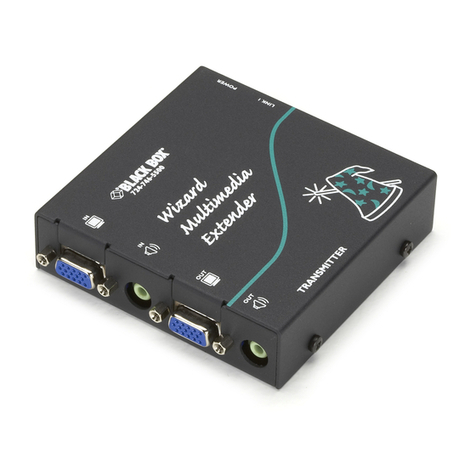
Wizard
AVU5001A
transmitter*
Wizard
AVU5011A
receiver*
* The Wizard
AVU5001A
and AVU5011A are
packaged as a transmitter and
receiver pair (AVU5010A) as well as being
available separately. The Wizard AVU5004A and
AVU5111A modules are only available separately.
Serial cable
Video cable
What you may additionally need
Stereo audio cable
What’s in the box
Connection overview inside
Full user guide available on the CD-ROM
Wizard™ Multimedia Extenders
QUICK START
Order toll-free in the U.S.: Call 877-877-BBOX (outside U.S. call 724-746-5500)
FREE technical support 24 hours a day, 7 days a week: Call 724-746-5500 or fax 724-746-0746
Mailing address: Black Box Corporation, 1000 Park Drive, Lawrence, PA 15055-1018
CUSTOMER
SUPPORT
INFORMATION