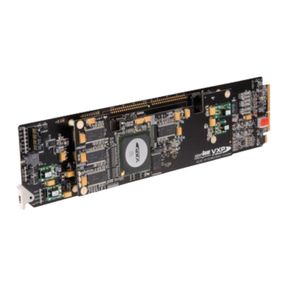
BBG-1002-UDX-FS-OM (V1.0) BBG-1002-UDX-FSPRODUCT MANUAL i
Table of Contents
Chapter 1 Introduction . . . . . . . . . . . . . . . . . . . . . . . . . . . . . . . . . . . . . . . . . . . 1-1
Overview ............................................................................................................................. 1-1
Cobalt Reference Guides..................................................................................................... 1-1
Manual Conventions............................................................................................................ 1-2
Warnings, Cautions, and Notes.............................................................................. 1-3
Labeling Symbol Definitions ................................................................................. 1-3
Safety and Regulatory Summary......................................................................................... 1-4
Warnings................................................................................................................. 1-4
Cautions.................................................................................................................. 1-4
EMC Compliance Per Market ................................................................................ 1-4
BBG-1002-UDX-FS Functional Description...................................................................... 1-5
BBG-1002-UDX-FS Input/Output Formats........................................................... 1-5
Video Processor Description.................................................................................. 1-7
Audio Processor Description................................................................................ 1-11
Control and Data Input/Output Interfaces............................................................ 1-13
Alarm Function..................................................................................................... 1-14
User Control Interface.......................................................................................... 1-14
Technical Specifications.................................................................................................... 1-15
Warranty and Service Information .................................................................................... 1-19
Cobalt Digital Inc. Limited Warranty .................................................................. 1-19
Contact Cobalt Digital Inc................................................................................................. 1-20
Chapter 2 Installation . . . . . . . . . . . . . . . . . . . . . . . . . . . . . . . . . . . . . . . . . . . . 2-1
Overview ............................................................................................................................. 2-1
Installing the BBG-1002-UDX-FS...................................................................................... 2-1
Installing Using BBG-1000-TRAY Optional Mounting Tray ............................... 2-1
BBG-1002-UDX-FS Unit Dimensions................................................................... 2-2
Rear Panel Connections....................................................................................................... 2-2
GPIO, Serial (COMM), and Analog Audio Connections.................................................... 2-5
Chapter 3 Operating Instructions. . . . . . . . . . . . . . . . . . . . . . . . . . . . . . . . . . . 3-1
Overview ............................................................................................................................. 3-1
BBG-1002-UDX-FS Front Panel Display and Menu-Accessed Control............................ 3-1
Connecting BBG-1002 To Your Network........................................................................... 3-3
Finding a BBG-1002 Device in DashBoard........................................................... 3-4
Control and Display Descriptions........................................................................................ 3-4
Function Menu/Parameter Overview ..................................................................... 3-5
Web User Interface................................................................................................. 3-6
Display Theme........................................................................................................ 3-7
Checking BBG-1002-UDX-FS Device Information........................................................... 3-8
Ancillary Data Line Number Locations and Ranges........................................................... 3-9