manuals.online logo
Brands
  1. Home
  2. •
  3. Brands
  4. •
  5. Cobra
  6. •
  7. Radio
  8. •
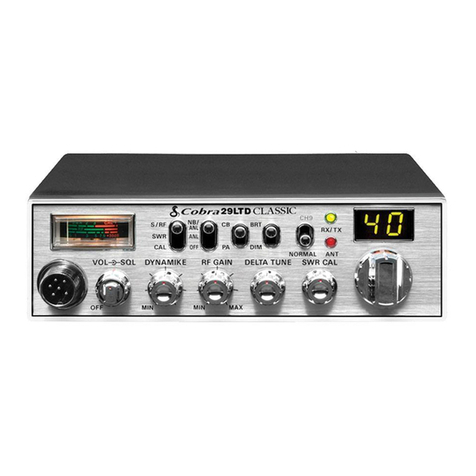
  9. Cobra 29 LTD BT User manual

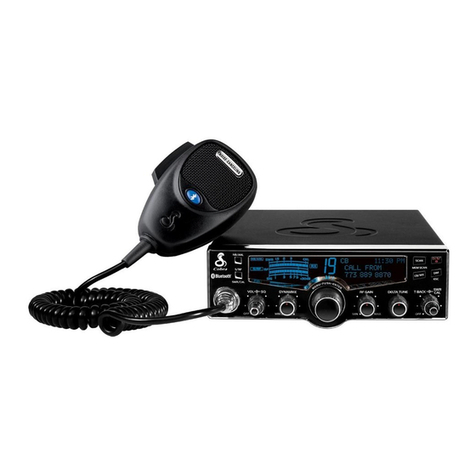
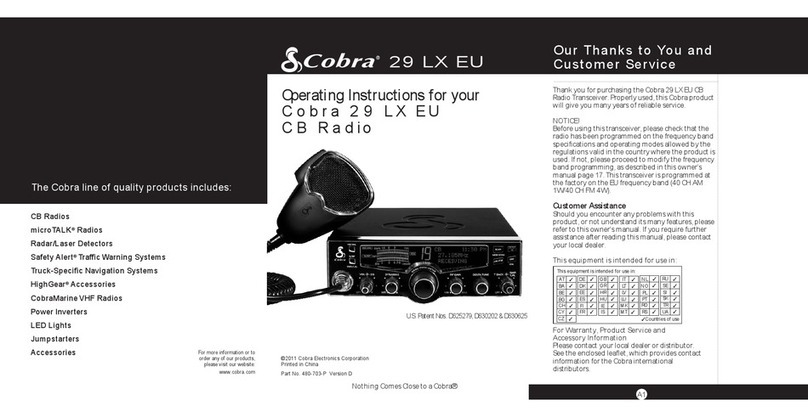
Cobra 29 LTD BT User manual

Other manuals for 29 LTD BT

1

Other Cobra Radio manuals

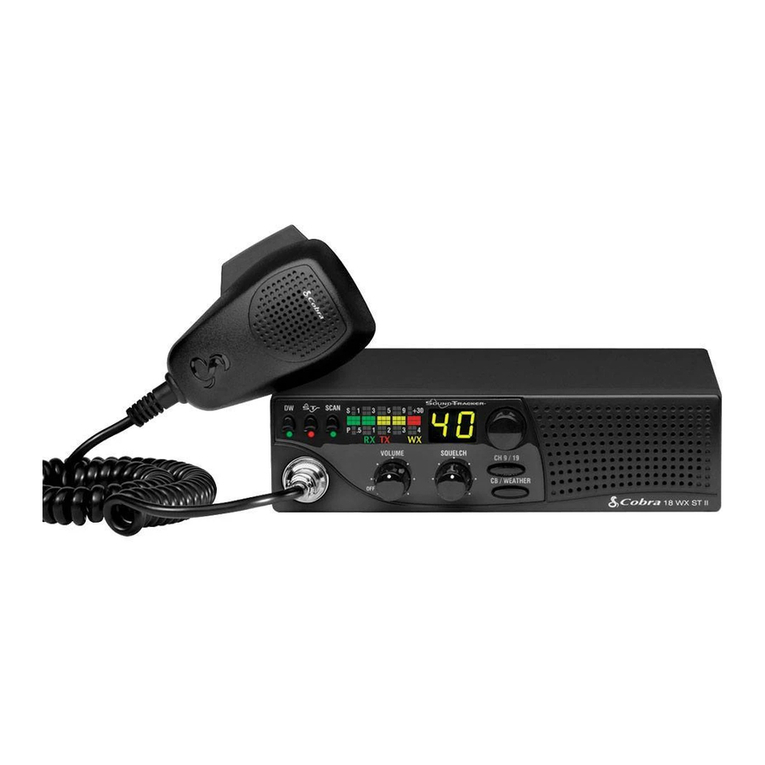
Cobra 18 WX ST User manual

Cobra

Cobra 18 WX ST User manual

Cobra Harley-Davidson 29 LX HD LE User manual

Cobra

Cobra Harley-Davidson 29 LX HD LE User manual

Cobra 29 LX CAMO User manual

Cobra

Cobra 29 LX CAMO User manual

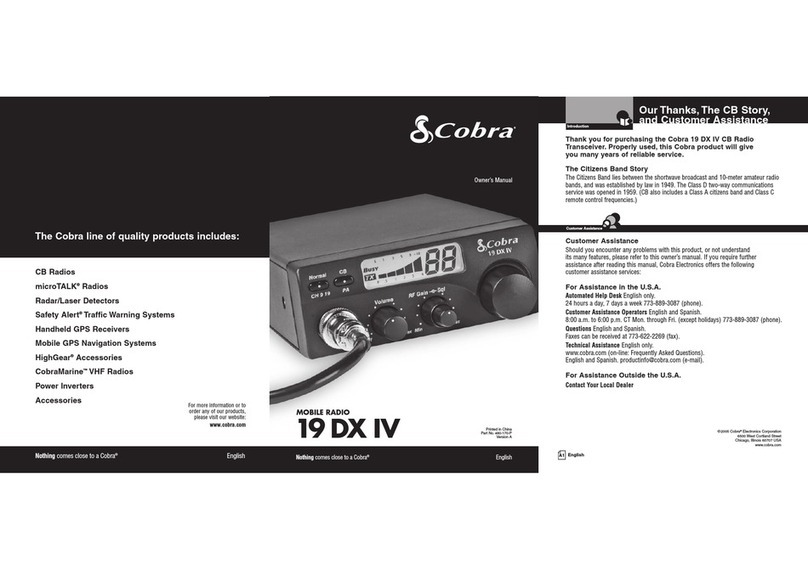
Cobra 19 DX IV User manual

Cobra

Cobra 19 DX IV User manual

Cobra 150 GTL DX Reference manual

Cobra

Cobra 150 GTL DX Reference manual

Cobra 29 LX OEM B User manual

Cobra

Cobra 29 LX OEM B User manual

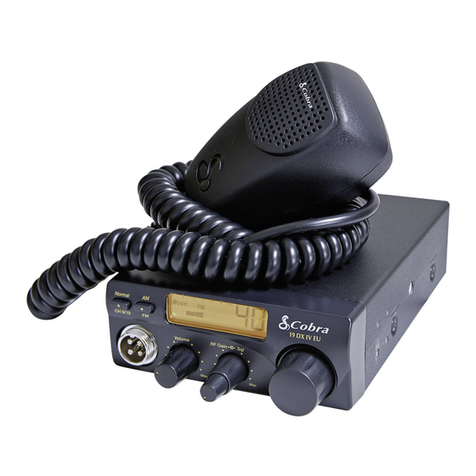
Cobra 19 DX IV User manual

Cobra

Cobra 19 DX IV User manual

Cobra 75 WX ST Operating instructions

Cobra

Cobra 75 WX ST Operating instructions

Cobra MR HH475 FLOAT BT User manual

Cobra

Cobra MR HH475 FLOAT BT User manual

Cobra 25 LTD Classic Operating instructions

Cobra

Cobra 25 LTD Classic Operating instructions

Cobra 41 Plus User manual

Cobra

Cobra 41 Plus User manual

Cobra 29 LX LE Operating instructions

Cobra

Cobra 29 LX LE Operating instructions

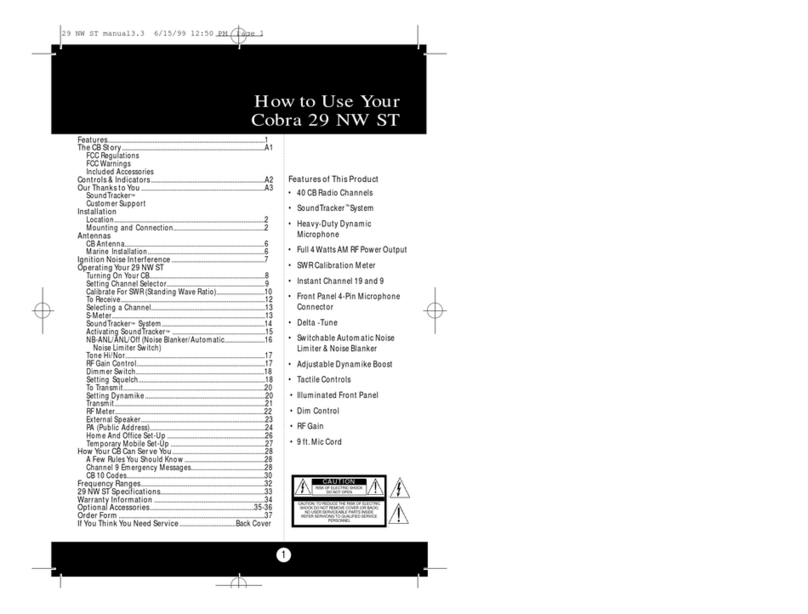
Cobra 29NW ST User manual

Cobra

Cobra 29NW ST User manual

Cobra Marine MRF45 User manual

Cobra

Cobra Marine MRF45 User manual

Cobra 19 DX IV User manual

Cobra

Cobra 19 DX IV User manual

Cobra CIR 1000 A User manual

Cobra

Cobra CIR 1000 A User manual

Cobra 18 WXST II User manual

Cobra

Cobra 18 WXST II User manual

Cobra 29 LTD Classic Contents Operating instructions

Cobra

Cobra 29 LTD Classic Contents Operating instructions

Cobra 29 LTD BT User manual

Cobra

Cobra 29 LTD BT User manual

Cobra MR HH450 DUAL User manual

Cobra

Cobra MR HH450 DUAL User manual

Cobra Cobra 25 NW ST User manual

Cobra

Cobra Cobra 25 NW ST User manual

Cobra 29 LTD Classic User manual

Cobra

Cobra 29 LTD Classic User manual

Cobra GR-25LTD ST User manual

Cobra

Cobra GR-25LTD ST User manual

Cobra 29 LX LE User manual

Cobra

Cobra 29 LX LE User manual

Popular Radio manuals by other brands

EisSound KBSound iSelect user manual

EisSound

EisSound KBSound iSelect user manual

Midland 1001LWX owner's manual

Midland

Midland 1001LWX owner's manual

Konig HAV-SR41 manual

Konig

Konig HAV-SR41 manual

Roberts exprssion manual 

Roberts

Roberts exprssion manual 

VDigi DD3.0 Operation manual

VDigi

VDigi DD3.0 Operation manual

Radio Shack 21-1863 owner's manual

Radio Shack

Radio Shack 21-1863 owner's manual

Roberts Stream 207 instruction manual

Roberts

Roberts Stream 207 instruction manual

Sony Walkman SRF-M97 Service manual

Sony

Sony Walkman SRF-M97 Service manual

Stanley FatMax FMC770 manual

Stanley

Stanley FatMax FMC770 manual

auna DAB-Radio 10026947 manual

auna

auna DAB-Radio 10026947 manual

SOUNDMASTER UR190 instruction manual

SOUNDMASTER

SOUNDMASTER UR190 instruction manual

HYT TC-320 user manual

HYT

HYT TC-320 user manual

B-Tech GMRS-V2 manual

B-Tech

B-Tech GMRS-V2 manual

Weierwei VEV-V8 user manual

Weierwei

Weierwei VEV-V8 user manual

SOUNDMASTER DAB750 instruction manual

SOUNDMASTER

SOUNDMASTER DAB750 instruction manual

Telefunken TF-1505 instruction manual

Telefunken

Telefunken TF-1505 instruction manual

Makita LXRM03 instruction manual

Makita

Makita LXRM03 instruction manual

PRESIDENT TEDDY R. owner's manual

PRESIDENT

PRESIDENT TEDDY R. owner's manual

manuals.online logo
manuals.online logoBrands
  • About & Mission
  • Contact us
  • Privacy Policy
  • Terms and Conditions

Copyright 2025 Manuals.Online. All Rights Reserved.

ANT/
®
®
The Citizens Band lies between the shortwave
broadcast and 10-meter Amateur radio bands,
and was established by law in 1949.The Class D
two-way communications service was opened
in 1959. (CB also includes a Class A citizens band
and Class C remote control frequencies.)
FCC Regulations
FCC regulations permit only “transmissions”
(one party to another) rather than “broadcasts”
(to a wide audience). Thus, advertising is not
allowed on CB Channels because that is
“broadcasting.”
FCC Warnings
All transmitter adjustments other than those
supplied by the manufacturer as front panel
operating controls, must be made by, or under
the supervision of, the holder of an FCC-issued
general Radio-Telephone Operator’s License.
Replacement or substitution of transistors, regular
diodes or other parts of a unique nature, with
parts other than those recommended by Cobra,
may cause violation of the technical regulations
of Part 95 of the FCC Rules, or violation of Type
Acceptance requirements of Part 2 of the Rules.
You should read and understand Part 95 (included
with this unit) of the FCC Rules and Regulations,
before operating your Cobra radio, even though
the FCC no longer requires you to obtain an
operator’s license.
What’s ncluded with Your 29 LTD BT
1. CB transceiver
2. Microphone with
Bluetooth®Button
3. Transceiver bracket
4. Microphone bracket
29 LTD BT
Cobra Electronics Corporation
6500 West Cortland Street
Chicago, IL 60707 USA
Patent Pending
© 2008 Cobra Electronics Corporation
Version B
Printed in China
Part No. 480-455-P
Operating nstructions for
your Cobra 29 LTD BT
The CB Story
A1
For technical assistance,please call our Automated Help Desk which can assist
you by answering the most frequently asked questions about Cobra products.
773-889-3087
24 hours a day, 7 days a week.
A Consumer Service Representative can be reached at 773-889-3087
8:00 am - 6:00 pm, Monday through Friday, Central Time.
Technical assistance is also available on-line in the Frequently Asked Questions
(FAQ) section at www.cobra.com or by e-mail to [email protected]
If you think you need service call 773-889-3087
“If your product should require factory service please call Cobra first before sending your unit in.
This will ensure the fastest turn-around time on your repair.”
You may be asked to send your unit to the Cobra factory. It will be necessary to furnish the
following in order to have the product serviced and returned.
1. For Warranty Repair include some form of proof-of-purchase, such as a mechanical reproduction
or carbon or a sales receipt. If you send the original receipt it cannot be returned.
2. Send the entire product.
3. Enclose a description of what is happening with the unit. Include a typed or clearly print name
and address of where the unit is to be returned.
4. Pack unit securely to prevent damage in transit. If possible, use the original packing material.
5. Ship prepaid and insured by way of a traceable carrier such as United Parcel Service (UPS) or
First Class Mail: to avoid loss in transit to: Cobra Factory Service, Cobra Electronics Corporation,
6500 West Cortland Street, Chicago, IL 60707 USA.
6. If the unit is in warranty,upon receipt of your unit it will either be repaired or exchanged
depending on the model. Please allow approximately 3 to 4 weeks before contacting us for
status. If the unit is out of warranty a letter will automatically be sent informing you of the
repair charge or replacement charge.If you have any questions, please call 773-889-3087
for assistance.
f You Think You Need Service
3
3
4
5
1
Cobra®, Dynamike®, Nothing Comes Close to a Cobra® and the snake design are registered
trademarks of Cobra Electronics Corporation, USA.
Cobra Electronics Corporation™ is a trademark of Cobra Electronics Corporation,USA.
The Bluetooth® word mark and logo are registered trademarks owned by Bluetooth SIG, Inc.
2
5. Operating manual
6. DC power cord
(not shown)
7. FCC rules
(not shown)
426-002-N-001 Replacement DC Power Cord
251-353-9-001 Replacement Mounting Bracket
634-081-9-001 Replacement Thumb Screws
741-080-9-001 Replacement Microphone Bracket
G A1000 21” Base Loaded,
Magnetic Mount Antenna
G A1500 38” Base Loaded
Magnetic Mount Antenna
MNA MIC External Bluetooth Microphone
tem # Description
Accessory Order Info
37
1. 6-Pin Microphone Connector
2. Power On/Off/Volume/
Squelch Control
3. Dynamike®
4. RF Gain
5. Delta-Tune
6. SWR CA / Talk Back
7. Channel Selector
8. ED Channel Display
9. ANT Indicator and
Bluetooth® ED Indicator
10. RX (Receive)/ TX (Transmit)
ED Indicator
11. Channel 9/ Normal Switch
12. Dimmer Switch
13. CB/PA Switch
14. NB/AN AN Off Switch
15. S/RF SWR CA Switch
16. Signal Strength Meter.
17. Microphone.
18. Bluetooth Button
Back Side
19. External Bluetooth
Microphone Jack
20. Public Address
Speaker Jack
21. External Speaker Jack
22. Power Jack
23. Antenna Connector
Thank you for purchasing the Cobra 29 LTD BT CB
Radio. Properly used, this Cobra product will give
you many years of reliable service.
Customer Support
Should you encounter any problems with the
product or not understand its many features,
please refer to this owner’s manual. If , after
referring to the manual, you still need help,
call Cobra Customer Service at 773-889-3087.
Controls and Indicators
Cobra Customer Service
ive operators are available
M-F 8:00 am - 6:00 pm Central
Time at: 773-889-3087
Automated Technical Assistance
available 24 hours a day, seven
days a week. E-mail questions
to: [email protected]
Cobra on the World Wide Web:
Frequently Asked Questions
(FAQ) can be found on-line at:
www.cobra.com
Our Thanks to ou
A3
A2
12 3 4 5 6 7
23 22
16 8
10
20 21
11
12
13
14
15
17
9
Ordering From .S.A.
Call 773-889-3087 for pricing or visit www.cobra.com.
For Credit Card Orders
Call 773-889-3087 Press one from the main menu] 8:00 a.m.
to 6:00 p.m. Central Time, Monday through Friday.
Make Check or Money Order Payable To
Cobra Electronics, Attn: Accessories Dept.,
6500 West Cortland Street, Chicago, IL 60707 U.S.A.
To Order Online
Please visit our website: www.cobra.com
18
19
NOTE
This device complies with part 15 of the FCC Rules.
Operation is subject to the following two (2) conditions:
1. This device may not cause harmful interference, and
2. This device must accept any interference received,
including interference that may cause undesired
operation.

How to Use our
Cobra 29 LTD BT
Contents
Features .................................................................................................................1
The CB Story..........................................................................................A1
FCC Regulations
FCC Warnings
Included Accessories
Controls & ndicators.......................................................................A2
Our Thanks to You .............................................................................A3
Customer Support
nstallation
Location ................................................................................................2
Mounting and Connection ............................................................2
Antennas
CB Antenna..........................................................................................6
Marine Installation ............................................................................6
gnition Noise nterference .............................................................7
Operating Your 29 LTD BT
Turning On Your CB...........................................................................8
Setting Channel Selector ................................................................9
Calibrate For SWR (Standing Wave Ratio)...............................10
To Receive...........................................................................................13
Bluetooth Linking With Cell Phone..........................................14
Selecting a Channel........................................................................16
Bright/Dim Switch ...........................................................................16
NB-ANL/ANL/Off (Noise Blanker/Automatic..........................17
Noise Limiter Switch)
RF Meter..............................................................................................18
S-Meter ................................................................................................18
External Speaker/Microphone ....................................................19
RF Gain Control.................................................................................19
Setting Delta-Tune ..........................................................................20
Setting Squelch ................................................................................20
To Transmit........................................................................................22
Setting Dynamike® ........................................................................22
Transmit..............................................................................................23
TalkBack..............................................................................................23
PA (Public Address) ........................................................................24
ome And Office Set-Up .............................................................26
Temporary Mobile Set-Up ........................................................... 27
How Your CB Can Serve You.......................................................... 28
A Few Rules You Should Know.................................................. 28
Channel 9 Emergency Messages.............................................. 28
CB 10 Codes......................................................................................30
Frequency Ranges............................................................................. 32
29 LTD BT Specifications ................................................................33
Warranty nformation ..................................................................... 34
Optional Accessories ....................................................................... 35
Accessory Order nfo ....................................................................... 37
f You Think You Need Service ....................................Back Cover
Features of This Product
• 40 CB Radio Channels
• Heavy-Duty Noise Canceling
Microphone
• Full 4 Watts AM RF Power Output
• SWR Calibration Meter
• Talk Back
• Instant Channel 9
• Allows use of Bluetooth®
enabled cell phone through CB
• 6-Pin Front Mount Microphone
Connector
• Delta -Tune
• Switchable Automatic Noise
imiter & Noise Blanker
• Adjustable Dynamike® Boost
• 9 Ft. Mic Cord
• RF Gain
1
Installation
Installation
Location
32
Mounting and
Connection
Mounting and Connection
old the radio with the mounting bracket
in the exact desired location. If there is no

interference, remove the bracket and use
it as a template to mark the location for
the mounting screws.
Location
Plan location of transceiver and microphone
bracket before starting the installation.
Select a location that is convenient for operation,
yet does not interfere with the driver or passenger.
The transceiver is usually mounted to the
underside of the dash with the microphone
bracket beside it.
Note
The transceiver is held in
the universal mounting bracket
by two thumbscrews which
allow for adjustment at a
convenient angle.
The bracket includes two
self-tapping screws and star
washers.The mounting must
be mechanically strong,
conveniently located.
continued
Drill the holes and secure the bracket.
2
1
Connect the antenna cable plug to the
receptacle marked “ANT” on the back
of the unit.
3
Installation
Installation
54
Note
Connecting to an accessory
fuse prevents the unit from
being left on accidentally, and
also permits operating the unit
without running the engine.
Note
In positive ground vehicles the
red wire goes to the chassis and
the black wire is connected to
the ignition switch.
Note
Before installing the CB radio,
visually check the vehicle’s
battery connection to
determine which terminal,
positive or negative, is
grounded (positive is the
larger of the two) to the
engine block (or chassis).
A negatively grounded
vehicle has its negative lead
grounded to the chassis.
In a negative grounded vehicle, connect the
red lead of the DC power cord to an accessory
12 volt fuse.
Connect the black lead to the negative side
of the vehicle.This is usually the chassis. Any
convenient location with a good electrical
contact (remove paint) may be used.
4
5
Plug power cable into back of unit marked
“Power”. Be sure to observe polarity markings.
Mount the microphone
bracket on either side
of the unit (driver’s left)
using two screws
supplied. Bracket should
be placed under the dash
so microphone is readily
accessible.
6
7
Attach the 6-pin microphone cable to
receptacle, on the front of unit and install unit
on bracket securely.
8
Ignition Noise Interference
Antennas
Use of a mobile receiver at low signal levels is
normally limited by the presence of electrical
noise.The primary source of noise in automobiles
is from the alternator and ignition system.
Typically, when signal level is adequate, the
background noise does not present a serious
problem. Also, when extremely low level signals
are being received, the transceiver may be
operated with the vehicle’s engine turned off. The
unit requires very little current and therefore will
not significantly discharge the vehicle’s battery.
Even though the Cobra 29 LTD BT has an
automatic noise limiter, in some installations
ignition interference may be high enough to
make good communications impossible. Many
possibilities exist and variations between vehicles
require different solutions. Consult your COBRA
dealer or a 2-way radio technician for help in
locating the source of a severe noise.
CB Antenna
Since the maximum allowable power output of
the transmitter is limited by the FCC, the antenna
is critical in affecting transmission distance. Only
a properly matched antenna system will allow
maximum power output. Cobra loaded type
antenna models are highly recommended for
most installations. Consult your Cobra dealer for
further details, or call 773-889-3087 and speak
to a Cobra representative.
Marine nstallation
The transceiver will not operate at maximum
efficiency in a boat without a ground plate,
(unless it has a steel hull). Before attempting
installation , consult your dealer for information
regarding an adequate grounding system and
prevention of electrolysis between fittings in the
hull and water.
CB Antenna
7
Note
For optimum performance
in passenger cars the ideal
antenna location is on the
center of the roof. Second
choice is on the center
of the trunk.
Note
Because many newer trucks
feature fiberglass door skins,
the outside mirror must be
grounded to the chassis via a
ground strap when antenna is
mounted on the mirror bracket.
Note
3-way Combination
Antennas are also available
which allow operation of all
three bands (AM-FM & CB),
using a single antenna.
However, this type of antenna
usually results in less than
normal transmit and receive
range when compared to a
standard-type “Single Band”
CB antenna. Call 773-889-3087
for further information.
6
1A standard antenna connector is provided
on the transceiver for easy connection.

ANT
The CB/PA button should be in the
CB position.

Operation
9
Operation
Turning On Setting Channel
Selector
8
Turning On
Make sure the power cord, antenna and
microphone are connected to their proper
connectors before starting.

Setting Channel Selector
2
1
Rotate the On/Off Volume knob clockwise to
a normal listening level.
Select one of forty channels and adjust
volume. The selected channel is indicated by
the LED readout directly above the channel
selector knob
1
ANT/
ANT/
Operation
Operation
Calibrate For
SWR (Standing
Wave Ratio)
1110
Note
Antenna Indicator ED
will illuminate when TX if
SWR is high.
Note
Calibration must be made in an
open area (never in a garage).
Vehicle doors must be closed.
No one should be standing near
the antenna. (See your antenna
directions for more complete
information).
continued
Switch to the CAL position.
2
1
Calibrate for SWR (Standing Wave Ratio)
SWR calibration is done to properly adjust the
length of the antenna and to monitor the quality
of the coaxial cable and all RF connections.
This calibration is critical in order to achieve
optimum performance.
Select channel 20.
Push and hold mic button.
3
While holding mic
button adjust the
SWR CAL knob so the
meter needle swings
to the CAL ▼mark on
the meter (located on the right).
4
ANT/
Operation
13
Operation
12
Note
The reading will be slightly
higher on Channels 1 and 40
compared to Channel 20.
Note
When switched to SWR position
the meter needle should ideally
be as far to the left as possible.
Anything over 3 is not acceptable.
The antenna indicator will light.
A slight antenna height
adjustment (higher or lower)
may be required. Repeat
calibration steps.
Repeat the same steps two through five
on Channel 1 and 40.This will check SWR
for all channels.
6
While still holding down the mic button, set
the S/RF SWR CAL switch to the SWR position,
to read the SWR reading.
5
Rotate the On/Off Volume knob clockwise
the green RX/TX LED will be illuminated.
To Receive
1
To Receive
Operation
Operation
Bluetooth®
15
14
Bluetooth
Calls on a Bluetooth enabled cell phone can be
routed through the 29 LTD BT speaker or external
speaker accessory.
To Pair with a Cell Phone
With 29 LTD BT power On, press and hold the BT Button
for six seconds to enter Standby mode. A tone will sound
and the BT LED will flash for one minute to confirm entry
to Standby.
From Standby, press and hold the BT Button for four
seconds to enter Pairing mode.
A. First time pairing with a cell phone:
I. A tone will sound and the BT LED will flash rapidly
to confirm Pairing mode.
II. Follow the cell phone manufacturer's instruction
to enable its Bluetooth function and enter the PIN
(Personal Identification Number) 0000.
III. Successful pairing will be indicated by a tone and
brief flashing of the BT LED to confirm entry to
Connected mode. A pair record will also be established
for subsequent connections.
B. Subsequent pairings with a cell phone:
I. Follow any cell phone manufacturer instructions,
if needed, to enable the Bluetooth function.
II. Successful pairing will be indicated by a tone
and brief flashing of the BT LED to confirm entry
to Connected mode.
1
2
To Answer Calls
Press and release the BT Button when the cell phone ring
is heard through the 29 LTD BT speaker.The BT LED will
light steadily to indicate a call is in progress.
Speak into the 29 LTD BT microphone.The CB function of the
unit and PTT Button will be disabled while a call is in progress.
End the call by press and release of the BT Button.
A tone will sound and the BT LED will flash briefly.
To nitiate Calls
Dial a number according to the cell phone manufacturer’s
instructions. The key press and other tones will be heard
through the 29 LTD BT speaker.
Press Send on the cell phone. The BT LED will light steadily
to indicate a call is in progress; and after a few seconds,
you will hear the ring tone for the number you dialed.
Once connected, speak into the 29 LTD BT microphone.
End the call by press and release of the BT Button.
The BT LED will flash briefly.
Redial a number by press and hold of the BT Button for
two seconds. A tone will sound; and after a few seconds,
you will hear the ring tone for the number you dialed.
Note
If no further pairing steps are
taken, the unit will time-out
and return to Standby after
five minutes. During the
pairing process, press and
release the BT Button to
cancel the pairing process.
1
2
3
1
2
3
4
5
To Enable or Disable Voice Dialing
If the paired cell phone supports voice dialing, press and
release the BT Button twice to toggle between enabling
and disabling this feature.
To Turn Off The Bluetooth Function
Press and hold the BT Button for six seconds to turn off
the Bluetooth function. Two short tones will sound and
the BT LED will turn Off and remain Off.
To Re-pair The 29 LTD BT To The Cell Phone
If pairing is lost while the 29 LTD BT power is On, press and hold
the BT Button for four seconds to re-pair with the cell phone.
If the 29 LTD BT is turned Off, it will retain the Bluetooth address
and automatically re-pair with the last cell phone used when
it is turned back On.
BT LED
Indicator
BT Button
Note
For best audio quality while
using the Bluetooth feature,
place your cell phone at least
12 inches away from the
29 TD BT.
Note
When cell phone calls are in
progress using the Bluetooth
feature, the CB functions of
the unit are disabled.
Note
The optional external
microphone (see accessories
on page 35) can be plugged
into the rear of the unit and
clipped to a pocket or lapel for
hands-free speech during calls.
When the optional
microphone is plugged in,
the main microphone will not
pick up speech during calls
but will be fully functional
for CB operation.