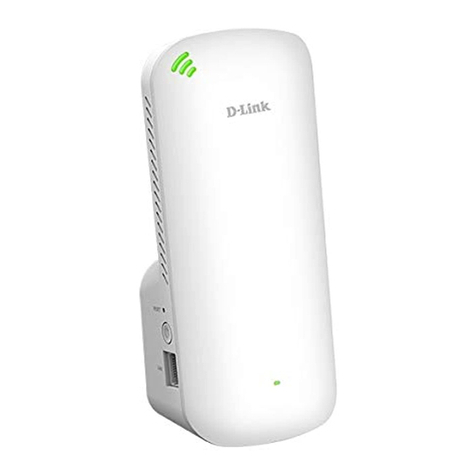
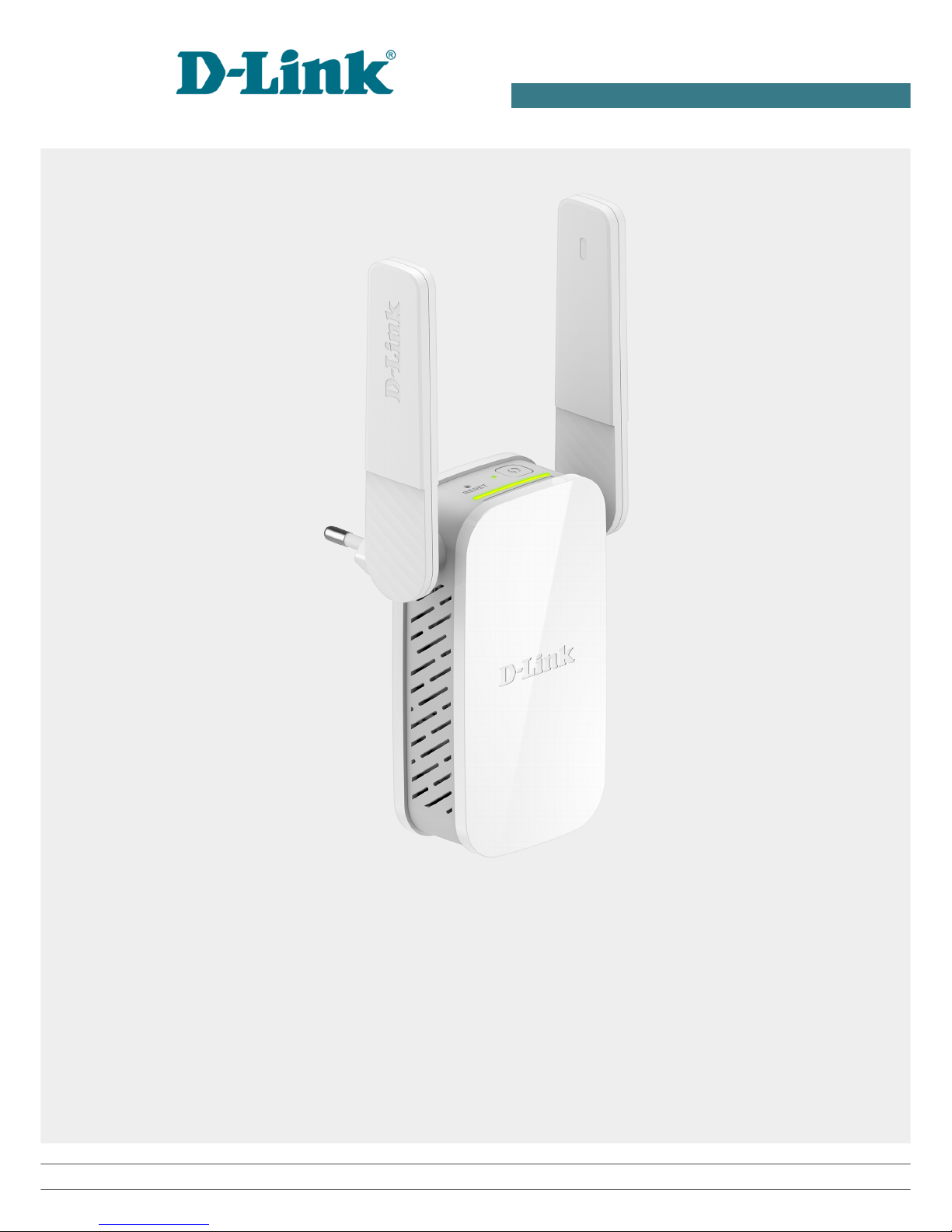
D-Link DAP-1610 User manual
User Manual
DAP-1610
AC1200 Wi-Fi Range Extender
April 2018

DAP-1610 AC1200 Wi-Fi Range Extender
User Manual
Contents
Chapter 1. Introduction..........................................4
Contents and Audience.......................................................4
Conventions.................................................................4
Document Structure..........................................................4
Chapter 2. Overview..............................................5
General Information.........................................................5
Specifications..............................................................
Product Appearance.........................................................10
Upper Panel..............................................................10
Bottom Panel.............................................................11
Delivery Package...........................................................12
Chapter 3. Installation and Connection..........................13
Before You Begin...........................................................13
Connecting to PC...........................................................14
PC with Ethernet Adapter.................................................14
Obtaining IP Address Automaticall in OS Windows 7.......................14
PC with Wi-Fi Adapter....................................................19
Configuring Wi-Fi Adapter in OS Windows 7................................19
Connecting to Web-based Interface..........................................21
Web-based Interface Structure..............................................23
Summar Page.............................................................23
Menu Sections............................................................24
Notifications............................................................25
Chapter 4. Configuring via Web-based Interface..................2
Initial Configuration Wizard...............................................2
Selecting Operation Mode.................................................28
Changing LAN IPv4 Address................................................29
Wi-Fi Client.............................................................30
Configuring Wireless Network.............................................32
Changing Web-based Interface Password....................................33
Statistics.................................................................34
Network Statistics.......................................................34
DHCP.....................................................................35
Clients..................................................................36
Multicast Groups.........................................................37
Connections Setup..........................................................38
LAN......................................................................38
IPv4...................................................................38
IPv6...................................................................41
Wi-Fi......................................................................42
Basic Settings...........................................................42
Client Management........................................................50
WPS......................................................................51
Using WPS Function via Web-based Interface.............................53
Using WPS Function wit out Web-based Interface.........................54
WMM......................................................................55
Client...................................................................57
Additional...............................................................60
MAC Filter...............................................................63
Roaming..................................................................65
Page 2 of 91

DAP-1610 AC1200 Wi-Fi Range Extender
User Manual
Advanced................................................................... 7
DNS......................................................................67
Ports Settings...........................................................69
Firewall...................................................................71
MAC Filter...............................................................71
System.....................................................................73
Configuration............................................................74
Firmware Update..........................................................76
Local Update...........................................................77
Remote Update..........................................................78
Log......................................................................79
Ping.....................................................................81
Traceroute...............................................................83
Telnet...................................................................85
S stem Time..............................................................86
Chapter 5. Operation Guidelines.................................88
Safety Rules and Conditions................................................88
Wireless Installation Considerations.......................................89
Chapter . Abbreviations and Acronyms...........................90
Page 3 of 91
DAP-1610 AC1200 Wi-Fi Range Extender
User Manual Introduction
CHAPTE 1. INT ODUCTION
Contents and Audience
This manual describes the extender DAP-1610 and explains how to configure and operate it.
This manual is intended for users familiar with basic networking concepts who create an in-home
local area network and system administrators who install and configure networks in offices.
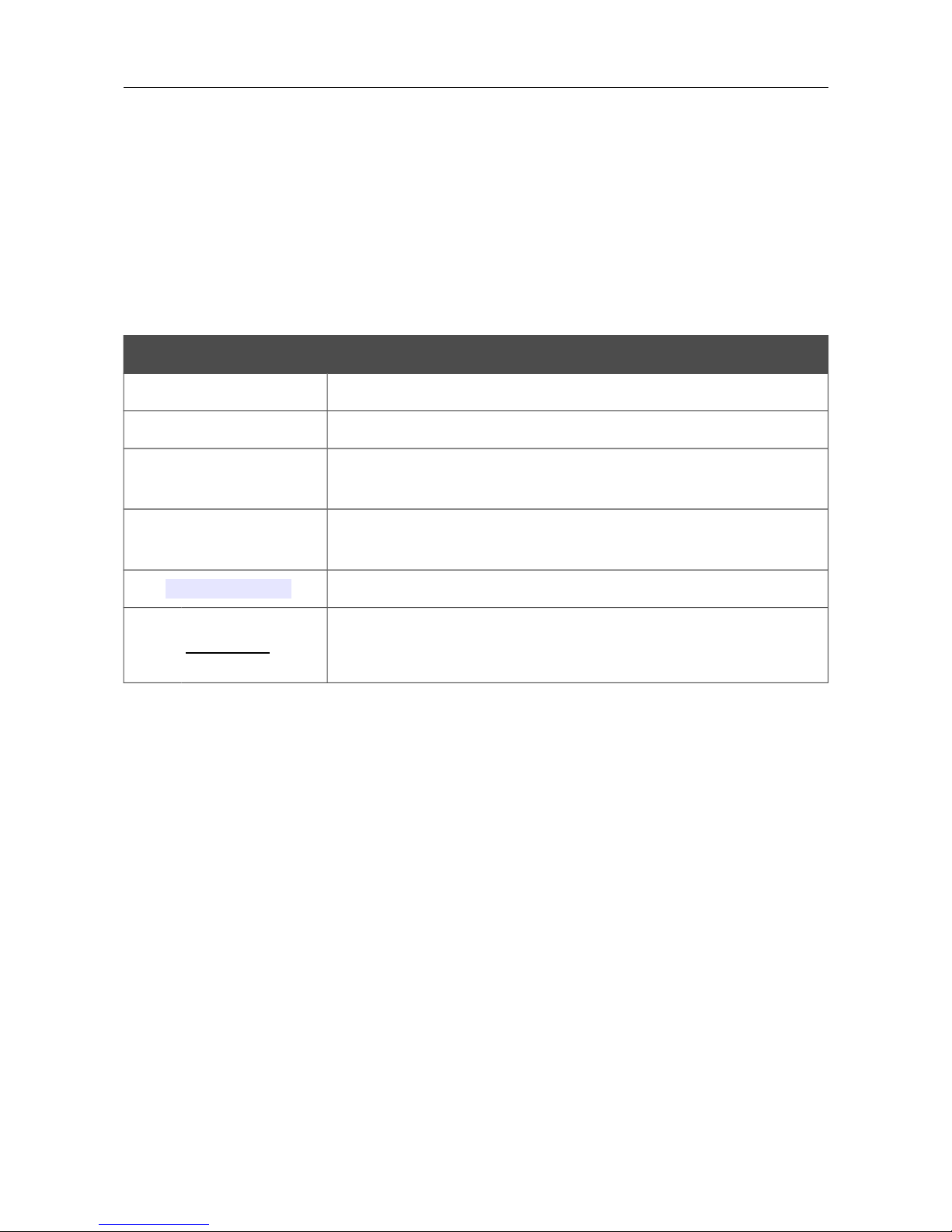
Conventions
Example Description
text The body text of the manual.
Before You Begin A reference to a chapter or section of this manual.
“Quick Installation
Guide” A reference to a document.
Change A name of a menu menu item control (field checkbox drop-down
list button etc.).
192.1 8.0.50 Data that you should enter in the specified field.
!Information An important note.
Document Structure
Chapter 1 describes the purpose and structure of the document.
Chapter 2 gives an overview of the extender's hardware and software features describes its
appearance and the package contents.
Chapter 3 explains how to install the extender DAP-1610 and configure a PC in order to access its
web-based interface.
Chapter 4 describes all pages of the web-based interface in detail.
Chapter 5 includes safety instructions and tips for networking.
Chapter introduces abbreviations and acronyms used in this manual.
Page 4 of 91

DAP-1610 AC1200 Wi-Fi Range Extender
User Manual Overview
CHAPTE 2. OVE VIEW
General Information
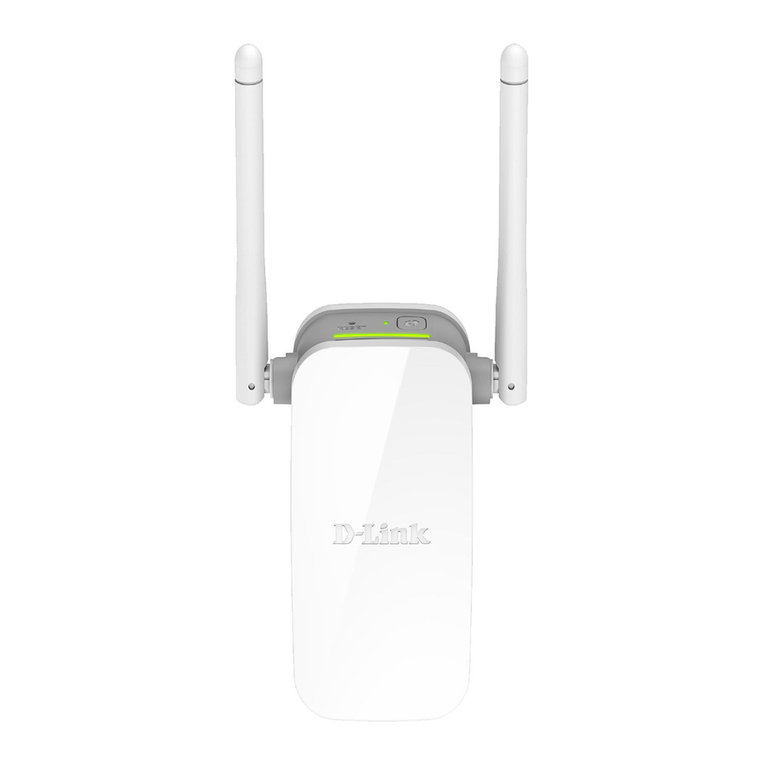
The DAP-1610 device is a wireless extender designed to increase the operational range of your
wireless network. The extender supports operation with wireless devices of the standards 802.11a
802.11b 802.11g 802.11n and 802.11ac (at the wireless connection rate up to 1167Mbps1).
Simultaneous activity of 2.4GHz band and 5GHz band allows performing a wide range of tasks.
The device supports multiple functions for the wireless interface: several security standards (WEP
WPA/WPA2) MAC address filtering different operation modes (repeater client access point)
WPS WMM.
Smart adjustment of Wi-Fi clients is useful for networks based on several D-Link access points or
routers – when the smart adjustment function is configured on each of them a client always
connects to the access point (router extender) with the highest signal level.
The wireless extender is equipped with one Fast Ethernet LAN port which can be used to connect a
wired client to the extender or to connect DAP-1610 to a wired router.
The LED clearly shows the signal level of the wireless network to which DAP-1610 is connected.
Due to this you can easily find the best location for the extender.
You can configure the settings of the DAP-1610 device via the user-friendly web-based interface
(the interface is available in two languages – in Russian and in English).
The configuration wizard allows you to quickly switch the extender to the access point repeater or
client mode and configure all needed settings for the selected mode in several simple steps.
Now you can simply update the firmware: when the Internet access is provided the extender itself
finds approved firmware on D-Link update server and notifies when ready to install it.
1 Up to 300Mbps for 2.4GHz and up to 867Mbps for 5GHz.
Page 5 of 91
DAP-1610 AC1200 Wi-Fi Range Extender
User Manual Overview
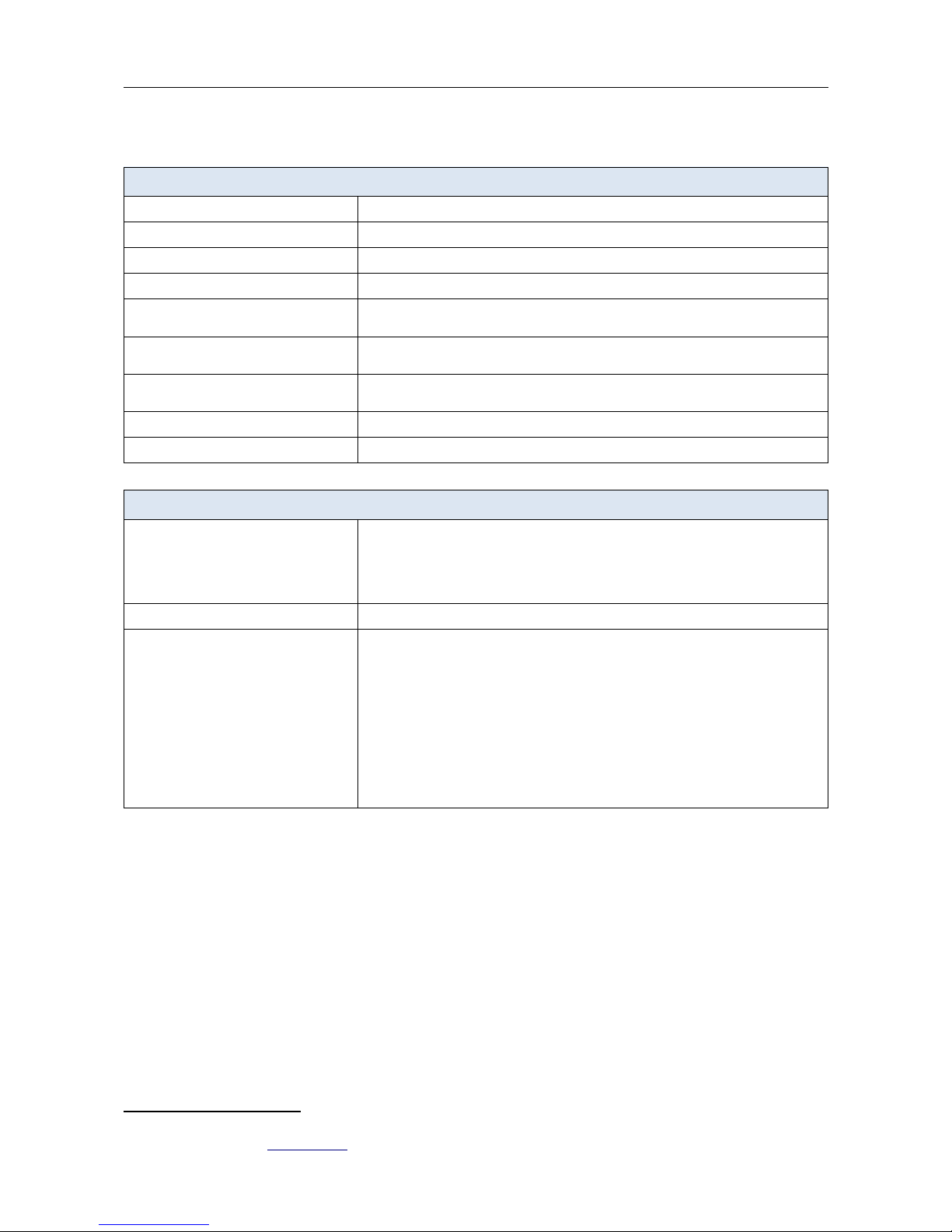
Specifications*
Hardware
Processor ·MT7 28NN (575/580MHz)
AM ·4MB, DDR2
Flash ·8MB, SPI
Interfaces ·10/100BASE-TX LAN port
LEDs ·POWER/WPS
·Wi-Fi Signal Strength
Buttons ·WPS button to set up wireless connection
·RESET button to restore factory default settings
Antenna ·Two external non-detachable antennas (3dBi gain for 2.4GHz and 2dBi gain for
5GHz)
MIMO ·2 x 2
Power connector ·CEE 7/1 plug for AC power supply
Software
Network functions ·DHCP server
·Automatic obtainment of LAN IP address
·DNS relay
·Autonegotiation of speed, duplex mode, and flow control/Manual speed and
duplex mode setup for the Ethernet port
Firewall functions ·MAC filter
Management ·Local and remote access to settings through TELNET/WEB (HTTP/HTTPS)
·Bilingual web-based interface for configuration and management
(Russian/English)
·Firmware update via web-based interface
·Automatic notification on new firmware version
·Saving/restoring configuration to/from file
·Support of logging to remote host
·Automatic synchronization of system time with NTP server and manual
time/date setup
·Ping utility
·Traceroute utility
* The device features are subject to change without notice. For the latest versions of the firmware and relevant
documentation visit www.dlink.ru.
Page 6 of 91
DAP-1610 AC1200 Wi-Fi Range Extender
User Manual Overview
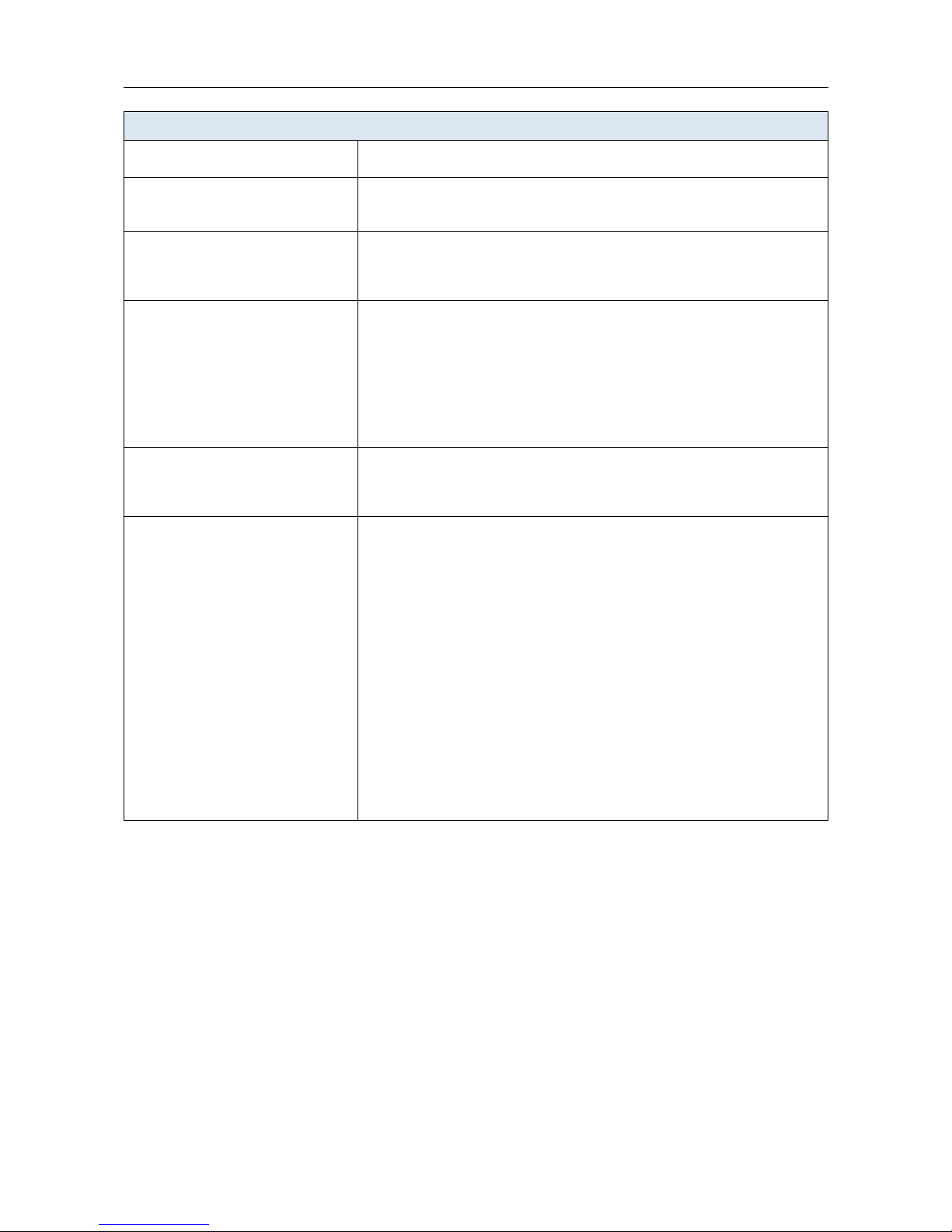
Wireless Module Parameters
Standards ·IEEE 802.11a/n/ac
·IEEE 802.11b/g/n
Frequency range ·2400 ~ 2483.5MHz
·5150 ~ 5350MHz
·5 50 ~ 5725MHz
Wireless connection security ·WEP
·WPA/WPA2 (Personal/Enterprise)
·МАС filter
·WPS (PBC/PIN)
Advanced functions ·Support of client mode
·WMM (Wi-Fi QoS)
·Information on connected Wi-Fi clients
·Advanced settings
·Smart adjustment of Wi-Fi clients
·Support of MBSSID
·Periodic scan of channels, automatic switch to least loaded channel
·Autonegotiation of channel bandwidth in accordance with environment
conditions (20/40 Coexistence)
Wireless connection rate ·IEEE 802.11a: , 9, 12, 18, 24, 3 , 48, and 54Mbps
·IEEE 802.11g: , 9, 12, 18, 24, 3 , 48, and 54Mbps
·IEEE 802.11n (2.4GHz/5GHz): from .5 to 300Mbps (from MCS0 to MCS15)
·IEEE 802.11ac (5GHz): from .5 to 8 7Mbps (from MCS0 to MSC9)
Transmitter output power
The maximum value of the transmitter
output power depends upon the radio
frequency regulations applied in your
country
·802.11a (typical at room temperature 25 °C)
17dBm (±1dB) at Mbps
14dBm (±1dB) at 54Mbps
·802.11g (typical at room temperature 25 °C)
1 dBm (±1dB) at , 9, 12, 18, 24, 3 Mbps
14dBm (±1dB) at 48, 54Mbps
·802.11n (typical at room temperature 25 °C)
2.4GHz, HT20
1 dBm (±1dB) at MCS0~5
14dBm (±1dB) at MCS ~7
2.4GHz, HT40
15dBm (±1dB) at MCS0~5
13dBm (±1dB) at MCS ~7
·802.11ac (typical at room temperature 25 °C)
17dBm (±1dB) at MCS0
13dBm (±1dB) at MCS9
Page 7 of 91

DAP-1610 AC1200 Wi-Fi Range Extender
User Manual Overview
Wireless Module Parameters
eceiver sensitivity ·802.11a (typical at PER < 10% (1000-byte PDUs) at room temperature 25 °C)
-82dBm at Mbps
-81dBm at 9Mbps
-79dBm at 12Mbps
-77dBm at 18Mbps
-74dBm at 24Mbps
-70dBm at 3 Mbps
- dBm at 48Mbps
- 5dBm at 54Mbps
·802.11g (typical at PER < 10% (1000-byte PDUs) at room temperature 25 °C)
-82dBm at Mbps
-81dBm at 9Mbps
-79dBm at 12Mbps
-77dBm at 18Mbps
-74dBm at 24Mbps
-70dBm at 3 Mbps
- dBm at 48Mbps
- 5dBm at 54Mbps
·802.11n (typical at PER = 10% (1000-byte PDUs))
2.4GHz, HT20
-82dBm at MCS0
-79dBm at MCS1
-77dBm at MCS2
-74dBm at MCS3
-70dBm at MCS4
- dBm at MCS5
- 5dBm at MCS
- 4dBm at MCS7
HT40
-79dBm at MCS0
-7 dBm at MCS1
-74dBm at MCS2
-71dBm at MCS3
- 7dBm at MCS4
- 3dBm at MCS5
- 2dBm at MCS
- 1dBm at MCS7
Page 8 of 91
DAP-1610 AC1200 Wi-Fi Range Extender
User Manual Overview
Wireless Module Parameters
·802.11ac (typical at PER = 10% (1000-byte PDUs))
HT20
-82dBm at MCS0
-79dBm at MCS1
-77dBm at MCS2
-74dBm at MCS3
-70dBm at MCS4
- dBm at MCS5
- 5dBm at MCS
- 4dBm at MCS7
-59dBm at MCS8
-57dBm at MCS9
HT40
-79dBm at MCS0
-7 dBm at MCS1
-74dBm at MCS2
-71dBm at MCS3
- 7dBm at MCS4
- 3dBm at MCS5
- 2dBm at MCS
- 1dBm at MCS7
-5 dBm at MCS8
-54dBm at MCS9
HT80
-79dBm at MCS0
-73dBm at MCS1
-71dBm at MCS2
- 8dBm at MCS3
- 4dBm at MCS4
- 0dBm at MCS5
-59dBm at MCS
-58dBm at MCS7
-53dBm at MCS8
-51dBm at MCS9
Modulation schemes ·802.11a: BPSK, QPSK, 1 QAM, 4QAM with OFDM
·802.11g: BPSK, QPSK, 1 QAM, 4QAM with OFDM
·802.11n: BPSK, QPSK, 1 QAM, 4QAM with OFDM
·802.11ac: BPSK, QPSK, 1 QAM, 4QAM, 25 QAM with OFDM
Physical Parameters
Dimensions (L x W x H) ·51 x 49 x 98 mm (2 x 1.91 x 3.85 in)
Weight ·120 g (0.2 lb)
Operating Environment
Power ·Input: 110 to 240 V AC, 50/ 0 Hz
Temperature ·Operating: from 0 to 40 °C
·Storage: from -20 to 70 °C
Humidity ·Operating: from 10% to 90% (non-condensing)
·Storage: from 5% to 90% (non-condensing)
Page 9 of 91
DAP-1610 AC1200 Wi-Fi Range Extender
User Manual Overview
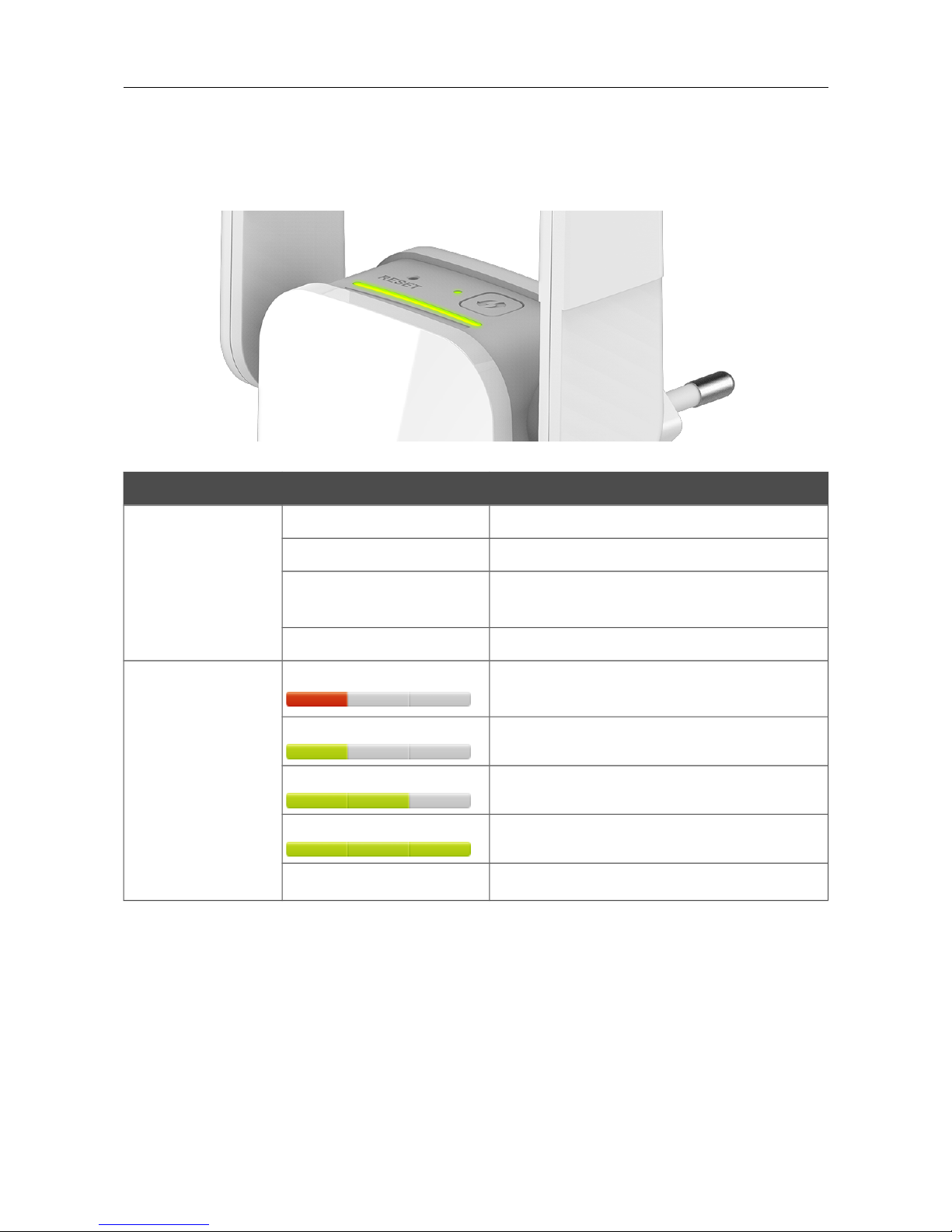
Product Appearance
Upper Panel
Figure 1. Upper panel view.
LED Mode Description
POWE /WPS
Solid red The device is being loaded.
Solid green The device is ready for use.
Blinking red Attempting to add a wireless device via the
WPS function.
o light The extender is powered off.
Wi-Fi Signal Strength
Solid red The device is not connected to a wireless
network or the signal strength is poor.
Solid green Fair signal strength.
Solid green Good signal strength.
Solid green Excellent signal strength.
o light The 2.4GHz and 5GHz bands are off.
The Wi-Fi Signal Strength LED is a LED scale. It shows the signal strength of the wireless
network to which DAP-1610 is connected. The more LEDs are on the better the signal strength is.
To improve the signal strength move the extender closer to the source of the signal.
Page 10 of 91
Other manuals for DAP-1610
6
Table of contents
Other D-Link Extender manuals
D-Link
D-Link DAP-1325 User manual

D-Link
D-Link EXO DRA-1360 User manual
D-Link
D-Link N300 User manual
D-Link
D-Link EXO AC2000 User manual
D-Link
D-Link DHP-W306AV User manual
D-Link
D-Link DHP-W306AV User manual
D-Link
D-Link Covr User manual
D-Link
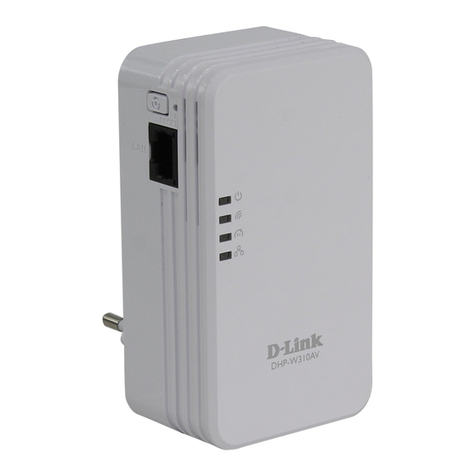
D-Link DHP-W310AV User manual
D-Link
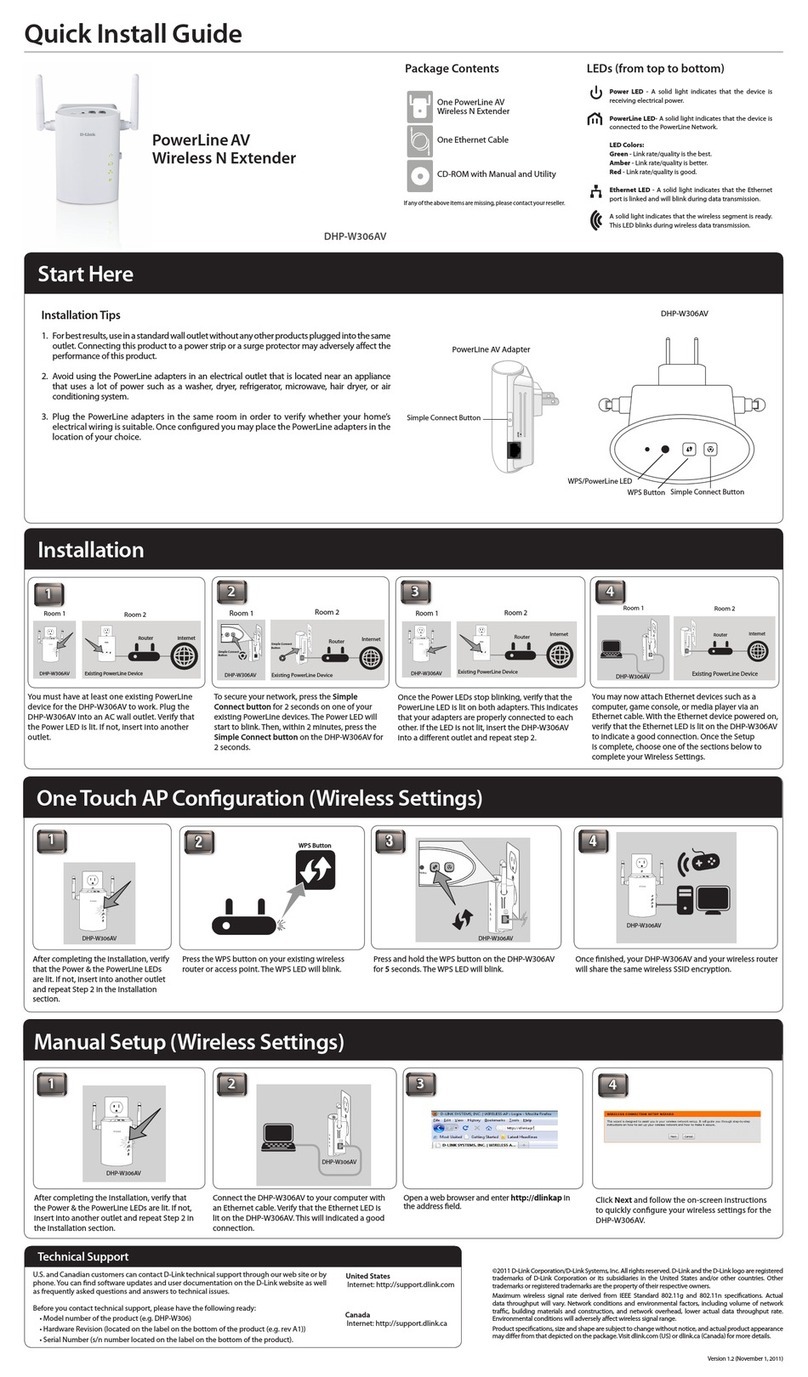
D-Link DHP-W306AV User manual
D-Link
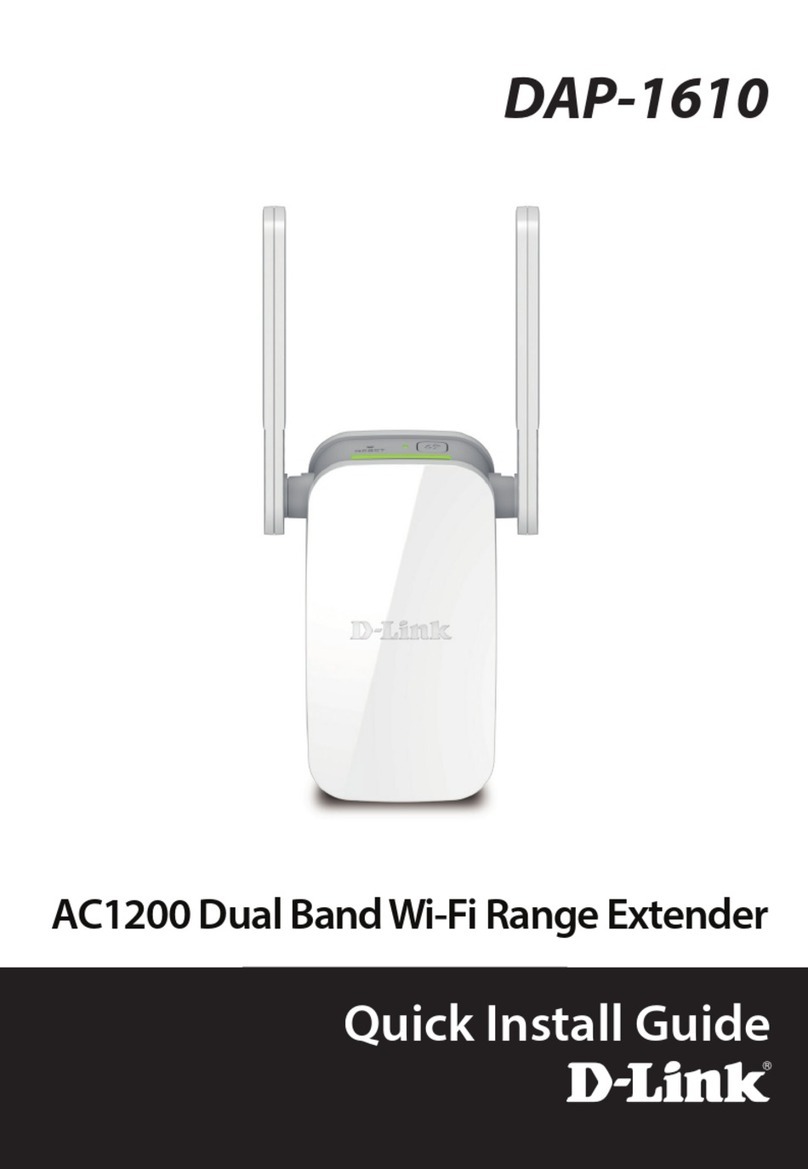
D-Link DAP-1610 User manual
D-Link
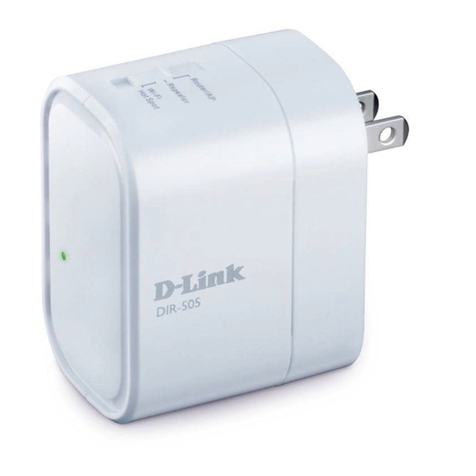
D-Link DIR-505 Manual
D-Link
D-Link DHP-W310 User manual
D-Link
D-Link DAP-1320 User manual
D-Link
D-Link DPE-302GE User manual
D-Link
D-Link DAP-1955 User manual
D-Link
D-Link DAP-X1860 User manual
D-Link
D-Link EXO AC2000 User manual
D-Link
D-Link DAP-1320 User manual
D-Link
D-Link DAP-1620 User manual
D-Link
D-Link DAP-1325 User manual