manuals.online logo
Brands
  1. Home
  2. •
  3. Brands
  4. •
  5. D-Link
  6. •
  7. Gateway
  8. •
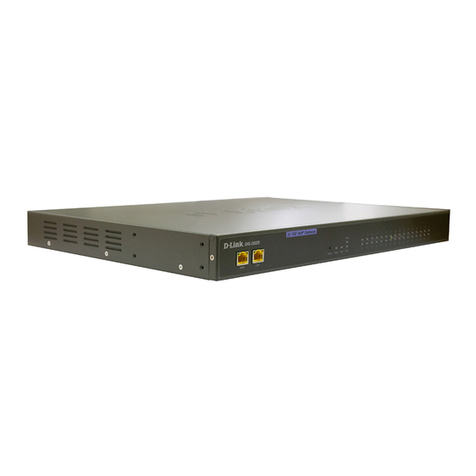
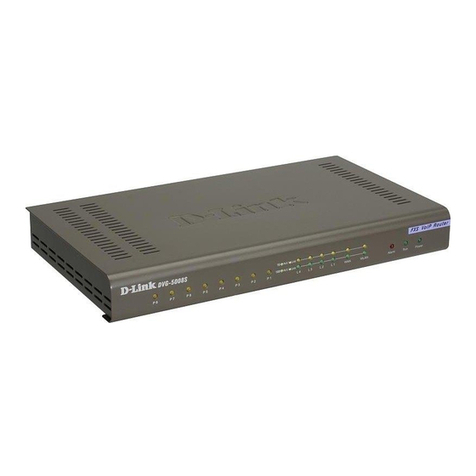
  9. D-Link DVG-5004S User manual

D-Link DVG-5004S User manual

Other manuals for DVG-5004S

4

This manual suits for next models

1

Other D-Link Gateway manuals

D-Link DVG-2016S User manual

D-Link

D-Link DVG-2016S User manual

D-Link DVG-3032S User manual

D-Link

D-Link DVG-3032S User manual

D-Link DVG-3004S User manual

D-Link

D-Link DVG-3004S User manual

D-Link DVG-1120S - VoIP Gateway/Router With 1 LAN... User manual

D-Link

D-Link DVG-1120S - VoIP Gateway/Router With 1 LAN... User manual

D-Link DVG-2032S User manual

D-Link

D-Link DVG-2032S User manual

D-Link DPN-124G User manual

D-Link

D-Link DPN-124G User manual

D-Link DVG-2016S User manual

D-Link

D-Link DVG-2016S User manual

D-Link DVG-6004S User manual

D-Link

D-Link DVG-6004S User manual

D-Link DVG-5112S User manual

D-Link

D-Link DVG-5112S User manual

D-Link DPN-1021G User manual

D-Link

D-Link DPN-1021G User manual

D-Link DHM-401T User manual

D-Link

D-Link DHM-401T User manual

D-Link DG-104SH User manual

D-Link

D-Link DG-104SH User manual

D-Link DPN-1021G User manual

D-Link

D-Link DPN-1021G User manual

D-Link DG-102S User manual

D-Link

D-Link DG-102S User manual

D-Link Airspot DSA-3100 User manual

D-Link

D-Link Airspot DSA-3100 User manual

D-Link DVG-3104MS - VoiceCenter PSTN Gateway User manual

D-Link

D-Link DVG-3104MS - VoiceCenter PSTN Gateway User manual

D-Link DG-104S User manual

D-Link

D-Link DG-104S User manual

D-Link DI-704 User manual

D-Link

D-Link DI-704 User manual

D-Link DIV-140 User manual

D-Link

D-Link DIV-140 User manual

D-Link DSA 5100 - Airspot - Gateway User manual

D-Link

D-Link DSA 5100 - Airspot - Gateway User manual

D-Link DG-104S User manual

D-Link

D-Link DG-104S User manual

D-Link DG-104SH User manual

D-Link

D-Link DG-104SH User manual

D-Link DG-102S User manual

D-Link

D-Link DG-102S User manual

D-Link DIV-140 User manual

D-Link

D-Link DIV-140 User manual

Popular Gateway manuals by other brands

LST M500RFE-AS Specification sheet

LST

LST M500RFE-AS Specification sheet

Kinnex Media Gateway quick start guide

Kinnex

Kinnex Media Gateway quick start guide

2N Telekomunikace 2N StarGate user manual

2N Telekomunikace

2N Telekomunikace 2N StarGate user manual

Mitsubishi Heavy Industries Superlink SC-WBGW256 Original instructions

Mitsubishi Heavy Industries

Mitsubishi Heavy Industries Superlink SC-WBGW256 Original instructions

ZyXEL Communications ZYWALL2 ET 2WE user guide

ZyXEL Communications

ZyXEL Communications ZYWALL2 ET 2WE user guide

Telsey CPVA 500 - SIP Technical manual

Telsey

Telsey CPVA 500 - SIP Technical manual

RTA 460A-NNA4 Product user guide

RTA

RTA 460A-NNA4 Product user guide

Shaw Gateway HDPVR user manual

Shaw

Shaw Gateway HDPVR user manual

ABB VSN900 Commissioning manual

ABB

ABB VSN900 Commissioning manual

Commander Pulse owner's manual

Commander

Commander Pulse owner's manual

2N Telekomunikace ATEUS EasyGate 501309E manual

2N Telekomunikace

2N Telekomunikace ATEUS EasyGate 501309E manual

NETGEAR C6300BD installation guide

NETGEAR

NETGEAR C6300BD installation guide

Amit CDW531AM user guide

Amit

Amit CDW531AM user guide

HMS Netbiter EasyConnect EC150 user manual

HMS

HMS Netbiter EasyConnect EC150 user manual

Huawei EchoLife HG620 user guide

Huawei

Huawei EchoLife HG620 user guide

AT&T U-verse 3801 Replacement self-installation guide

AT&T

AT&T U-verse 3801 Replacement self-installation guide

Logic IO RTCU MX2 turbo Technical manual

Logic IO

Logic IO RTCU MX2 turbo Technical manual

Suttle MediaMAX MXM-521 installation instructions

Suttle

Suttle MediaMAX MXM-521 installation instructions

manuals.online logo
manuals.online logoBrands
  • About & Mission
  • Contact us
  • Privacy Policy
  • Terms and Conditions

Copyright 2025 Manuals.Online. All Rights Reserved.

DVG-5004S/5008S
VoIP Gateway
User’s Manual
Version 1.3
(24 April 2008)
© 2008 D-Link Corporation. All rights reserved.
Reproduction in any manner whatsoever without the written permission of D-Link Corporation is strictly forbidden.
Trademarks used in this text: D-Link and the D-Link logo are trademarks of D-Link Corporation/D-Link Systems Inc.;
Other trademarks and trade names may be used in this document to refer to either the entities claiming the marks and
names or their products. D-Link Corporation disclaims any proprietary interest in trademarks and trade names other than
its own.
Warranty: please contact your D-Link Authorized Reseller or the D-Link Branch Office nearest your place of purchase
for information about the warranty offered on your D-Link product.
Information in this document is subject to change without notice.
FCC Warning
This equipment has been tested and found to comply with the limits for a Class B digital device, pursuant to Part 15 of
the FCC Rules. These limits are designed to provide reasonable protection against harmful interference in a residential
installation. This equipment generates, uses, and can radiate radio frequency energy and, if not installed and used in
accordance with the instructions, may cause harmful interference to radio communication. However, there is no
guarantee that interference will not occur in a particular installation. If this equipment does cause harmful interference to
radio or television reception, which can be determined by turning the equipment off and on, the user is encouraged to try
to correct the interference by one or more of the following measures:
‧Reorient or relocate the receiving antenna.
‧Increase the separation between the equipment and receiver.
‧Connect the equipment into an outlet on a circuit different from that to which the receiver is connected.
‧Consult the dealer or an experienced radio/TV technician for help.
CE Mark Warning
This is a Class B product. In a domestic environment, this product may cause radio interference in which case the user
may be required to take adequate measures.
Warnung!
Dies ist ein Produkt der Klasse B. Im Wohnbereich kann dieses Produkt Funkstoerungen verursachen. In diesem Fall
kann vom Benutzer verlangt werden, angemessene Massnahmen zu ergreifen.
Precaución!
Este es un producto de Clase B. En un entorno doméstico, puede causar interferencias de radio, en cuyo case, puede
requerirse al usuario para que adopte las medidas adecuadas.
Attention!
Ceci est un produit de classe B. Dans un environnement domestique, ce produit pourrait causer des interférences radio,
auquel cas l`utilisateur devrait prendre les mesures adéquates.
Attenzione!
Il presente prodotto appartiene alla classe B. Se utilizzato in ambiente domestico il prodotto può causare interferenze
radio, nel cui caso è possibile che l`utente debba assumere provvedimenti adeguati.
Contents
1. Introduction ....................................................................................................1
1-1 Product Overview.................................................................................................................................... 1
1-2 Hardware Description ............................................................................................................................. 2
2. Installation and Applications.........................................................................4
2-1 Network Interface .................................................................................................................................... 4
2-2 Telephone Interface Description............................................................................................................. 6
3. Gateway Configuration – Use Web Browser ...............................................7
3-1 Network Settings (WAN) ......................................................................................................................... 8
3-2 Network Settings (LAN) ........................................................................................................................ 12
3-3 QoS Settings......................................................................................................................................... 14
3-4 NAT/DDNS............................................................................................................................................ 16
3-5 Caller ID ................................................................................................................................................ 19
3-6 Telephony Settings ............................................................................................................................... 20
3-7 SIP ........................................................................................................................................................ 23
3-8 Calling Features.................................................................................................................................... 28
3-9 Advanced Options................................................................................................................................. 30
3-10 Digit Map ............................................................................................................................................. 34
3-11 Phone Book......................................................................................................................................... 37
3-12 Caller Filter.......................................................................................................................................... 38
3-13 CDR Settings ...................................................................................................................................... 39
3-14 Language ............................................................................................................................................ 40
3-15 CPT/Cadence Settings ....................................................................................................................... 41
3-16 Current Status ..................................................................................................................................... 42
3-17 RTP Packet Summary ........................................................................................................................ 43
3-18 System Information ............................................................................................................................. 44
3-19 Routing Table...................................................................................................................................... 45
3-20 STUN Inquiry....................................................................................................................................... 46
3-21 Ping Test ............................................................................................................................................. 47
3-22 Static Route......................................................................................................................................... 48
3-23 Port Filtering........................................................................................................................................ 49
3-24 IP Filtering........................................................................................................................................... 50
3-25 MAC Filtering ...................................................................................................................................... 51
3-26 Virtual Server ...................................................................................................................................... 52
3-27 DMZ .................................................................................................................................................... 53
3-28 URL Filter............................................................................................................................................ 54
3-29 Special Applications............................................................................................................................ 55
3-30 DoS Prevention Settings..................................................................................................................... 56
3-31 NTP (Network Time Protocol)............................................................................................................. 57
3-32 SNMP.................................................................................................................................................. 58
3-33 Backup/Restore .................................................................................................................................. 59
3-34 System Log ......................................................................................................................................... 60
3-35 Provision Settings ............................................................................................................................... 61
3-36 System Operations (Save Settings).................................................................................................... 62
3-37 Software Upgrade ............................................................................................................................... 63
3-38 Logout ................................................................................................................................................. 64

4. Configuring the Gateway through IVR.......................................................65
4-1 IVR (Interactive Voice Response)......................................................................................................... 65
4-2 IP Configuration Settings—Set the IP Configuration of the WAN Port ................................................. 67
5. Dialing Principles.........................................................................................70
5-1 Dialing Options...................................................................................................................................... 70
5-2 Dialed Number Processing Flow........................................................................................................... 70
Appendix...........................................................................................................72
Product Features List .................................................................................................................................. 72
DVG-5004S/5008S User’s Manual Product Overview
D-Link Systems, Inc. 1
1. Introduction
1-1 Product Overview
The DVG-5004S/5008S VoIP Gateway carries both voice and facsimile over the IP network. It uses the industry
standard SIP call control protocol so as to be compatible with free registration services or VoIP service providers’
systems. As a standard user agent, it is compatible with all common Soft Switches and SIP proxy servers. While
running optional server software, the gateway can be configured to establish a private VoIP network over the
Internet without a third-party SIP Proxy Server.
The gateway can be seamlessly integrated into an existing network by connecting to a phone set and fax
machine. With only a broadband connection such as an ADSL bridge/router, a Cable Modem or a leased-line
router, the gateway allows you to use voice and fax services over IP in order to reduce the cost of all long distance
calls.
DDNS support makes the gateway reachable via its domain name where an ISP dynamically assigns an IP
address. By enabling the CDR function, administrators are allowed to log-in and view all call records, for example
call duration, time and date of calls, and latency.
The gateway can be assigned a fixed IP address or it can have one dynamically assigned by DHCP over PPPoE.
It adopts either the G.711, G.726, G.729A or G.723.1 voice compression format to save network bandwidth while
providing real-time, toll quality voice transmission and reception.
DVG-5004S/5008S User’s Manual Hardware Description
D-Link Systems, Inc. 2
1-2 Hardware Description
Front Panel
DVG-5004S
DVG-5008S
yPower Indicator: green light indicates a normal power supply.
yRun Indicator: blinking green light indicates normal operation.
yAlarm Indicator: when the system starts up, the red light will blink. This indicator will also light to indicate
any abnormal gateway behavior.
yP1 – P4/P1 – P8 Indicators: indicate connection and activity on Port 1 – 4/1 – 8 (phone 1 – 4/1 – 8).
yWAN Indicators: indicate connection and activity on the WAN Ports.
yL1 – L4 Indicators: indicate connection and activity on LAN Port 1 – 4.

9When starting up the system, the Alarm, Run, and Power indicators will light up. After about 40
seconds, the Alarm indicator will go off, the Run indicator will blink green, and the Power indicator
will stay green (under normal operating conditions). If the Alarm indicator continues to blink, then
the system is attempting to connect with your ISP and has yet to obtain an IP address.
9Once the WAN is connected, the WAN indicator will light up green and, if data is being transmitted
over the Internet, the indicator blinks green and orange.
DVG-5004S/5008S User’s Manual Hardware Description
D-Link Systems, Inc. 3
Rear Panel
DVG-5004S
DVG-5008S
WARNING: DO NOT (1) connect the phone ports to each other (FXS to FXS) or (2) connect any
phone port directly to a PSTN line (FXS to PSTN) or to an internal PBX line (FXS to PBX extension).
Doing so may damage your VoIP gateway.
To restore factory default settings (IP address, User’s Name, Password):
(1) Disconnect the power plug.
(2) Press andw hold the reset button for 6 seconds.
(3) Reconnect the power plug while pressing down on the reset button.
(4) Release the reset button after 6 seconds. Factory settings will be restored.
DVG-5004S/5008S User’s Manual Network Interface
D-Link Systems, Inc. 4
2. Installation and Applications
2-1 Network Interface
The network interface is divided into three basic modes as described below:
yGateway can be assigned a Public IP Address
yGateway can be built under the existing NAT
yGateway can be assigned a Public IP address and serve as an IP-sharing router.
NOTE: The Network Interface function mode setup is accessed through a web UI.
Gateway Assigned a Public IP Address
The gateway will have a public IP address for Internet connection regardless of whether the IP is a static
IP address, DHCP (using a Cable Modem), or PPPoE (Dial-up / ADSL).
Gateway IP Settings Need to be set up as static IP,
DHCP, or PPPoE
NAT/STUN Settings Unnecessary (Disabled)
DDNS Settings Unnecessary (Disabled)
Gateway in a NAT Network
Under this mode, the gateway uses a virtual IP address and the IP sharing function of other systems to
connect to the Internet.
LAN IP address for IP sharing Please avoid IP addresses in the following range:
192.168.8.1-192.168.8.254 (You may need to change the settings of
IP sharing or change SIP series gateway LAN Port IP addressing)
Gateway IP Settings Set as static IP address, and assign the LAN IP address of the IP
sharing to the Default Gateway.
If the WAN of the IP sharing device has a static IP address,
then the NAT IP address is set as the Public IP address for
IP sharing.
NAT /STUN Settings
(Please refer to page 14 for
information on using NAT.)
Enable
If the WAN of the IP sharing device uses a dynamic IP
address, then the gateway has to comply with the DDNS
settings. When using NAT, you must enter the URL
(Uniform Resource Locator) that is registered to the DDNS
server.
The WAN of the IP
sharing device has a
static IP address.
Disabled
DDNS Settings
(Please refer to page 14 for
information on DDNS settings.)
The WAN of the IP
sharing device has a
dynamic IP address.
Enabled: enter the registered URL (Uniform
Resource Locator) into the network settings
under NAT
DVG-5004S/5008S User’s Manual Network Interface
D-Link Systems, Inc. 5
Gateway assigned a Public IP Address and serving as an IP sharing device
The gateway will have a public IP address regardless of whether it is a static IP application, DHCP (using
a Cable Modem), or PPPoE (to connect to your ADSL account), which can then use the functions of
built-in IP sharing to allow other PCs to be on-line at the same time.
Gateway IP Settings Need to be set up as static IP, DHCP, or PPPoE
NAT/STUN Settings Unnecessary (Disabled)
DDNS Settings Unnecessary (Disabled)
PC IP Address Settings
(for IP sharing through the
gateway)
PCs should use a static IP address in the
following range : 192.168.8.1-192.168.8.253
Subnet Mask : 255.255.255.0
Default Gateway : 192.168.8.254
DVG-5004S/5008S User’s Manual Telephony Interface
D-Link Systems, Inc. 6
2-2 Telephone Interface Description
Example for DVG-5004S/5008S:
DVG-5004S/5008S connecting directly to phone sets
After connecting telephone sets to P1-P4/P1-P8, users can make direct calls. P1-P4/P1-P8 are FXS
interfaces. Each telephone acts as an independent extension line.
Integrating the DVG-5004S/5008S with a PBX
P1-P4/P1-P8 are FXS interfaces, and some of them can be connected to telephone sets for direct
calls. Others can be connected to the external side of the PBX so that other extension lines can
make VoIP calls.