EnglishDeutsch
 logo
Brands
  1. Home
  2. •
  3. Brands
  4. •
  5. Dell
  6. •
  7. Monitor
  8. •
  9. Dell P2213 User manual

Dell P2213 User manual

This manual suits for next models

2

Other Dell Monitor manuals

Dell E1913 User manual

Dell

Dell E1913 User manual

Dell P2210Hc User manual

Dell

Dell P2210Hc User manual

Dell E2715H User instructions

Dell

Dell E2715H User instructions

Dell U2410 - UltraSharp - 24" LCD Monitor User manual

Dell

Dell U2410 - UltraSharp - 24" LCD Monitor User manual

Dell S2209W - 21.5" LCD Monitor User manual

Dell

Dell S2209W - 21.5" LCD Monitor User manual

Dell UltraSharp UP2718Q User manual

Dell

Dell UltraSharp UP2718Q User manual

Dell S2421H User manual

Dell

Dell S2421H User manual

Dell UltraScan P1690 Specification sheet

Dell

Dell UltraScan P1690 Specification sheet

Dell E153FPc User manual

Dell

Dell E153FPc User manual

Dell E2722H User manual

Dell

Dell E2722H User manual

Dell P2012H Parts list manual

Dell

Dell P2012H Parts list manual

Dell E2414H User manual

Dell

Dell E2414H User manual

Dell E772f User manual

Dell

Dell E772f User manual

Dell SE2722HR User manual

Dell

Dell SE2722HR User manual

Dell E178FP User manual

Dell

Dell E178FP User manual

Dell U2212HM User instructions

Dell

Dell U2212HM User instructions

Dell D7532QT User manual

Dell

Dell D7532QT User manual

Dell SE2219H User manual

Dell

Dell SE2219H User manual

Dell P3421WB Instructions for use

Dell

Dell P3421WB Instructions for use

Dell D2720DS User manual

Dell

Dell D2720DS User manual

Dell UltraSharp UP2720Q User manual

Dell

Dell UltraSharp UP2720Q User manual

Dell E2020HB Instructions for use

Dell

Dell E2020HB Instructions for use

Dell 2407WFP - UltraSharp - 24" LCD Monitor User manual

Dell

Dell 2407WFP - UltraSharp - 24" LCD Monitor User manual

Dell E2211H Specification sheet

Dell

Dell E2211H Specification sheet

Popular Monitor manuals by other brands

Linear Acoustic LQ-1000 user guide

Linear Acoustic

Linear Acoustic LQ-1000 user guide

AOC I2579V user manual

AOC

AOC I2579V user manual

ViewSonic VX1945WM - ViewDock - 19" LCD Monitor null

ViewSonic

ViewSonic VX1945WM - ViewDock - 19" LCD Monitor null

ViewSonic VA705M null

ViewSonic

ViewSonic VA705M null

BenQ FP757 null

BenQ

BenQ FP757 null

ViewSonic VA703MB - 17" LCD Monitor null

ViewSonic

ViewSonic VA703MB - 17" LCD Monitor null

Gateway FPD1520 user guide

Gateway

Gateway FPD1520 user guide

Furuno Mu 120c Operator's manual

Furuno

Furuno Mu 120c Operator's manual

Asus VB171D - 17" LCD Monitor Service manual

Asus

Asus VB171D - 17" LCD Monitor Service manual

Philips 107C64 user manual

Philips

Philips 107C64 user manual

EverFocus EN-7517E instruction manual

EverFocus

EverFocus EN-7517E instruction manual

Panasonic TH152UX1 - 152" PLASMA TV Service manual

Panasonic

Panasonic TH152UX1 - 152" PLASMA TV Service manual

LG 50PM1M -  - 50" Plasma Panel Service manual

LG

LG 50PM1M - - 50" Plasma Panel Service manual

Bosch DDU 9 manual

Bosch

Bosch DDU 9 manual

Acer A231HL user manual

Acer

Acer A231HL user manual

Philips 86BDL4152T user manual

Philips

Philips 86BDL4152T user manual

NEC AccuSync LCD5V user manual

NEC

NEC AccuSync LCD5V user manual

Emay SleepO2 user manual

Emay

Emay SleepO2 user manual

https://manuals.online logo
https://manuals.online logoBrands
  • About & Mission
  • Contact us
  • Privacy Policy
  • Terms and Conditions

Copyright 2026 Manuals.Online. All Rights Reserved.

For the comfort, convenience and performance you need
to be productive, choose Dell Professional Series P2213, P1913 or
P1913S monitors
Designed to bring you the comfort, convenience and performance you need, the
Dell Professional Series P2213, P1913, and P1913S monitors help you to be productive.
They come with full adjustability features such as an optimal1 130 mm height adjustment
range, tilt, swivel and pivot capabilities, and a range of connectivity options including
DisplayPort, all in an eco-conscious design.
Perfect for:
• Large companies that want to reduce their carbon footprint and overall energy
consumption, and that value their employees' viewing comfort
• Small and medium businesses looking for aordable monitors with good viewing
comfort and screen performance
• Educational institutions for computer labs or classrooms
• Government oces
Dell Professional
Series P2213 22"
(56 cm) and P1913 &
P1913S 19" (48 cm)
Monitors with
LED backlights
Dell Professional
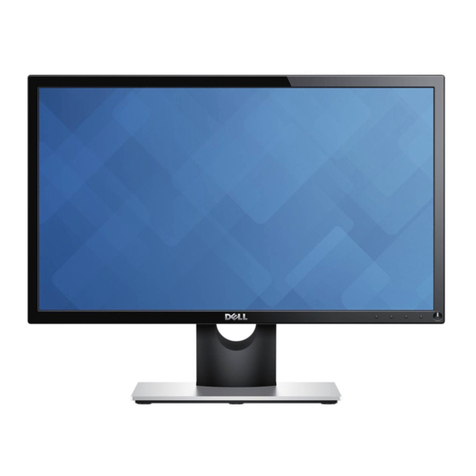
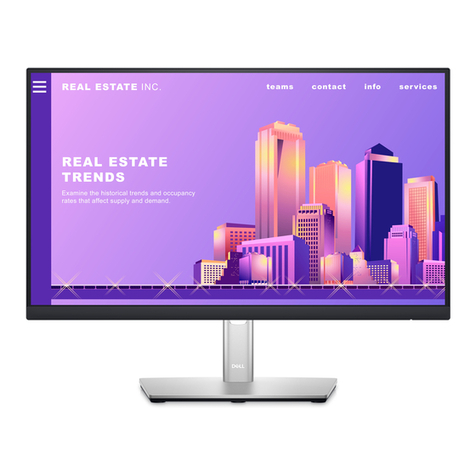
P2213 22" Monitor
Dell Professional
P1913S 19" Monitor
Dell Professional
P1913 19" Monitor
4°
21°
Designed for optimal comfort
and convenience
• Improved height adjustability (130 mm)
Maximize your viewing comfort by easily
adjusting the monitor to an optimal height1
• Additional comfort-enabling features such
as tilt, swivel and pivot (with enhanced
menu rotation) With the Enhanced Menu
Rotation software2 you can easily rotate
the monitor from landscape to portrait
viewing and vice versa. Other comfort-
enabling features include tilt and swivel and
allow you to adjust the screen to your
preferred angle.
• Dell Display Manager software (Auto
mode, PowerNap) Enjoy great ease of
use with Dell Display Manager — your
one-stop software application that allows
manual adjustment or auto assignment of
optimum preset modes to specific software
applications. It also lets you manage
your monitor’s power consumption via
PowerNap.
• Connectivity options
- DisplayPort 1.23, VGA, DVI (HDCP), 2 x
USB ports — Seamlessly connect your
monitor with your desktop, laptop and
other peripherals with the wide array of
connectivity ports.
Excellent screen performance
• Screen clarity
- Experience great work productivity with
crystal clear resolution of 1650 x 1050 for
P2213, 1440 x 900 for P1913 and 1280 x
1024 for P1913S (max)
- High dynamic contrast ratio of 2 million:1
so you can see your work in razor-sharp
clarity, and experience smooth, jitter-free
moving images
- High color gamut4 of 83%, and 16.7
million colors — Get a wide range of true-
to-life colors
• Premium Panel Guarantee — A free panel
exchange is guaranteed in the event that
you discover even one bright pixel in the
Professional Series monitors during the
Limited Hardware Warranty5 period, thus
ensuring the quality of the monitor
Dell Professional Series P2213 22", P1913 19" and P1913S 19"
Monitors with LED backlights
Eco-design
• Made of environmentally-responsible
materials
- BFR/PVC-free monitor (except for
cables), helping you make a greener
choice without compromising on cost,
performance or reliability
- Help make the monitor easy to
recycle and will help to lower power
consumption
- Arsenic-free glass, mercury-free
LED panel
- More than 25% post-consumer recycled
plastics in its chassis
• PowerNap6 software — Helps to dim the
monitor to its minimum brightness level or
puts it into sleep mode when not in use —
designed to help save energy
• Dynamic dimming7 software — Adjusts
onscreen brightness when images displayed
consist of predominantly large bright and
white areas — designed to help save energy
• Environmental compliance — Meets the
latest environmental standards such as
ENERGY STAR®, EPEAT Gold, TCO Certified
Displays, and CEL
• Eco-conscious packaging —
Environmentally responsible packaging
includes corrugated cardboard and is
free of expanded polystyrene form (EPS).
Packaging and corrugated cardboard
are easy to recycle and help reduce
environmental waste.
Designed for comfort,
convenience and ease-of-use
Dell recommends that customers dispose
used computer hardware, including
monitors, in an environmentally sound
manner. Potential methods include reuse
of parts or whole products and recycling
of product, components and/or materials.
For more information, please visit
http://dell.com/recycling_programs
and www.dell.com/environment
Connectors
Power-saving features
PowerNap dims the monitor to the
minimum brightness level or puts it into
sleep mode based on user preference
Dynamic Dimming automatically dims
onscreen brightness when displayed
images consist of predominantly large
bright and white areas
PowerNap
dims the monitor to the
Height adjustment
130 mm
Tilt
45°
Swivel
Pivot

Swivel
*Registered in US and Canada only.
1 Based on Dell 2010 internal usability study on US population.
2 Enabled when PowerNap feature is enabled.
3 Cable not included.
4 Color gamut (typical) is based on CIE1976 (83% of NTSC) and CIE1931 (72%) test standards.
5 For a copy of Limited Hardware Warranty, write to Dell USA LP, Attn: Warranties, One Dell Way, Round Rock, TX 78682 or see www.dell.com/warranty.
6 Dims the monitor to its minimum brightness or puts it in to sleep mode when not in use.
7 When enabled, reduces on screen brightness when displayed images consist of predominantly large bright and white areas.
8 Advanced Exchange Service: Replacement part/unit dispatched, if needed, following completion of phone/online diagnosis.
Fee charged for failure to return defective unit. Availability varies. Other conditions apply.
Ad#G12001019
v.2 07/2012
*
Product availability varies by country.
For more information about Dell monitors, visit www.dell.com/monitors
or contact your commercial channel partner.
Display
Viewable image size (diagonal) 55.88 cm (22 inches) 48.26 cm (19 inches) 48.26 cm (19 inches)
Preset display area
Horizontal
Vertical
140,292 sq-mm (217 sq-inches)
473.8 mm (18.65 inches)
296.1 mm (11.66 inches)
104,162 sq-mm (161.5 sq-inches)
408.2 mm (16.07 inches)
255.2 mm (10.05 inches)
113,304 sq-mm (176 sq-inches)
376.3 mm (14.81 inches)
301.1 mm (11.85 inches)
Maximum resolution 1680 x 1050 at 60 Hz 1440 x 900 at 60 Hz 1280 x 1024 at 60 Hz
Pixel pitch 0.282 mm 0.248 mm 0.277 mm
Brightness (typical) 250cd/m2
Color gamut (typical) 83%4
Color depth 16.7 million colors
Contrast ratio (typical)
Dynamic contrast ratio (typical)
1,000:1
2 million:1
Viewing angle (typical)
(vertical/horizontal) 160°/170°
Response time (typical) 5ms (black to white)
Panel type TN (active matrix – TFT LCD)
Backlight LED
Connectivity
Connectors DVI-D (HDCP), VGA, DisplayPort (vr 1.2)3, 2 x USB 2.0 ports
Design Features
Stand Height adjustable stand (130 mm) with tilt, swivel and pivot features,

built-in cable management, VESA mount support
Security Security lock slot and stand lock

(security lock and M3x6mm screw for stand lock not included)

Power
AC input
voltage/frequency/current
100 to 240 VAC/50 or
60 Hz ± 3 Hz/1.5 A (typical)
Power consumption (typical) 25 W 17 W
Power consumption
active-o mode <0.3 W
Dimensions (with stand)
Height (compressed ~ extended) 368.9 mm ~ 497.4 mm
(14.52 inches ~ 19.58 inches)
356.9 mm ~ 476.4 mm
(14.05 inches ~ 18.76 inches)
370.1 mm ~ 500.1 mm
(14.57 inches ~ 19.69 inches)
Width 510.4 mm (20.09 inches) 43.8 mm (17.47 inches) 411.9 mm (16.22 inches)
Depth 183.3 mm (7.22 inches)
Weight
Weight without stand assembly
(For wall mount or VESA mount
considerations – no cables)
3.43 kg (7.55 lbs) 2.52 kg (5.54 lbs) 2.95 kg (6.49 lbs)
Weight with stand assembly
and cables 5.71 kg (12.56 lbs) 4.75 kg (10.45 lbs) 5.23 kg (11.51 lbs)
Weight with packaging 7.43 kg (16.35 lbs) 5.87 kg (12.91 lbs) 6.75 kg (14.85 lbs)
Service & Warranty
• 3 Years Advanced Exchange Service8 & Limited Hardware Warranty5
• Premium Panel Guarantee – 100% replacement of Professional Series monitors sold if any bright pixel is found, valid within the warranty period.
Dell Professional Series
P2213 22" monitor with LED
Dell Professional Series
P1913 19" monitor with LED
Dell Professional Series
P1913S 19" monitor with LED