This equipment generates, uses and can
radiate radio frequency energy and, if not
installed and used in accordance with the
instructions, may cause harmful interference
to radio communications. However, there is
no guarantee that interference will not occur
in a particular installation. If this equipment
does cause harmful interference to radio and
television reception, which can be determined
by turning the equipment off and on, the user
is encouraged to try to correct the interference
by one or more of the following measures:
• Reorient or relocate the receiving antenna.
• Increase the separation between the
equipment and receiver.
• Connect the equipment into an outlet on
a circuit differentfrom that which the receiver
is connected.
• Consult the dealer or an experienced radio/
TV technician for help.
Canada, Industry Canada (IC) Notices
Class B digital circuitry of this device complies
with Canadian ICES-003. This device complies
with Industry Canada license-exempt RSS
standard(s). Operation is subject to the
following two conditions: 1) this device may
not cause interference, and 2) this device must
accept any interference, including interference
that may cause undesired operation of the
device.
Battery Safety
WARNING:
Batteries can explode, or leak, and
can cause injury or re. To reduce
this risk:
• Carefully follow all instructions and warnings
on the battery label and package.
• Always insert batteries correctly with regard
to polarity (+ and –), as marked on the
battery and the equipment.
• Do not short battery terminals.
• Do not charge disposable batteries.
• Do not mix old and new batteries. Replace
all batteries at the same time with new
batteries of the same brand and type.
• Remove dead batteries immediately and
dispose of per local codes.
• Do not dispose of batteries in re.
Keep batteries out of reach of children.
Loading Batteries
1. Locate the battery compartment latch on
the back of the tool (Figure B2).
2. Using your finger, pull the latch down to
unlock and remove the battery door (Figure
C1).
3. Insert two AAA batteries, making sure to
position the -and +ends of each battery
as noted inside the battery compartment
(Figure C2).
4. Slide the pins at the bottom of the battery
door into the notches in the battery
compartment (Figure C3), and push the
door down until it snaps into place.
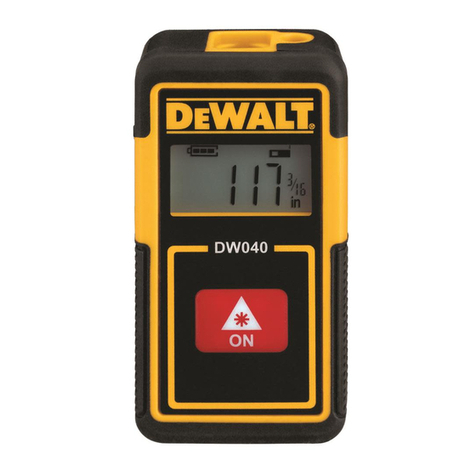
When the tool is turned ON, the battery icon
will appear in the display window (Figure
E1). When the battery level is low, it will
flash inside the battery icon.
Operation
1. Point the laser at the top of the tool (Figure
A1) toward the wall whose distance you
need to measure (Figure D1).
4
E