manuals.online logo
Brands
  1. Home
  2. •
  3. Brands
  4. •
  5. DFI
  6. •
  7. Video Card
  8. •
  9. DFI AGP-7400 User manual

DFI AGP-7400 User manual

Other DFI Video Card manuals

DFI AGP-9800 A+ User manual

DFI

DFI AGP-9800 A+ User manual

DFI AGP-9710 User manual

DFI

DFI AGP-9710 User manual

DFI AGP-7410 User manual

DFI

DFI AGP-7410 User manual

DFI LAX100 User manual

DFI

DFI LAX100 User manual

Popular Video Card manuals by other brands

Diamond Multimedia ATI Radeon SKU 4870PE51GDT Specification sheet

Diamond Multimedia

Diamond Multimedia ATI Radeon SKU 4870PE51GDT Specification sheet

NEC N8116-29 user guide

NEC

NEC N8116-29 user guide

ATI Technologies RADEON 137-40225-20 user guide

ATI Technologies

ATI Technologies RADEON 137-40225-20 user guide

MSI N220GT series user manual

MSI

MSI N220GT series user manual

ATI Technologies RADEON 7000 MAC EDITION user guide

ATI Technologies

ATI Technologies RADEON 7000 MAC EDITION user guide

SIIG aurora Quick installation guide

SIIG

SIIG aurora Quick installation guide

ClearSpeed ClearSpeed Advance e720 user guide

ClearSpeed

ClearSpeed ClearSpeed Advance e720 user guide

MSI R7850 series user guide

MSI

MSI R7850 series user guide

DVS Atomix HDMI installation guide

DVS

DVS Atomix HDMI installation guide

NEC N8116-48 user guide

NEC

NEC N8116-48 user guide

Nvidia Quadro Workstation user guide

Nvidia

Nvidia Quadro Workstation user guide

Aztech VGS3D-AGP user manual

Aztech

Aztech VGS3D-AGP user manual

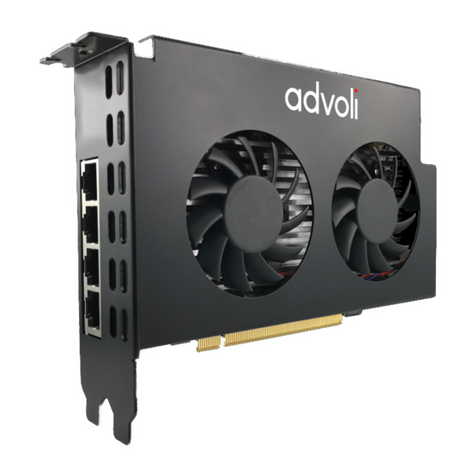
Advoli TB4 Standard installation guide

Advoli

Advoli TB4 Standard installation guide

ELSA ERAZOR III LT user manual

ELSA

ELSA ERAZOR III LT user manual

Gigabyte GV-R7500L User'smanual

Gigabyte

Gigabyte GV-R7500L User'smanual

MSI R7770 PoweR Edition user guide

MSI

MSI R7770 PoweR Edition user guide

EMS XtremeRGB-Ex1 user manual

EMS

EMS XtremeRGB-Ex1 user manual

Gigabyte GV-N68T256D user manual

Gigabyte

Gigabyte GV-N68T256D user manual

manuals.online logo
manuals.online logoBrands
  • About & Mission
  • Contact us
  • Privacy Policy
  • Terms and Conditions

Copyright 2025 Manuals.Online. All Rights Reserved.

AGP-7400
Rev. A+
Graphics Card
Users Manual
35600813
Copyright
This publication contains information that is protected by copyright. No
part of it may be reproduced in any form or by any means or used to
make any transformation/adaptation without the prior written permission
from the copyright holders.
This publication is provided for informational purposes only. The
manufacturer makes no representations or warranties with respect to
the contents or use of this manual and specifically disclaims any express
or implied warranties of merchantability or fitness for any particular purpose.
The user will assume the entire risk of the use or the results of the use of
this document.Fur ther,the manufacturer reserves the right to revise this
publication and make changes to its contents at any time, without obligation
to notify any person or entity of such revisions or changes.
All Rights Reserved. © 1998
Trademarks
Microsoft®MS-DOS®, WindowsTM and Windows®95 are registered
trademarks of Microsoft Corporation. Other trademarks and registered
trademarks of products appearing in this manual are the properties of
their respective holders.

Table of Contents
Chapter 1 - Introduction
Introduction....................................................................................................................................
Features and Specifications.............................................................................................
Package Checklist....................................................................................................................
Chapter 2 - Hardware Installation
Board Layout...............................................................................................................................
Memory.............................................................................................................................................
VMI Interface................................................................................................................................
Installing the Graphics Card...........................................................................................
Chapter 3 - Supported Softwares
Operating System Requirements...............................................................................
VGA Drivers................................................................................................................................
Appendix A - Connector Pin Assignments
Appendix B - Glossary of 3D Features
5
6
8
10
10
11
11
15
16
1
4
AGP-7400 Graphics Card Users Manual
1
Introduction
CHAPTER
1
5
Introduction
Introduction
The high performance 3D graphics card uses the Accelerated Graphics
Port (AGP) interface.AGP utilizes a dedicated pipeline to access system
memory for texturing,z-buffering and alpha blending.
Equipped with the Intel740 graphics chip, its HyperPipelined 3D
architecture provides the following features: Precise Pixel Interpolation
(PPI),Parallel Data Processing (PDP) and Direct Memory Execution (DME).
Precise Pixel Interpolation delivers good image quality, Parallel Data
Processing allows consistent high performance and Direct Memory
Execution delivers 528MB/sec bandwidth providing seamless access to
system memory for unlimited texture sizes and rich rendering.The graphics
chips 3D architecture enables maximum memor y bandwidth for sustained
3D performance and exceptional image quality in PCs equipped with
the Pentium

II processor andAGPset.
Use the graphics card with softwares that support 3D and enjoy more
texture and higher screen resolution at higher frame rates. The graphics
card will deliver faster and better graphics to your PC.
1
6
AGP-7400 Graphics Card Users Manual
Features and Specifications
CHIPSET
 Intel740 graphics chip
MEMORY
 4MB or 8MB onboard
 Supports 64-bit memor y interface
 Uses 256Kx32 or 512Kx32 100MHz SGRAM
GRAPHICS RESOLUTIONS
 4MB: 1600x1200, 256 colors
1600x1200, 32K/64K colors
1024x768, 16M colors
 8MB: 1600x1200, 256 colors
1600x1200, 32K/64K colors
1600x1200, 16M colors
2D GRAPHICS FEATURES
 Supports single cycled 2D BitBLT graphics engine with:
- 3 Operand Raster BitBLT
- Stretch BitBLT
- Color expansion
- Hardware overlay engine
- Hardware double buffering
- Stretch BLT
- Hardware cursor (64x64x3)
3D GRAPHICS FEATURES
 Setup engine balances the 3D pipeline
- 1.2M triangles/sec peak
- 425-500K triangles/sec full feature
- 45-55M pixels/sec full feature
- Full sidebandAGP
- Parallel execution
1
7
Introduction
 3D graphics visual enhancement
- Flat and Gouraud shading
- MIP mapping with bi-linear filtering
- Color alpha blending for transparency
- Real time texture paging and video texturing
- Fogging and atmospheric effects
- Specular lighting
- Edge anti-aliasing
- Stippling or "screen door" transparency
- Backface culling
- Z-buffering
 Texture mapping enhancement
- Per pixel perspective correct texture mapping
- Texture sizes from 1x1 to 1024x1024 pixels
- Integrated hardware palette
- Multi-texture formats
- Texture color keying
- Texture chroma keying
COMPATIBILITY
 Microsoft PC 98
 VESA Display Power Management Signaling (DPMS)
 VESA DDC2B for Plug and Play monitors
 VESA VBE 2.0 BIOS
 Intel AGP version 2.0 sideband DME mode
 VMI 1.4 compliant
BENCHMARKS
(Intel Pentium®II processor 300MHz, 1024x768, hi-color, 75Hz, 4MB)
 3DWinbench 98: over 650 megapixels/sec.
SOFTWARE DRIVERS
 Windows®95/DirectX5
 Windows NT®4.0
I/O SLOT
 AGP slot (AGP 2.0)
1
8
AGP-7400 Graphics Card Users Manual
CONNECTOR
 1 15-pin analog VGA connector
 1 feature connector or VMI (Video Module Interface) connector
Package Checklist
 The graphics card
 The user's manual
 One set of diskette or CD
If any of these items are missing or damaged, please contact your
dealer or sales representative for assistance
2
Hardware Installation
CHAPTER
2
10
AGP-7400 Graphics Card Users Manual
Carefully read this chapter before installing the graphics card into
your system. Installing the card incorrectly may damage your com-
puter system, monitor, and the card.
Board Layout
Intel740
BIOS
J3
square denotes pin 1
VGA
connector
U7 U8
U9
U10
Feature connector
J6
J5 Video
Module
Interface
(VMI)
SGRAM SGRAM
SGRAM
SGRAM
Memory
The graphics card may come with 4MB or 8MB of SGRAM (Syn-
chronous Graphics RAM). A 4MB graphics card is installed with four
256Kx32 SGRAMs while an 8MB graphics card is installed with four
512Kx32 SGRAMs. These SGRAMs are installed at locations U7,
U8, U9 and U10 of the graphics card.