Dolgin Engineering 1019 Massachusetts Ave. Lexington, MA 02420 • (7 1) 63-1 13 • www.dolgin.net
1
Introduction
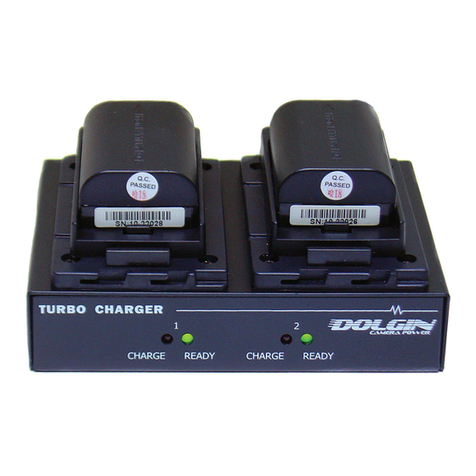
The TC40-DSLR-C Battery Charger is electrically compatible with Canon LP-E6 batteries With the
appropriate power cord, the charger can be powered by a 12V automobile power source
Standard Features
•Four simultaneous charge positions for fast charging of 4 batteries
•Fast, safe, and reliable charging The battery pack can be left on the charger after the charge is complete
•Dynamic Power Management (DPM) minimizes battery charge time By dynamically adjusting battery
charge current, more current is allocated to the deeper discharged battery Through this process all
batteries are ready to use at about the same time
•Wide range input power compatibility (100-240VAC 50-60Hz), 12V with the DC cigarette lighter cord
•Compact, lightweight design for easy portability Dimensions 10 5"x 4"x 1 5"
Batteries
The charger is capable of charging 4 batteries at the same time It accepts Canon LP-E6 style batteries
Charging time
The time to full charge depends on the battery pack rated capacity, its state of charge prior to insertion, and
its age A fully discharged new battery pack will be fully charged (more than 90%) in about 2 hours( 2 5 hours
when 2 batteries in the same bank* are being charged) Since a depleted battery pack absorbs charge current
faster than a partially charged one, most of the charge energy is absorbed during the initial stage of charging
and then the rate of charge levels off towards the end
Charge channels
LEDs indicate each battery’s state of charge Dynamic Power Management (DPM) minimizes battery charge
time By dynamically adjusting battery charge current, more current is allocated to the deeper discharged of
the two batteries (in the same bank) Through this process both batteries are ready to use at about the same
time
Operation
Charging
Operation of the charger is fully automatic Upon plugging the charger in into an electrical source the green
and red LEDs will blink every 3 seconds to indicate the charger is powered on Mount a battery to an open
position on the charger and the charger will initiate the charge routine While charging is in progress, the red
LED will illuminate Approaching charge completion, the Green LED will blink at 90% readiness level, and
will be steady ON on completion
Status LEDs
1 Red ON Battery is inserted; charge in progress
2 Green blinking Battery is charged over 90%
3 Green ON Ready
* Charging positions are grouped in 2 banks of 2 plates In order to get the fastest charge time, when charging
2 batteries, place them in positions 1, 3