EnglishDeutsch
 logo
Brands
  1. Home
  2. •
  3. Brands
  4. •
  5. Drive Medical
  6. •
  7. Medical Equipment
  8. •
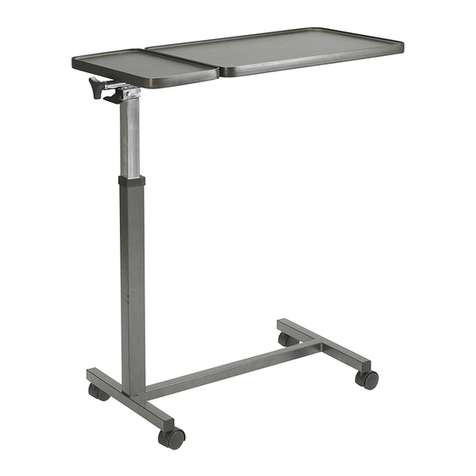
  9. Drive Medical 13068BV User manual

Drive Medical 13068BV User manual

Other Drive Medical Medical Equipment manuals

Drive Medical 18605 User manual

Drive Medical

Drive Medical 18605 User manual

Drive Medical 13049 User manual

Drive Medical

Drive Medical 13049 User manual

Drive Medical 18707 User manual

Drive Medical

Drive Medical 18707 User manual

Drive Medical SIMCAIR Manual

Drive Medical

Drive Medical SIMCAIR Manual

Drive Medical Harmony Manual

Drive Medical

Drive Medical Harmony Manual

Drive Medical Celestia 18250 User manual

Drive Medical

Drive Medical Celestia 18250 User manual

Drive Medical 18715 User manual

Drive Medical

Drive Medical 18715 User manual

Drive Medical 12402 User manual

Drive Medical

Drive Medical 12402 User manual

Drive Medical Oxygen Pulse Oximeter User manual

Drive Medical

Drive Medical Oxygen Pulse Oximeter User manual

Drive Medical Deluxe User manual

Drive Medical

Drive Medical Deluxe User manual

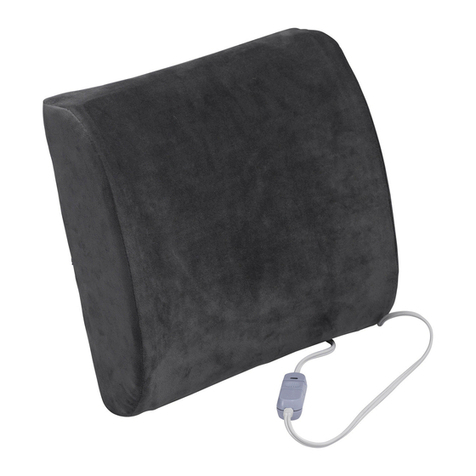
Drive Medical Comfort touch RTL2017CTL User manual

Drive Medical

Drive Medical Comfort touch RTL2017CTL User manual

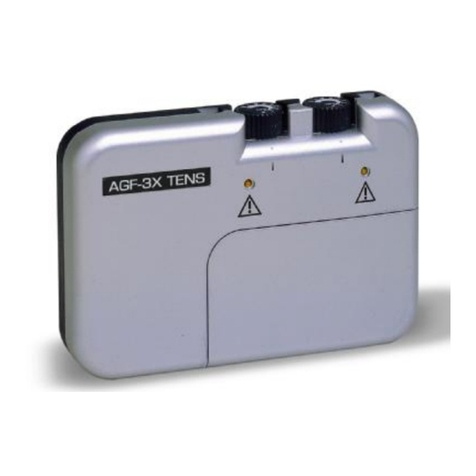
Drive Medical AGF-3X User manual

Drive Medical

Drive Medical AGF-3X User manual

Drive Medical AIR ZONE MQ8500 User manual

Drive Medical

Drive Medical AIR ZONE MQ8500 User manual

Drive Medical 13068BV User manual

Drive Medical

Drive Medical 13068BV User manual

Drive Medical 13003 Installation guide

Drive Medical

Drive Medical 13003 Installation guide

Drive Medical 12005KD Administrator Guide

Drive Medical

Drive Medical 12005KD Administrator Guide

Drive Medical 13080 User manual

Drive Medical

Drive Medical 13080 User manual

Drive Medical 13246 User manual

Drive Medical

Drive Medical 13246 User manual

Drive Medical 13078 User manual

Drive Medical

Drive Medical 13078 User manual

Drive Medical Bed Assist Handle User manual

Drive Medical

Drive Medical Bed Assist Handle User manual

Drive Medical Bonsai OM-812CE User manual

Drive Medical

Drive Medical Bonsai OM-812CE User manual

Drive Medical 13221L User manual

Drive Medical

Drive Medical 13221L User manual

Drive Medical iGo Instruction Manual

Drive Medical

Drive Medical iGo Instruction Manual

Drive Medical Clini-Ox II Instruction Manual

Drive Medical

Drive Medical Clini-Ox II Instruction Manual

Popular Medical Equipment manuals by other brands

TekTone Tek-CARE160 Installation and operation manual

TekTone

TekTone Tek-CARE160 Installation and operation manual

NeuroMetrix Quell 2.0 user manual

NeuroMetrix

NeuroMetrix Quell 2.0 user manual

AMT XLR8 Quick reference guide

AMT

AMT XLR8 Quick reference guide

EDAN SONOTRAX Pro user manual

EDAN

EDAN SONOTRAX Pro user manual

Restorative Therapies RT300 Service guide

Restorative Therapies

Restorative Therapies RT300 Service guide

Gendex Expert DC installation manual

Gendex

Gendex Expert DC installation manual

Dexcowin ADX4000W user manual

Dexcowin

Dexcowin ADX4000W user manual

Libelium MySignals user manual

Libelium

Libelium MySignals user manual

Acelity V.A.C.ULTA 4 user manual

Acelity

Acelity V.A.C.ULTA 4 user manual

Caputron ActivaDose II tDCS quick start guide

Caputron

Caputron ActivaDose II tDCS quick start guide

Plinth 2000 93CDT Service manual

Plinth 2000

Plinth 2000 93CDT Service manual

GE SENOGRAPHE 800T Operator's manual

GE

GE SENOGRAPHE 800T Operator's manual

GE Definium 5000 Operator's manual

GE

GE Definium 5000 Operator's manual

Kanmed GE-1380 user manual

Kanmed

Kanmed GE-1380 user manual

Huntleigh FD1 Instructions for use

Huntleigh

Huntleigh FD1 Instructions for use

Stryker SPR Plus Operation manual

Stryker

Stryker SPR Plus Operation manual

Tobii Dynavox I-Series user manual

Tobii Dynavox

Tobii Dynavox I-Series user manual

S-Capepod Evac Cocoon Step-by-step guide

S-Capepod

S-Capepod Evac Cocoon Step-by-step guide

https://manuals.online logo
https://manuals.online logoBrands
  • About & Mission
  • Contact us
  • Privacy Policy
  • Terms and Conditions

Copyright 2026 Manuals.Online. All Rights Reserved.

1. Remove contents from packaging and lay top boards
(1 & 1S) upside down on flat surface with Mounting Tubes
(5 & 5S) facing upward. See Fig. 2.
2. Take the Column Assembly (2) and place Trip Lever (3)
on top of Trip Rod and secure with Bolt and Nut (4)
See Fig. 1.
3. Remove Triangle Knob (16) and Spacer (17) and
remove Inner tube (6) from Outer tube (18). See Fig. 3.
4. Insert outer tube(18) on column assembly through mount-
ing tube (5s) on short top (1s). Then insert outer tube
through mounting tube (5) on large top (1). Then insert
inner tube (6) through Mounting tube (5). Tighten thumb
screw (19) into hole on Outer tube(18).
5. Replace Triangle Knob (16) and Spacer (17) and
secure by tightening the knob.
Assembly Instructions
6. Install two Casters With Lock (8) into Base (7) which
connects to Column Assembly (2). Install two Non-Lock-
ing Casters (9) into base opposite Column Assembly (2).
See Fig. 5.
7. Install two Bolt Sleeves (10) into upside down Base (7)
and then position two Bolts (12) through Bolt Plate (11)
and into Bolt Sleeves (10). Position Base (7) over Column
Assembly (2) and thread bolts into boom of Column
Assembly (2) and tighten using 16mm wrench. See Fig. 6.
8. Turn the table upright and stand on casters.
9. CAUTION: This step must be completed last to
prevent damage to the spring loaded mechanism.
Remove the Black Screw (13) in the Column Assembly
(2) collar labeled “Remove for Assembly” and replace
it with the Chrome Screw (14) contained in hardware
package. Do not remove Chrome Screw labeled “Do
Not Remove”. See Fig. 7 and Fig. 8.
FIG. 1
4
3
2
FIG. 7
Remove 13
FIG. 8
Insert 14
WARNING
FOR SAFETY – DO NOT REMOVE BLACK SCREW (13) ON COL-
UMN ASSEMBLY (2) UNTIL THE TABLE IS FULLY ASSEMBLED AND
STANDING IN UPRIGHT POSITION. AFTER REMOVING BLACK
SCREW, REPLACE WITH CHROME SCREW (14) INCLUDED IN
HARDWARE PACKAGE.
THE BOTTOM CHROME SCREW WITH THE “DO NOT REMOVE”
LABELSHOULDNEVERBEREMOVEDASITWILLDAMAGETHE
UNITANDVOIDYOURWARRANTY
12
11
2
FIG. 6
10
1
7
8
9
FIG. 5
Column end of base
with 2 holes 7
FIG. 2
1s
1
5s 5
Drive Medical
TILT TOP TABLE - 13068BV
FIG. 4
17
16 6
18
2
Hole
FIG. 3
2
17
6
16
Hole 18
REV1.5.2.14

Lifetime Limited Warranty
Your Drive branded product is warrantied to be free of
defects in materials and workmanship for the lifetime of
the product for the original consumer purchaser.
This device was built to exacting standards and care-
fully inspected prior to shipment. This Lifetime Limited
Warranty is an expression of our confidence in the materi-
als and workmanship of our products and our assurance to
the consumer of years of dependable service.
This warranty does not cover device failure due to owner
misuse or negligence, or normal wear and tear. The war-
ranty does not extend to non-durable components, such as
rubber accessories, casters, and grips, which are subject to
normal wear and need periodic replacement.
If you have a question about your Drive device or this war-
ranty, please contact an authorized Drive dealer.
Assembly Precautions
This Overbed Table utilizes a high-tension spring loaded mech-
anism to raise the table, DO NOT remove #13 Black Screw and
replace with #14 Chrome Screw until table is fully assembled.

DO NOT over tighten bolts, screws or use power tools when
assembling this product.
Important Warnings
Please follow all instructions and warnings to avoid hazardous
situations that can result in property damage and/or patient/
resident/staff/caregiver injury and/or death.
Inspect the product for damage and loose hardware before each
use. DO NOT use the product if it appears to be damaged or
unstable and DO NOT modify the product in any way.
Intended Use
This product is designed for use as a movable patient/resident
table top surface for reading, eating, or keeping small personal
items such as glasses, telephone, or books within easy reach.
This product is designed for indoor use ONLY within close prox-
imity of skilled caregivers. It is not designed to hold electrical
items (such as televisions, computer monitors, coffee pots, etc.)
and should not be used near open flames and excessive heat.
Maximum weight limitation for this product is 50 lbs (22 kg.);
weight should be evenly distributed over the table top surface
while at the lowest usable height to help maintain a stable con-
dition.
DO NOT overload the product as that could result in breakage,
as well as damage to property and/or serious injury.
Use ONLY as directed for its intended use. This product should
NOT be used: as a sleep surface; as a walker or mobility aid to
assist a person in walking, siing down or standing up; to prevent
or brace a person’s fall; or to help transport persons or items.
Parts List
1. To raise top to desired height, apply light pressure
upward at any point under table.
2. To lower, squeeze trip lever (3) up towards top and
push down at column to desired height. Do not put pres-
sure on tabletop end that is opposite the column. Column
assembly will lock upon release of trip lever.
3. To tilt, turn Triangle Knob (16) counter-clockwise to
loosen. Set to desired angle and then turn knob (16)
clockwise to tighten. Short table (1s) top does not tilt.
Operating Instructions
11
10
12
4

14
4
3
HARDWARE
1. Table Top
1s. Short Table Top
2. Column Assembly
3. Trip Lever
4. / - 20 x 2 /” Bolt & Nut
(1 each)
5. Mounting Tube Large Top
5s. Mounting Tube Small Top
(Top to Column Assembly)
6. Inner Tube
7. Base
8. Casters with Lock (2 ea)
9. Casters without Lock (2 ea)
10. Bolt Sleeves (2 each)
11. Bolt Plate
12. / - 15 x 2” Bolts (2 each)
13. Black Screw
14. Chrome Screw (to
replace #13 black screw)
15. Trip Rod /” x 20 /”
(inside Column Assembly)
16. Triangle Knob
17. Spacer
18. Outer Tube
19. Thumb Screw
16
17
3
18
13
14
2
7
8
12
11
10 9
6
451
1s
19
5s
REV1.5.2.14