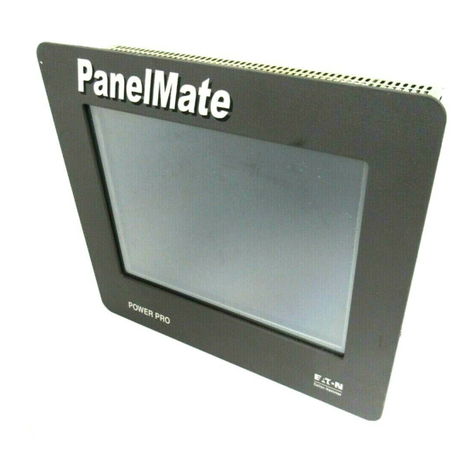
Foreword: Success with the PanelMate 500 F-3
Additional Help
If you make use of the demonstration materials and the sample PLC startup
communication files, you should be able to get your PanelMate 500 unit up and running
successfully with your PLC. And, you’ll see that your configuration software has many
built-in “help” pages to assist you with the page creation process.
However, PanelMate 500 has a wide variety of features available, including the powerful
Virtual Mentor feature in online models 542VM and 542LM. If you need advice on creating
your application, or if you need other help, please phone one of the numbers listed below,
for assistance.
Department Number Description
Customer
Support Center (800) 809-2772 Answers your questions about
connection, configuration, and application
of Cutler-Hammer products. Available
8:00 AM to 5:30 PM (Eastern Standard
Time) Monday through Friday.
Bulletin Board (614) 899-5209 Electronic bulletin board service allows
you to access product information,
documents, and demo files.
Log on with these settings:
(8/1/none/9600-28.8K baud)
Document
Faxback (614) 899-5323 Automated document request service
allows product information and technical
bulletins to be automatically faxed.
Software Update
Service (614) 882-3282
Extension 7636 Registers your software and provides free
or reduced price software updates for
Operator Station products.
Repairs and
Upgrades (614) 882-3282 To obtain product repairs, upgrades and
spare parts.
Order Entry (614) 882-3282 Helps you place a new order or check the
status of an existing order. All new
product sales are through our world-wide
distribution channel.
Emergency
Support (After
5:30 PM Eastern
Standard Time)
(800) 809-2772 24 hour emergency technical support for
plant down or safety issues.
(Note: This service does not currently
provide emergency product shipments.)