EnglishDeutsch
 logo
Brands
  1. Home
  2. •
  3. Brands
  4. •
  5. Eizo
  6. •
  7. Monitor
  8. •
  9. Eizo FlexScan EV2360 User manual

Eizo FlexScan EV2360 User manual

Other manuals for FlexScan EV2360

1

Other Eizo Monitor manuals
Eizo DURAVISION FDH3601 User manual

Eizo

Eizo DURAVISION FDH3601 User manual

Eizo FlexScan S2233W User manual

Eizo

Eizo FlexScan S2233W User manual

Eizo FLEXSCAN HD2441W - SETUP User manual

Eizo

Eizo FLEXSCAN HD2441W - SETUP User manual

Eizo DURAVISION FDS1901 User manual

Eizo

Eizo DURAVISION FDS1901 User manual

Eizo RadiForce RX360 User manual

Eizo

Eizo RadiForce RX360 User manual

Eizo DuraVision FDF2121WT-A User guide

Eizo

Eizo DuraVision FDF2121WT-A User guide

Eizo FLEXSCAN L550 User manual

Eizo

Eizo FLEXSCAN L550 User manual

Eizo FLEXSCAN F980 User manual

Eizo

Eizo FLEXSCAN F980 User manual

Eizo FLEXSCAN L788 User manual

Eizo

Eizo FLEXSCAN L788 User manual

Eizo FlexScan EV2750 User manual

Eizo

Eizo FlexScan EV2750 User manual

Eizo FlexScan S1701 User guide

Eizo

Eizo FlexScan S1701 User guide

Eizo FlexScan T965 User manual

Eizo

Eizo FlexScan T965 User manual

Eizo FORIS FS2434 User manual

Eizo

Eizo FORIS FS2434 User manual

Eizo FlexScan S2133-BK User manual

Eizo

Eizo FlexScan S2133-BK User manual

Eizo FlexScan L461 User manual

Eizo

Eizo FlexScan L461 User manual

Eizo FLEXSCAN L661 - User manual

Eizo

Eizo FLEXSCAN L661 - User manual

Eizo RadioForce RS110 User manual

Eizo

Eizo RadioForce RS110 User manual
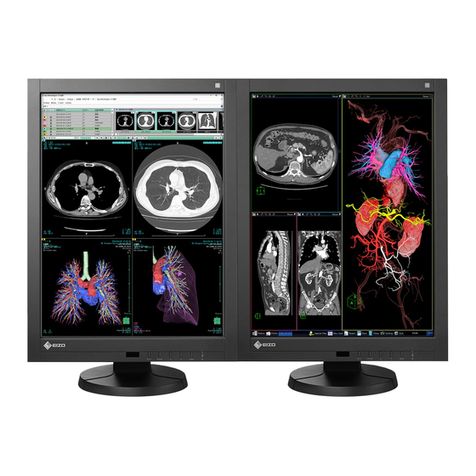
Eizo FLEXSCAN F931 - User manual

Eizo

Eizo FLEXSCAN F931 - User manual

Eizo FlexScan M1900 User manual

Eizo

Eizo FlexScan M1900 User manual

Eizo EV2455-WT User manual

Eizo

Eizo EV2455-WT User manual

Eizo FLEXSCAN S1701-X - User manual

Eizo

Eizo FLEXSCAN S1701-X - User manual

Eizo FlexScan S2111W User manual

Eizo

Eizo FlexScan S2111W User manual

Eizo RadiForce ES240W User manual

Eizo

Eizo RadiForce ES240W User manual

Eizo FlexScan EV2785 User manual

Eizo

Eizo FlexScan EV2785 User manual

Popular Monitor manuals by other brands

Linear Acoustic LQ-1000 user guide

Linear Acoustic

Linear Acoustic LQ-1000 user guide

AOC I2579V user manual

AOC

AOC I2579V user manual

ViewSonic VX1945WM - ViewDock - 19" LCD Monitor null

ViewSonic

ViewSonic VX1945WM - ViewDock - 19" LCD Monitor null

ViewSonic VA705M null

ViewSonic

ViewSonic VA705M null

BenQ FP757 null

BenQ

BenQ FP757 null

ViewSonic VA703MB - 17" LCD Monitor null

ViewSonic

ViewSonic VA703MB - 17" LCD Monitor null

Gateway FPD1520 user guide

Gateway

Gateway FPD1520 user guide

Furuno Mu 120c Operator's manual

Furuno

Furuno Mu 120c Operator's manual

Asus VB171D - 17" LCD Monitor Service manual

Asus

Asus VB171D - 17" LCD Monitor Service manual

Dell S2230MX Setting up

Dell

Dell S2230MX Setting up

Philips 107C64 user manual

Philips

Philips 107C64 user manual

Dell S2409WFP user guide

Dell

Dell S2409WFP user guide

EverFocus EN-7517E instruction manual

EverFocus

EverFocus EN-7517E instruction manual

Panasonic TH152UX1 - 152" PLASMA TV Service manual

Panasonic

Panasonic TH152UX1 - 152" PLASMA TV Service manual

Dell Precision 7680 Connection guide

Dell

Dell Precision 7680 Connection guide

LG 50PM1M -  - 50" Plasma Panel Service manual

LG

LG 50PM1M - - 50" Plasma Panel Service manual

Bosch DDU 9 manual

Bosch

Bosch DDU 9 manual

Acer A231HL user manual

Acer

Acer A231HL user manual

https://manuals.online logo
https://manuals.online logoBrands
  • About & Mission
  • Contact us
  • Privacy Policy
  • Terms and Conditions

Copyright 2026 Manuals.Online. All Rights Reserved.

M4x12
UU200SS
(USB Type-A - USB Type-B)
PP200
(DisplayPort - DisplayPort)
User's Manual - Setup Guide
Benutzerhandbuch - Installationsanleitung
Manuel d’utilisation - Guide d'installation
Руководство пользователя - Руководство по установке
用户手册 - 设定指南
使用者操作手冊 - 設定指南
Color LCD Monitor
Please read PRECAUTIONS, this Setup Guide and the User’s Manual carefully to familiarize yourself with safe and effective usage. Please retain this guide for
future reference.
Lesen Sie die VORSICHTSMASSNAHMEN, diese Installationsanleitung und das Benutzerhandbuch aufmerksam durch, um sich mit der sicheren und effizienten
Bedienung vertraut zu machen. Bewahren Sie diese Anleitung zum späteren Nachschlagen auf.
Veuillez lire attentivement les PRECAUTIONS, ce Guide d’installation ainsi que le Manuel d’utilisation, afin de vous familiariser avec ce produit et de l’utiliser
efficacement et en toute sécurité. Veuillez conserver ce guide pour référence ultérieure.
Внимательно прочитайте МЕРЫ ПРЕДОСТОРОЖНОСТИ, настоящее Руководство по установке и Руководство пользователя и ознакомьтесь с
правилами безопасной и эффективной эксплуатации.
请仔细阅读用户手册、本设定指南和预防措施,掌握如何安全、有效地使用本产品。请保留本指南,以便今后参考。
請仔細閱PRECAUTIONS ( 預防措施)、本設定指南和使用者操作手冊, 熟悉如何安全、有效地使用本產品。請保留本指南以供日後參考用。
Important / Wichtig / Important / Важно! / 重要事项 / 重要事項
2
Recommended Resolution
Empfohlene Auflösung
Résolution conseillée
Рекомендуемое разрешение
推荐分辨率
建議的解析度
1920×1200
Factory Preset: On
Werkseinstellung: Ein
Réglage de fabrication: marche
Заводские настройки: On
恢复出厂设置:开启
原廠預設:開
UU200SSUU200SS
USB Type-AUSB Type-A
DisplayPortDisplayPort
PP200PP200
2
1
4
3
Note / Hinweis / Remarque / Примечание / 注/ 注
3
140mm
-5° 35°
344°
6
5
Note / Hinweis / Remarque / Примечание / 注/ 注
00N0N181A1
SUG-EV2360-6
1st Edition-December, 2019 Printed in Japan.
Copyright © 2019 EIZO Corporation. All rights reserved.
Кнопка блокировки используется только для снятия стойки с
монитора. В других случаях использование кнопки блокировки
может привести к повреждению изделия или травмированию
вследствие отсоединения монитора от стойки.
该锁定按钮仅用于从显示器卸下底座的情况。在其它情况下,
由于显示器已从底座卸下,使用该锁定按钮可能造成产品损
坏或人身伤害。
本產品配備一個鎖定按鈕,使顯示器固定在支架上。在其他
情況下,因顯示器已從支架拆下,使用該鎖定按鈕可能造成
產品損壞或人身傷害。
The lock button is only used to remove the stand from the monitor.
In other cases, using the lock button may result in product damage
or personal injury due to the monitor becoming detached from the
stand.
Die Verriegelungstaste wird nur zum Entfernen des Standfußes
vom Monitor verwendet. In anderen Fällen kann die Verwendung
der Verriegelungstaste durch ein Lösen des Monitors vom
Standfuß zu einer Beschädigung des Produkts oder zu
Personenschäden führen.
Le bouton de verrouillage est utilisé uniquement pour retirer le
pied du moniteur. Dans d’autres cas, l’utilisation du bouton de
verrouillage pourrait entraîner des dommages au produit ou des
blessures personnelles parce que le moniteur est détaché du pied.
CAUTION / VORSICHT /
ATTENTION / ВНИМАНИЕ /
注意 / 注意事項
EV2360 User’s manual
www.eizoglobal.com
8
7