manuals.online logo
Brands
  1. Home
  2. •
  3. Brands
  4. •
  5. Extron electronics
  6. •
  7. Media Converter
  8. •
  9. Extron electronics CVC 200 User manual

Extron electronics CVC 200 User manual

Other Extron electronics Media Converter manuals
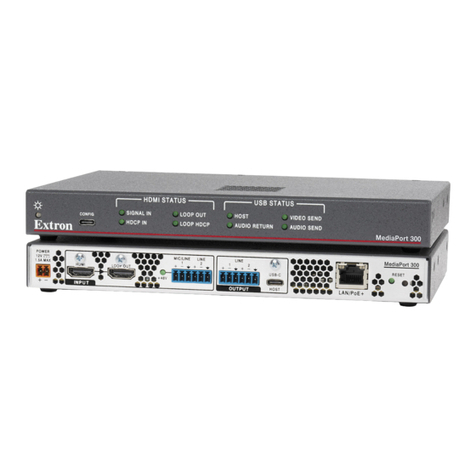
Extron electronics MediaPort 300 User manual

Extron electronics

Extron electronics MediaPort 300 User manual

Extron electronics DSC 401 User manual
Extron electronics

Extron electronics DSC 401 User manual

Extron electronics VSC 500 User manual
Extron electronics

Extron electronics VSC 500 User manual

Extron electronics DVC RGB-HD A User manual
Extron electronics

Extron electronics DVC RGB-HD A User manual
Extron electronics DVC RGB-HD A User manual

Extron electronics

Extron electronics DVC RGB-HD A User manual

Extron electronics NAV E 101 DTP User manual
Extron electronics

Extron electronics NAV E 101 DTP User manual

Extron electronics CLK 100 User manual
Extron electronics

Extron electronics CLK 100 User manual

Extron electronics NAV SD 511 User manual
Extron electronics

Extron electronics NAV SD 511 User manual

Extron electronics DSC HD-HD 4K A User manual
Extron electronics

Extron electronics DSC HD-HD 4K A User manual

Extron electronics CD 400 User manual

Extron electronics

Extron electronics CD 400 User manual
Extron electronics DVS 510 User manual
Extron electronics

Extron electronics DVS 510 User manual

Extron electronics TLI Pro 201 User manual
Extron electronics

Extron electronics TLI Pro 201 User manual

Extron electronics DSC 401 User manual
Extron electronics

Extron electronics DSC 401 User manual

Extron electronics CD 900 User manual

Extron electronics

Extron electronics CD 900 User manual
Extron electronics Inertia User manual
Extron electronics

Extron electronics Inertia User manual

Extron electronics VSC 50 User manual

Extron electronics

Extron electronics VSC 50 User manual

Extron electronics Scan Converter VSC 500 User manual
Extron electronics

Extron electronics Scan Converter VSC 500 User manual

Extron electronics DSC 3G-HD A User manual
Extron electronics

Extron electronics DSC 3G-HD A User manual

Extron electronics SENTOSAxi User manual
Extron electronics

Extron electronics SENTOSAxi User manual

Extron electronics QSD 204 User manual
Extron electronics

Extron electronics QSD 204 User manual
Extron electronics DAC 102 User manual

Extron electronics

Extron electronics DAC 102 User manual

Extron electronics Emotia Xtreme MX User manual

Extron electronics

Extron electronics Emotia Xtreme MX User manual

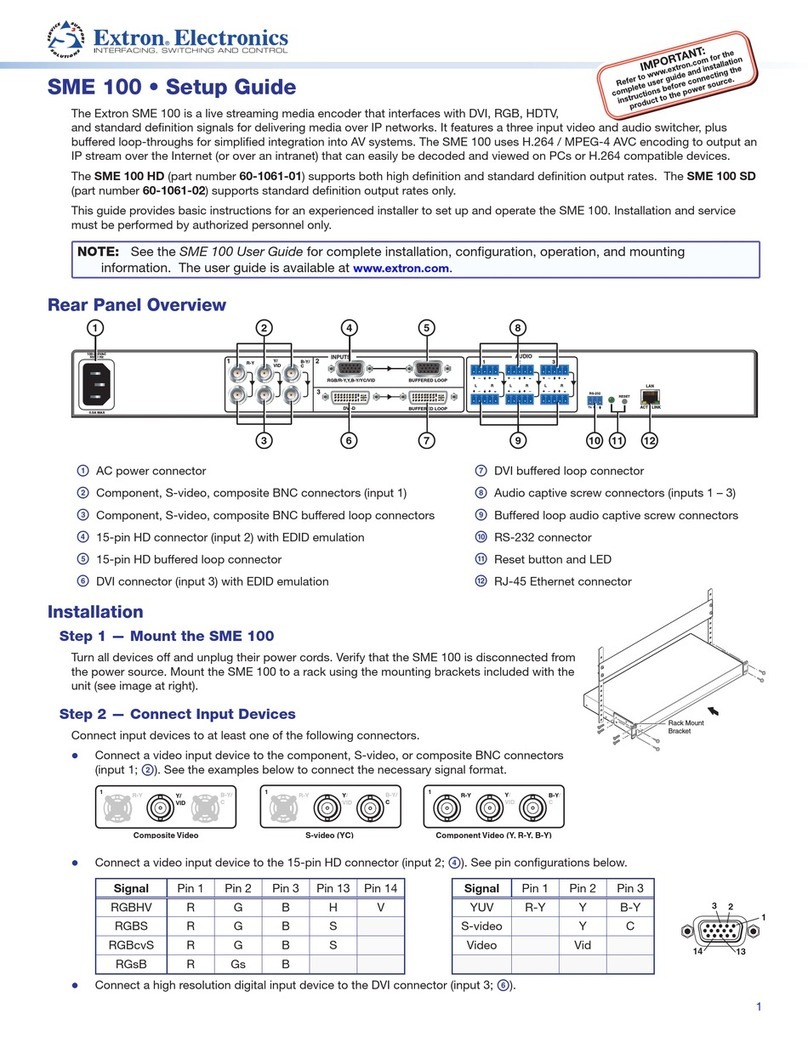
Extron electronics SME 100 User manual

Extron electronics

Extron electronics SME 100 User manual

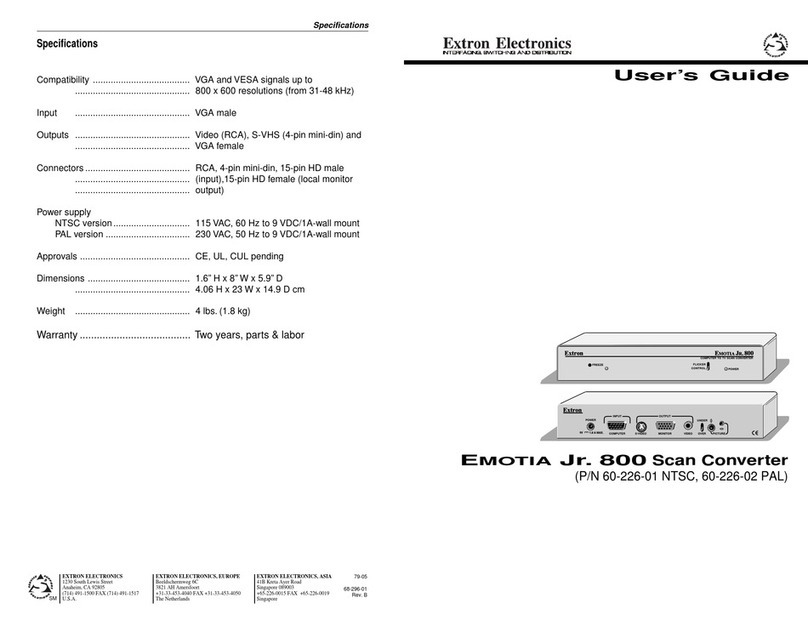
Extron electronics Emotia Jr. 800 User manual

Extron electronics

Extron electronics Emotia Jr. 800 User manual

Popular Media Converter manuals by other brands

TR-Electronic CMS582M-4096/4096 IOL DMS 14H7 KRF Assembly instructions

TR-Electronic

TR-Electronic CMS582M-4096/4096 IOL DMS 14H7 KRF Assembly instructions

Korenix JetCon 2301S user manual

Korenix

Korenix JetCon 2301S user manual

StarTech.com ET91000LCOAM manual

StarTech.com

StarTech.com ET91000LCOAM manual

Alesis AI-3 Reference manual

Alesis

Alesis AI-3 Reference manual

Caton Vpro 5100 user guide

Caton

Caton Vpro 5100 user guide

Cypress CSC-5500 Operation manual

Cypress

Cypress CSC-5500 Operation manual

H&B TX-100 Installation and instruction manual

H&B

H&B TX-100 Installation and instruction manual

Bolin Technology D Series user manual

Bolin Technology

Bolin Technology D Series user manual

IFM Electronic Efector 400 RN30 Series Device manual

IFM Electronic

IFM Electronic Efector 400 RN30 Series Device manual

GRASS VALLEY KUDOSPRO ULC2000 user manual

GRASS VALLEY

GRASS VALLEY KUDOSPRO ULC2000 user manual

Linear Technology DC1523A Demo Manual

Linear Technology

Linear Technology DC1523A Demo Manual

Lika ROTAPULS I28 Series quick start guide

Lika

Lika ROTAPULS I28 Series quick start guide

Weidmuller IE-MC-VL Series Hardware installation guide

Weidmuller

Weidmuller IE-MC-VL Series Hardware installation guide

Optical Systems Design OSD2139 Series Operator's manual

Optical Systems Design

Optical Systems Design OSD2139 Series Operator's manual

Tema Telecomunicazioni AD615/S product manual

Tema Telecomunicazioni

Tema Telecomunicazioni AD615/S product manual

KTI Networks KGC-352 Series installation guide

KTI Networks

KTI Networks KGC-352 Series installation guide

Gira 0588 Series operating instructions

Gira

Gira 0588 Series operating instructions

Lika SFA-5000-FD user guide

Lika

Lika SFA-5000-FD user guide

manuals.online logo
manuals.online logoBrands
  • About & Mission
  • Contact us
  • Privacy Policy
  • Terms and Conditions

Copyright 2025 Manuals.Online. All Rights Reserved.

Installation Guide
Extron Electronics, USA
1230 South Lewis Street
Anaheim, CA 92805
800.633.9876 714.491.1500
FAX 714.491.1517
Extron Electronics, Europe
Beeldschermweg 6C
3821 AH Amersfoort, The Netherlands
+800.3987.6673 +31.33.453.4040
FAX +31.33.453.4050
Extron Electronics, Asia
135 Joo Seng Rd. #04-01
PM Industrial Bldg., Singapore 368363
+800.7339.8766 +65.6383.4400
FAX +65.6383.4664
Extron Electronics, Japan
Kyodo Building, 16 Ichibancho
Chiyoda-ku, Tokyo 102-0082
Japan
+81.3.3511.7655 FAX +81.3.3511.7656
www.extron.com
© 2007 Extron Electronics. All rights reserved.
Component Video and HDTV to RGB Converter
68-437-01 Rev. D
08 07
CVC 200
Get other manuals https://www.bkmanuals.com
The CVC 200 Component Video Converter converts all SMPTE
standard component video formats to RGBS or RGBHV video. The
CVC 200 can also strip sync-on-green (SOG) from RGsB video.
The converter outputs converted RGBS or RGBHV video on BNC
connectors. Figure 1 shows a typical CVC 200 application.
OUTPUT
INPUT
FORMAT
Extron
CVC 200
Video Converter
HDTV
Set Top Box
Large Screen
Rear Projector
LCD Projector
Video Monitor
DVD
or
or
Figure 1 — Typical CVC 200 application
The component video input formats include DVD, Betacam®video, and
HDTV component video. The RGsB video input can be computer video
or NTSC/PAL video.
Mounting
The CVC 200 can be rack mounted using one side of a 1U Universal
Rack Shelf (part #60-190-01) or 1U Basic Rack Shelf (part #60-604-01).
UL requirements
The following Underwriters Laboratories (UL) requirements pertain to
the installation of the CVC into a rack.
1. Elevated operating ambient temperature — If the equipment
installed in a closed or multi-unit rack assembly, the operating
ambient temperature of the rack environment may be greater
than room ambient temperature. Therefore, install the CVC in an
environment compatible with the maximum ambient temperature
(Tma = +122 °F, +50 °C) specified by Extron.
2. Reduced air flow — Install the equipment in a rack so that the
amount of air flow required for safe operation of the equipment is
not compromised.
3. Mechanical loading — Mount the equipment in the rack so that
a hazardous condition is not achieved due to uneven mechanical
loading.
4. Circuit overloading — Connect the equipment to the supply
circuit and consider the effect that circuit overloading might
have on overcurrent protection and supply wiring. Appropriate
consideration of equipment nameplate ratings should be used
when addressing this concern.
5. Reliable earthing (grounding) — Maintain reliable grounding
of rack-mounted equipment. Pay particular attention to supply
connections other than direct connections to the branch circuit
(e.g. use of power strips).
Mounting instructions
Rack mount the CVC 200 as follows:
1. Remove the feet from the CVC, if they were previously installed.
2. Mount the CVC 200 on the rack shelf, using two 4-40 x 3/16”
screws in opposite corners (under the shelf) to secure the CVC to
the shelf (figure 2).
(2) 4-40 x 3/16" Screws
Use 2 mounting holes on
opposite corners.
False front panel
uses 2 front holes.
#10-32 Screw
w/ Nylon Captive
Cap Washer
CVC200
Figure 2 — Rack mounting the CVC 200
Mounting
Introduction
CVC 200 • Installation
1CVC 200 • Installation 2
Get other manuals https://www.bkmanuals.com
Cable Connection and Rate Selection (Cont’d)
Cable Connection and Rate Selection
CVC 200 • Cable Connection and Rate Selection
3CVC 200 • Rate Selection 4
Cable Connection and Rate Selection
See figure 3 to identify the rear panel connections and Format rotary
switch
OUTPUT
RG B SH V
P
R
/R
P
B
/B
Y/G
INPUT FORMAT
LISTED
1T23
I.T.E.
C
.35A
100-240V 50-60Hz
2 4
1
3
Figure 3 — CVC 200 rear panel features
aPower connector — Plug a standard IEC power cord into this
connector to connect the CVC 200 to a 100 to 240VAC, 50 Hz or
60 Hz power source.
bInput connectors — Connect a component video input device
(HDTV, W-VHS [Y, Pr, Pb], SMPTE [Y, R-Y, B-Y]), Betacam®
[Y, R-Y, B-Y]) or an RGsB input device to these female BNC
connectors. Use high-resolution cable, such as Extron’s BNC-
4 mini HR, RG59/HR, or RG6/SHR cable. Connect the input
device as shown in figure 4.
P
R
/R
P
B
/B
Y/G
P
R
/R
P
B
/B
Y/G
Y, P
B
, P
R
RGsB
(SOG)
video
Y, B-Y, R-Y
video
video
P
R
/R
P
B
/B
Y/G
(R-Y)
(B-Y)
Figure 4 — Input connections
cFormat rotary switch — Use an Extron Tweeker or other small
screwdriver to set the Format rotary switch to match the video
input format. The table below shows the switch settings and their
assigned input video formats.
Position
0
1
2
3
4
5
6
7
8
9
A
B-F
Input
format(s)
Not used
Y, Pb, Pr
Y, Pb, Pr
Y, Pb, Pr
Not used
RGsB
RGsB
Y, Pb, Pr
Y, Pb, Pr
Y, Pb, Pr
Y, Pb, Pr
Not used
Standard or rate
NTSC/PAL
HDTV (480p, 576p, 720p, 1035i, 1080i)
Betacam
NTSC/PAL
Computer rates
NTSC/PAL
HDTV (720p)
HDTV (1080i)
HDTV (1080p)
Format
switch
dOutput connectors — Connect an RGBHV or RGBS display to
these female BNC connectors. Use high-resolution cable, such
as Extron’s BNC-4 or BNC-5 mini HR, RG59/HR, or RG6/SHR
cable. Connect the display as shown in figure 5.
RV
G B SH
RV
G B SH
RGBHV
video
RGBS
video
Figure 5 — Output connections
Get other manuals https://www.bkmanuals.com
Specifications (Cont’d)
Specifications
CVC 200 • Specifications
5CVC 200 • Specifications 6
Specifications
Video
Gain ................................................ Unity
Bandwidth ..................................... 55 MHz (-3 dB)
Video input
Number/signal type..................... 1 component video [HDTV, W-VHS (Y, Pr, Pb),
SMPTE (Y, R-Y, B-Y), and Betacam®
(Y, R-Y, B-Y)] or RGsB
Connectors .................................... 3 BNC female
Nominal level ................................ 1V p-p for Y of component video
0.3V p-p for R-Y and B-Y of component video
0.7V p-p for PBPR
Minimum/maximum levels........ Y: 0.5 V to 1.5 Vp-p with no offset at unity gain
PBPR: 0.4 V to 1.0 Vp-p with no offset at unity
gain
Impedance ..................................... 75 ohms
Horizontal frequency.................... 15.75 kHz to 100 kHz according to selected mode
Vertical frequency.......................... 60 Hz
Return loss ..................................... <-25 dB @ 5 MHz
DC offset (max. allowable)........... ±2 V (maximum)
Video output
Number/signal type..................... 1 RGBHV, RGBS
Connectors .................................... 6 BNC female
Nominal level ................................ 0.7 Vp-p for RGB
Minimum/maximum levels........ RGB: 0.4 V to 1.0 Vp-p
Impedance ..................................... 75 ohms
Return loss ..................................... <-30 dB @ 5 MHz
DC offset ........................................ 0.1 V with input at 0 offset
General
Power ............................................. 100 VAC to 240 VAC, 50/60 Hz, 12 watts,
internal, autoswitchable
Temperature/humidity................ Storage -40° to +158°F (-40° to +70°C) / 10% to
90%, noncondensing
Operating +32° to +122°F (0° to +50°C) / 10% to
90%, noncondensing
Rack mount .................................... Yes, with optional rack shelf,
part #60-190-01 or #60-604-01
Enclosure type .............................. Metal
Enclosure dimensions .................. 1.6” H x 8.75” W x 9.4” D
(1U high, half rack wide)
4.1 cm H x 22.2 cm W x 23.9 cm D
(Depth excludes connectors.)
Product weight .............................. 2.8 lbs (1.3 kg)
Shipping weight ........................... 5 lbs (3 kg)
Vibration ........................................ ISTA 1A in carton
(International Safe Transit Association)
Listings............................................ UL, CUL
Compliances................................... CE
MTBF............................................... 30,000 hours
Warranty ........................................ 3 years parts and labor
NAll nominal levels are at ±10%.
NSpecifications are subject to change without notice.
Get other manuals https://www.bkmanuals.com