manuals.online logo
Brands
  1. Home
  2. •
  3. Brands
  4. •
  5. Fluke
  6. •
  7. Laboratory Equipment
  8. •
  9. Fluke ii900 User manual

Fluke ii900 User manual

Other manuals for ii900

3

This manual suits for next models

1

Other Fluke Laboratory Equipment manuals
Fluke TiS10 User manual

Fluke

Fluke TiS10 User manual

Fluke 9142 User manual

Fluke

Fluke 9142 User manual

Fluke Ti200 User manual

Fluke

Fluke Ti200 User manual

Fluke 6050H User manual

Fluke

Fluke 6050H User manual

Fluke PTi120 User manual

Fluke

Fluke PTi120 User manual

Fluke Ti90 User manual

Fluke

Fluke Ti90 User manual

Fluke 3125 User manual

Fluke

Fluke 3125 User manual

Fluke TiX500 User manual

Fluke

Fluke TiX500 User manual

Fluke Expert Series User manual

Fluke

Fluke Expert Series User manual

Fluke 983 User manual

Fluke

Fluke 983 User manual

Fluke 7037 User manual

Fluke

Fluke 7037 User manual

Fluke Ti9 User manual

Fluke

Fluke Ti9 User manual

Fluke TiR2 User manual

Fluke

Fluke TiR2 User manual

Fluke PTi120 Configuration guide

Fluke

Fluke PTi120 Configuration guide

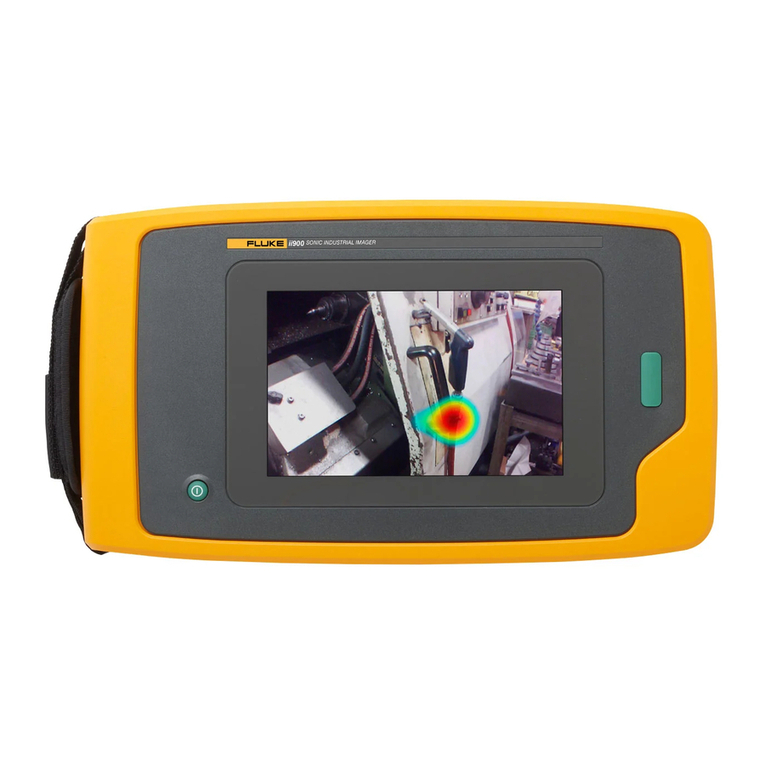
Fluke ii900 User manual

Fluke

Fluke ii900 User manual

Fluke RUSKA 7750i User manual

Fluke

Fluke RUSKA 7750i User manual

Fluke ProSim 4 User manual

Fluke

Fluke ProSim 4 User manual

Fluke tix640 User manual

Fluke

Fluke tix640 User manual

Fluke PTI120-9HZ User manual

Fluke

Fluke PTI120-9HZ User manual

Fluke TiS20+ User manual

Fluke

Fluke TiS20+ User manual

Fluke i40s-PR User manual

Fluke

Fluke i40s-PR User manual

Fluke TiX620 User manual

Fluke

Fluke TiX620 User manual

Fluke RSE300 Training manual

Fluke

Fluke RSE300 Training manual

Fluke 7341 User manual

Fluke

Fluke 7341 User manual

Popular Laboratory Equipment manuals by other brands

Radleys Carousel 6 Plus instructions

Radleys

Radleys Carousel 6 Plus instructions

Hemotherm 400MR Operation & technical manual

Hemotherm

Hemotherm 400MR Operation & technical manual

mrclab DVO Series Operation manual

mrclab

mrclab DVO Series Operation manual

CoolLED pE-800 quick start guide

CoolLED

CoolLED pE-800 quick start guide

Luminex Guava easyCyte Maintenance Guide

Luminex

Luminex Guava easyCyte Maintenance Guide

IKA A10 basic operating instructions

IKA

IKA A10 basic operating instructions

Belden HIRSCHMANN RPI-P1-4PoE installation manual

Belden

Belden HIRSCHMANN RPI-P1-4PoE installation manual

Koehler K1223 Series Operation and instruction manual

Koehler

Koehler K1223 Series Operation and instruction manual

Globe Scientific GCM-12 quick start guide

Globe Scientific

Globe Scientific GCM-12 quick start guide

Getinge 86 SERIES Technical manual

Getinge

Getinge 86 SERIES Technical manual

CORNING Everon 6000 user manual

CORNING

CORNING Everon 6000 user manual

Biocomp GRADIENT MASTER 108 operating manual

Biocomp

Biocomp GRADIENT MASTER 108 operating manual

Cole Parmer Stuart SB3/1 instruction manual

Cole Parmer

Cole Parmer Stuart SB3/1 instruction manual

BEVS 2501/2A user manual

BEVS

BEVS 2501/2A user manual

Qiagen DML 3000 user manual

Qiagen

Qiagen DML 3000 user manual

Queensgate NANOSCAN OP400 Quick start instructions

Queensgate

Queensgate NANOSCAN OP400 Quick start instructions

Parr Instrument 4560 Operating instructions manual

Parr Instrument

Parr Instrument 4560 Operating instructions manual

Integra DOSE IT operating instructions

Integra

Integra DOSE IT operating instructions

manuals.online logo
manuals.online logoBrands
  • About & Mission
  • Contact us
  • Privacy Policy
  • Terms and Conditions

Copyright 2025 Manuals.Online. All Rights Reserved.

April 2019 Rev. 1, 9/20
©2019-2020 Fluke Corporation. All rights reserved.
All product names are trademarks of their respective companies.
ii900/ii910
Acoustic Imager
Users Manual
Acoustic Imager
Basic Operation
15
Basic Operation
The Imager works much like a point-and-shoot camera.
WCaution
Do not place hand on or obstruct the acoustic
sensor. Always use the sensor cover when the
Product is not in use.
1. Remove the sensor cover before use.
2. Push and hold >2 s.
3. Aim the Imager at the test area.
Ideal distance is 1 m to 8 m (3 ft to 26 ft). With good
line-of-sight, >8 m to ≤21 m (>26 ft to ≤70 ft).
4. Select a band on the frequency spectrum on the right side of
the display. See Table 4.
5. Change the width of the band by sliding the edges or move by
sliding the middle of the band.
6. The optimum band depends on the environment and
application. As an example for finding air or gas leaks, start
with a band at 35 kHz and width that spans 5 kHz.
Note
High frequency peaks within the selected band may be
caused by sources other than a leak or partial
discharge. In this case, move the band to another
frequency range.
If a strong source of sound is off the field-of-view, the display
shows a circular pattern (flower) of hot spots on the
SoundMap. In this case, scan around for the source of
sound.
Table 4. Frequency Band Adjustment
Item Description
Frequency Band

Move within the Spectrum: Touch center of box until
arrows show. Slide the box up and down to move
the frequency range.

Adjust high end: Touch upper edge of box until
arrows show. Slide edge up to change high end of
the frequency range.

Adjust low end: Touch lower edge of box until
arrows show. Slide edge down to change low end of
the frequency range.
Maximum Frequency Range:
ii900 ...........52 kHz
ii910 ...........100 kHz
1
2
3
4