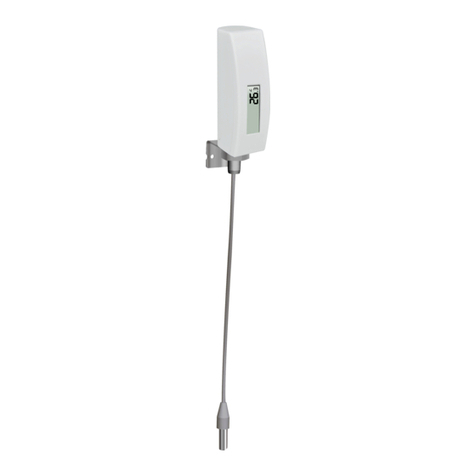
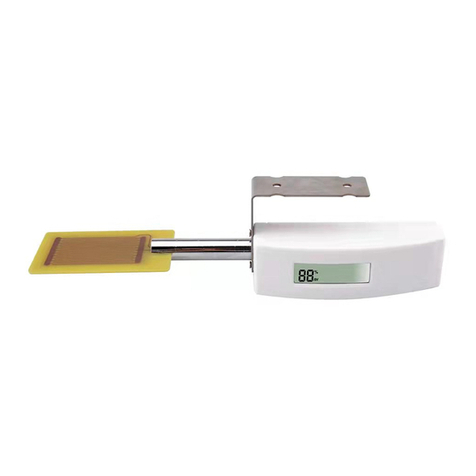
2.Befo
re inserting the batteries, find
the channel number and temperature:
Channel Number: This
device supports up to eight sensor
change Dip Switches 1, 2 and 3, as
Temperature Units:
To change the transmitter display units of
vs. °
C), change Dip Switch 4, as
3.Insert two AA batteries.
4.
Verify the correct channel number (CH) and temperature units of measure (°F vs. °C) are on
the display.
5.Close the battery door.
Repeat for the additional remote transmitters
different channel.
4 Sensor Placement
The best mounting location for the indoor sensor is in a location that never receives direct sunlight,
not even through windows. Also, do not install in a location where a nearby radiant heat source
(radiator, heaters, etc.) wil
l affect it. Direct sunlight and radiant heat sources will result in
inaccurate temperature readings.
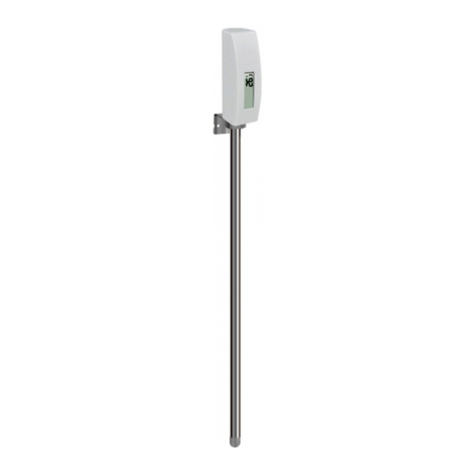
The sensor is meant to provide indoor conditions for display on the console, but if you would rather
have a second source for outdoor conditions instead,
weatherproof, but besides
heeding the placement instructions above, you should also attempt to
mount the unit under cover (eve or awning or similar).
To mount or hang the unit on a wall or wood beam:
Use a screw
or nail to affix the remote
Hang the remote sensor using a st
Note:
insure optimum reception. Wireless signals are impacted by distance, interference (other weather
stations, wireless phones, wireless routers, TVs and computer monitors), and transmission
3
re inserting the batteries, find
the dip switches
above the battery compartment and set
the channel number and temperature:
device supports up to eight sensor
s. To set each channel number,
change Dip Switches 1, 2 and 3, as
shown below.
To change the transmitter display units of
C), change Dip Switch 4, as
shown below.
Switch in up position.
Verify the correct channel number (CH) and temperature units of measure (°F vs. °C) are on
Repeat for the additional remote transmitters
(sold separately)
, verifying each remote is on a
The best mounting location for the indoor sensor is in a location that never receives direct sunlight,
not even through windows. Also, do not install in a location where a nearby radiant heat source
l affect it. Direct sunlight and radiant heat sources will result in
inaccurate temperature readings.
The sensor is meant to provide indoor conditions for display on the console, but if you would rather
have a second source for outdoor conditions instead,
you can mount this unit outside. The unit is
heeding the placement instructions above, you should also attempt to
mount the unit under cover (eve or awning or similar).
To mount or hang the unit on a wall or wood beam:
or nail to affix the remote
sensor to the wall, as shown
Hang the remote sensor using a st
ring, as shown below.
mounted vertically and not lying down on a flat surface. This will
insure optimum reception. Wireless signals are impacted by distance, interference (other weather
stations, wireless phones, wireless routers, TVs and computer monitors), and transmission
above the battery compartment and set
s. To set each channel number,
measure (°F
Verify the correct channel number (CH) and temperature units of measure (°F vs. °C) are on
, verifying each remote is on a
The best mounting location for the indoor sensor is in a location that never receives direct sunlight,
not even through windows. Also, do not install in a location where a nearby radiant heat source
l affect it. Direct sunlight and radiant heat sources will result in
The sensor is meant to provide indoor conditions for display on the console, but if you would rather
you can mount this unit outside. The unit is
heeding the placement instructions above, you should also attempt to
or
mounted vertically and not lying down on a flat surface. This will
insure optimum reception. Wireless signals are impacted by distance, interference (other weather
stations, wireless phones, wireless routers, TVs and computer monitors), and transmission