P.4
1. Insert the Battery
Open the battery cover on the back of the scale. Remove the
plasticstripforrstuseorinsertnewbatteriesfor
replacement. Be sure that the polarity of the batteries is set
properly for proper function. If you do not intend to use this
unit for a prolonged period of time, it is advisable to remove
the batteries before storage.
2. Set Unit (Available On Conversion Switch Model)
Selectbetweengramandpoundounceunitwiththeunit
conversion button at the back of the product.
3. Set the Right Position
Usethescaleonarmandatsurface.
4. Start-up the Scale
The scale must be initialized after each battery insertion or
replacement. Press lightly on the scale platform to start-up
thescale,thedisplayshows“0000”,andthenturnsoff.
The scale is ready for use.
5. Weighing Operation
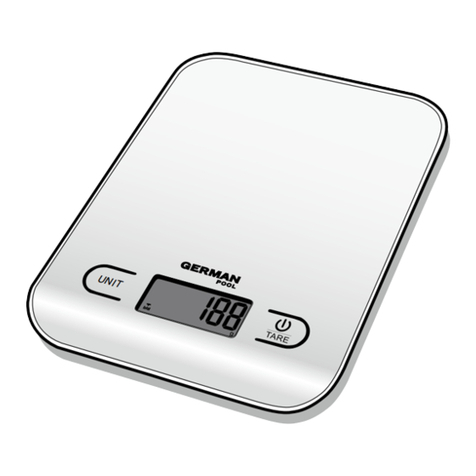
- Press and hold [ ] button for 1 second to turn the
scaleon(Fig.1).Thedisplayshows“---”whileholdingthe
button, then returns to zero after releasing the button.
The scale is ready for use.
- Place ingredient (>/=30g) directly on the platform, the
weightwillbedisplayed.
6. Weighing Operation Using Tare Function
Thekitchenscaleallowsyoutoaddconsecutive
ingredient(s)tothecontainerorplatformyetweigheach
item individually.
1. After start-up the scale, place item on the platform, the
weightwillbedisplayed.
2.Press[]buttontotaretheweight,thedisplay
shows“”andthenreturnstozero.
3.Addthenextitem,thedisplayshowstheweightofthe
next item only.
4.Continuethesamewayforallthesuccessiveitems.
5. After you press the [ ] button and remove the last
item,thescalewilldisplayanegativeweightvalue
correspondingtotheweightofallremoveditems.
Press [ ] again to reset to zero.
Note:Thetotalweightofalltareandadd-onitemsmust
be smaller than the maximum capacity.
7. To Turn Off the Scale
- Press and hold [ ] button for around 2 seconds to
turn the scale off.
1. 電池安裝
開啟磅秤背面的電池盒,抽去電池下面的絕緣條或更換
電池。請正確安裝電池的正負極。如果長時間不使用本
產品,建議您取出電池後保存。
2. 單位設置(適用於有單位轉換型號)
選擇不同的稱重單位,可按磅秤下面的單位轉換
按鈕在克(g)和磅.安士(lb.oz)之間轉換。
3. 位置擺放
將磅秤放置於平整、乾淨的臺面上使用。
4. 磅秤初始化
每次安裝電池或更換電池後,磅秤需要重新進行初始化。
輕按磅面,屏幕顯示“0000”後關機,初始化完成。
5. 簡單稱重功能
-輕按【】鍵1秒鐘後開機(圖1),
如持續按住不放,屏幕將持續顯示“----”,
鬆開按鍵後,屏幕還原零顯示,
此時可稱重。
-將所稱物品(>/=30克)直接
置於磅面上,屏幕顯示物件重量。 圖 1 (Fig.1)
6. 連續淨稱重功能
本款產品可用於使用容器稱重或連續稱重,
而計算單件物品的重量。
1.開機後,將物品置於磅面上,屏幕顯示重量。
2.按【】鍵,屏幕顯示“”後,讀數歸零。
3.加置物品,屏幕只顯示加置物品的重量。
4.連續稱重時,步驟同上。
5.完成最後一次稱重後,按【】鍵,並移除所有
物件後,屏幕讀數為負數,重量為所有物品的總重
量。再次按【】鍵,讀數歸零。
注:連續淨稱重時物品的總重量須小於最大稱重。
7. 關機功能
-長按【】鍵約2秒後關機。
操作說明 Operating Instructions
- 屏幕顯示“”時,請更換電池。低電狀態下可能會影響稱重精確度並導致功能異常。
- Replacethebatterieswhen“”isdisplayed.Measuringinlowbatterymaycauseinaccurateresultandmalfunction.
小貼士 Tips