10
3.1.5 Manual On/Off and Setting to Max. or Local
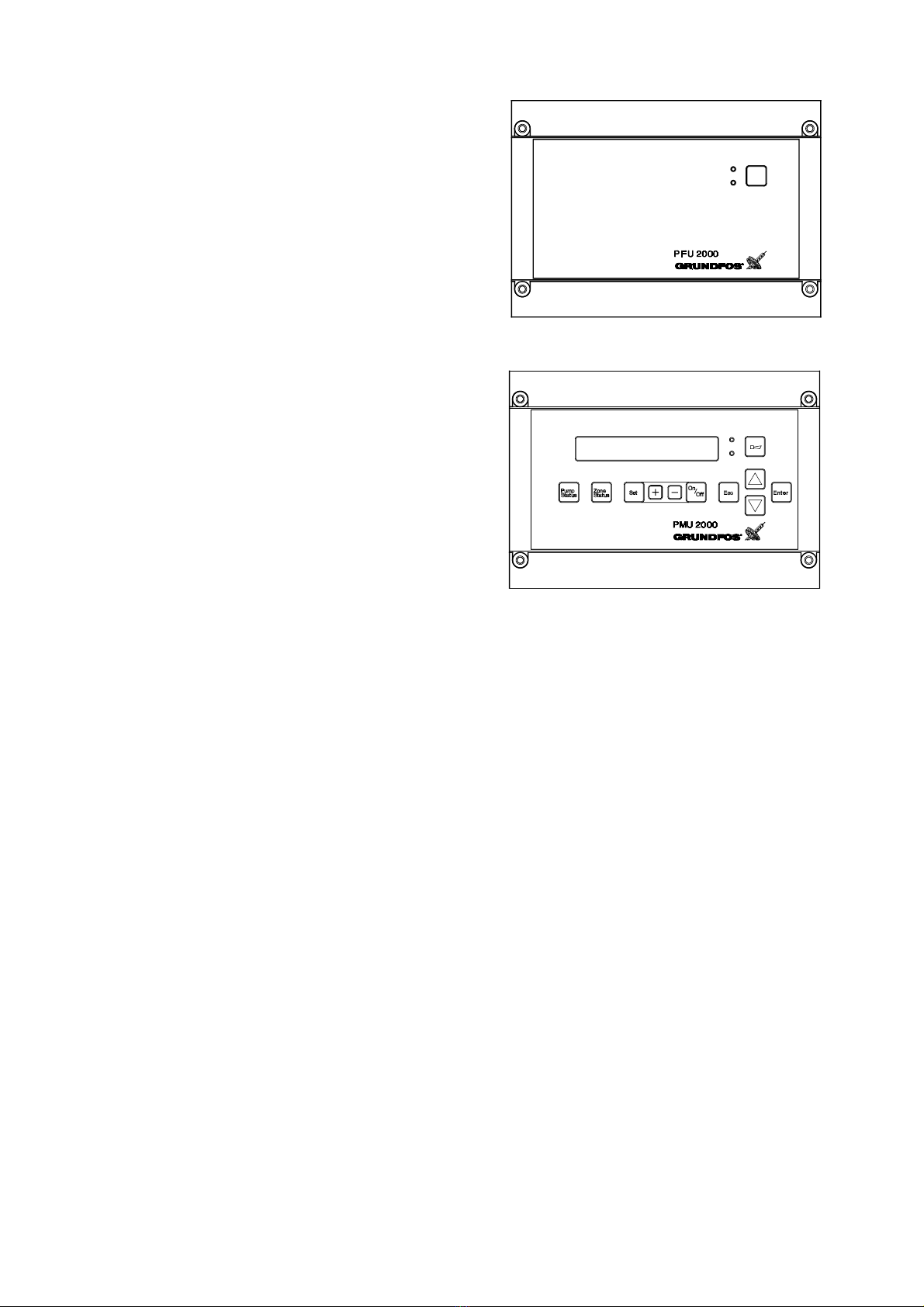
Operation with PFU 2000 RAM / PMU 2000 Settings:
Fig. 10
In the start/stop menu, the “On/Off” button on the PMU 2000
gives quick access to:
• manual on/off of zone and setting to max. or local,
• manual on/off of individual pumps.
In this menu, the zone and the pumps allocated to this zone ap-
pear one by one when the arrow buttons are pressed.
The operating condition of the zone or pump in question is dis-
played in the top line. In the bottom line, a new status can be se-
lected.
Start/stop of zones (display 300):
• “on”
All pumps in the zone are ready for operation.
• “off”
All pumps in the zone are switched off.
•“max.”
All pumps in the zone are operating at maximum performance.
•“local”
The controller has been set to local mode and will operate ac-
cording to the local control parameter settings.
See section 6.2.1 PFU 2000 DIP Switch Settings.
If the function selector in the PFU 2000 has been turned to posi-
tion MAX, the setpoint influences, “clock program” and “remote
on/off” are not effective.
Start/stop of pumps (display 301):
• “on”
The pump is ready for operation.
•“off”
The pump is switched off.
Operation with PFU 2000 EPROM Settings:
The controller will operate according to the local control parame-
ter settings.
For further information, see section
6.2.1 PFU 2000 DIP Switch Settings.
On
Off
3.1.6 Water Shortage Monitoring
The water shortage monitoring function switches off all
pumps.
Note: If the booster set has been delivered without a water short-
age monitor, it should not be started until a water shortage moni-
tor has been installed. Otherwise, there is a risk of damage to the
pumps.
If the function “fire fight” (display 222) is activated, the water
shortage monitoring function is suppressed.
Operation with PFU 2000 RAM / PMU 2000 Settings:
Pre-pressure measuring can be set to “on” or “off” (display 216).
Via an Analog Signal:
Set “prepress.measuring” to “on” (display 216) if a pressure
transmitter is installed on the suction side of the booster set.
The PFU 2000 analog input 2 measures the pre-pressure. The
water shortage monitoring will be carried out according to the set
“min. prepressure” (display 231).
Via a Digital Signal:
Set “prepress.measuring” to “off” (display 216).
The signal on the PFU 2000 analog input 2 is evaluated as a dig-
ital signal for water shortage monitoring from a pressure switch,
level switch or an electrode relay.
Operation with PFU 2000 EPROM Settings:
The pre-pressure can be measured via the PFU 2000 analog in-
put 2.
Via an Analog Signal:
If the signal is lower than 5% of the measuring range for more
than 5 secs., a fault is indicated.
Via a Digital Signal:
If the switch contact indicates water shortage for more than 5
secs., a fault is indicated.
For further information, see section
3.2.13 PFU 2000 Analog Input 2 Configuration.